Buy Mistfall Hunter Gyldenblod
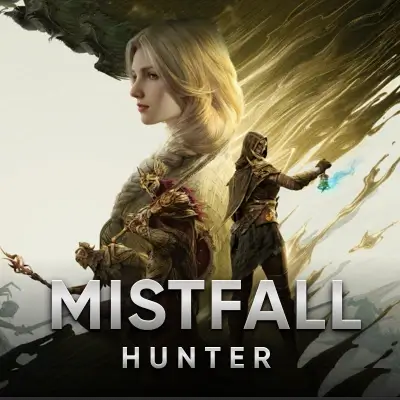
Mistfall Hunter is a dark-fantasy PvPvE extraction ARPG from developer Bellring Games, quickly becoming one of the most talked-about extraction titles since its 2026 launch. Every raid into the corrupted Gyldenmist is a race against time and rival Hunters, and every successful extraction can turn a run into a serious payday — or a total loss if you die before you escape.
What Is Mistfall Hunter?
Mistfall Hunter is an online extraction game that blends looting, combat, and high-stakes risk. Players drop into the mist-covered remnants of a fallen world, scavenge gear, fight monsters and other Hunters, and try to extract with as much loot as possible before the run ends.
Each expedition is called a Run, and the danger scales with the reward — elite monsters, bosses, and rival players all guard the richest drops, but dying mid-run means losing everything you're carrying.
What Is Mistfall Hunter Gyldenblod?
Gyldenblod (also written Gyldenblood) is the official core currency of Mistfall Hunter, described in-game as the "blood of fallen gods." It's the main resource players need for gearing up, trading, and progressing at camp. You can use Gyldenblod for:
- Buy Gear on the Auction House: Use Gyldenblod to purchase weapons, armor, and crafted equipment from Pip's Auction House once it unlocks at level 5.
- Shop with NPC Vendors: Buy consumables, common gear, and repairs from Cazarro and Richie the Merchant before heading back into the mist.
- Upgrade Your Camp: Expand your warehouse storage, unlock the Auction House and Premium Shop, and improve your ability to recover after a bad run.
- Craft and Repair: Spend Gyldenblod on crafting upgrades and repairing valuable equipment so you're ready for the next extraction.
Since gear loss on death is a core part of Mistfall Hunter's design, a steady supply of Gyldenblod is what lets you keep gearing back up instead of grinding from scratch after every failed run.
How to Get Mistfall Hunter Gyldenblod?
Players can acquire Gyldenblod through the following methods:
- Farm in the Mist: Defeat regular, elite, and boss enemies, loot chests and downed players, and complete Journey quests during extraction runs.
- Sell to Vendors or the Auction House: Convert unwanted gear and materials into Gyldenblod through Cazarro, Richie, or Pip's Auction House.
- Adjust Match Settings: Choosing modifiers like Greed is Good before a run can increase Gyldenblod drop rates from NPCs.
- Third-Party Platforms: Purchase Mistfall Hunter Gyldenblod through reliable platforms like GamsGo, which often offers more flexible prices and faster access.
If you want to get Gyldenblod at a better price, safely, and quickly, GamsGo provides an easy top-up process and stable delivery, making it a common choice for Hunters who'd rather build than grind.
Why GamsGo Is the Best Choice for Top-Up Mistfall Hunter Gyldenblod?
Choosing GamsGo to top-up Mistfall Hunter Gyldenblod not only provides competitive prices but also offers the following advantages:
Verified Sellers: Every listing shows seller ratings and completed order counts, so you can see order history before you buy.
Fast Delivery: Most Gyldenblod orders are delivered within hours, with clear delivery-time estimates shown on every listing before checkout.
Multiple Payment Methods: Supports major payment channels such as Visa, Mastercard, Discover, Diners Club, or American Express, making checkout more convenient with local payment options.
- One-Stop Gaming Recharge: GamsGo offers a unified recharge platform, supporting not only Mistfall Hunter but also other popular in-game currencies, including: Roblox Robux, FC Coins, etc.
24/7 Customer Support: Whether it's for order issues, top-up inquiries, or after-sales service, you can contact GamsGo's 24/7 customer service for quick responses.
With secure, fast, and cost-effective top-up experiences, GamsGo has become one of the preferred platforms for buying Mistfall Hunter Gyldenblod for many Hunters.
How to Top Up Mistfall Hunter Gyldenblod on GamsGo?
The process of topping up Gyldenblod on GamsGo is very simple and takes no more than 3 minutes. Just follow the steps below:
Visit GamsGo: Log in to the GamsGo website or register for a GamsGo account.
Go to the Top-Up Page: Click to enter the
GamsGo Top-Up category and search or select Mistfall Hunter from the game list.
Choose a Seller and Server: Select your server region (e.g. NA) and pick a verified seller based on rating, price, and delivery time.
Select the Gyldenblod Amount: Browse the product page and choose the quantity of Gyldenblod that suits your build and budget.
Complete the Payment: Double-check the amount and total, then click "Buy Now." Choose your preferred payment method to complete the transaction.
Wait for the Gyldenblod: Follow the seller instructions after placing the order. Once processed, Gyldenblod will be delivered to your character in-game.
With GamsGo, you can efficiently restock your camp and gear up faster without grinding the mist run after run.
| Gyldenblod Amount | Best For | Delivery Time |
| 50K – 200K | Repairs, consumables, camp basics | Within hours |
| 200K – 500K | Auction House gear upgrades | Within hours |
| 500K+ | Full camp upgrades, high-end builds | Within hours |
Other Hot Game Coins Services on GamsGo:
Frequently Asked Questions
Is It Safe to Buy Mistfall Hunter Gyldenblod?
Buying from a trusted platform with verified sellers, buyer protection, and clear seller instructions significantly reduces risk. It's still worth checking Mistfall Hunter's current terms of service, since policies on trading currency between players can change between seasons and patches.
What's the Difference Between Gyldenblod and Fate Coins?
Gyldenblod is the farmable, raid-earned currency used for gear, repairs, and camp upgrades, and it resets each season. Fate Coins (sometimes called Soul Coins) are the premium currency used for cosmetics in the Mall and are not earned through normal gameplay.
Why Is Mistfall Hunter Not Working?
This is typically due to server maintenance, network instability, an outdated client, or temporary account restrictions. It's recommended to check the game's server status, ensure your network is stable, and try updating or reinstalling the client. If issues persist, it may be related to account security or restrictions.