I've been an iPhone user since the 4S days. Around 2021 I signed up for Apple One because I was tired of seeing four or five separate Apple charges on my statement and not remembering what each one was for.
For the most part, bundling them worked. Apple's ecosystem runs on over 2.5 billion active devices, and once you're in it, you end up using two or three of these services without really deciding to, iCloud+, Music, maybe Fitness+ if you've got a Watch.
What I didn't clock right away was the price. Individual runs $19.95 a month, Premier jumps to $37.95. Multiply that by twelve and it's a few hundred dollars a year for services you might only half use.
So I went looking for legitimate ways to get Apple One free, not sketchy tricks that get accounts flagged. I tested what's still working in 2026 and narrowed it to 8 methods worth your time.
If trial windows and eligibility checks aren't your thing, I actually stumbled across a hidden gem, GamsGo, which offers Apple One subscriptions for $10/month instead of $37.95/month.
📑 Quick Guide: 8 Methods Covered
| Get Apple One Free Short-Term | Free Alternatives to Apple One | Cheap Apple One Subscription Options |
|---|---|---|
| ✨ Apple One Free Trial (1 Month) | 🎓 Apple Music Student Plan + Apple TV | 💳 Apple One Credit Card Discount (Chase Sapphire) |
| 📱 Apple One Free with New Device Purchase | 📶 T-Mobile Apple TV Perk | 📡 Verizon Apple One Discount |
| 🔥 Cheap Apple One Subscription via GamsGo | ||
| 🎁 Apple One Region Pricing Switch |
What You Actually Get with Apple One
I see Apple One as a bundle for people already paying Apple more than once a month. It puts six services under one bill, but the real value depends on which ones you actually use. Here is what each service gives you:
Apple Music $10.99/mo standalone
Apple Music is the one most people already know. It pulls from over 100 million lossless tracks, with more than 30,000 curated playlists.I use it every day for playlists, lossless albums, and Spatial Audio tracks when I have AirPods on. Apple Music Classical also matters more than I expected, especially when I want a clean version of a symphony or piano recording instead of digging through messy search results.
Apple TV+ $12.99/mo standalone
Apple TV+ is not the biggest streaming library, but it has enough shows that I keep coming back. Severance, Silo, Ted Lasso, and Foundation are the kind of series that make me reopen the app even after I think I am done with it. Since Apple raised the standalone price from $9.99 to $12.99 in August 2025, it now carries more weight in the Apple One calculation.
Apple Arcade $6.99/mo standalone
Apple Arcade is not something I would call essential, but it is useful in real life. I like that the games have no ads and no in-app purchases, especially when sharing an iPad or Apple TV with family. Over 200 games are included, and being able to start on iPhone and continue later on another Apple device makes it feel less like a throwaway add-on.
iCloud+ 50GB from $0.99/mo
iCloud+ is the service I would least want to lose. My family photos, device backups, messages, and shared albums all depend on it. The free 5GB disappears almost immediately, so Apple One’s 50GB, 200GB, or 2TB storage is not just a bonus. Hide My Email and Private Relay are nice extras, but the real reason is keeping family photos and backups safe.
Apple Fitness+ $9.99/mo standalone
Fitness+ only comes with Premier, and it is worth it only if you actually use the workouts. I use it for short sessions: 10-minute core, 20-minute strength, or a quick meditation when I do not want to plan anything myself. The Apple Watch connection helps because the workout feels more connected to the rest of the Apple ecosystem.
Apple News+ $12.99/mo standalone
Apple News+ surprised me more than Fitness+. I used to read random headlines from social feeds, but News+ made it easier to build a real reading habit. Having magazines, newspapers, local coverage, sports stories, and narrated long-form articles in one place makes it feel less scattered. It is not for everyone, but if you already want to read more, it adds real value to Premier.
All that variety is also why it isn't cheap. Here's what Apple charges across the three Plans:
| Plans | Monthly Price | What's Inside | Buying Separately | You Save | Who It's For |
|---|---|---|---|---|---|
| Individual | $19.95 | Apple Music ($10.99), Apple TV+ ($12.99), Apple Arcade ($6.99), iCloud+ 50GB ($0.99) | ~$31.96 | ~$12 (31%) | Solo users just getting into the ecosystem |
| Family | $25.95 | Apple Music Family ($16.99), Apple TV+ ($12.99), Apple Arcade ($6.99), iCloud+ 200GB ($2.99) | ~$39.96 | ~$14 | Households splitting it across up to 6 people, roughly $4.30 each |
| Premier | $37.95 | Apple Music Family ($16.99), Apple TV+ ($12.99), Apple Arcade ($6.99), iCloud+ 2TB ($9.99), Fitness+ ($9.99), News+ ($12.99) | ~$69.94 | ~$32 (43%) | Heavy users who want all six and the best rate on 2TB storage |
In simple terms, Apple One is useful if you already use more than one Apple service.
Can You Really Get Apple One Subscription for Free in 2026?
I’ll be straight with you: Apple is not giving away Apple One forever. This is the same company that charges $0.99 for the first real iCloud storage tier, so a lifetime-free bundle with Music, TV+, Arcade, iCloud+, Fitness+, and News+ is not happening.
But free access is still possible if you know where to look. Apple uses trials to pull people into its services, carriers use Apple One to make phone plans look better, and student deals can unlock part of the bundle for far less than the regular price.
I checked the current options and kept the 8 that are still worth using. Some give you the full Apple One trial, some unlock key services inside the bundle, and one is the cheaper fallback if you just want the benefits without playing the trial game.
Get Apple One Free Short-Term
1. Official Apple One Free Trial (1 Month)
Apple gives every new subscriber one free month of Apple One, but the part people get wrong is assuming it covers everything. It only includes the services you're not already subscribed to or haven't trialed before, so if you've used Apple Music's free trial in the past, that piece gets skipped over even inside the bundle.
One rule shapes the whole thing: you can only claim it once per Apple ID, ever, not once a year like some subscriptions allow. Burn it casually and there's no second shot later, so it's worth timing the month around when you'd actually use most of the six services, not just whichever one you signed up for.
Auto-renewal is the other thing to watch.
Apple doesn't pause and ask before charging you, the trial rolls straight into a paid subscription at full price the day it ends. If you're just testing it out, set a reminder for a day or two before the month is up rather than relying on memory.
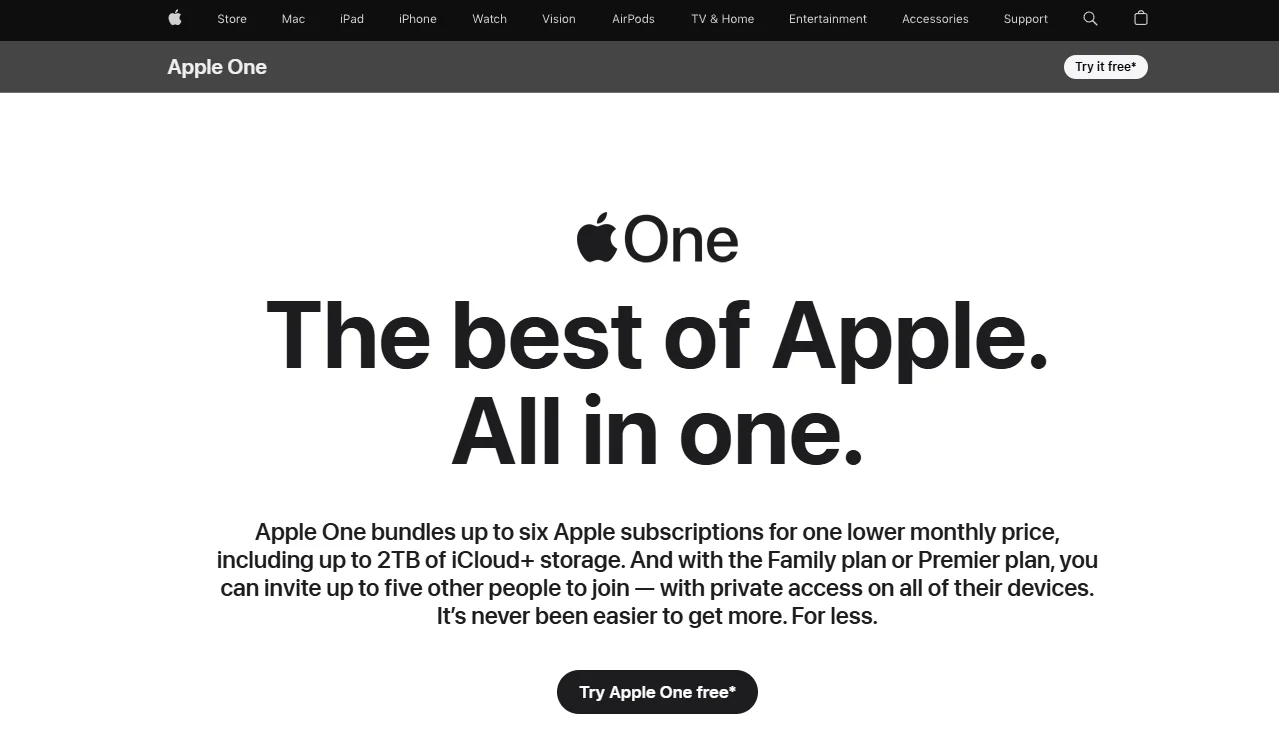
To start it:
- Open the Apple One page or go to Settings on your iPhone
- Tap your name at the top, then Subscriptions
- Select Apple One and choose a plan
- Confirm with your existing Apple ID payment method
A payment method is required upfront, the same way most trials work, but you won't be charged until the free month ends. And since this only works once per Apple ID, creating a second Apple ID purely to re-trigger it would violate Apple's terms, so it's not a workaround worth attempting.
2. Apple One Free with New Device Purchase
This one needs a clarification upfront, because the device promotion is for Apple TV+ specifically, not the full Apple One bundle. Buy a qualifying new iPhone, iPad, Mac, or Apple TV, and Apple gives you three months of Apple TV+ free, which is one of the six services inside Apple One, not the whole package.
It used to be more generous. Apple originally offered a full year of Apple TV+ with a new device, but that changed back in 2021, when the offer dropped to three months and has stayed there since.
The fine print matters here. You only get this once per Apple ID, and once per Family Sharing group, regardless of how many devices you or your household buy. If anyone in your family group has already redeemed it before, on any device, it won't show up again for you.
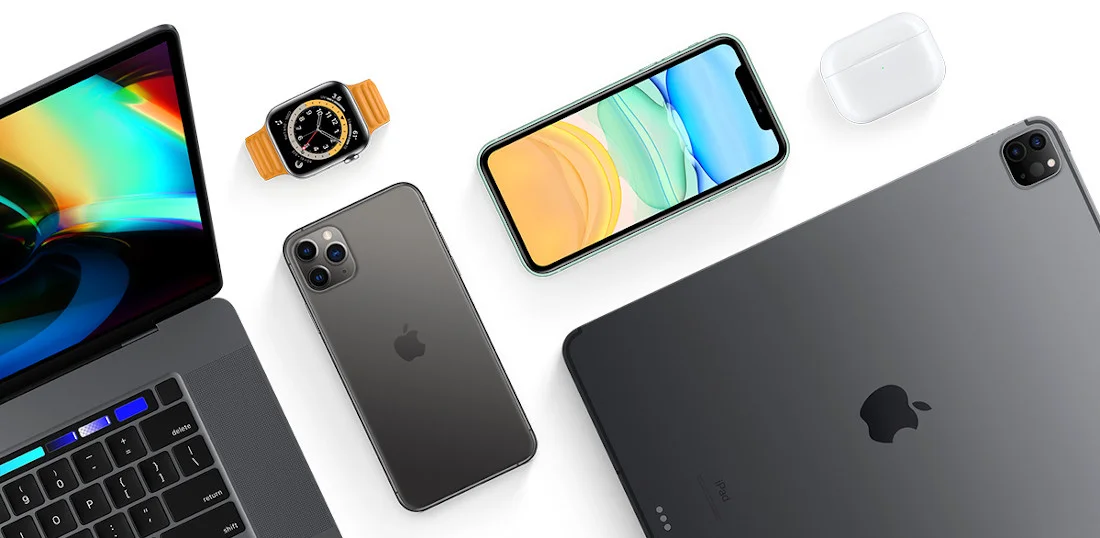
To check if you qualify:
- Set up your new device and sign in with your Apple ID
- Open the Apple TV app
- Look for the free trial offer, it should appear automatically if you're eligible
- Confirm the offer before your 90-day redemption window closes
If you don't see the offer, it usually means someone in your Family Sharing group already used it, not that something went wrong with your device. And since this only covers Apple TV+, it lowers what you'd be paying for if you build Apple One around it manually, but it doesn't get you Music, Arcade, iCloud+, Fitness+, or News+ for free in the process.
Free Alternatives to Apple One
3. Apple Music Student Plan + Apple TV
This gets you Apple Music plus Apple TV+ for $5.99 a month, and for a lot of people, those two are the only services they actually wanted from Apple One anyway, at a price that undercuts even the cheapest path into the full bundle by a wide margin.
The core deal is Apple Music at $5.99 a month instead of $10.99, roughly half off, available to anyone verified as a current college or university student. Apple says Apple TV+ comes included while your student status stays verified, for up to 48 months total.
The exact wording Apple uses is "for a limited time," and a few users have reported the Apple TV+ access lapsing or not showing up correctly, so it's worth checking the Apple TV app after signing up rather than assuming it's automatically there.
A couple of limits matter before you sign up. It only works on one account, not Family Sharing, so you can't split it the way you would Apple One Family or Premier. And reverification is required annually, Apple will prompt you, but if you let it lapse, the subscription quietly reverts to the full $10.99 rate rather than just cancelling.
To set it up:
- Open the Apple Music app and go to Home, then Account
- Choose Student, then Verify Student Status
- Complete verification (Apple typically partners with UNiDAYS for this)
- Start your subscription once approved, Apple TV+ access should appear automatically in the Apple TV app
If you're not currently enrolled, this one's a dead end, there's no workaround for the verification step. But if you are a student and the only two things you actually wanted from Apple One were the music and the shows, this is the cheaper, more direct route to both.
4. T-Mobile Apple TV Perk
I'm on T-Mobile myself, on the Experience Beyond plan, and for a while this was genuinely the closest thing to a free Apple TV+ subscription I had. Then in January this year I got a text notifying me the perk was changing, and it wasn't great news.
Here's where it actually stands now: as of January 1, 2026, T-Mobile stopped covering the full Apple TV cost. If you're on Experience More, Experience Beyond, Go5G Plus, Go5G Next, Magenta MAX, or Magenta Plus, T-Mobile still subsidizes $9.99 of it, but you're on the hook for the remaining $3 a month, not zero like before.
Apple bumped its own price from $9.99 to $12.99 last August, and T-Mobile passed that increase straight through to customers rather than absorbing it.
If you'd already had the perk before the change, T-Mobile gave existing subscribers a six-month grace period at no cost, but that window closes by July 2026 for anyone who didn't opt out, after which it renews automatically at the full $12.99 if you don't manage it through your account.
So is it still worth it? Honestly, yes, just not for the reason it used to be. $3 a month for what's normally a $12.99 service is still a real discount, it's just not the "completely free" perk it was when I first signed up. If you're already paying for one of those plans anyway, there's no reason to leave $9.99 of value on the table.
To check or activate it:
- Open the T-Life app or log into your T-Mobile account
- Go to Manage, then See Plans, then Manage Add-ons
- Scroll to the Apple TV benefit and follow the prompts
- Complete registration through the Apple TV app with your Apple ID
One thing worth knowing if you're trying to layer this with Apple One: this only ever covered Apple TV, never the Music, Arcade, or iCloud+ pieces, so it was never a substitute for the full bundle even back when it was free.
Cheap Apple One Subscription Options
5. Apple One Credit Card Discount (Chase Sapphire)
I've been a Chase Sapphire Preferred holder for a while now, mostly for the points and travel perks, and I happened to catch a headline this week saying Chase added new Apple-related benefits to the card. Checked it out and it's real, the announcement just went out on June 15, just a few days ago.
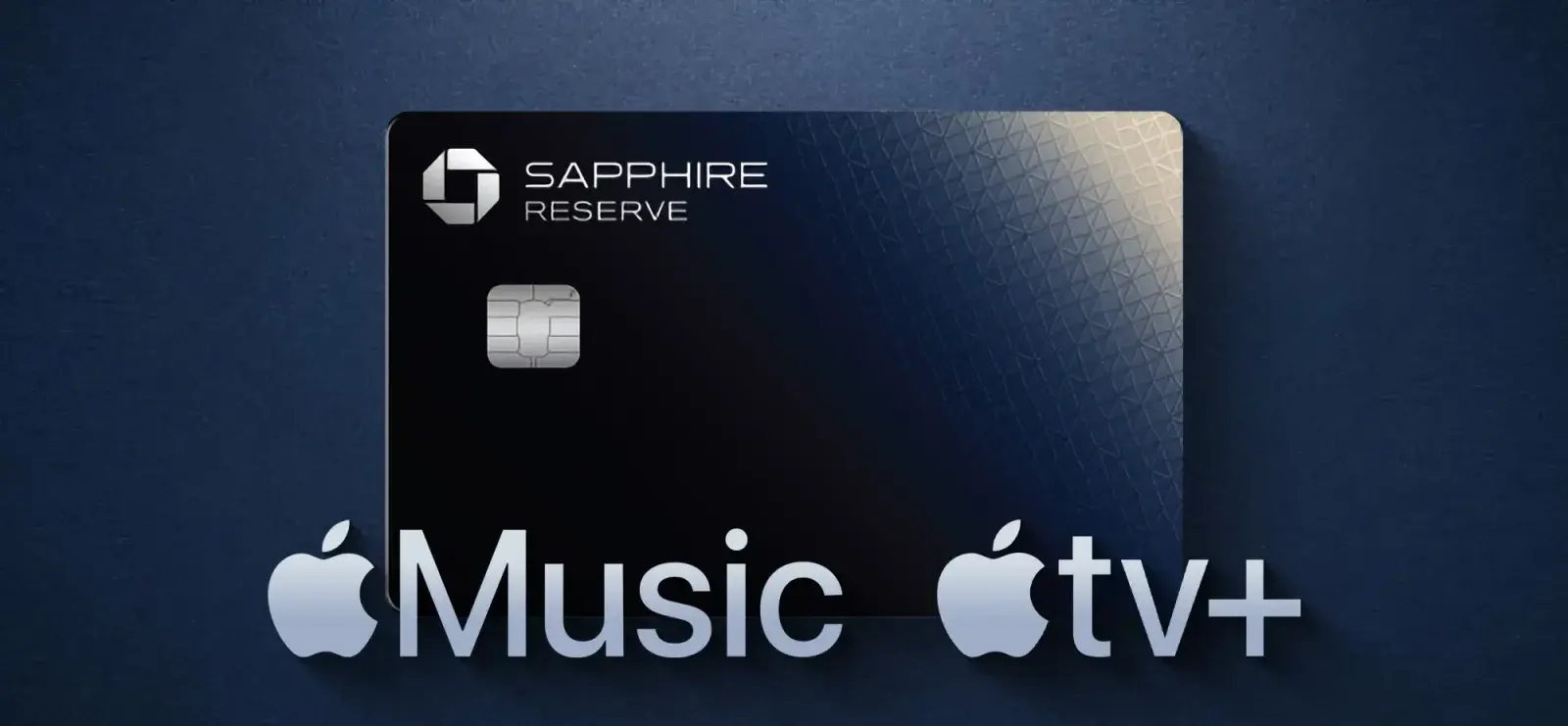
This kind of Apple perk used to be exclusive to Sapphire Reserve, the card with the $795 annual fee. Preferred, which only runs $95 a year, never had it. Chase just lowered that bar: Sapphire Preferred cardholders can now get a free year of Apple TV, worth around $156, but you need to activate it by December 31, 2026, and it's open to both new and existing cardholders, not just people signing up fresh.
If you're already subscribed to Apple One, Chase built in a more practical option: skip the free Apple TV and take a $7.50/month credit toward Apple One instead, applied for up to 12 months as long as you stay subscribed. Run the math on Apple One Individual at $19.95, and that knocks it down to roughly $12.45/month.
If you're on the pricier Sapphire Reserve, there's an update worth knowing too. Reserve holders already got Apple TV and Apple Music free, but if you also subscribed to Apple One, you weren't getting any extra credit for it, basically leaving money on the table.
That's fixed now: Reserve cardholders get a $15/month Apple One credit, which brings Apple One Individual down to about $4.95/month, pretty close to throwaway pricing.
To activate it:
- Open the Chase app or log into your account online
- Go to the Benefits section
- Find the Apple-related offer and link your Apple Account
- Choose between the free year of Apple TV or the monthly Apple One credit
One thing worth knowing: the two options are mutually exclusive, you can only pick one. If you're already using multiple Apple One services, the credit is the better deal by a wide margin, free Apple TV for a year caps out at $156, while the Apple One credit over 12 months saves $90 on Preferred or $180 on Reserve.
6. Verizon Apple One Discount
I've got family on Verizon, and when I was helping my dad sort through his myPlan perks a while back, this is one we stumbled on. It's not free, just to be upfront, but it knocks a real chunk off the official price if you're already paying Verizon anyway.
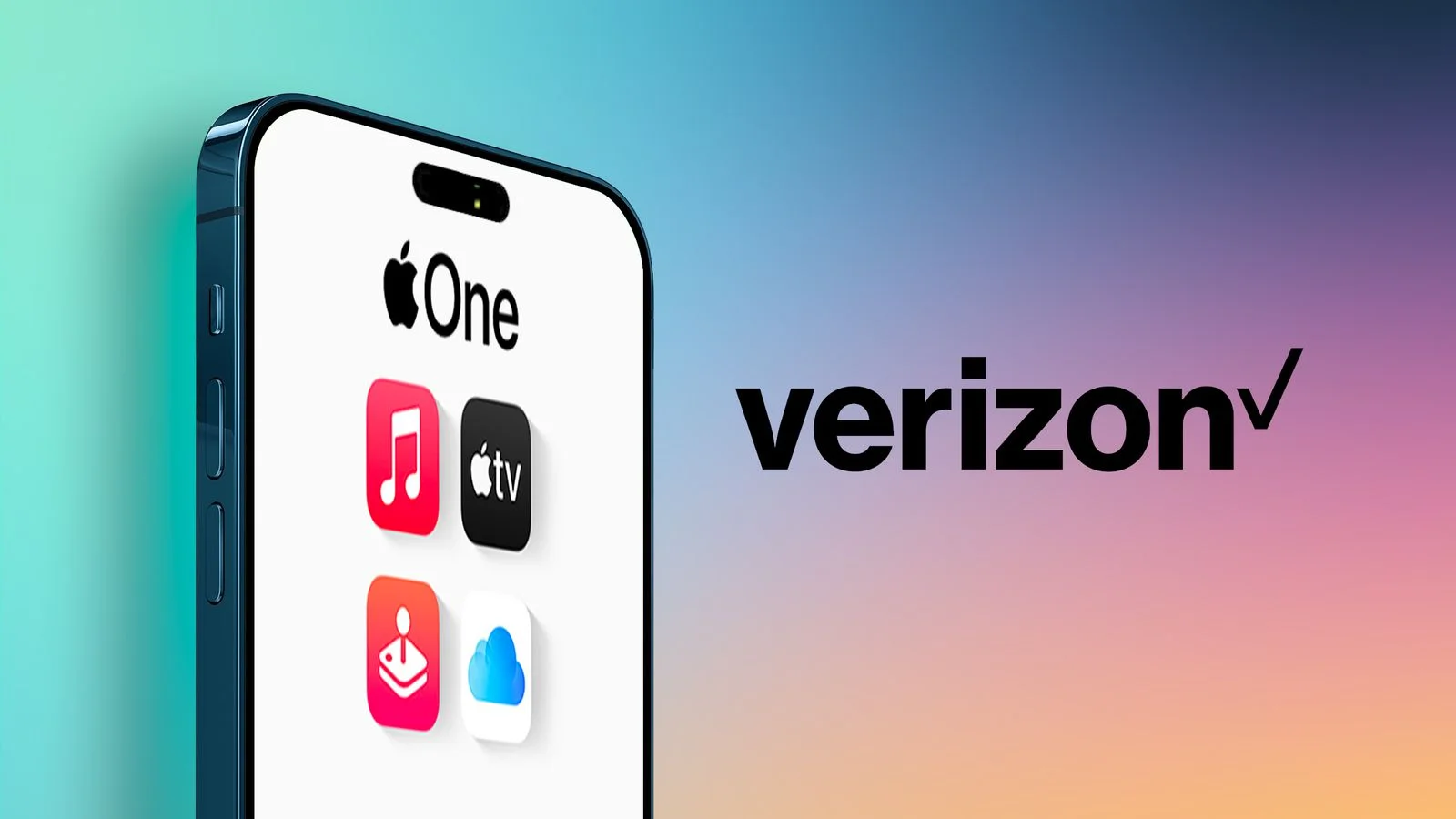
Here's how it actually works: if you're on an eligible Verizon plan, you can get Apple One Individual for $15/month instead of the official $19.95, or Apple One Family for $20/month instead of $25.95. Eligible plans include Unlimited Ultimate, Unlimited Plus, Unlimited Welcome, the Simplicity plan, and several Verizon home internet plans, both mobile and Fios.
A couple of details actually matter here. You only get one Apple One perk per eligible line, so it's not something you can stack across multiple lines to save more. And the Individual perk only comes with 50GB of iCloud+, the same as the base Apple One Individual tier, not the bigger storage you'd get on Family or Premier.
If you already pay for Apple One directly through Apple, switching to the Verizon perk isn't quite seamless. Your existing individual or family subscription through Apple automatically suspends once the Verizon perk activates, and it picks back up if you ever cancel the Verizon side.
If you're on Apple One Premier through Apple, though, the two subscriptions run at the same time rather than one suspending, so you'd end up paying for both unless you cancel one manually.
To set it up:
- Log into Verizon or open the app
- Go to Products & Plan Perks
- Choose Apple One Individual or Family and assign it to an eligible line
- You'll get a text with an activation link, follow it to connect your Apple ID
One thing worth knowing if you're weighing this against other options: this is the only method on this list where you're paying Verizon directly rather than Apple, so it shows up as a separate line item on your phone bill, not your Apple subscription page, which can throw people off the first time they go looking for it.
7. Cheap Apple One Subscription via GamsGo
This is the one from the intro, the thing I found almost by accident while looking for an option that didn't depend on trial windows or carrier eligibility. I'd burned my free month, didn't qualify for Verizon's perk, and didn't want to switch carriers just for a discount.
I was paying $37.95 a month direct from Apple for Premier. Through GamsGo, it dropped to around $10, about 70% off.
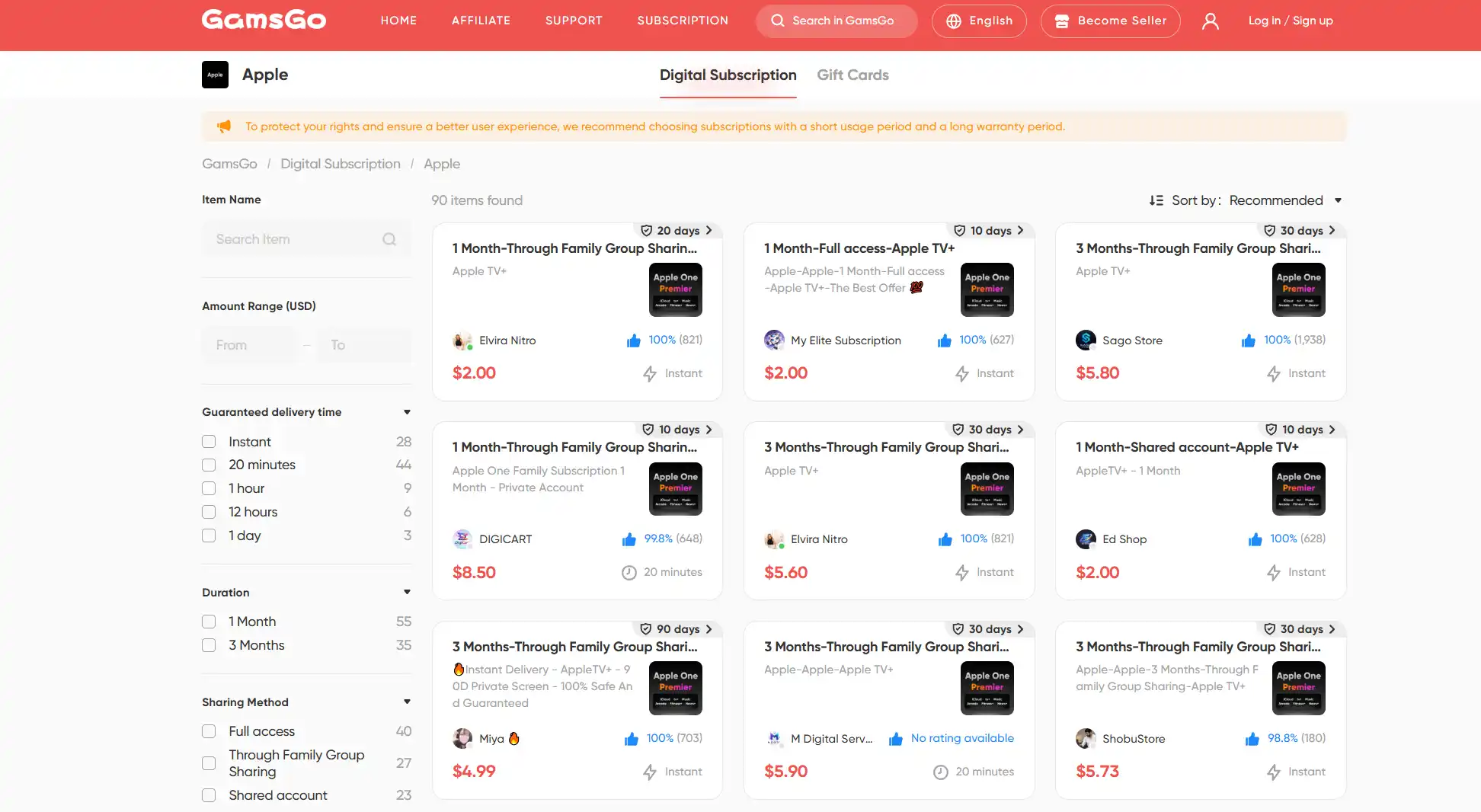
Once I was on the site, I noticed Apple One wasn't the only thing there. I also picked up a cheap YouTube Premium subscription at a fraction of what I was paying Google directly, and a discounted Gemini subscription, since I'd been meaning to try Google's AI Pro plan anyway, listed well below the $19.99 official rate. Both have been just as smooth as Apple One, no complaints on either.
The one that genuinely surprised me was the gaming side. I still play Free Fire, and GamsGo had Free Fire top up options below the in-game store price. Just your UID, no password needed, and the currency lands directly in your account.
Looking at the site now, the catalog is a lot bigger than I expected going in. Entertainment apps, office and productivity software, AI subscriptions, game top-ups, it's basically one place where most of what you'd normally pay full price for elsewhere shows up cheaper. I went in for Apple One and ended up sticking around for everything else.
8. Apple One Region Pricing Switch
This is the one I haven't actually done myself, and being honest, I'm hesitant to recommend it without a big caveat upfront. It's the riskiest method on this whole list.
The idea is that Apple prices Apple One differently by country, and switching your Apple ID's region to somewhere with a weaker currency, Turkey and India come up most often, can in theory get you cheaper subscription pricing. The mechanism isn't unique to Apple One either, it's the same logic people use to buy cheaper apps and in-app purchases.
Where it falls apart in practice is the requirement that your Apple ID's country has to match your actual billing address and payment method, not just your IP location. A regular VPN alone usually isn't enough, since you'd still need a local address and typically a regional gift card or payment method to make it stick.
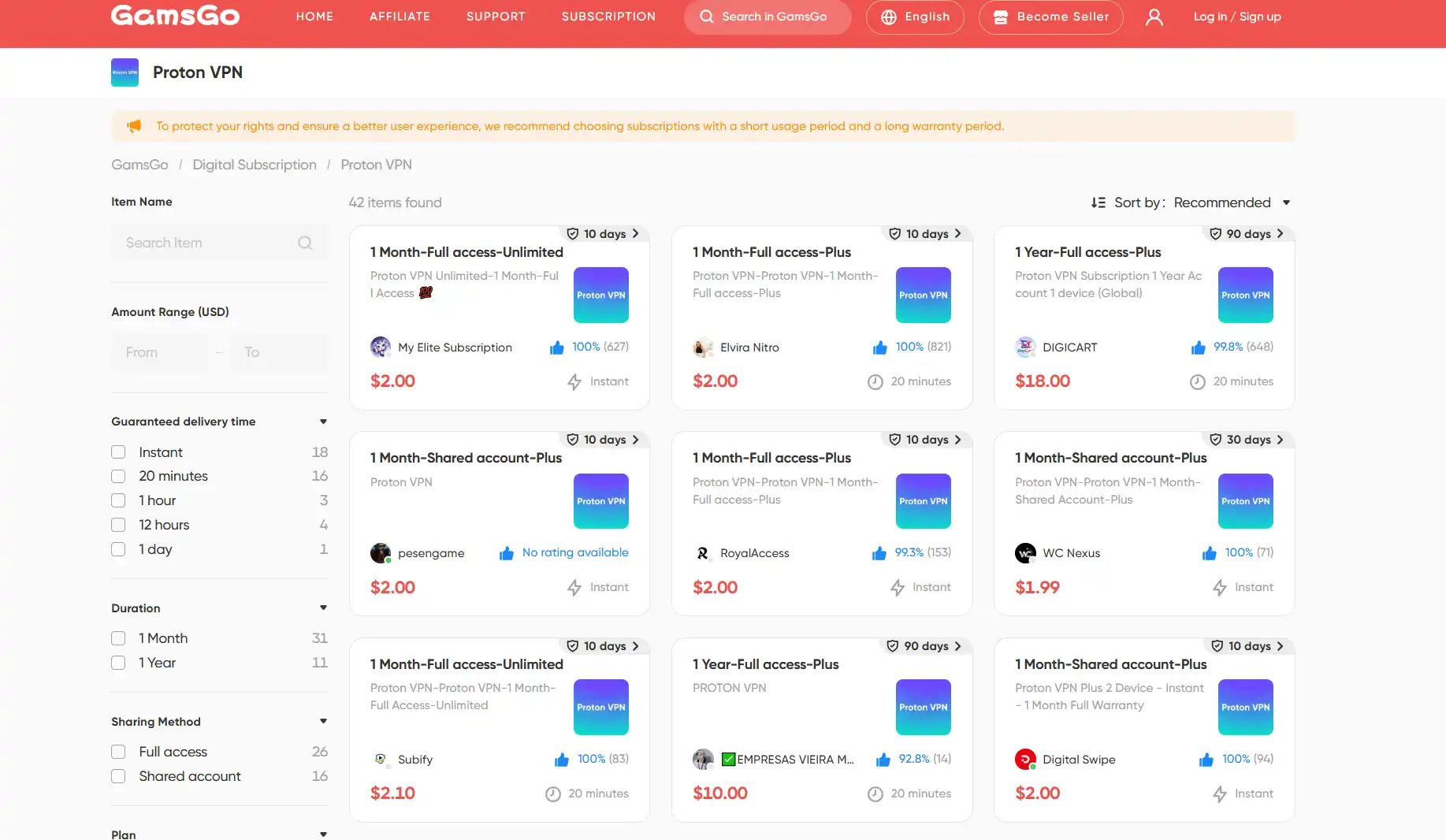
If you do want to test this route, it's worth using something reliable rather than a random free VPN, since you're routing real account activity through it. I've seen discounted Proton VPN accounts on GamsGo, which is a solid, well-known option if you want to go this route without paying full price just to experiment.
There's also a real cost to switching regardless of which VPN you use. Changing your Apple ID region can suspend or disconnect existing app purchases and subscriptions tied to your current country, so if you've already got an established App Store history, this isn't something to do casually just to save a few dollars on Apple One.
If someone wanted to try it anyway, the rough process looks like:
- Set up a new Apple ID specifically for the new region, rather than converting your main one
- Use an address in the target country and a matching payment method, often a regional gift card
- Subscribe to Apple One through that storefront at the local price
- Manage it as a separate account from your everyday Apple ID
I'd put this lower on the list than everything else here, not because it doesn't work, but because the hassle and risk to your existing account history outweigh the savings for most people. If you're already living between two countries or have a legitimate reason to use a foreign Apple ID, it's worth knowing about. Otherwise, the other methods on this list get you most of the savings without the complications.
Which Method Fits You?
With several ways to get Apple One free or cheaper, the best choice depends on whether you want a short free trial, a carrier or card perk, or a lower long-term price. Use this table to compare the options quickly:
| Method | Best For | Cost | Duration | What You Get |
|---|---|---|---|---|
| Official Apple One Free Trial | New Apple One users who want to test the full bundle once | Free | 1 month | Apple One services you have not already subscribed to or trialed before |
| Apple One Free with New Device Purchase | People buying a new iPhone, iPad, Mac, or Apple TV | Free | 3 months | Apple TV only, not the full Apple One bundle |
| Apple Music Student Discount + Apple TV | Verified college or university students | $5.99/mo | Up to 48 months while verified | Apple Music plus Apple TV access |
| T-Mobile Apple TV Perk | Eligible T-Mobile users who mainly want Apple TV | About $3/mo after T-Mobile subsidy | Ongoing while eligible | Apple TV only, not Music, Arcade, iCloud+, Fitness+, or News+ |
| Chase Sapphire Apple One Credit | Chase Sapphire Preferred or Reserve cardholders | From about $12.45/mo on Preferred or $4.95/mo on Reserve for Individual | Up to 12 months | Monthly Apple One credit instead of the free Apple TV offer |
| Verizon Apple One Discount | Eligible Verizon mobile or home internet users | $15/mo Individual or $20/mo Family | Ongoing while eligible | Discounted Apple One billed through Verizon |
| Cheap Apple One via GamsGo | Most users who want a low long-term Apple One price without waiting for trials, card perks, or carrier eligibility | About $9.99/mo | Ongoing | Apple One at a much lower monthly price, making it the strongest option for long-term savings |
| Apple One Region Pricing Switch | Advanced users with a real reason to use another country's Apple storefront | Varies by region | Ongoing if the setup works | Lower regional pricing, but with account, billing, and App Store complications |
Quick path: Want the safest free option? Start with the official Apple One free trial. Buying a new Apple device? Claim the Apple TV offer. Are you a verified student? Use the Apple Music Student Discount. Already have Chase, Verizon, or T-Mobile? Check those perks first. For most people who want Apple One long term at a lower monthly price, GamsGo is the simplest and cheapest stable option.
Conclusion
Apple One is genuinely worth using once you're paying less than $37.95 a month for it, and the good news is you don't have to settle for that price for long. If you want the most stable way to get the full six-service bundle at a low cost without chasing trial windows or eligibility checks, GamsGo is your best bet.
I'll keep testing for new ways to get Apple One for free or cheap, and the moment something new actually works, I'll add it here. Check back anytime.
We've prepared an exclusive promo code for all blog readers:
Enjoy an additional 3% off on your next purchase!
Valid across all categories — streaming accounts, AI tools, game top-ups, software subscriptions, and more.
FAQ
Is Apple One Free?
No. It starts at $19.95/month for Individual, up to $37.95/month for Premier. Apple only offers a one-month trial directly, and it skips services you've already tried.
How Can I Get Apple One Cheap Legitimately?
Use the official trial, check if your carrier (Verizon or T-Mobile) offers a perk, see if your credit card includes an Apple One credit, or use GamsGo to join a Premier group at a lower rate. None of these break Apple's terms.
Does Family Sharing Actually Save Money?
Yes, if you can split it six ways. Family runs $25.95/month and Premier $37.95/month, both shareable with five others. The catch is coordinating payment, since only the account holder gets billed.
Can I Start the Trial Without a Payment Method?
No. Apple requires a card on file before the trial starts, though you won't be charged until the month ends. If you'd rather skip that step, the Apple Music Student plan or a GamsGo subscription don't require linking a new card to Apple.
Is There a Way to Get Apple One Free on Android?
Not really. Most of the bundle, Apple TV+, Arcade, iCloud+, only makes sense on Apple devices. If you're on Android, a YouTube Premium or Gemini subscription through GamsGo gets you similar savings elsewhere.
What's the Best Alternative If Apple One Doesn't Fit?
Depends what you actually use. For music alone, Apple Music Student at $5.99/month is hard to beat if you qualify. Otherwise, subscribing only to the individual services you want often costs less than people expect.
Related Articles:
10 Best Websites to Watch Football Live for Free in 2026 (WC & UCL)
6 Ways to Get Cheap Spotify Premium in 2026