Tidal's high-fidelity plans aren't cheap, especially premium options like Hi-Fi Plus, and a long-term subscription can really add up.
Many users wonder if there's a way to share an account with family or friends to split the cost, without breaking Tidal's terms of service.
This article covers two ways to share a Tidal family plan: the official Family Plan, and the more convenient option of a GamsGo Tidal Family account.

What Is Tidal& What Plans Does It Offer?
Tidal is a music streaming platform built around high-resolution, lossless audio. Its core selling point is sound quality, setting it apart from platforms like Spotify that focus more on catalog size and algorithmic recommendations.
Tidal currently offers three subscription tiers, outlined below:
| Plan | Monthly Price | Accounts | Best For |
|---|---|---|---|
| Individual | $10.99 | 1 account | Solo listeners |
| Family | $16.99 | Up to 6 accounts (you + 5 members) | Families or groups |
| Student | $5.49 | 1 account | Current students only |
All three tiers offer the same lossless, high-resolution audio quality — the main differences come down to price and the number of accounts.Individual and Student plans can also add the DJ feature for an extra $9 per month.
Prices may vary by region, so it's best to check Tidal's official website for the most current rates before subscribing.
How to Share a Tidal Family Plan
Tidal's official Family Plan lets the primary account holder invite others to join and share the subscription.
Step-by-Step Guide
The process breaks down into two parts: how the account owner sends invites, and how invited members accept them.
For the account owner:
- Log in at account.tidal.com
- Go to the Subscription page and select Upgrade to switch to a Family plan (if you're not on one already)
- Open the Family tab
- Click "Invite family member"
- Enter the email address of the person you want to invite
- Click "Invite" to send the invitation email
For invited members:
If they already have a Tidal account, they just need to click "Accept Invitation and Join Family" in the email.
If they're new to Tidal, they'll click "Join Family," then Continue, and use the "forgot your password" option to set a new password. Once registration is complete, they're automatically added to the family plan.
Requirements & Limitations
The official Family Plan is easy to set up, but it comes with a few restrictions worth knowing before you share it:
- A Family plan can include up to 5 invited members, plus the account owner, for a total of 6 accounts
- All invited members must have Tidal accounts registered in the same country as the account owner — cross-border members can't be added
- If the Family plan is still in its free trial period, members who've already used an individual trial or promo can't be added until the trial ends
- The account owner pays for the entire plan — Tidal doesn't offer a built-in way to automatically split the bill among members
The same-country requirement is often the biggest obstacle for users hoping to share with friends or family abroad.
If that restriction rules out the official method for you, let's look at GamsGo as an alternative.
How to Share Tidal via GamsGo
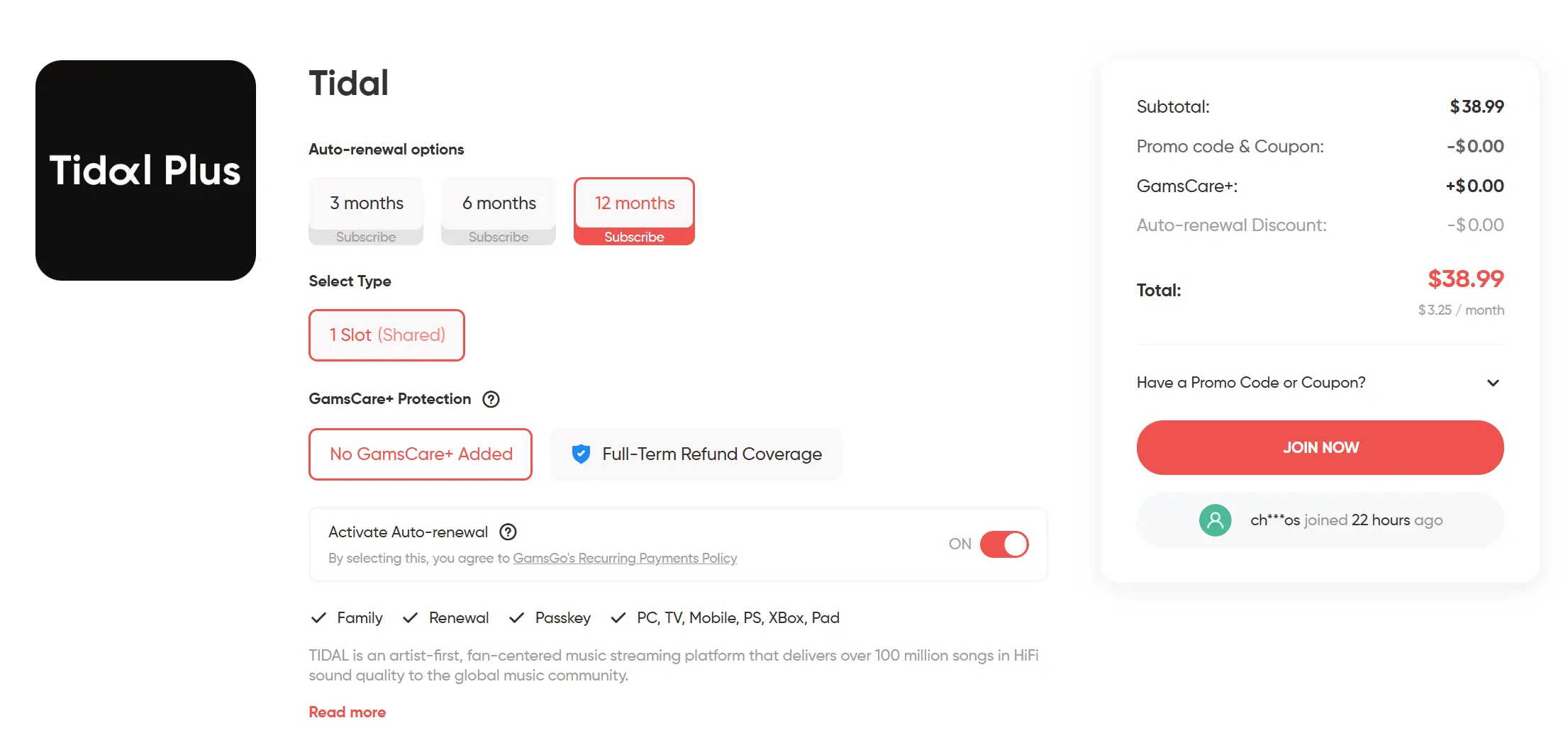
If it's hard to find enough people to split a plan with, you can try using GamsGo's subscription-sharing platform to buy a TIDAL account directly.
GamsGo is a digital subscription platform that's been running for 7 years, with over a million users, offering a reliable purchase process and professional customer support.
The platform offers verified subscriptions for various software, including Tidal Family plans, with flexible subscription lengths that can save up to 60% compared to subscribing directly.
- Visit the GamsGo website
- Find the Tidal product page
- Choose a plan and subscription length
- Complete payment
- Get the account email and password from your order details page or confirmation email
- Log in to the Tidal website or app using those credentials
If you already have your own Tidal account and playlists, you can copy the playlist links first, log out of your personal account, log in with the account GamsGo provided, and paste the links to add your playlists to the new account — this way you keep all your previous listening history.
Benefits of Sharing via GamsGo
Compared to the official Family Plan, sharing Tidal through GamsGo offers clear advantages in price, regional restrictions, and audio quality.
| Comparison | Official Family Plan | GamsGo |
|---|---|---|
| Price | From $16.99/month | As low as $3.49/month |
| Regional restriction | All members must be in the same country | None |
| Audio quality | Full Lossless/Hi-Res FLAC/Dolby Atmos | Same as an official account — no compromise on quality |
GamsGo offers a clear price advantage, isn't limited by regional restrictions, and doesn't compromise on Tidal's audio quality.
Conclusion
Sharing a Tidal Family Plan comes down to one thing: getting high-quality music at a lower cost. The official Family Plan is simple and reliable, supporting up to 6 accounts.
If you have family or friends in the same region, the official method is the easiest option. Third-party platforms like GamsGo offer lower prices, skip the hassle of finding people to split a plan with, and come with professional guidance and support — making them a solid choice too.
FAQ
1. Does Tidal's Family Plan require members to actually be related?
Tidal's terms state that the Family Plan is designed for people living in the same household. In practice, though, Tidal doesn't verify whether members are actually related — as long as everyone's account is in the same country or region, friends can technically share a family plan too.
2. Can minors use a Family Plan account?
Yes. Tidal doesn't have a dedicated "child" account type, but minors can be added as family members as long as they're at least 13 years old (subject to local laws and parental consent).
3. Can multiple family members stream music on different devices at the same time?
Yes — each family member has their own independent account, so they can stream on their own devices simultaneously without interfering with each other. Note that a single account itself cannot be used to stream on multiple devices at once.
4. If I leave a Family Plan, will I lose my playlists and listening history?
No. As long as you keep your own Tidal account, your playlists, favorites, and listening history will be preserved. Offline downloads, however, will be removed once your subscription ends.
Related Articles