If you've been browsing AI content on X or Reddit recently, you've probably seen countless #Seedance2.0 videos. These clips look like Hollywood blockbusters with polished lighting, composition, and cinematography, yet they're AI-generated in under a minute. Behind all this is ByteDance's AI video model Seedance 2.0, officially launched on February 12, 2026.
The model's journey since launch has been dramatic — from viral Hollywood-style clips going mega-viral, to copyright battles with Disney and Paramount, to Seedance 2.0 finally expanding globally through CapCut. As of April 2026, the landscape has changed significantly.
In this article, I'll walk you through every verified access method, show you how to claim free trial credits, and share prompt templates to help you create professional-quality AI videos. If you're looking for affordable Seedance account access, that's covered too.
What Is Seedance 2.0?
What is Seedance 2.0, exactly? Simply put, Seedance 2.0 is ByteDance's next-generation AI video model. While earlier AI tools were often dismissed as "random video generators," Seedance 2.0 has earned the nickname "Digital Director" thanks to its unprecedented control over narrative, cinematography, and sound.
As the flagship model in ByteDance's Seed ecosystem, it represents a major architectural breakthrough. Unlike earlier versions that focused on generating single clips, Seedance 2.0 actually understands sequential logic and can maintain narrative coherence across scenes.
The technology behind it is a Dual-Branch Diffusion Transformer architecture, which processes two elements simultaneously: visuals (high-definition, physically accurate 2K video) and audio (native sound effects and music that sync perfectly with the on-screen action in real-time).
On April 15, 2026, ByteDance also published the full technical paper on arXiv, confirming Seedance 2.0's unified multimodal audio-video joint generation architecture with contributions from 170+ researchers.
The most significant breakthrough? A 90%+ success rate, meaning the vast majority of generated videos are actually usable without multiple attempts.
What Are the Key Features of Seedance 2.0?
I've tested Sora, Veo, Runway, Kling, and Pika extensively over the past year. Seedance 2.0 feels like a generational leap — not because of any single feature, but because it combines multi-modal input, native audio, and director-level camera control into one workflow that actually works.
Technical Specifications
| Spec | Details |
| Input Types | Text + Images (up to 9) + Video (up to 3 clips) + Audio (up to 3 files) |
| Max Input Files | 12 combined per generation |
| Image Formats | JPEG, PNG, WebP, BMP, TIFF, GIF — max 30MB each |
| Video Input | MP4/MOV, 2–15s total, max 50MB, 480p–720p |
| Audio Input | MP3/WAV, max 15s total, max 15MB |
| Output Duration | 4–15 seconds per generation (up to 60–90 seconds via scene extension on some platforms) |
| Output Resolution | 720p–1080p (2K upscaling on paid tiers) |
| Aspect Ratios | 16:9, 9:16, 4:3, 3:4, 21:9, 1:1 |
| Native Audio | Yes — sound effects, dialogue, lip-sync in 8+ languages |
| Usable Output Rate | 90%+ (industry average: ~20–30%) |
What Actually Sets It Apart
- Multi-modal @ reference system. You don't just type a prompt and pray. Upload images, video clips, and audio files, then use @Image1, @Video1, @Audio1 in your prompt to assign specific roles to each file. No other mainstream tool offers this level of compositional control in a single generation.
- Native audio-visual synchronization. Video and audio are generated together in one pass — sound effects, ambient noise, dialogue with phoneme-level lip-sync across 8+ languages. No more separate audio tools and manual syncing in post-production.
- Multi-shot character consistency. Characters maintain their face, body type, and clothing across multiple cuts within the same video. Testers report that even across 15-second action sequences with complex movement, identity stays locked in.
- Scene extension capability. New in late updates — some platforms now support extending clips beyond 15 seconds using continuation workflows, with reports of up to 60–90 seconds of coherent output via sequential generation.
How to Access Seedance 2.0 (April 2026 Update)
The Seedance 2.0 access landscape has changed dramatically since February. Here's what happened:
- March 15, 2026: ByteDance paused the global rollout due to copyright disputes with Disney, Paramount, and other Hollywood studios.
- March 16, 2026: US Senators Blackburn and Welch demanded ByteDance shut down Seedance entirely.
- March 24, 2026: OpenAI shut down Sora (app closing April 26, API closing September 24), citing costs and strategic pivot — leaving Seedance 2.0 as the de facto leader in AI video.
- March 26, 2026: ByteDance began rolling out Dreamina Seedance 2.0 in CapCut with safety restrictions (no real faces, IP blocks, invisible watermarks).
- April 14, 2026: BytePlus ModelArk opened Seedance 2.0 API public beta for enterprise developers.
- April 2026: CapCut expanded Dreamina Seedance 2.0 to the US, Japan, Europe, Africa, South America, and the Middle East.
⚠️ Access is now much broader than before, but still region-dependent. Free quotas and trial credits vary by platform and can change quickly. Treat them as product policy, not permanent entitlements.
Option 1: Rita AI — Best All-in-One Platform for International Users
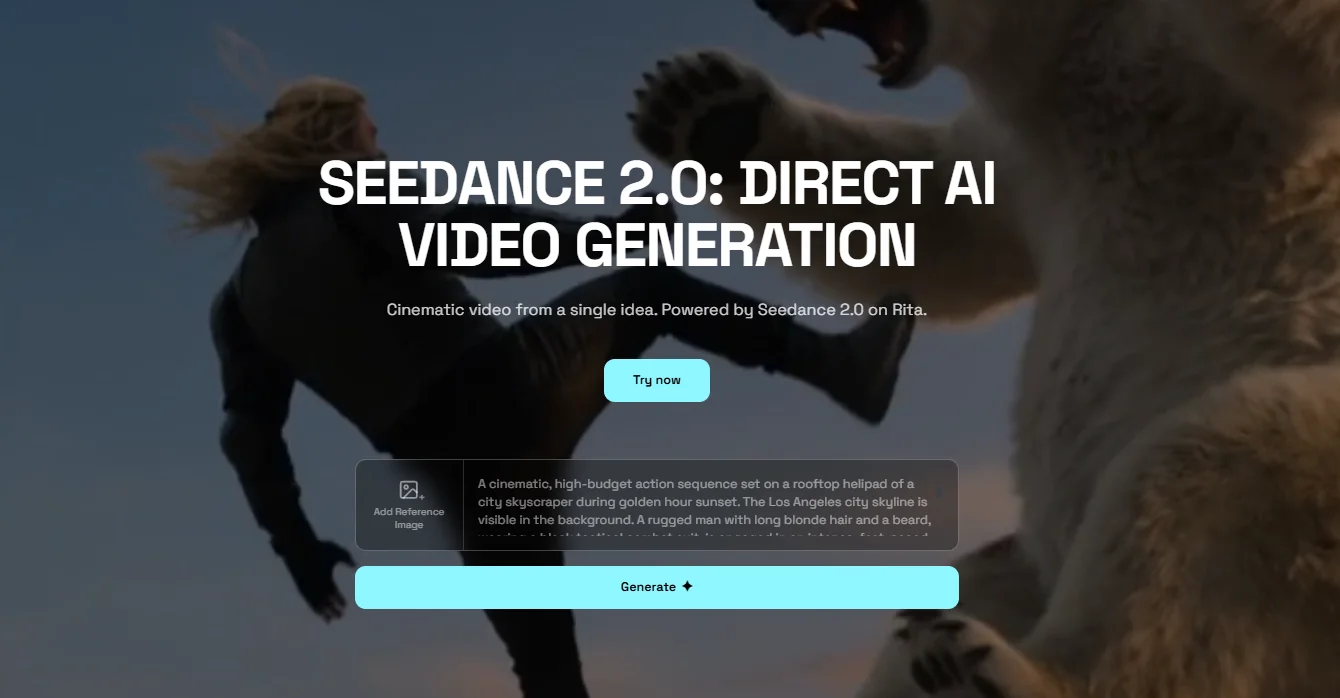
Rita is an all-in-one AI creative platform that brings together top-tier models from leading providers — including ChatGPT, Gemini, Claude, Midjourney, and Seedance 2.0 video generator — all under a single dashboard. Rita connects directly to official APIs, so you get clean, stable access without regional restrictions or Chinese-language barriers.
Why Rita is the top pick for most users:
- No Chinese phone number or VPN required — works globally, including the US
- Full English interface — no language barriers or browser translation needed
- Multi-model access — switch between Free Seedance 2.0, Veo 3.1, Kling 3.0, Midjourney, and more from one dashboard
- Free quotas on signup — try Seedance 2.0 immediately, no credit card required
- Stable access — Rita connects via official APIs, so you avoid the platform instability and queue congestion that plague direct Chinese-platform access
- One subscription, many tools — eliminates the subscription fatigue of managing separate accounts across Dreamina, Kling, Runway, and others
Free trial: New users receive free quotas to explore available models, including Seedance 2.0. Paid plans unlock more credits and advanced features.
Pros: English interface, no Chinese phone number needed, access multiple cutting-edge AI models in one place, stable performance, the most frictionless path to Seedance 2.0 for international users.
Option 2: Dreamina / CapCut
Dreamina is ByteDance's international AI creative platform. As of April 2026, Dreamina Seedance 2.0 is now rolling out globally through CapCut, marking the end of the invite-only Creative Partner Program restriction.
Rollout timeline:
- March 26: Initial rollout to Brazil, Indonesia, Malaysia, Mexico, Philippines, Thailand, Vietnam
- April 1: Expanded to additional markets across Africa, South America, and the Middle East
- April 7+: Expanded to Japan, then Europe, then the United States
How to use it:
- Visit Dreamina or open the CapCut desktop/mobile app.
- Sign up with a Google, TikTok, Facebook, CapCut, or email account.
- In CapCut: Navigate to "Media" > "AI Media" > "AI Video" and select the Dreamina Seedance 2.0 model.
- Choose between "Image to video" or "Text to video," enter your prompt, and generate.
Safety restrictions now in place:
- Cannot generate videos from images or videos containing real faces
- Blocks unauthorized generation of intellectual property
- All output includes an invisible watermark for content identification
Free trial: Exact free quotas now vary by account and region — they are no longer one universal number. Expect limited free generations on signup, with paid CapCut plans unlocking more access.
Pricing (once fully available):
| Plan | Price (USD) | What You Get |
| Free | $0 / month | Limited daily credits, watermarked outputs |
| Basic | ~$18 / month | 1,010 credits, no watermark, extended video, up to 60 FPS |
| Standard | ~$42 / month | 4,040 credits, all Basic features, higher generation limits |
| Advanced | ~$84 / month | 13,110 credits, full access, priority processing |
Pros: Official ByteDance platform, English interface, no Chinese account needed, direct CapCut integration for editing workflows, commercial licensing on paid plans.
Cons: Phased rollout means availability may still be limited in some regions; real-face generation is disabled; queue times during peak hours.
Option 3: BytePlus ModelArk — Enterprise API
BytePlus is ByteDance's international cloud platform. On April 14, 2026, BytePlus opened the Seedance 2.0 API public beta on the ModelArk platform, offering three quality tiers (Fast, Standard, Pro) across three input endpoints (text-to-video, image-to-video, reference-to-video).
Pros: Official first-party API, enterprise-grade infrastructure, full model documentation.
Cons: Geared toward enterprise and technical users; requires BytePlus account setup.
Option 4: Jimeng (Chinese Version of Dreamina)
Jimeng remains ByteDance's flagship AI creation platform with the most feature-complete Seedance 2.0 experience. Features like "All-Round Reference" multi-modal mode and 2K upscaling are fully functional here.
Free trial: 1 RMB (~$0.14) 7-day trial + ~260 daily login credits.
Pros: Most complete feature set, highest generation quality.
Cons: Requires Chinese phone number and Douyin account, Chinese-only interface, accepts only Alipay/WeChat Pay, severe queue congestion during peak hours.
Comparing Seedance 2.0 Access Methods (April 2026)
| Platform | Language | Free Trial | Chinese Phone? | Seedance 2.0 Status | Best For |
| Rita AI | English | ✅ Free quotas | ❌ No | ✅ Available | Multi-model, no barriers |
| Dreamina / CapCut | English | ✅ Limited free | ❌ No | ✅ Global rollout | Official platform, CapCut users |
| BytePlus ModelArk | English | ✅ Public beta | ❌ No | ✅ API public beta | Enterprise integration |
| Jimeng | Chinese | ✅ 1 RMB trial | ✅ Yes | ✅ Full features | Chinese-based professional creators |
Pro Tip: If the Seedance 2.0 Price feels too high, GamsGo offers Seedance accounts with identical features at roughly 70% off the official price. You log in directly at dreamina.capcut.com — the official platform — with full Seedance 2.0 access.
⚠️ Beware of Fake Seedance 2.0 Websites
The hype around Seedance 2.0 has spawned dozens of third-party sites claiming to offer free access. Dreamina's official website explicitly warns that seedance2.ai, seedance2.app, and seedance.tv are NOT official ByteDance sites. Before you sign up or pay anywhere, check for these red flags:
- No native audio in generated videos — real Seedance 2.0 always generates audio with video
- Max duration capped at 10 seconds — real Seedance 2.0 supports up to 15 seconds
- Domain registered in the past few weeks — check with a WHOIS lookup
- Claims "exclusive early access" when official platforms are now broadly available
How to Use Seedance 2.0: Step-by-Step Tutorial
Many tools promise simplicity, but if you want to create AI videos that actually look like they were handled by a human director, you need a structured workflow.
Step 1: Access and Account Setup
Head to Dreamina's official site or open Rita AI and sign up. Once you're in the dashboard, navigate to AI Video generation and select Seedance 2.0 as your model.
Make sure you're not accidentally using an older model version — the default may not be set to 2.0.
Step 2: Choose Your Mode
Seedance 2.0 offers two primary creation modes:
- Single-Frame Mode: Upload a first frame (and optionally a last frame) to guide the AI on where the video starts and ends. Great for simple, controlled generations.
- Multiframes Mode (Multi-Modal): Upload a combination of images, video clips, and audio files as references. This unlocks the full "Director's Toolkit" and is essential for professional-quality output.
Step 3: Upload Your Reference Materials
For multi-modal creation, prepare your assets in advance. The system accepts up to 9 images (PNG/JPG/WEBP), up to 3 video clips (each max 15 seconds), and up to 3 audio files (each max 15 seconds).
A practical tip: name your files clearly before uploading (e.g., Character_Front.png, CameraMove_Orbit.mp4, BGM_Beat.mp3) so you can reference them easily in your prompt.
Step 4: Write Your Prompt Using the @ Reference System
This is the most important step, and where most people trip up. Seedance 2.0 uses an @ tagging system to connect uploaded assets to specific roles in your prompt.
Prompt formula: Subject + Action + Scene + Camera Language + Style + Quality constraints
Example prompt (basic): "A young woman walking slowly along a seaside boardwalk at sunset, gentle breeze blowing her hair, warm golden light, cinematic feel, 4K, stable camera movement, smooth natural motion."
Example prompt (with references): "Character from @Image1 performing the dance sequence from @Video1 in the environment shown in @Image2, with movement synced to the rhythm of @Audio1. Medium shot transitioning to close-up. Cinematic lighting, natural body motion, maintain consistent face and clothing throughout."
Key prompt tips:
- Use specific, descriptive language — avoid vague words like "beautiful" or "cool"
- Describe camera movements in narrative order: "Start with a close-up of the face, slowly pull back to a full shot"
- Add constraint phrases like "character face stable without deformation" and "natural smooth movement"
- Include "Follow exact motion and camera from reference video" when using video references for best results
- Avoid complex multi-person interactions (fighting, handshakes) and contradictory requirements
Step 5: Configure Output Settings
Before generating, set your output parameters:
- Aspect ratio: 16:9 (landscape/YouTube), 9:16 (vertical/TikTok/Reels), 1:1 (square/Instagram), 4:3, or 3:4
- Resolution: 720p to 1080p (2K upscaling available on some paid tiers)
- Duration: 4 to 15 seconds per generation
Step 6: Generate, Review, and Iterate
Hit "Generate" and wait — processing typically takes 2–10 minutes depending on complexity and server load.
If it's not quite right, you can regenerate with tweaked prompts, use the "Upscale" feature to enhance resolution, or use the video continuation feature to extend your clip by feeding the end of one generation as the starting point for the next.
💡 Pro tip for saving credits: Always test with a 4–5 second clip at lower resolution first. A short test costs far fewer credits and reveals issues quickly. Only go to full 15 seconds at high resolution after you've confirmed the concept works.
Seedance 2.0 Prompt Templates
Writing effective prompts is the difference between "random AI clip" and "this looks like it was directed by a human." Here are 5 tested prompt templates you can copy directly into Seedance 2.0, organized by use case.
Every prompt follows the same formula: Subject + Action + Scene + Camera Language + Style + Constraints
Template 1: Cinematic Character Intro
A lone figure in a dark coat stands on a rooftop at dusk; wind catches the fabric as they slowly turn to face camera. Wide establishing shot dollies in to medium close-up; shallow DOF, amber/teal grade, anamorphic flare. Constraints: stable face, natural cloth movement, smooth camera motion.
Best for: Short film intros, character reveals, atmospheric storytelling
Template 2: Product Showcase
A premium wireless headphone on a matte black surface rotates 180°. Studio key light from upper left; camera pushes from wide to extreme close-up, then pulls to three-quarter angle. Constraints: product details sharp, logo legible, smooth continuous motion.
Best for: E-commerce product videos, brand content, Amazon/Shopify listings
Template 3: High-Energy Action
An athlete in a red jersey sprints down a rain-soaked city street at night, neon signs reflecting in puddles. Camera tracks at shoulder height, cuts to low-angle as runner leaps a barrier; desaturated background, vivid red jersey, slow-motion feel. Constraints: consistent appearance, realistic water physics, no limb distortion.
Best for: Sports content, fitness brands, dynamic social media clips
Template 4: Music Rhythm Sync (with @Audio Reference)
Dancer from @Image1 performs contemporary choreography in a dramatic warehouse, movement synced to @Audio1. Camera alternates wide full-body shots and close-ups at beat drops; warm golden light, dust particles in beams. Constraints: consistent dancer identity, audio-beat sync, smooth angle transitions.
Best for: Music videos, dance content, TikTok/Reels with audio sync
Template 5: Scenic / Immersive Landscape
Golden morning light over misty mountain peaks; aerial shot descends through clouds to a ground-level tracking shot along an autumn riverbank. Natural ambient sound, National Geographic style, rich color palette. Constraints: consistent lighting progression, realistic fog, no terrain distortion.
Best for: Travel content, nature documentaries, meditation/ambient videos
Seedance 2.0 vs. Kling 3.0 and Veo 3.1 (April 2026)
The competitive landscape has shifted dramatically. Sora is dead — OpenAI announced on March 24, 2026 that it's shutting down the Sora app (April 26) and API (September 24) due to unsustainable costs and declining users. This leaves three main contenders:
| Dimension | Seedance 2.0 | Kling 3.0 | Veo 3.1 |
| Developer | ByteDance | Kuaishou | Google DeepMind |
| Launch | February 2026 | February 2026 | January 2026 |
| Max Duration | 15 sec (up to 90s via extension) | 15 sec (multi-shot: 6 cuts) | ~8 sec (60s+ via Scene Extension) |
| Multi-modal Input | 12 files (best) | Text + image + video + audio | Text + image |
| Native Audio | Yes (best) | Yes (5 languages + dialects) | Yes |
| Character Lock | Excellent | Excellent (Subject Binding) | Good |
| Physics Realism | Good | Excellent (Chain-of-Thought physics) | Very Good |
| Cinematic Quality | Very Good | Very Good | Best |
| Multi-Shot Directing | Via continuation | Built-in AI Director (up to 6 shots) | Via Scene Extension |
| Text Rendering | Good | Best (native text output) | Good |
| 4K Output | Via upscaling | Native 4K / 60fps | Via upscaling |
| Entry Price | ~$9.60/month (Jimeng) | Free tier (66 daily credits) | Free (10 clips/month via Google Vids) |
| Best For | Multi-ref creative control | Fast prototyping & directing | Cinematic polish & free access |
There's no single "best" AI video tool anymore. Seedance 2.0's edge is creative control — if you have reference materials and want the AI to follow your specific vision, nothing else comes close.
Kling 3.0 is the best for structured multi-shot directing and text rendering. Veo 3.1 delivers the most polished cinematic look and now has the best free tier.
What's worth noting: Seedance 2.0's multi-modal approach reduces the number of separate tools you need. Instead of one AI for video, another for audio, and a third for syncing, it handles everything in one pass.
For creators dealing with subscription fatigue, a platform like Rita AI that consolidates access to Seedance 2.0, Kling, Veo, and other models under one dashboard has enormous practical value.
Final Thoughts
Seedance 2.0 represents a genuine inflection point in AI video generation. The multi-modal input system, native audio synchronization, and director-level camera intelligence aren't incremental improvements — they're capabilities that didn't exist in consumer-accessible tools just months ago.
The April 2026 landscape is dramatically different from when Seedance 2.0 first launched. Sora is gone. The API is now live globally. CapCut has brought Dreamina Seedance 2.0 to the US and dozens of other markets. And platforms like Rita AI have made access frictionless for international users who don't want to navigate Chinese-language platforms or regional restrictions.
Whether you're a TikTok creator, a marketer producing ad content, a filmmaker experimenting with AI pre-vis, or just someone curious about where this technology is heading, Seedance 2.0 is worth your attention. Start with the free trial on Rita AI, master the @ reference workflow, and see what you can create.
If you're managing multiple subscriptions and want to access Seedance 2.0 at a fraction of the cost, GamsGo is an excellent alternative. It offers full-featured access at roughly 70% off the official price, ensuring you get the same professional performance without the financial strain.
FAQ
Can I use Seedance 2.0 for free?
Yes. Rita AI offers free quotas on signup. Dreamina/CapCut has a free tier with limited daily credits (watermarked outputs). Google's Veo 3.1 offers 10 free clips per month as an alternative. No credit card required for any of these.
What happened to Sora?
OpenAI shut down Sora on March 24, 2026. The app closes April 26 and the API shuts down September 24, 2026. The service was losing ~$1M/day with declining users. The Disney partnership also collapsed.
Is Seedance 2.0 better than Kling 3.0?
They excel in different areas. Seedance 2.0 leads in multi-modal control (12 reference inputs) and native audio quality. Kling 3.0 is superior for multi-shot directing (built-in AI Director with up to 6 shots), text rendering, and offers native 4K/60fps output. Choose based on your workflow.
Can Seedance 2.0 generate videos with real human faces?
No. ByteDance disabled this capability following privacy concerns and added restrictions when launching through CapCut. The model now blocks videos from images or videos containing real faces. You can still use stylized characters, 3D-rendered figures, or heavily stylized images as reference inputs.
How do I write effective prompts for Seedance 2.0?
Follow the formula: Subject + Action + Scene + Camera Language + Style + Quality constraints. Use @tags to reference uploaded files. Be specific and descriptive — avoid vague adjectives. Add constraint phrases like "stable face, smooth motion" to prevent artifacts. When using video references, explicitly instruct "Follow exact motion and camera from reference video."
Does Seedance 2.0 support English prompts?
Yes. The model supports multi-language input and lip-sync in 8+ languages including English. The technical paper confirms a multilingual text encoder supporting Chinese, English, and Japanese natively.
Can I use the outputs commercially?
Commercial use rights are included with Dreamina's paid plans and Jimeng's paid membership. Free-tier outputs carry watermarks and may have usage restrictions. All Seedance 2.0 output now includes invisible watermarks for content identification. Always check current terms of service.
🔍 You Might Also Like: