Claude AI is a new conversational AI model created by Anthropic. Since its release in 2023, it has quickly gained about 18.9 million professional users. Today, Claude is widely used in many work situations because it understands context well and handles coding tasks effectively.
Claude currently offers a free version called Claude Free. You can use its main features without a subscription. However, Claude Free has limited daily usage and does not include advanced features like the Opus model or Google Workspace integration.
So, do you really need to upgrade to a Claude Pro account? Is the higher usage, extra features, and price worth it? This guide explains the limits of Claude Free and compares Claude Free vs. Claude Pro to help you make a smarter choice.

Claude: The Most Human-Like AI
Before we dive in, let’s take a quick look at Claude.
Claude is a general-purpose AI model built by Anthropic. According to Tom’s Guide, Claude 3 is one of the most human-like chatbots available today. It scored 101 on IQ tests, and its answers are clear, well-organized, and sound natural in real conversations.
This human-like feel is not a coincidence. It comes from how the Claude models are designed:
Claude Haiku
This is the fastest Claude model. It is made for people who need quick answers. The latest Haiku 4.5 responds 4–5 times faster than Sonnet 4.5, and its coding ability is close to GPT-4o. If you want speed, low cost, and reliable results, Haiku is a safe choice.Claude Sonnet
This is the most widely used model. Sonnet 4.5 works well for writing, data analysis, reports, and medium-level coding tasks. According to S&P Global, Sonnet ranks first in business and finance question-answering tasks.Claude Opus
This is the most powerful model in the Claude lineup. It is best for complex reasoning, very long texts, and hard engineering problems. In the SWE-bench coding test, Opus 3 scored 80.9%, higher than Gemini 3 Pro (76.2%), showing top-level coding performance.
In short, Claude’s models are not about which one is “better,” but which one fits your task best. Next, we’ll look at Claude’s free version and see how regular users can get real value without paying.

Claude Free Plan: Features, Limits, Who It’s Best For
For users who are new to the Anthropic ecosystem, the Claude Free plan is a great place to start. With just an email sign-up, you can use two core models: Claude Sonnet 4.5 and Haiku 4.5.
What You Can Do with Claude Free
The Claude Free plan is more than just a trial. It is useful for many everyday tasks:
Use core models
Even without paying, you can use Sonnet 4.5 and Haiku 4.5. You still get fast responses and reliable coding performance.Upload documents and analyze them
Claude Free lets you upload files like PDF, Word, TXT, and CSV. Claude can read the full document, create summaries, extract data, and answer key questions.Image recognition and analysis
Claude Free also works with images. You can upload a photo of handwritten notes and turn it into text, or share a complex chart and ask Claude to analyze the data.Artifacts (preview feature)
When Claude writes code, designs a webpage, or creates an SVG chart, it opens a side window called Artifacts. This lets you preview the result instead of just seeing raw code.
Overall, Claude Free already includes key features like document analysis, image understanding, and code previews. For many users, it is powerful enough for daily use.
What You Can’t Do with Claude Free
While Claude Free offers many impressive features, it still has some clear limits due to cost and resource constraints:
No access to advanced models
Free users cannot use Opus 4.5, Claude’s most powerful model, which is better for complex reasoning and heavy coding tasks.No Projects feature
Free users cannot create or save projects. Claude does not remember your writing style, brand rules, or coding preferences over time. Each chat starts fresh.No priority access
During busy hours on weekdays, you may face slower responses or limited access.Less control over data privacy
Conversations on the free plan may be used for model training. Pro and Team users can choose to turn data collection off.Stricter usage limits
Message limits, context length, and document size caps are lower. This makes the free plan less suitable for long or intensive work sessions.
Overall, Claude Free is not built for heavy productivity. Its model access, usage limits, and privacy controls make it better for light or occasional use rather than long, high-frequency tasks.
Limitations of Claude’s Daily Usage
The usage limits of Claude Free are not based on a fixed number of messages per day. Instead, they are calculated dynamically using tokens, which measure how much text is processed.
Simply put, if you upload a 50-page PDF, Claude uses a large number of tokens to read and analyze it. Even if your next message is very short, Claude still needs to review the full context, which can quickly use up your daily limit.
The longer and deeper a conversation becomes, the more tokens each new message requires. This is because Claude keeps referring back to earlier content to understand context.
Once you reach your daily limit, Claude will show a notice asking you to wait. The reset does not happen at a fixed time like midnight. Instead, Claude uses a rolling reset system. You might see messages such as “available again at 3 PM” or “please wait 4 hours,” depending on how heavily you’ve been using it.
Because of this, Claude Free works well for light use. However, for users who often handle large documents, long conversations, or batch tasks, the limits can become very noticeable.
Who Is the Claude Free Plan Best For?
Based on its features and limits, Claude Free is a good fit for these users:
Students
Those who need AI help to understand complex topics, find basic sources, or improve structure and wording while writing.Light, everyday users
People who only use AI from time to time for tasks like writing emails, organizing information, polishing content, or planning trips—without long chats or large files.Beginner programmers
Users who want help learning basic syntax, fixing simple bugs, or generating small pieces of code, without ongoing or complex projects.Users testing Claude
Anyone who wants to try Claude before paying for Pro, to see its style, limits, and how it compares to other AI tools.
If you don’t plan to use AI heavily every day or build it deeply into your workflow, Claude Free is more than enough for most daily tasks.
Claude AI Pricing Explained: Free vs. Paid Plans
After learning about Claude Free, you may find that the free limits are not enough for daily use. If that’s the case, it’s worth looking at the official paid plans.
To make Claude’s pricing easier to understand, the table below compares the current plans, including pricing and daily usage limits.
Plan | Price | Usage Limits |
Claude Free | $0 / month | • About 50–100 messages per day • Context window: 100K tokens |
Claude Pro | $20 / month | • At least 100 messages per 5 hours in short conversations • Context window: 200K tokens • About 5× the usage of the Free plan |
Claude Max | $100 / month (5×) | • Max 5× ($100): at least 225 messages per 5 hours • Max 20× ($200): at least 900 messages per 5 hours |
Claude Team | $30 / user / month | • At least 45 messages per user per 5 hours • Same message limits as Pro • Context window: 200K tokens |
Claude API | Pay as you go | • Charged by input/output tokens • No fixed message limit |
From the table, you can see clear differences between plans, especially in daily limits and stability. If you need to write code for long hours, analyze large documents, or keep working smoothly during peak times, the free plan can easily become a bottleneck. Paid plans help reduce interruptions and waiting time.
That said, the official Claude Pro price of $20 per month can feel expensive for some users. If you care more about value, there are more flexible options. For example, through trusted subscription-sharing platforms like GamsGo, you can get access similar to the official Pro or Max plans at a much lower cost.
By subscribing to Claude Pro through GamsGo, the average monthly cost can drop to around $6, which is about 70% cheaper than the official price. In other words, the cost of one official month can usually give you around three months of Claude Pro on GamsGo, making it a great choice for long-term users.
Plus, as a bonus for blog readers, if you subscribe to Claude Pro on GamsGo through this blog, you can use the promo code save60 at checkout to get an extra 3% discount.
We’ve prepared an exclusive promo code for all blog readers:
Enjoy an additional 3% off on your next purchase!
How to Get Claude Pro for Free in 2026
Method 1: Free 7-Day Guest Pass
Every Claude Max subscriber receives 3 Guest Passes — and once they're gone, they're gone for good. The most straightforward way to get one is to reach out to anyone in your circle who's on Claude Max: a friend, colleague, or someone from your tech network.
If no one comes to mind, the community is your next best bet. People regularly share Guest Passes on Reddit's r/ClaudeAI, Twitter (X), Discord developer servers, and LinkedIn. Some tech-focused Slack and Discord channels even have dedicated threads for pass sharing — worth keeping an eye on if you're patient enough to wait for one to pop up.
Method 2: Official 30-Day Free Trial (New Users Only)
Anthropic periodically runs free Pro trials for new users, typically lasting anywhere from 14 to 30 days. Getting started is straightforward: create an account, head to the upgrade page, hit "Start Free Trial," and enter a payment method to activate access.
You won't be charged a thing during the trial period — just make sure to set a reminder and cancel before it ends if you decide not to continue, or you'll be automatically billed when it rolls over.
Method 3: Try Claude for Free Through Rita
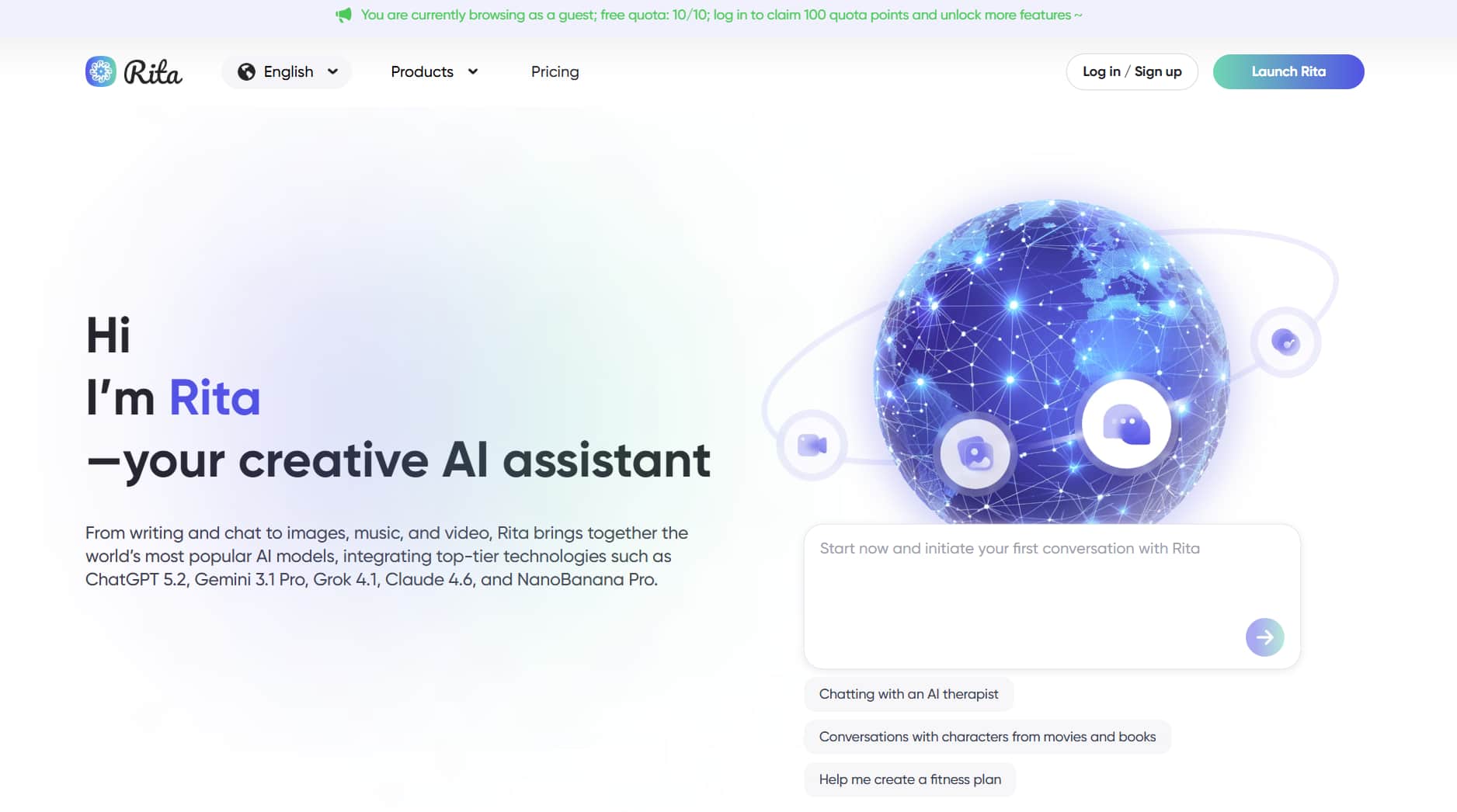
If you want ongoing access to Claude without committing to a subscription, Rita is well worth exploring. Rita is a multi-model AI platform that gives new users free credits upon sign-up — no hoops to jump through, just immediate access to Claude and other leading models right out of the gate.
Beyond conversational AI, Rita brings together a wide range of generative tools under one roof:
- Image generation: Midjourney, Stable Diffusion, Nano Banana Pro
- Video generation: Veo, Kling
- Audio generation: Suno
If you regularly juggle multiple AI tools, having everything in one place makes the whole experience a lot less fragmented.
That said, these are just three of the many routes available. We've covered 10 proven methods in total — check out the full guide if you want to explore every option on the table.
Exploring More About the Claude Pro Plan
Compared to the free plan, which is mainly for basic Q&A, Claude Pro focuses more on continuous use and efficiency. Below, we break down the key features included in Claude Pro and explain how they work in real-world situations.
What You Get with Claude Pro
After upgrading to Claude Pro, you get the following key benefits:
5× higher usage limits
Pro users get at least five times more usage. This means you can send about 50–100 messages every 5 hours, depending on message length. For most workdays, you no longer need to worry about hitting limits.Priority access (no waiting)
During peak hours—such as mornings in the US—free users may face slowdowns or temporary blocks. Pro users get priority server access, which keeps responses fast and stable all day.Claude Projects (core feature)
This feature is only available on paid plans. You can create focused workspaces called Projects, with custom instructions and uploaded documents. Claude remembers these files and settings across chats, so you don’t need to re-upload documents or repeat context.Full access to all models
You can switch between models freely. Use Claude Opus 3 for complex reasoning, Sonnet for faster writing and coding, or Haiku for simple tasks. This lets you choose the right tool for each job.Early access to new features
Pro users often get early access to new features, such as updated Artifacts views, experimental models, or enhanced tools. This helps you try new features sooner and see what’s actually useful.
In short, Claude Pro offers fewer limits, stronger customization, and more flexible model choices.
Is Claude Pro Usage Better Than Free?
Yes. In real-world use, the biggest advantage of Claude Pro is not stronger models, but the ability to work through a task from start to finish without interruptions.
For content creators, the Projects feature greatly reduces repeated setup work. With the free plan, you often need to explain your writing style and background again in every new chat. With Pro, you can create separate Projects for different topics and preset styles, which makes content creation much faster and more consistent.
For developers, the free plan often hits limits during multi-step debugging or long document analysis. Pro users get higher message limits and access to the Opus model, allowing them to analyze, modify, and verify results in one continuous session—without breaking the flow.
This “finish-it-in-one-go” experience is the real value of Claude Pro. It’s not just about stronger models—it’s about being able to fully solve a problem without stopping halfway.
Who Should Upgrade to Claude Pro?
When your needs start to look like the cases below, the Claude Free plan often becomes limiting:
Software developers
If you use Claude for daily coding, features like Artifacts (live code previews) and higher message limits are essential. Coding requires repeated testing, and the free plan can run out quickly.Content creators and writers
Creators often need Claude to keep a consistent tone and writing style across multiple pieces. With Projects in Pro, you can upload a style guide once and have all future content follow the same rules.Researchers and students
If you work with multiple PDFs or long papers, the Pro plan lets you ask follow-up questions without getting cut off in the middle of analysis.Heavy users
If you use Claude for more than 30 minutes a day, Pro’s priority access and faster responses can save enough time to justify the $20 monthly cost.
Overall, when Claude becomes part of your full workflow—not just a helper tool—Claude Pro is worth subscribing to. Higher usage limits and more stable access greatly reduce interruptions and repeated work.
Claude Free vs. Pro: What’s the Difference?
To make these differences easier to see, the table below compares Claude Free and Claude Pro across key areas such as model access, usage limits, features, and overall stability. This side-by-side view helps you quickly decide which plan fits your needs.
Comparison Area | Claude Free | Claude Pro |
Price | Free | $20 / month |
Core model access | Claude Sonnet 4.5 and Claude Haiku 4.5 only | Claude Opus 4.5, Sonnet 4, Haiku 3.5, and more (8 models total) |
Access to latest models & new features | ❌ | ✅ |
Message limits | About 50–100 messages per day | At least 100 messages every 5 hours |
Priority access during peak hours | ❌ | ✅ |
Long text / multiple PDF analysis | ❌ Easily interrupted | ✅ |
Artifacts (live code/content preview) | ✅ but limits are reached quickly | ✅ |
Projects (long-term context & style memory) | ❌ Not supported | ✅ Supported, keeps context and style |
Suitable for heavy daily use | ❌ | ✅ |
Privacy | ❌ Conversations may be used for model training | ✅ Conversations are less likely to be used for training |
From the comparison, it’s clear that if you mainly use Claude for quick questions or occasional writing, the difference between Free and Pro may not feel obvious right away.
However, once you move into long conversations, large documents, or frequent daily use, factors like usage limits, feature access, and peak-hour stability start to have a major impact on the overall experience.
How About Claude Max and Enterprise Plans?
In addition to Claude Free and Claude Pro, Anthropic also offers Claude Max and Claude Enterprise plans. These are designed for users with heavier usage needs, as well as teams and businesses.
Claude Max
Claude Max is an upgraded plan above Pro. It is made for individual users who rely on Claude heavily and use it for long periods of time. Claude Max currently comes in two tiers, based on usage needs:
Max 5× ($100 / month)
This plan offers five times the usage of Claude Pro. It works well if you often use Claude for long-form writing (such as full novels or content series) or spend the whole day coding and debugging. For most heavy individual users, this level is more than enough.Max 20× ($200 / month)
This plan provides twenty times the usage of Claude Pro. It is best for users who treat Claude as an all-day productivity tool.
Overall, Claude Max is not about adding new features. Its purpose is to offer a more stable and uninterrupted experience for high-intensity use cases.
Claude Enterprise
For teams and businesses, relying on multiple individual Pro accounts can be hard to manage. Billing becomes messy, and it’s difficult to meet data security and collaboration needs. To solve this, Anthropic offers Claude Team and Claude Enterprise plans for organizations.
Claude Team: For Small Teams
This plan is a good fit for startups and department-level teams.
Price: $30 per user per month (about $10 more than Pro)
Minimum: 5 seats (starting at $150 per month)
Based on the Pro plan, Claude Team adds a centralized billing dashboard. Compared to Pro, each user also gets higher usage limits and can share Projects with teammates for easier collaboration.
Claude Enterprise: For Large Organizations
Price: Custom pricing (contact sales)
Minimum: Usually designed for organizations with 50+ users
Claude Enterprise includes advanced, enterprise-level features. These include single sign-on (SSO), GitHub integration for connecting company codebases, and a much larger 500K context window (compared to the standard 200K).
Overall, Claude Team and Enterprise are built to support collaboration, security, and scale—making them better suited for growing teams and large companies.
Conclusion: Is Claude AI Free Enough for You?
The answer depends on how you use Claude.
If you mainly treat Claude as a search replacement—using it for quick questions or light content organization—Claude Free is usually enough.
However, if you are a content creator or developer who often uses Claude for coding, long-form writing, or data analysis, Claude Pro is a better fit. It reduces interruptions and makes long, focused work much easier.
If you need even higher usage limits, better stability, or want to use Claude in a team or company setting, then Claude Max or Claude Enterprise may be the right choice.
No matter which plan you choose, you can often subscribe at a lower cost through GamsGo, saving up to around 70% per month for the same features. If you frequently hit the free plan’s limits, upgrading while keeping costs low is usually the more practical option.
FAQ About Claude AI Free
Does Claude AI cost anything?
The basic version of Claude is completely free. However, if you need higher usage limits, priority access, or the Projects feature, Anthropic offers Claude Pro for $20 per month. For team collaboration, there is also a Claude Team plan priced at $30 per user per month.
What is the free limit on Claude AI?
Claude’s free message limit is not a fixed number of chats. It changes based on conversation length and task complexity. In general, free users can send about 30–100 messages per day. Uploading or analyzing long documents uses the limit faster. After hitting the cap, you usually need to wait 4–8 hours for it to reset.
Is Claude better than ChatGPT?
It depends on your use case. Claude is strong at writing, coding, and long document analysis. ChatGPT is better for multimodal features like voice, images, and web access. Many writers and developers prefer Claude.
Related Articles:
How to Get Gemini 3 Pro Free for 1 Year (US Students Guide 2025)