A 2026 arXiv survey of 1,999 AI users in the United States found that 25% used Gemini as their primary assistant. Claude accounted for only 7% of overall usage but handled nearly one-third of programming tasks. These findings suggest that the difference between the two tools is not just about popularity, but also about the use cases in which each performs best.
Therefore, there is no universal answer to the question, “Which is better, Claude or Gemini?” What matters is which tool better fits your needs, which experience feels more natural, and whether the paid features offer enough practical value. If you prefer Claude but want to reduce the cost of the subscription, you can buy Claude through GamsGo.
In this article, we compare Claude and Gemini in terms of core capabilities, user experience, pricing, and more to help you decide which one better suits your workflow. In the end, the best answer may not be choosing one over the other, but using each tool where it performs best.

Claude and Gemini: What You Need to Know
Claude and Gemini are generative AI products designed for individuals, developers, and businesses. Everyday users can ask questions, describe tasks, or upload files through web and mobile apps, while developers and companies can use APIs to integrate the models into their own applications and workflows.
What Is Claude
Claude is a general-purpose AI assistant developed by Anthropic. It can understand natural-language instructions and help users with writing, analysis, research, programming, and other tasks through ongoing conversations. It is particularly strong at understanding and following complex requirements, making it well suited to work that involves multiple rounds of discussion and gradual refinement.
Users can ask Claude questions directly or upload documents, images, and code. Claude can then summarize content, extract information, explain problems, or create an initial draft, which users can continue refining with additional instructions.
Claude is available on the web, Windows and macOS desktops, and iOS and Android mobile devices. Developers can also use the Claude API or Claude Code to integrate it into applications and software development workflows.
What Is Gemini
Gemini is a family of AI models and an intelligent assistant developed by Google, with its core research led by Google DeepMind. The first generation of Gemini was released in 2023. In 2024, Google renamed its Bard assistant Gemini, bringing the model and consumer product under the same name.
Gemini is also positioned as a general-purpose AI assistant for both everyday tasks and professional work. It is available through a web interface and mobile apps, where users can enter text or upload content and refine the results through continued conversation. Developers can access Gemini models through the Gemini API, Google AI Studio, or Vertex AI.
Understanding the background and basic positioning of both products makes it easier to compare their features, user experience, and best use cases—and decide which one better fits your actual needs.
What Are the Differences Between Claude and Gemini
Claude and Gemini now offer many of the same features, including question answering, writing, research, and coding. Their main differences lie in their product positioning, supported content types, ecosystems, and how users interact with them.
| Comparison Category | Claude | Gemini |
|---|---|---|
| Developer | Anthropic | Google, primarily developed by Google DeepMind |
| Product Positioning | Focuses on complex tasks, professional collaboration, and complete, well-structured results | Focuses on multimodal capabilities, web access, and integration with the Google ecosystem |
| Featured Models | Sonnet 5 (Free / Paid) Opus 4.8 and Haiku 4.5 (Paid / API) | 3.5 Flash (Free / Paid) 3.1 Pro (Limited access on Free / Higher limits on Paid) 3.6 Flash and 3.5 Flash-Lite (Free API tier / Paid tier) |
| Common Uses | Writing, coding, document analysis, and multi-step tasks | Web research, everyday productivity, and multimedia processing |
| Supported Inputs | Text, images, PDFs, spreadsheets, and common document formats | Text, images, audio, video, PDFs, code, and common document formats |
| Long-Context Support | Sonnet 5 supports up to 1 million tokens in paid chat and through the API. Opus 4.8 supports 500,000 tokens in paid chat and 1 million through the API. | The 3.6 Flash and 3.5 Flash-Lite APIs support up to 1 million tokens. Limits in the Gemini app depend on the model and subscription plan. |
| Web Research | Web Search (Free / Paid); Research (Paid) | Google Search and Deep Research (Available on Free, with higher limits on Paid) |
| Product Ecosystem | Claude Web, Desktop, and Mobile; Claude Code, Claude Cowork, Slack, Microsoft 365, Notion, and Linear; Google Workspace and GitHub can also be connected through integrations | Gemini Web and Mobile; Gmail, Docs, Sheets, Slides, Drive, Meet, Calendar, NotebookLM, Chrome, Android, Flow, Jules, and Antigravity |
| Pricing | Free: $0 Pro: $20/month or $200/year Max: $100 or $200/month | Free: $0 Google AI Plus: $4.99/month Google AI Pro: $19.99/month Google AI Ultra: $99.99 or $199.99/month |
When it comes to multimedia files, Claude focuses more on images and office documents, while Gemini can directly handle a wider range of content, including audio and video.
Simply put, Claude is usually the better option to try first if your work involves long-form content, coding, or complex tasks that require repeated refinement. Gemini may feel more convenient if you value multimedia support or want AI to fit naturally into your existing Google ecosystem.
However, this is only a general guide, not a final conclusion. Actual performance still depends on the task, the way you write your prompts, and the specific model you use.
Claude vs Gemini Plans: Features and Pricing Compared
Claude and Gemini both offer free plans, while their main individual subscriptions cost around $20 per month. However, they focus on different benefits: Claude Pro provides higher model usage limits and access to Claude Code, while Google AI Pro also includes Google One cloud storage and Workspace integration.
Individual Subscriptions
Below is a complete overview of Claude and Gemini’s individual plans and pricing as of July 2026:
| Claude | Gemini | ||||||
|---|---|---|---|---|---|---|---|
| Plan | Monthly Price | GamsGo Price | Key Benefits | Plan | Monthly Price | GamsGo Price | Key Benefits |
| Claude Free | $0 | — | Basic chat with limited model access and usage | Gemini Free | $0 | — | Basic chat with limited features and usage |
| Claude Pro | $20 or $17/month with annual billing | From $7.99/month | Access to Sonnet and Opus models, higher usage limits, and Claude Code | Gemini AI Plus | $4.99 | No matching plan currently available | 400GB of storage and basic image and video generation |
| Claude Max 5x | $100 | From $69.99/month | Five times the Pro usage allowance, suitable for users who frequently reach their limits | Gemini AI Pro | $19.99 | From $2.99/month | Gemini 3.1 Pro, Deep Research, Veo video generation, and 1,000 AI credits per month |
| Claude Max 20x | $200 | Shared accounts from $99/month | Twenty times the Pro usage allowance, suitable for intensive all-day use of Claude Code | Gemini AI Ultra | $99.99 / $199.99 | From $40/month | Deep Think, more AI credits, and higher usage limits |
The $20 plans do not offer exactly the same benefits. If you already use Gmail and Docs, the $20 Gemini AI Pro plan also gives you extra storage and integrations, making its overall value more noticeable. If you only care about chat and coding capabilities, the prices are similar, so your choice should depend on the differences discussed above rather than price alone.
API Pricing for Developers
If you are a developer, the API pricing for Claude and Gemini is shown in the table below:
Claude | Gemini | ||||
|---|---|---|---|---|---|
Model | Input (per 1M tokens) | Output (per 1M tokens) | Model | Input (per 1M tokens) | Output (per 1M tokens) |
Claude Opus 4.6 | $5 | $25 | Gemini 3.1 Pro | $2 | $12 |
Claude Sonnet 4.6 | $3 | $15 | Gemini 3.6 Flash | $1.50 | $7.50 |
Claude Haiku 4.5 | $1 | $5 | — | — | — |
For high-volume, low-complexity tasks such as bulk summarization or simple classification, Gemini 3.6 Flash is the most affordable option in the table, with output priced at just $7.50 per million tokens.
For more complex reasoning tasks, Claude Sonnet 4.6 offers a balanced middle ground between quality and cost at $3/$15 per million tokens. Opus 4.6 is better suited to tasks that require the highest accuracy and have a flexible budget.
Claude vs. Gemini: Which Is Better for Writing
Claude has the edge in writing. When producing long-form content of around 3,000 words, it is less likely to change tone halfway through or lose track of earlier points. It also follows revision requests such as “keep the original meaning” or “make it less promotional” more accurately, without erasing the author’s original style.
Gemini is faster at creating outlines, summaries, and short first drafts. However, in longer pieces, it is more likely to rely on repetitive phrasing or use an inconsistent tone. Complex rewrites may also miss details from the original text and require more manual review. For people who regularly write blogs, reports, or brand copy, Claude is generally the easier choice.
Claude vs Gemini: The Better AI for Coding
Claude is the more reliable choice for coding. It follows project conventions and existing code styles more consistently when generating code. During debugging and cross-file refactoring, it is also better at using error messages and call chains to locate problems, while updating interfaces, types, and tests together without fixing one area and overlooking several others.
Gemini is better suited to quickly creating functions, scripts, and prototypes. For complex tasks, users often need to break the work into smaller steps to prevent the scope of a single change from becoming too broad. The leading models from both companies support context windows of around one million tokens.
The real difference lies in their consistency when handling long tasks and changes across multiple files, rather than the headline context-window numbers.
What Is the Difference Between Claude Code and Antigravity CLI
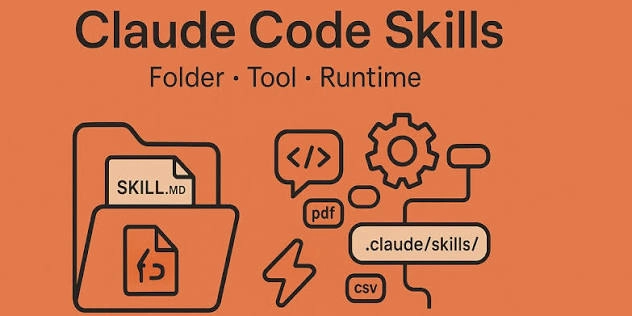
Claude Code is Anthropic’s terminal-based coding tool. It can read an entire project, edit files, run commands and tests, and continue debugging based on error messages. Claude Pro and Max users can sign in with their existing accounts without setting up a separate API.
Antigravity CLI, formerly known as Gemini CLI, is the lightweight terminal version of Google Antigravity. In addition to editing code and using tools, it can divide large tasks among multiple sub-agents for parallel processing. The CLI uses the same agent system and settings as Antigravity 2.0, allowing users to start a task in the terminal and continue reviewing it in the desktop app.
Since June 18, 2026, Gemini CLI has no longer supported sign-in with personal Google accounts, including Google AI Pro and Ultra accounts. Enterprise API access remains available, but individual developers need to move to Antigravity CLI.
Therefore, individual developers choosing a Google terminal coding tool should now compare Claude Code with Antigravity CLI. In practice, both can edit and debug code, but Claude Code focuses more on completing a single task continuously, while Antigravity CLI places greater emphasis on collaboration between multiple agents.
| Use Case | Claude Code | Antigravity CLI |
|---|---|---|
| How does it work? | A single AI follows the entire task from start to finish | Multiple AI agents divide the work and run tasks in parallel |
| Can you track progress? | ✅ | ✅ |
| Can you review actions before execution? | ✅ | ✅ |
| Can it recover from errors? | ✅ | ⚠️ Partly |
| How does it handle large tasks? | More stable for continuous changes across multiple files | More efficient when several parts can be handled at the same time |
| Can you switch interfaces? | ❌ Mainly terminal-based | ✅ |
| Is it easy to learn? | ✅ | ❌ Steeper learning curve |
For individual developers who want to get into a project quickly, debug continuously, and refactor across multiple files, Claude Code is the more straightforward long-term choice. Its task feedback is clear, and both account setup and day-to-day use are simpler.
Antigravity CLI is better suited to developers who already use Google Antigravity, often work through SSH or the terminal, or need multiple agents to handle large tasks at the same time. Its goal is not simply to replace Gemini CLI, but to offer a more parallel and collaborative development workflow.
Claude vs Gemini for Study and Research: Key Differences
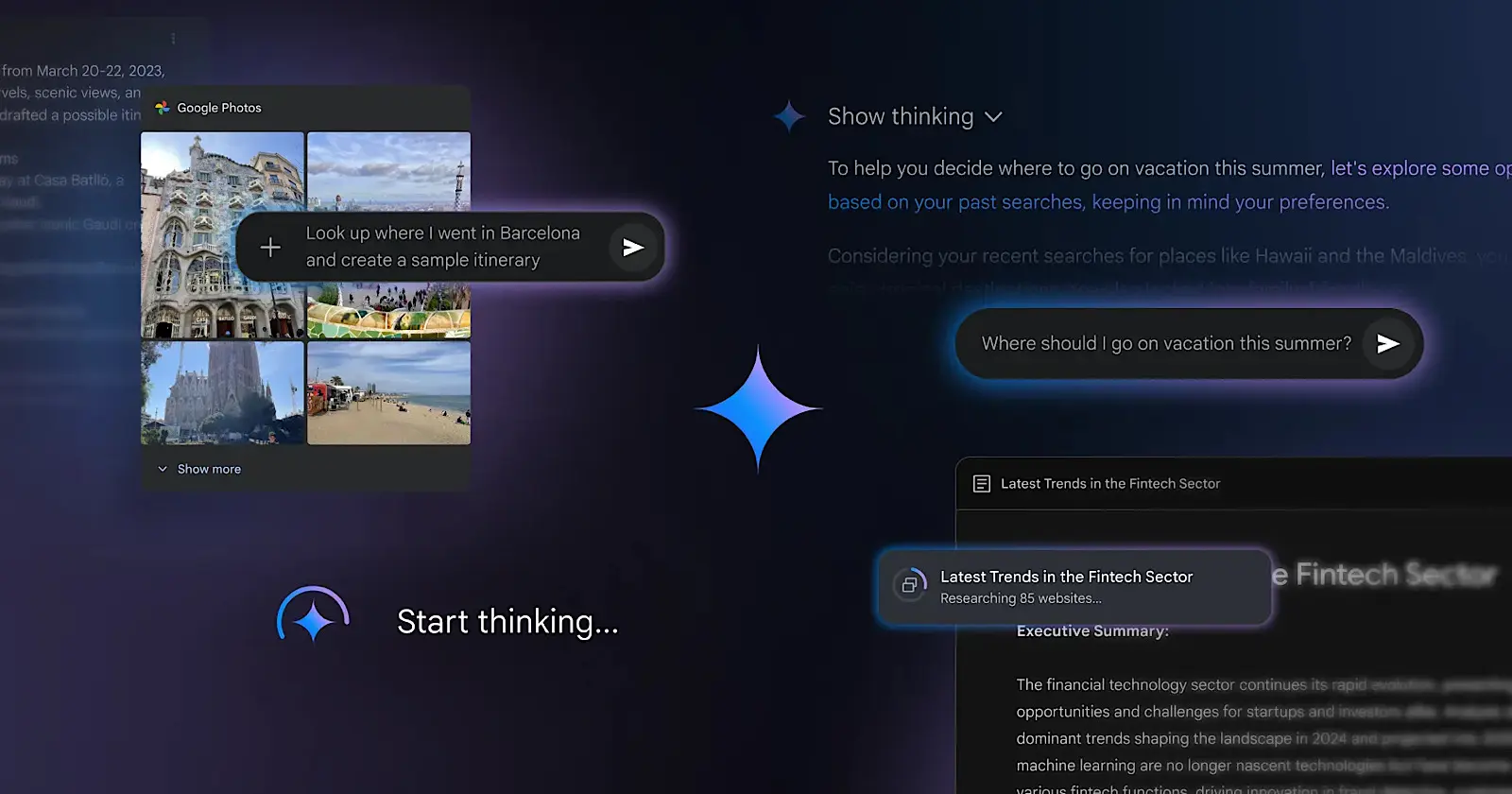
Gemini is the better choice for study and research.
After uploading a textbook chapter or research paper in PDF format, Gemini can quickly summarize key points and explain difficult terms. It handles individual documents well, but research rarely involves just one source. When working with a dozen or more papers, Gemini can directly access existing files through Drive and NotebookLM.
Claude requires users to upload documents individually, making the difference more noticeable in multi-document research. For recent papers, industry data, or policy updates, Gemini’s Deep Research can create a research plan, compare multiple sources through Google Search, and generate a cited report while also using your NotebookLM notes.
Claude can also conduct web research across multiple sources and produce clear results, but the process from finding materials to creating a report involves more steps. For users who regularly study textbooks, organize papers, or follow the latest information, Gemini is currently more convenient.
Claude vs Gemini for Work: Productivity Tools Compared
Gemini is more convenient for everyday office work. It can summarize emails and draft replies in Gmail, while Google Meet can automatically save meeting highlights and action items to Docs. This removes the need to copy emails or organize meeting notes manually.
Claude is equally reliable for these tasks, but it works more like a separate assistant. You need to provide the materials yourself or manually use connectors. For teams already using Gmail, Docs, and Meet, Gemini fits into the existing workflow with little effort. Using Claude usually adds an extra step: moving content from office apps into the assistant.
How Do Claude and Gemini Integrations Compare
Both Gemini and Claude can connect with workplace tools, but they follow different approaches. Gemini is designed to work directly inside Google apps, while Claude focuses more on bringing information from different platforms into one place.
| Comparison Category | Gemini | Claude |
|---|---|---|
| Integration Method | Embeds AI directly into Google apps such as Gmail, Docs, Drive, and Meet | Connects to services such as Slack, Microsoft 365, Notion, and GitHub through integrations |
| Workflow | After opening an email, document, or meeting content, users can summarize, rewrite, or generate content within the same app without repeatedly uploading files | Users can search content from different platforms in Claude and analyze team discussions, project documents, and schedules in one place |
| Result Management | Generated content can remain in Workspace and follow the existing sharing and collaboration process | Results appear in the conversation, with citations linking back to the original sources |
| User Experience | AI works inside existing office apps, creating a shorter and more direct workflow | Reduces the need to switch between apps and is better for information spread across multiple platforms |
| Best For | Individuals or teams that mainly use Gmail, Docs, Drive, and Meet | Users who work across multiple office, development, and project management tools |
Simply put, Gemini brings AI into your existing workplace apps, while Claude brings information from different tools into a single conversation. Claude offers broader cross-platform support, but Gemini provides a more natural workflow for most Google Workspace users.
Claude vs. Gemini: Which Is Better for File Analysis
For file analysis focused on documents and data, Claude is the more reliable choice.
The main differences are:
- Supported formats: Both can read PDFs, Word documents, images, CSV files, and Excel spreadsheets. Gemini also supports audio and video, giving it broader format compatibility. Claude can process data with code and create new Excel, Word, PowerPoint, and PDF files.
- PDF analysis: Gemini is useful for quick summaries, keyword searches, and chart explanations. Claude is better at following detailed instructions and usually preserves more information when extracting contract terms, comparing research papers, or tracking data across chapters.
- Spreadsheet processing: Gemini can perform basic calculations and create charts. Claude can also merge multiple tables, handle missing values, detect unusual data, and organize the results into a new workbook, making it better suited to financial, sales, and survey data analysis.
- Multi-file analysis: Claude can store reference materials in a project for ongoing questions and comparisons. Gemini can directly access files from Drive and NotebookLM, making it faster to find existing materials.
As the amount of material grows, the key factor is no longer the file format, but how much content the model can process at once.
Which Can Handle Longer Content
Claude and Gemini currently support context windows of up to 1 million tokens. According to Google’s estimate, this is roughly equal to 1,500 pages of text or 30,000 lines of code, so the two are broadly similar in capacity.
Gemini can quickly scan large files and produce an overall summary, but when users ask follow-up questions about multiple sections, it may rely more heavily on the passages retrieved at that moment.
Claude is better at maintaining the original analysis framework, terminology, classification rules, and output format across multiple conversations. This makes it more suitable for contract review, paper comparison, book analysis, and organizing long meeting transcripts.
Overall, Claude is the more reliable choice for users who regularly analyze research papers, contracts, financial data, or large reports.
Claude vs. Gemini: Which Is Better for Multimodal Tasks
Gemini offers more complete multimodal capabilities for handling images, audio, and video.
Both tools perform similarly in basic tasks such as image recognition, chart analysis, and text extraction, making either suitable for screenshots, scanned documents, and data charts. The main difference lies in audio and video understanding and multimedia content generation.
For audio and video analysis, Gemini can directly process uploaded recordings and videos, summarize the main content, locate specific sections, and answer questions using both visual and audio information. Google AI Pro and Ultra can analyze up to about one hour of video or three hours of audio. Claude currently lacks native audio and video support, so users usually need to convert the content into transcripts or screenshots first.
For content creation, Gemini can generate and edit images, as well as create videos with sound and music, making it more suitable for social media content and creative drafts.
Therefore, both tools are practical for screenshots and charts, but Gemini is the more complete choice for audio and video analysis or creative media generation.
Claude vs. Gemini: What Are Their Pros and Cons
Claude’s strengths lie in writing, coding, and handling complex tasks, while Gemini stands out in search, Google ecosystem integration, and multimodal content. Their main advantages and disadvantages can be summarized as follows:
| Product | Advantages | Disadvantages |
|---|---|---|
| Claude |
|
|
| Gemini |
|
|
Overall, Claude focuses more on the quality and reliability of complex task execution, while Gemini stands out for its Google ecosystem integration and broader multimodal capabilities.
Claude or Gemini: Which Should You Choose
Whether you choose Claude or Gemini, start by identifying the tasks you handle most often, then decide which tool can improve your efficiency.
Writers and Content Creators
Writers should generally choose Claude, while visual content creators may prefer Gemini. Claude is more reliable for long-form structure, tone control, and copy editing. Gemini can directly generate and edit images, videos, and music, reducing the need to switch between tools when creating multimedia content.
Students and Researchers
Gemini is the more practical choice. It can use Google Search and Deep Research to find current information, then combine sources from Drive, NotebookLM, and uploaded papers to create cited reports. Claude is useful for reading and summarizing materials, but Gemini offers a more complete research workflow.
Developers and Development Teams
Claude is the better choice. It is more reliable for complex code generation, debugging, cross-file refactoring, and following project standards. Claude Code can also read codebases, edit files, and run tests, making it suitable for ongoing software development.
Google Workspace Users
Gemini is the most natural choice. It works directly inside Gmail, Docs, Drive, Calendar, and Meet, allowing users to summarize emails, organize files, and create meeting notes without changing their existing workflow.
Heavy AI Users
Users who regularly work across text, research, and multimedia tasks may prefer Gemini. It can analyze images, charts, audio, and video, while also generating images, videos, and music. However, Claude remains more valuable when the main focus is long-form writing, coding, and complex file analysis.
Simply put, choose Claude for higher-quality execution of complex tasks, and Gemini for a broader toolset and stronger multimodal capabilities.
How to Access Claude or Gemini More Flexibly
Once you decide to upgrade to a paid plan, subscribing through GamsGo is usually more affordable than paying the official monthly price. You can subscribe to Claude or Gemini through GamsGo and access higher usage limits and key premium features at a lower cost.
GamsGo Marketplace is a digital marketplace that connects millions of users worldwide with trusted sellers. Rather than selling products directly, GamsGo uses a comprehensive seller screening and review system to provide a safe and reliable digital purchasing experience.
To make the service more stable, GamsGo uses intelligent systems to manage accounts, seats, and access permissions, helping optimize the experience for each user. The core features and services available through GamsGo are generally similar to those included in official full-price subscriptions, while users can save up to around 80%.
Overall, GamsGo combines and shares available resources to help users access legitimate digital services at a lower cost while following relevant rules and compliance requirements.
Conclusion
Whether you choose Claude or Gemini, there is no need to focus too heavily on model rankings. Both products evolve quickly, and the more meaningful difference is how much they reduce the time between giving an instruction and getting a usable result.
If you are still unsure, give both tools the same real-world task. Compare the quality of the first draft, the number of revisions required, how easy the information is to verify, and whether usage limits interrupt your work. The tool that needs fewer follow-up instructions and less manual checking is likely the better primary assistant for you.
When upgrading, you can compare the latest Claude subscription and Gemini subscription options on GamsGo to try the paid features at a lower cost. Choosing one main tool first and adjusting your subscription as your needs and the products change is usually more practical than paying for both long-term.
If the free usage limits are no longer enough but the official subscription prices feel too high, you can choose a Claude subscription or Gemini subscription plan on GamsGo. Starting with a shorter plan lets you test the actual features and usage limits before deciding whether to renew.
FAQ
Is Claude or Gemini Better?
It depends on your main use case. Claude is often better suited to long-form writing, complex instructions, and coding projects, while Gemini is a stronger choice for current information, multimodal tasks, and Google Workspace users. Neither platform is best for every task.
Are Claude and Gemini Free to Use?
Yes. Claude and Gemini both offer free access, but available models, message capacity, file analysis, and advanced tools are limited. Claude applies session-based usage limits, while Gemini also uses compute-based limits that may vary by feature, region, and platform policy.
Which Paid Plan Offers Better Value?
Users focused on writing, coding, or long-document analysis may get more value from Claude. Those who rely on Gmail, Docs, Sheets, Slides, and Drive may prefer Gemini because of its Google Workspace integrations. Claude Pro currently costs $20 per month or $200 per year in the US.
Is Gemini Better Integrated With Google Workspace Than Claude?
Generally, yes. Gemini can work directly inside Gmail, Docs, Sheets, Slides, Drive, and Chat, making it convenient for individuals and teams already using Google Workspace. However, availability depends on the account type, subscription, region, and administrator settings.
Can You Access Claude or Gemini Through GamsGo?
Yes. GamsGo currently lists subscription, account, and recharge options for both Claude and Gemini, including plans with different access periods. Products may use personal-account activation, complete accounts, shared access, or API credits, so check the account type, delivery method, warranty period, and renewal terms before purchasing.
Should You Use Claude and Gemini Together?
Not necessarily. Most users can choose one platform based on their main needs. Claude may be preferable for long-form writing and complex coding, while Gemini can be used for current information, video understanding, and Google Workspace tasks. Heavy users with varied workflows may benefit from using both.
🔍 You Might Also Like: