You are three searches deep into finding a hiring manager, and then the wall drops: "You've reached the monthly limit on profile searches." That message is LinkedIn nudging you toward Premium, where plans run anywhere from $39.99 to about $170 a month, depending on what you need.
On a platform with more than 1.3 billion members, that paywall sits between a lot of people and the tools they want. The good news is that LinkedIn opens several legitimate doors to Premium at no cost. The bad news is that most articles ranking for this topic still list methods that quietly stopped working a year ago.
We went through every claim, cut the dead ones, and kept the ten routes below that hold up in 2026, including two that changed shape this year. If you would rather not chase eligibility windows at all, GamsGo carries LinkedIn Premium at up to 80% off, and it sits at the end of this list as the no-strings option.
The 10 methods, at a glance:
- Official one-month free trial
- Premium referral coupon (free 2 months)
- U.S. military and veterans program (free 12 months)
- LinkedIn for Journalists (free 12 months)
- Employee gift codes (free 6 months)
- Adobe Creative Cloud benefit (free 3 months)
- Library access to LinkedIn Learning
- Access through school, work, or a state program
- Win-back offers for lapsed subscribers
- Long-term low cost through GamsGo
What You Actually Get With LinkedIn Premium?
Plenty of people pay for Premium when the free account would have carried them just fine. So before chasing a trial, it helps to know where the real ceiling sits.
A free LinkedIn account lets you build a full profile, post, comment, message your existing connections, apply to jobs, and search the network. The friction shows up in one specific place: the commercial use limit.
LinkedIn counts how many profiles you view through search each month, and once a free account passes that threshold, searches stop returning a real list and start showing you about three results at a time. LinkedIn does not publish the number, does not show you a running count, and will not lift the cap if you ask. It tends to bite sooner when your activity looks like recruiting or prospecting.
The counter resets at midnight PST on the 1st of each month, so hitting the wall on the 28th costs you far less than hitting it on the 3rd. Browsing your own 1st-degree connections does not count toward it.
Premium lifts that ceiling and adds the features people mainly pay for: InMail credits to message people outside your network, the full "who viewed your profile" history, salary and applicant insights, company headcount trends, and the LinkedIn Learning catalog. Here is how the entry tier compares with a free account:
One clarification on that last row, since it trips people up. Only Premium subscribers can switch Open Profile on for themselves. Sending a message to somebody who has it on is free for everyone, though free accounts get a limited number of those per month.
If you only network within circles you already know and apply to jobs casually, the free tier covers it. Premium starts paying off once you are messaging strangers regularly, comparing yourself against other applicants, or running into that search wall every week.
LinkedIn's own marketing points to Premium Career subscribers landing roles faster than free users. Read it as a signal rather than proof, since that comparison sets people who chose to pay against people who did not, and committed job seekers were always the more likely group to buy.
Can You Really Get LinkedIn Premium for Free in 2026?
Short version: yes for a while, no forever.
LinkedIn belongs to Microsoft, and Premium subscriptions are a core revenue line, not a loss leader the company is eager to give away. That is why there is no permanent free tier waiting to be unlocked, and why any site promising "LinkedIn Premium free for life" is selling a fantasy.
What does exist is a set of time-boxed and eligibility-based programs. Some are wide open to anyone with a credit card, some reward a specific group like veterans or working journalists, and some hand you a slice of Premium (the Learning library) through an institution you already belong to.
Stack them thoughtfully, and you can string together many months of free access. Let's walk through each one👇.
How to Get LinkedIn Premium Free?
Official Free Trial (1 Month)
LinkedIn gives most new Premium subscribers a free month on Career, Business, All-in-One, or Sales Navigator. The part people get wrong is the timing, so start there.
Two rules shape the whole thing. First, you can only claim a trial once every 12 months per profile, so burning it on a quiet week is a waste. Save it for a stretch when you are actively interviewing or prospecting, and will squeeze the InMail credits and insights for everything they are worth.
Second, cancel on day two and Premium switches off that day. You do not keep the rest of the month, whatever other guides tell you. Set a reminder for around day 27, use the features hard until then, and cancel just before billing.
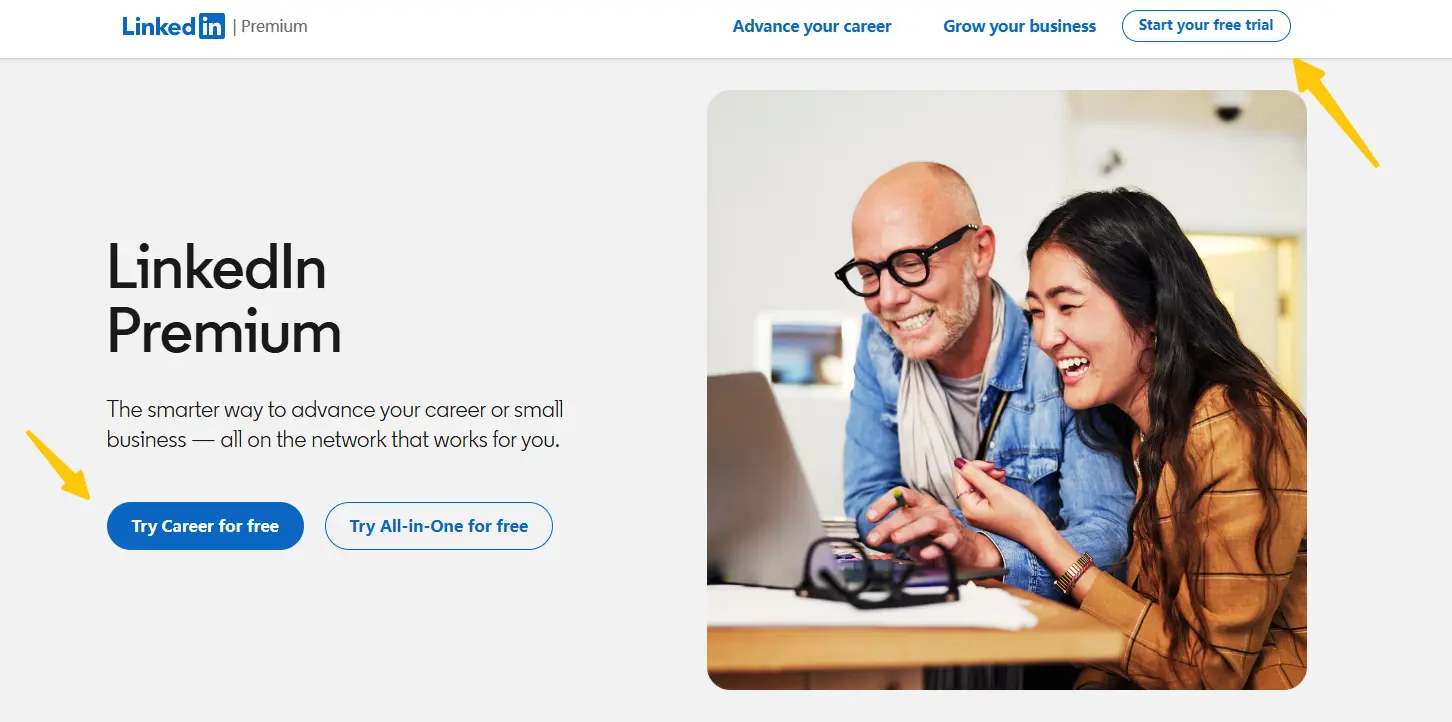
To start it:
- Open LinkedIn Premium while signed in
- Pick the plan you want to test
- Click "Start your free trial" or "Try Career for free"
- Add a payment method, which LinkedIn requires to prevent bot signups
A card is mandatory, but nothing is charged during the trial. If your last trial was more than a year ago, the "Start my free month" button reappears on its own, so this is not strictly a one-time perk over a long horizon.
Two practical notes. LinkedIn only emails the 7-day warning to people who subscribed on desktop, so sign up through the app and no reminder arrives. And when the trial ends, your search allowance drops back to the free cap without resetting, which means a heavy month of prospecting can leave you at the wall on day one.
Premium Referral Coupon (Free 2 Months)
Here is the route that beats the official trial on its own terms. A referral coupon runs two months instead of one, and redeeming it does not spend your once-a-year trial eligibility. Take a referral now and the standard free month is still sitting there for later.
These coupons come from people, not from a page you can visit. LinkedIn hands a batch to selected Premium subscribers, who can pass them along to up to 10 contacts every 12 months. Plenty of subscribers never send a single one, mostly because they never noticed the option sitting in their account.
So this is an asking game rather than a searching game. A colleague on Premium, a former manager, a mentor, an old classmate in sales: any of them might be holding unused slots. Ask them to check their Premium settings for a referral or invite option and send one your way.
Availability moves around. LinkedIn's public referral landing page currently reports the promotion as closed, while individual accounts keep showing referral slots. Two messages will tell you whether anyone in your network has one, which is cheap for two free months.
Military and Veterans Program (Free 12 Months)
LinkedIn has funded a free year of Premium for the U.S. military community for years, and the offer itself is still alive. What changed in 2026 is how you claim it, and most guides have not caught up.
LinkedIn is moving distribution to selected nonprofit partners rather than running it self-serve. Under the new setup, the free 12 months goes to eligible U.S. Armed Forces veterans who are enrolled in an approved career training program and who hold no active Premium subscription at the moment they redeem. The old form where you typed in your branch and service dates is offline while that switch happens.
The move right now is to watch the LinkedIn Social Impact veterans page for the partner list as it goes live. If you already work with a veteran employment or career services organization, ask them directly, since they may end up on it.
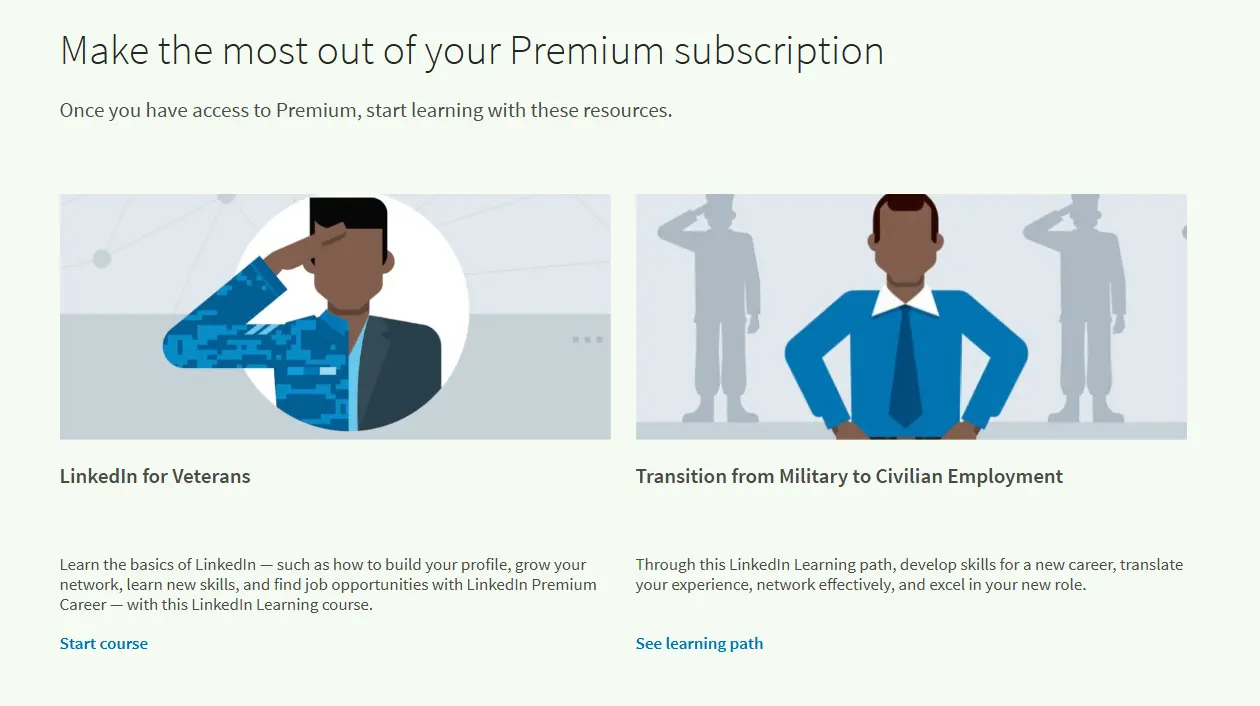
Two rules survive from the old version. It is a one-time offer per service member, and an active paid plan blocks the redemption, so cancel and let the billing cycle run out first. The free year does not auto-renew, and the account drops back to free when it ends with no surprise charge.
LinkedIn for Journalists Program (Free 12 Months)
Write for a living and you can pick up a free year of Premium Business, a plan that now lists at $69.99 a month. LinkedIn rebuilt this program in 2026, so the old advice about mailing in five clips no longer describes what happens.
Here is the current sequence:
- Get your LinkedIn profile verified at linkedin.com/verify. Nothing moves without this
- Fill in the interest form on LinkedIn's journalist program page. It signs you up for updates rather than putting an application in a queue
- Wait for the invitation to the next quarterly training webinar. Seats run out, and a full session pushes you to the waitlist for the following quarter
- Attend the webinar live, or watch the replay within 7 days. Skip the training and no code arrives
- Receive your 12-month Premium Business code by email once eligibility and training both check out
Editorial roles only. Reporters, editors, producers, columnists, investigative journalists, and freelancers who file regularly for verified outlets are in scope. Marketing, social media, branded content, communications, and business development roles are named as ineligible, so a content marketer with bylines will not clear it.
Employee Gift Codes (Free 6 Months)
LinkedIn staff get Premium as a benefit, and they can hand out a limited number of six-month codes to people in their network each year. Many never use their full allotment, so a fair few end up shared publicly under LinkedIn's "pay it forward" culture.
Finding one is a matter of patience and good search hygiene. Inside LinkedIn, search hashtags like #PlusOnePledge or #linkedinpremium, filter to Posts, and sort by most recent so you catch fresh giveaways before the codes are gone.
When you land one, redeem it directly on LinkedIn's own site and nowhere else. No legitimate code ever requires your password, so treat any "free Premium" offer that asks you to log in through another link as a phishing attempt and walk away.
Keep expectations calibrated. This is an employee perk being passed around informally, not a program LinkedIn runs, which is why supply is unpredictable and there is no page to apply on.
Adobe Creative Cloud Benefit (Free 3 Months)
One eligibility rule decides this one for you: the offer only opens for people who have never subscribed to LinkedIn Premium before. Spend your first Premium signup on the standard trial and this door closes for good. Pay for Creative Cloud and have never touched Premium? Claim this first, then keep the trial in reserve.
Adobe bundles three free months of LinkedIn Premium into Creative Cloud membership benefits. Sign in at adobe.com/benefits and the LinkedIn offer shows up among your available perks. No tile there means the promotion is not live in your country, and there is no version of this you can force.
Three months puts this behind the veterans and journalist programs and ahead of everything else open to a general audience. If you already pay an Adobe bill, checking costs about thirty seconds.
Library Card Access to LinkedIn Learning
Here is the method almost everyone mentions in passing and almost nobody explains: thousands of public libraries across the United States, United Kingdom, Canada, and Australia carry a LinkedIn Learning license that cardholders use for free, with no credit card and no LinkedIn subscription involved.
Be clear about the boundary, because this is where other guides oversell it. The library route unlocks the full LinkedIn Learning catalog, which is the same course library bundled into paid Premium, but it does not include InMail, profile-viewer insights, advanced search, or any other Premium feature.
If your goal is upskilling, that is the whole prize and it costs nothing. If you need outreach tools, this is not your method.
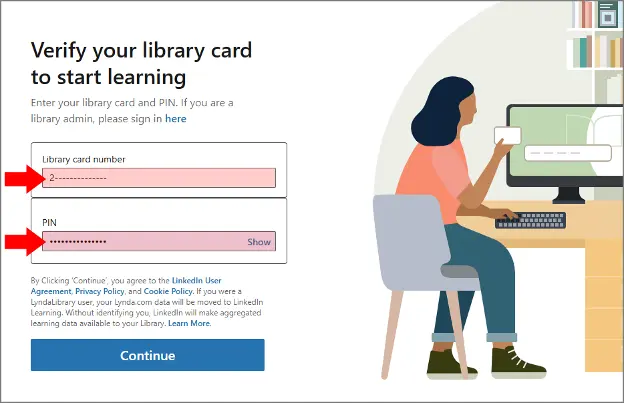
Logging in is quick once you know the trick. Go to linkedin.com/learning-login/go, enter your library's ID code (Los Angeles Public Library, for instance, uses lapl), then your card number and PIN. You do not need a LinkedIn profile at all for this route.
If you do not have a card, most systems issue an instant digital one online. Not sure whether your branch participates? Search your library's name plus "LinkedIn Learning," or just ask a librarian, since many belong to statewide consortiums that include it. A handful of institutions dropped the license in 2026 when contracts came up for renewal, so confirm before counting on it.
Access Through Your School, Work, or a State Program
Before signing up for anything, it is worth a five-minute audit of the access that may already be attached to your name. A surprising number of people pay for Learning or basic Premium features their school, employer, or government already covers.
- Employers. Mid-size and large companies frequently hold organization-wide LinkedIn Learning licenses, and some buy Sales Navigator or Recruiter seats for relevant teams. Ask HR or your IT desk before assuming you have to buy your own.
- Universities. Many institutions provide LinkedIn Learning to enrolled students and staff through their IT or career-services portal. Some career centers go further and distribute Premium Career codes to graduating students, so it is worth a direct ask.
- State job programs. If you are between jobs in the U.S., several state workforce agencies offer free LinkedIn Learning to unemployment claimants through reskilling partnerships, and American Job Centers can point you to what is available locally. These programs come and go and vary by state, so check your state's workforce site rather than assuming.
The common thread is that these mostly grant LinkedIn Learning rather than the full Premium feature set, but the access is real, recurring, and free for as long as the affiliation lasts.
Win-Back Offers for Lapsed Subscribers
There is a quieter angle for anyone who has carried Premium before. LinkedIn's retention engine does not like losing subscribers, so accounts that let a paid plan lapse often see promotional offers resurface, commonly 50% off for two months, sometimes an extended trial.
Watch the interface rather than your inbox. These prompts usually appear in the top-right corner of the homepage when you log back in, and they frequently never generate an email at all.
You cannot force it, and it keys off your history rather than something you redeem on demand. But if you used Premium in the past and stepped away, check the homepage before paying full price next time. Pair this with the once-a-year trial reset and a returning user can often line up another free or near-free stretch.
Low-Cost Premium Access Through GamsGo
Every method above carries a catch: a clock, an eligibility test, or features limited to the Learning catalog. If none of them fit, GamsGo carries LinkedIn Premium at up to 80% below the sticker rate, with nothing to qualify for. Anyone can buy it.
There are two ways to buy. Buying a LinkedIn subscription directly from GamsGo is the simplest route: pick a plan, pay, and let the platform handle activation and after-sales support, which suits anyone who just wants it sorted with minimal fuss.
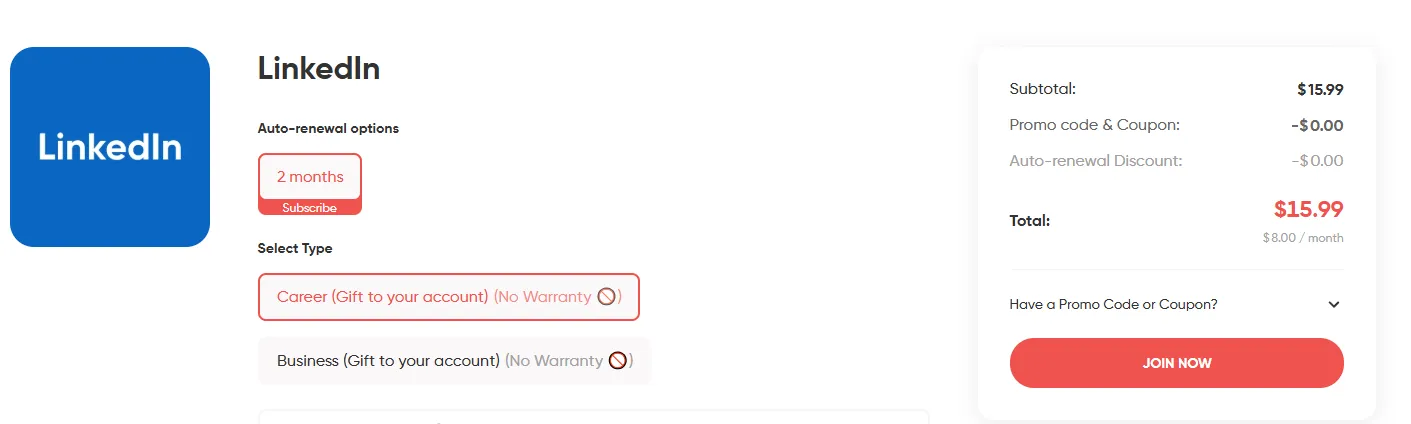
The GamsGo marketplace is where many independent sellers list cheap LinkedIn Premium side by side, so you get a much wider spread of subscription lengths and package options, and can pick whatever matches your timeline and budget.
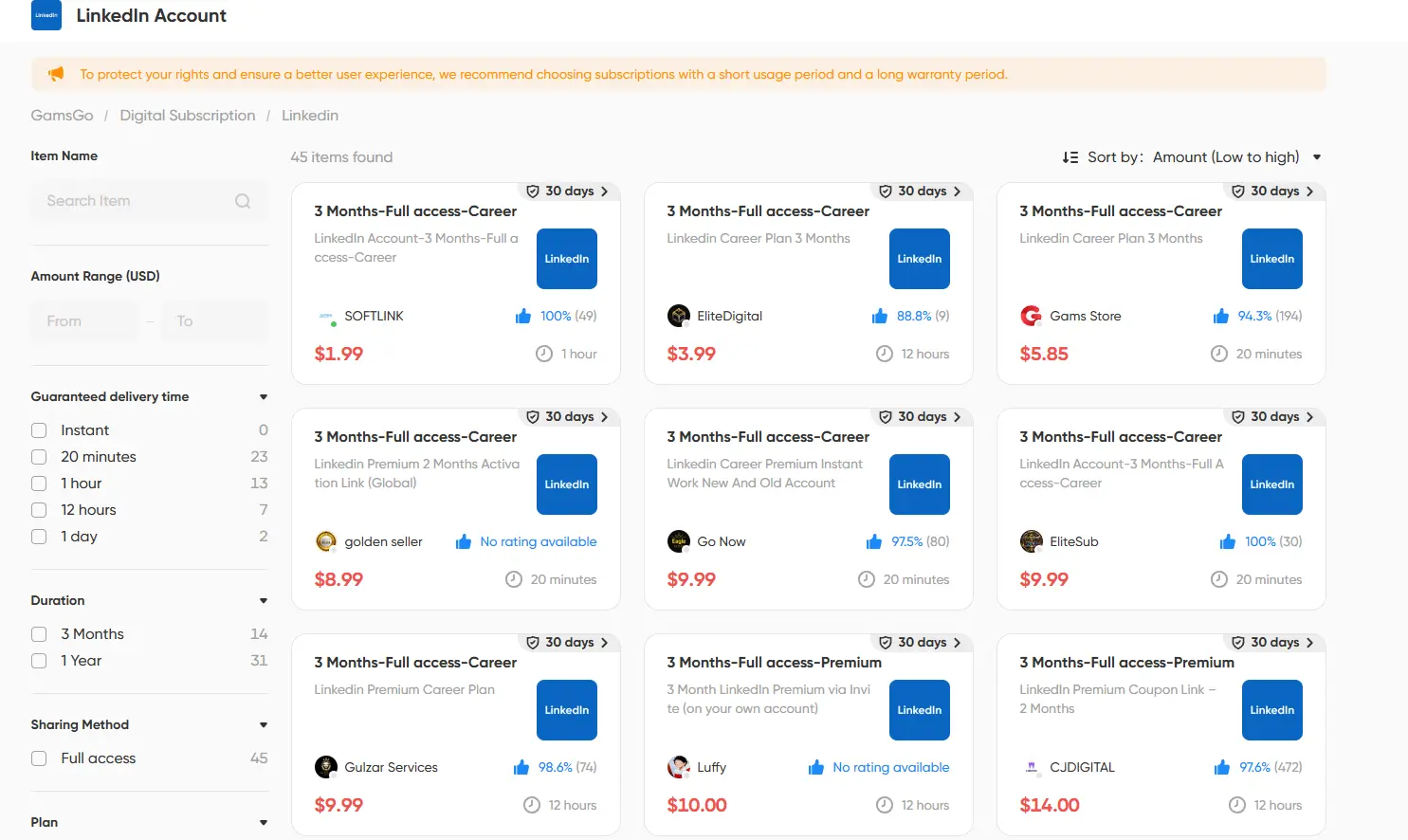
Both routes deliver the same core Premium features at a fraction of the cost, with 24/7 support standing behind the purchase. It is not free, but for keeping Premium over the long haul, it is usually the cheapest option open to everyone, and the only one on this list with no qualifications to clear.
Which Free Method Fits You?
Ten routes is a lot to weigh, and the best one really comes down to who you are and how long you need access. The table below lines them all up so you can match a method to your situation at a glance.
A quick way to choose: serving or formerly serving in the U.S. military makes the veterans program the first thing to track, since a free year beats everything else once the new partner list opens up. Working journalists should get their profile verified now so they are ready for the next webinar cycle.
Creative Cloud subscribers who have never held Premium should check adobe.com/benefits before doing anything else, because the trial destroys that eligibility. If you only want courses, the library card is unbeatable and never expires.
Everyone else can ask around for a referral coupon, spend the once-a-year trial wisely, and turn to GamsGo when they want full features for the long haul without the eligibility maze.
Conclusion
There is no magic switch for permanent free LinkedIn Premium, but there is a real toolkit.
What most guides skip is that order matters more than volume. The Adobe benefit dies the moment you start a trial, and the referral coupon leaves your trial eligibility untouched, so the cheapest sequence is Adobe first, referral second, official trial last. Run it the other way around and you throw away months you were entitled to.
Map the programs you qualify for, then spend the general-access ones in that order. When they run out, paying a fraction of the sticker price beats paying in full. Our guide to the LinkedIn Premium discount options breaks down the billing side, while GamsGo keeps LinkedIn Premium accessible at up to 80% off with no qualifications to clear.
FAQ
Is LinkedIn Premium Ever Permanently Free?
No. Every legitimate free option is capped somewhere between one month and one year, or limited to the Learning catalog through an institution. Anyone advertising free Premium forever is not telling the truth.
Can I Stack These Methods?
Yes, if you sequence them properly. The Adobe benefit requires that you have never held Premium, so it has to come first. A referral coupon does not consume your annual trial eligibility, so it can sit in the middle. The official trial goes last. Program codes for veterans and journalists cannot be redeemed while another paid plan is active, so leave a gap before claiming one.
Does the LinkedIn Free Trial Really Need a Credit Card?
Yes. LinkedIn asks for a payment method to confirm you are a real person and to set up auto-renewal, but you are not charged during the trial as long as you cancel before it ends. A reminder for around day 27 is the safest habit, especially since the 7-day warning email only goes to people who subscribed on desktop.
How Often Can I Take the LinkedIn Free Trial?
Once every 12 months per profile. If your last trial ended more than a year ago, the option to start a new one reappears in your Premium settings automatically.
Can Students Get LinkedIn Premium Free?
Not the full product. There is no student price for complete Premium. What students can usually get for free is LinkedIn Learning, either through their university's license or a public library card, which covers courses but not InMail or the other Premium tools.
Will the Library Card Give Me Full Premium Features?
No. It unlocks the LinkedIn Learning course library and nothing more. InMail, profile-viewer history, and advanced search stay behind the paid plans.
What Happens to My Data and Profile When a Free Year or Trial Ends?
Your profile and history stay intact. The account simply reverts to the free tier, and Premium-only features become unavailable until you subscribe again. Veterans' free years and most program codes do not auto-renew, so there is no automatic charge when they lapse. One thing to expect: your monthly search allowance goes back to the free cap without resetting, so heavy search use during Premium can leave you at the limit right away.
Related reading: