LinkedIn passed 1.3 billion members this year, and Premium has turned into a standard tool for job seekers, recruiters and sales teams. Plans now run from $39.99 to about $170 a month, which is why so many people go hunting for a cheaper way in.
Most of what turns up is junk. Fake coupon sites, promo codes that expired two years ago, articles promising 60% off that lead nowhere.
We checked every method against LinkedIn's own pages and current 2026 pricing. Ten of them still work, and each one below tells you who qualifies and what it saves. If you would rather skip the eligibility checks and get LinkedIn Premium running for up to 80% off, GamsGo covers that too.
Quick Overview: 10 Methods Covered
- Annual Billing Discount
- Free Trial (1 Month)
- The Cancellation Discount Trick
- GamsGo LinkedIn Discount
- Premium Referral Coupons
- Adobe Creative Cloud Benefit
- Library Card Access to Learning
- U.S. Veterans & Military Program
- LinkedIn Employee Coupons
- LinkedIn for Journalists Program
LinkedIn Premium Pricing Overview
Before looking for discounts, it helps to know what you are paying for. LinkedIn splits Premium into five paid tiers, each built around a different job. LinkedIn Premium Prices below are U.S. rates and vary by region.
| Plan | Monthly Price | Annual Price (per month) | InMail Credits | Best For |
| Premium Career | $39.99/mo | $19.99/mo ($239.88/yr) | 5/mo | Job seekers |
| Premium Business | $69.99/mo | $44.99/mo ($539.88/yr) | 15/mo, rolls over 3 months | Networking & business development |
| Premium All-in-One | $89.99/mo | $59.99/mo ($719.88/yr) | 30/mo, rolls over 3 months | Profile and Company Page in one plan |
| Sales Navigator Core | $119.99/mo | $89.99/mo ($1,079.88/yr) | 50/mo | Sales professionals |
| Recruiter Lite | $169.99/mo | $139.99/mo ($1,679.88/yr) | 30/mo | Individual recruiters |
Every Premium plan comes with LinkedIn Learning (25,000+ courses), "Who's Viewed Your Profile" going back 365 days, and advanced search filters. What separates the tiers is InMail volume, search limits, and the sales or recruiting tools layered on top.
One thing worth knowing before you buy: LinkedIn may refund a Premium subscription within 7 days of the charge if you have not used any Premium features. Cancel later than that and you keep access until the billing cycle ends, but the money is gone.
Now let's get into the actual ways to save.
How to Get LinkedIn Premium for Less
Annual Billing Discount (Save Up to 50%)
This is the simplest discount on the list, and it works for everyone.
Switching from monthly to annual billing cuts the effective monthly rate on every tier. Career takes the biggest hit, dropping by half:
- Premium Career: $39.99/mo drops to $19.99/mo (save 50%)
- Premium Business: $69.99/mo drops to $44.99/mo (save 36%)
- Premium All-in-One: $89.99/mo drops to $59.99/mo (save 33%)
- Sales Navigator Core: $119.99/mo drops to $89.99/mo (save 25%)
- Recruiter Lite: $169.99/mo drops to $139.99/mo (save 18%)
New to Premium? Run a monthly plan or the free trial for a month or two first and see whether you open the InMail tab at all. Once you know, switch to annual in your subscription settings. Nobody gets shut out of this one, and it is the only discount here with zero eligibility rules.
Annual subscribers also pick up Premium Perks, a rotating set of partner offers that in 2026 has included two free months of Adobe Creative Cloud Pro. Perks only unlock after your first real payment clears, and they cannot be redeemed on an iPhone or iPad, so open the redemption email on a desktop.
LinkedIn Premium 1 Month Free Trial
LinkedIn gives most new subscribers a free month on Career, Business, All-in-One or Sales Navigator. It is the fastest way to see the features without paying.
Here's how to activate it:
- Go to the LinkedIn Premium page
- Choose the plan that fits your needs
- Click "Start your free trial"
- Enter your payment details (required, but nothing is charged during the trial)
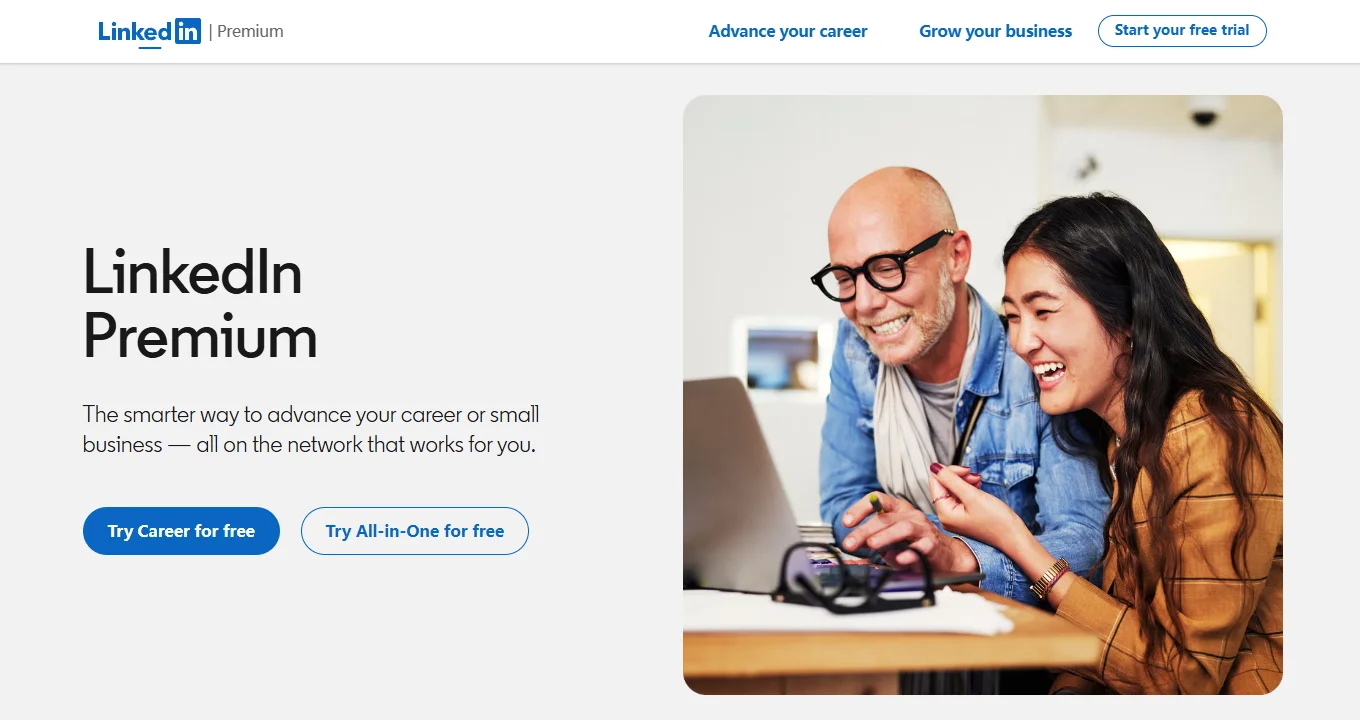
A few rules catch people out. You need a valid credit card, and the card gets charged full price the moment the trial ends unless you cancel first.
LinkedIn allows one trial per profile every 12 months, and you cannot hop to a different plan for free mid-trial. Cancel early and access stops right away rather than running out the remaining days, so there is no reason to cancel before the last day.
LinkedIn emails a reminder 7 days before the charge, but only if you subscribed on desktop. Sign up through the mobile app and no reminder arrives, so put the date in your calendar yourself.
LinkedIn Cancellation Discount (50% Off for 2 Months)
Anyone already paying for Premium should try this before their next renewal, and almost nobody does.
Start the cancellation flow and LinkedIn's retention system may try to buy you back. Here's how it works:
- Go to Settings & Privacy
- Navigate to Subscriptions & payments
- Click Cancel Subscription
- When asked for a reason, pick "It's too expensive"
- LinkedIn may counter with 50% off for 2 months
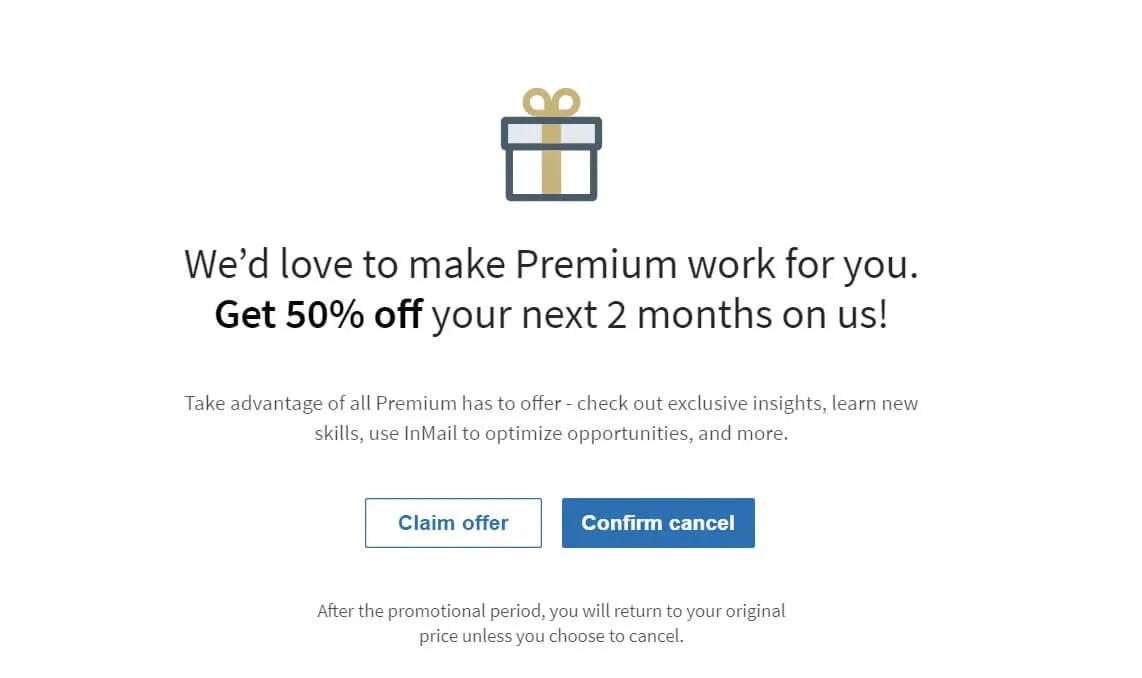
Users have reported this across Premium Career, Premium Business and Sales Navigator. It does not fire every time. LinkedIn's retention algorithm decides who sees the offer, and the criteria are not public.
There is a second version of this for people who already left. Cancel, wait, and LinkedIn often pushes a win-back offer, usually 50% off for 2 months, when you log back in. It shows up as a small prompt in the top-right corner of the homepage rather than by email, so check the interface instead of your inbox.
GamsGo LinkedIn Premium Deals for Everyone
Each of the three methods above has a catch. Annual billing means handing over a year upfront, the free trial expires after 30 days, and the retention offer only appears for some accounts. GamsGo works no matter what your account history looks like or where you live.
The first option is GamsGo's own LinkedIn Premium plan at up to 80% off the official price. No account sharing is involved. The Premium upgrade lands on your own profile.
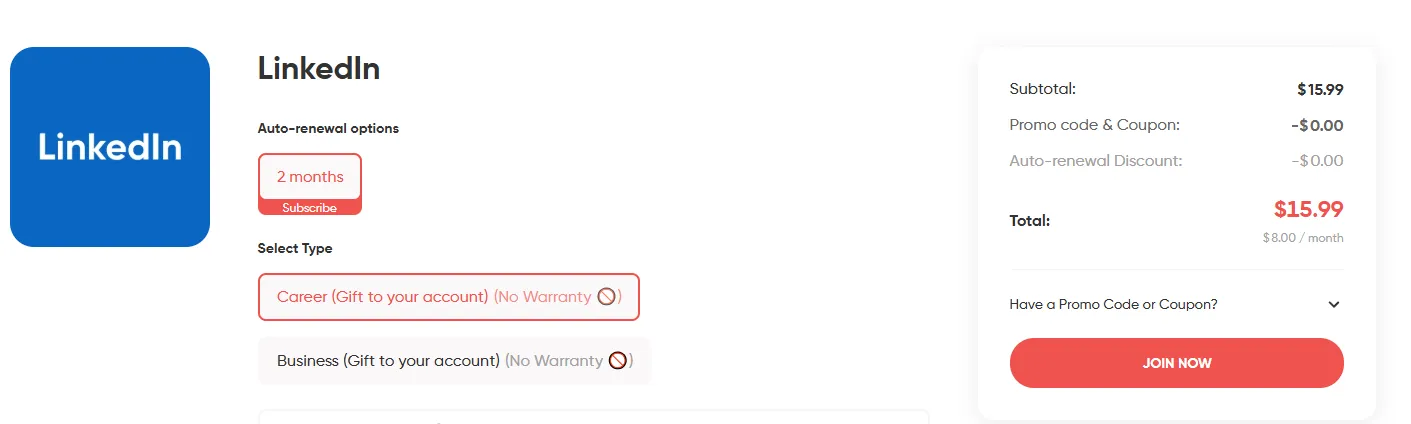
For a specific tier like Sales Navigator or Recruiter Lite, the second option is the GamsGo Marketplace.
The marketplace carries a range of LinkedIn subscription types from verified sellers, with discounts running from 50% to 80% depending on plan and duration. Same process: you get a code and redeem it on your own account.
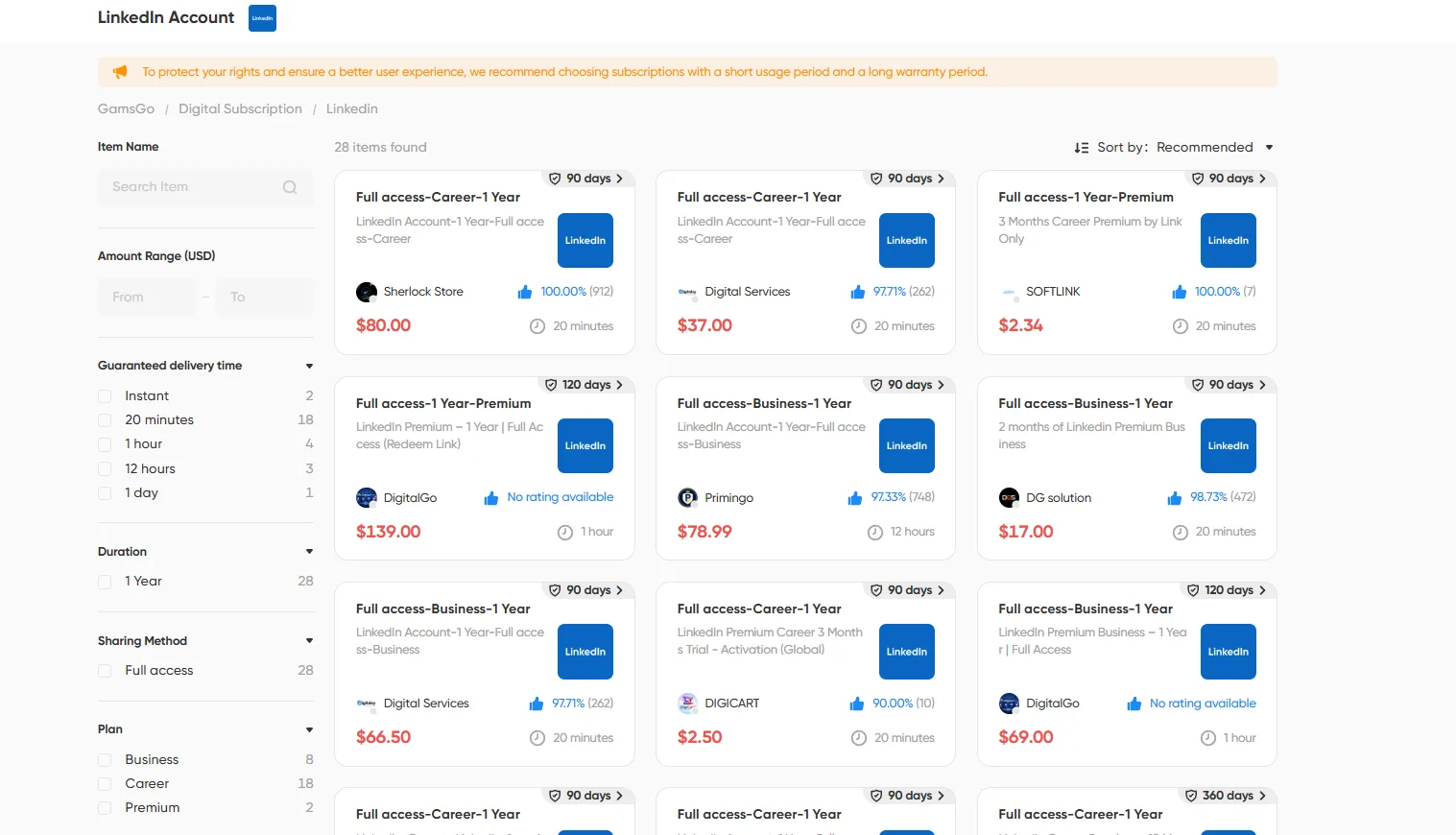
Getting started takes a few minutes: create a GamsGo account, browse the LinkedIn options, pick your plan, pay. No eligibility checks, no enrollment windows, no geographic limits.
Premium Referral Coupons (2 Months Free)
Existing Premium members can hand out free access to people they know. LinkedIn lets selected subscribers refer up to 10 connections every 12 months, and whoever redeems the link gets a 2-month free trial of Premium.
The catch is availability. LinkedIn switches this program on and off, and the public referral page currently shows the promotion as ended. Some accounts still see the referral option in their Premium dashboard, some do not.
So the practical move is to ask around. If a colleague or former manager has Premium, have them check whether a referral link is sitting in their account. Two free months beats a one-month trial, and it does not burn your own 12-month trial eligibility.
Adobe Creative Cloud Benefit (3 Months Free)
Designers and video editors often already have this one and never notice. Adobe Creative Cloud subscribers who have never tried LinkedIn Premium can claim 3 free months through Adobe's benefits portal.
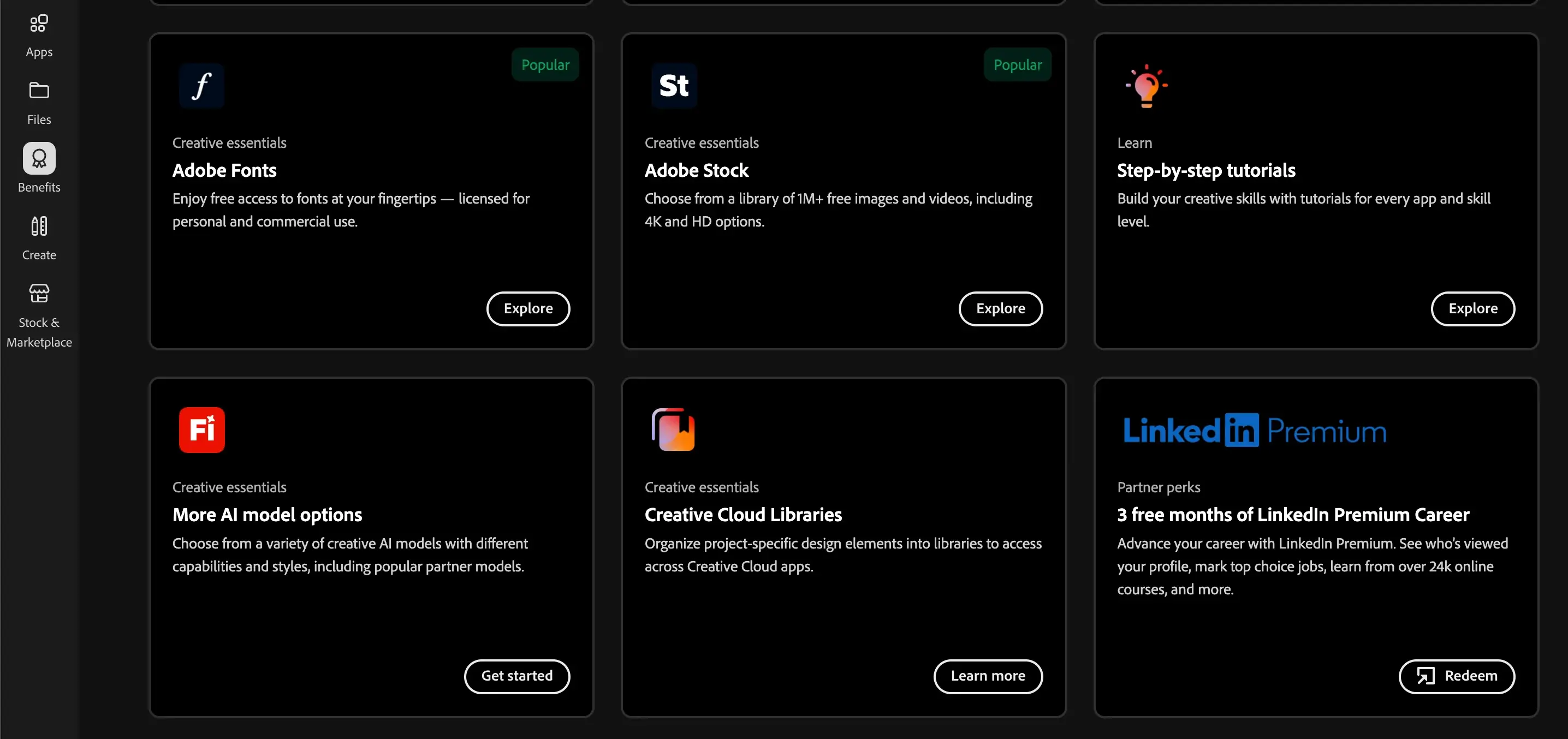
Log in at adobe.com/benefits and look for the LinkedIn Premium tile. If it is missing, the offer is not running in your region, and there is no workaround for that.
The deal runs both directions in 2026. Buy an annual LinkedIn Premium plan and you can pick up 2 free months of Adobe Creative Cloud Pro through Premium Perks, which sweetens the annual billing math if you were on the fence.
Library Card Access to LinkedIn Learning (Free)
This one gets oversold online, so here is what it really is. A public library card can unlock the full LinkedIn Learning course library for free, and nothing else. No InMail, no profile viewer insights, no advanced search.
If courses are what you actually wanted, it is a clean deal. Go to linkedin.com/learning-login/go, enter your library's ID, then your card number and PIN. You do not even need a LinkedIn profile to sign in.
Availability depends entirely on your library. Plenty of systems still carry it, and some dropped the subscription in 2026 when their contracts came up. Check your local library's database list before counting on it.
U.S. Military & Veterans Program (Free 1 Year)
LinkedIn has offered eligible members of the U.S. military community a free year of Premium since 2017. The program is real and still funded, but the way you apply changed in 2026.
LinkedIn is moving distribution to select nonprofit partners. Under the new setup, the free 12 months goes to eligible U.S. Armed Forces veterans who are enrolled in an approved career training program and who do not have an active Premium subscription when they redeem. The old self-serve form is offline while this transition happens.
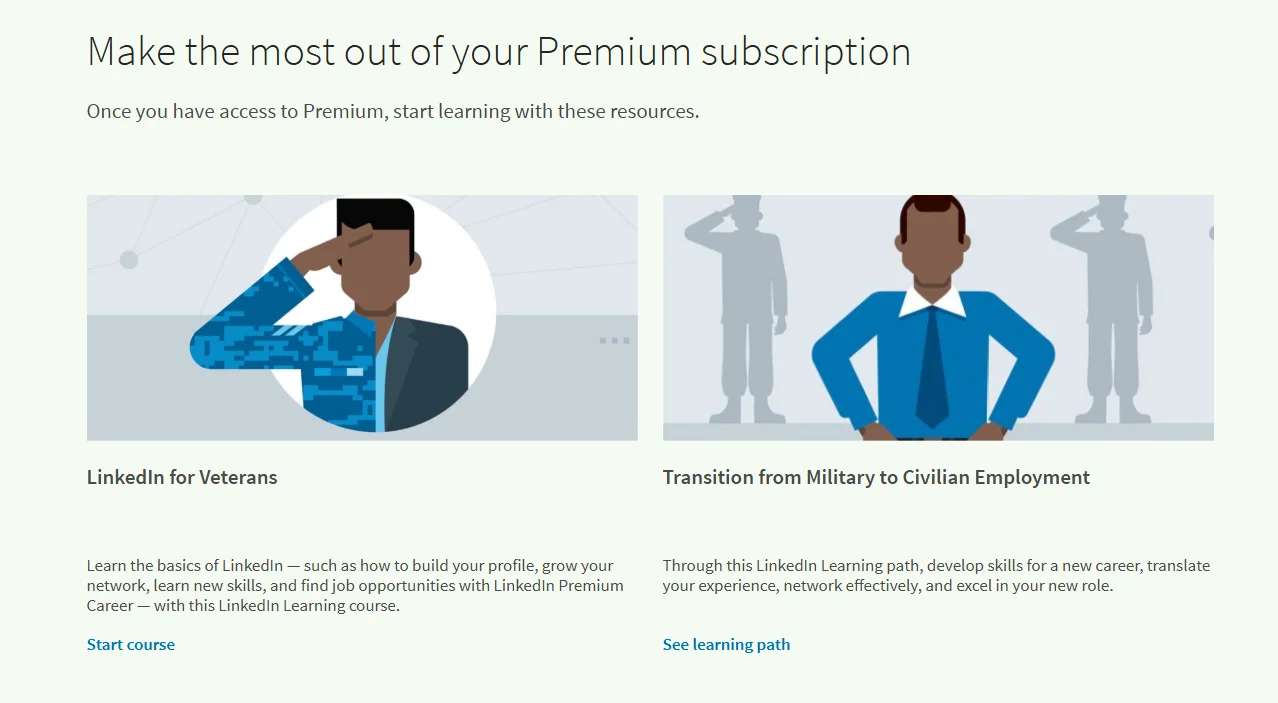
Keep an eye on the LinkedIn Social Impact page for the partner list as it goes live. If you are already working with a veteran career services organization, ask them directly, since they may be on it.
Two rules carry over from the old program. It is a one-time offer, and you cannot claim it while a paid Premium plan is active, so cancel first and let the cycle lapse. The free year does not auto-renew. When it ends, the account simply drops back to the free tier.
LinkedIn Employee Giveaways (Free 6 Months)
LinkedIn employees get complimentary 6-month Premium coupons as a staff benefit, and they can pass along up to 10 of them a year. Not everyone uses their full allocation, and some post the spares publicly.
You can find these giveaways by searching within LinkedIn:
- Go to the LinkedIn search bar
- Search for hashtags like #linkedinpremium or #PlusOnePledge
- Filter results by Posts and sort by Most Recent
- Look for employees offering free Premium codes
When you land one, redeem it on LinkedIn's own site and nowhere else. No real code ever asks for your password, so treat any offer that wants you to log in through another link as phishing and walk away. Codes go fast, so move when you see a fresh post.
This is an employee perk being shared informally rather than an official LinkedIn giveaway program, which is why supply is unpredictable and there is no page to apply on.
LinkedIn for Journalists Program (Free 12 Months)
Working journalists can get a free 12-month Premium Business subscription through the LinkedIn for Journalists (LIFJ) program. LinkedIn rebuilt the process in 2026, so anything you read about mailing in five clips is out of date.
Here's the current path:
- Verify your LinkedIn profile at linkedin.com/verify. This is required, not optional
- Join the interest list on LinkedIn's journalist program page. The form is not an application
- Wait for an invitation to the next quarterly training webinar. Seats are limited and fill up
- Attend the webinar live or watch the replay within 7 days. Training is mandatory to get a code
- Receive your 12-month Premium Business code by email
Eligibility sits with editorial roles: reporters, editors, producers, columnists, investigative journalists, and freelancers who contribute regularly to verified outlets. Marketing, social media, branded content, communications and business development roles do not qualify.
Spots are limited and the wait can run a full quarter. For anyone who qualifies, a year of Premium Business is worth $839.88, which makes the paperwork easy to justify.
Which LinkedIn Discount Works Best for You?
Ten methods is a lot to hold in your head, so here is the short version.
| Discount Method | Savings | Who Can Use It | Limitations | Rating |
| Annual Billing | 18-50% | Everyone | Requires upfront annual payment | ⭐⭐⭐⭐ |
| Free Trial | 1 month free | New users / 12-month cooldown | Requires credit card, auto-renews | ⭐⭐⭐ |
| Cancellation Trick | 50% for 2 months | Current and former subscribers | Not guaranteed to trigger | ⭐⭐⭐ |
| ✨ GamsGo LinkedIn Discount | Up to 80% | Everyone | None | ⭐⭐⭐⭐⭐ |
| Premium Referral | 2 months free | Anyone who knows a subscriber | Program availability comes and goes | ⭐⭐ |
| Adobe Creative Cloud | 3 months free | Creative Cloud subscribers | Region-dependent, first-time Premium users only | ⭐⭐⭐ |
| Library Card | Learning courses free | Anyone with a library card | Courses only, varies by library | ⭐⭐ |
| Veterans Program | Free 12 months | U.S. military community | Program in transition, applies via nonprofit partners | ⭐⭐⭐ |
| Employee Coupons | Free 6 months | Anyone who finds a code | Depends on an employee sharing | ⭐⭐ |
| Journalists Program | Free 12 months | Working editorial journalists | Verified profile plus mandatory training | ⭐⭐ |
Pick based on where you sit. Veterans and working journalists should start with their programs, since a free year beats any percentage off. Creative Cloud subscribers should check adobe.com/benefits first.
For everyone else, or for anyone who wants the lowest price without waiting on an enrollment window, GamsGo is the practical answer. If free access is your only goal, our guide to getting LinkedIn Premium free goes deeper on stacking these programs.
Conclusion
LinkedIn has been quietly moving prices up. Premium Career sat at $29.99 for years and now bills at $39.99, and Business climbed from $59.99 to $69.99 over the same stretch. Nothing suggests that trend reverses in 2027.
That changes the math on annual billing. Locking a 12-month rate today freezes your price against the next increase, which is a second discount nobody advertises. If you are going to use Premium for six months or more anyway, waiting costs you twice.
And if the sticker price still does not work for your budget, GamsGo keeps LinkedIn Premium within reach without a single eligibility form.
FAQ
Is There a Promo Code or Coupon Code for LinkedIn?
No. LinkedIn does not use traditional promo codes. Sites listing "LinkedIn discount codes" are coupon aggregators recycling misleading or expired offers. Every method in this guide runs through a real program or billing setting instead.
How Can I Get LinkedIn Premium for Free Forever?
You cannot. Every free route here has a clock on it, from one month up to twelve. Permanent free Premium does not exist, and any site claiming otherwise is after your login.
Is the Annual Billing Discount a Good Deal?
For most people, yes. Premium Career drops from $39.99/mo to $19.99/mo on annual billing, so you get twelve months for the price of six. Savings shrink as you move up the tiers, down to 18% on Recruiter Lite. If you are unsure, run a monthly plan or the trial first, then switch once you know you will keep using it.
What Happens When the LinkedIn Free Trial Is Over?
Your card gets charged full price unless you cancel first. Desktop subscribers get an email reminder 7 days out, mobile subscribers get nothing. Cancel through Settings & Privacy > Subscriptions & payments > Cancel Subscription. Another trial opens up after 12 months.
Can I Get a Refund on LinkedIn Premium?
Sometimes. LinkedIn may refund a subscription within 7 days of the charge if you have not used any Premium features yet. Past that window, cancelling keeps your access running to the end of the billing cycle with no money back.
What Is Premium All-in-One?
It bundles the profile tools from Premium Business with Company Page features in a single $89.99/mo plan. You get 30 InMails a month that roll over for three months, plus credits for boosting posts and promoting job listings. It suits small business owners building personal and company presence at the same time.
Does LinkedIn Have a Student Discount?
There is no official student tier. Some universities provide Premium or LinkedIn Learning through institutional agreements, so check with your school's careers service before paying. Third-party sites advertising student pricing are running affiliate promotions, not real LinkedIn offers.
Do Premium Perks Come With Every Plan?
Paying subscribers in eligible regions get them, but not during a free trial. Perks unlock after your first payment goes through, and they cannot be redeemed on iOS. Open the redemption email on a desktop even if you subscribed from your phone.
Related Articles