
On November 18, 2025, Gemini 3.0 was officially launched and quickly established itself as the new benchmark in artificial intelligence. The Gemini 3 Pro model offers doctoral-level reasoning capabilities and excels in code generation, multimodal understanding, and processing contexts of up to 2 million tokens.
However, the free version only allows 5 uses per day of the "deep thinking mode," which is far from enough for power users. To fully access these advanced features, the official subscription costs $19.99 per month, a significant expense for many users.
Fortunately, you don't need to pay full price for Gemini Advanced. This article presents several discounted options, such as GamsGo at under $2 per month, a 58% discount on Google's annual subscription, and student discounts, allowing you to access all Gemini 3 Pro features at a lower cost.
What is Gemini?
Gemini is a multimodal large language model developed by Google DeepMind and launched in December 2023. More than just a chatbot, it serves as the core engine powering all of Google's AI products.
Deeply integrated into the Google ecosystem, it can directly access real-time information from Gmail, Drive, Maps, YouTube, and other services during a conversation.
On November 18, Google unveiled the third-generation Gemini 3, which its CEO described as the "most intelligent model to date". Based on our Gemini 3 review of its core capabilities, this version marks a major breakthrough in reasoning, multimodal understanding, and programming:
- Doctoral-level reasoning: through its "deep thinking mode", the model breaks down problems like an expert, builds logical chains, and verifies its conclusions from multiple angles
- Ultra-long context of 2 million tokens: a single conversation can process the equivalent of about ten books without losing information, perfect for large-scale projects
- Unified multimodal architecture: from the training phase, text, images, audio, video, and code are merged into a single reasoning cycle, enabling true understanding of connections between different forms of information
- Agent-based coding: even without technical skills, simply describe your needs in plain language to quickly generate a complete, functional application prototype
Gemini 3 also integrates Deep Research, Nano Banana Pro, Veo 3.1, and other features covering all needs, from analysis to creation, from text to visuals.
Gemini 3 Subscription Pricing in 2026
To use Gemini 3 and unlock its advanced features, Google offers several Gemini subscription plans tailored to different needs: a free version and three paid tiers (AI Plus, AI Pro, and AI Ultra).
| Features | Free | Google AI Plus | Google AI Pro | Google AI Ultra |
| Price | $0 | $4.99/month | $19.99/month | Starting at $99.99/month |
| Gemini 3 Pro | Varying access | 2x Free usage | 4x Free usage | Highest access |
| Nano Banana Pro (HD images) | Limited (via Flow) | Higher than Free | Higher limits | Highest access |
| Nano Banana (standard images) | Limited | Higher than Free | Higher limits | Highest limits |
| Deep Research | Limited | Higher than Free | Full access | Highest access |
| Veo 3.1 (video generation) | Not available | Limited (via Flow) | Veo 3.1 Lite | Veo 3.1 |
| Google Flow Credits | Not available | 200/month | 1,000/month | Up to 25,000/month |
| Google One Storage | 15 GB | 400 GB | 5 TB | Starting at 20 TB |
| YouTube Premium | ❌ | ❌ | Premium Lite plan | Individual plan |
The free tier runs on Gemini 3.5 Flash with limited 3.1 Pro access. Fine for everyday questions and light use, but the caps make it a starting point, not a daily driver.
Google AI Plus at $4.99 a month roughly doubles the free limits and adds 400 GB of storage. A good fit if you keep hitting the free caps but don't need the full Pro toolkit.
Google AI Pro at $19.99 a month is where it opens up: full Deep Research, Nano Banana Pro for HD images, Veo 3.1 Lite, 5 TB of storage, and 4x the free usage. For most daily users, this is the tier that removes the friction.
To get Pro features for less, some people try workarounds like mirror sites or free invite codes. Those either put your account at risk or stop working after a while, so you waste time for nothing.
Actually, there's no need to take those risks if you want to buy Gemini Pro for less.
Best Ways to Get Gemini Pro at a Lower Price in 2026
We spent a lot of time analyzing dozens of discount options on the market. After careful comparison, if you want a stable long-term solution that's affordable and easy to set up, GamsGo stands out as the top choice: no special requirements and full security guaranteed.
Of course, we'll also cover all the other discount methods available so you can find the one that works best for you. But first, let's look at why GamsGo is the best option for most users.
What Is GamsGo?
GamsGo is a global subscription-sharing platform founded in 2020. It serves users in over 150 countries and offers hundreds of discounted services. More than 1.5 million people have already saved on their subscriptions through GamsGo.
What we particularly like is that GamsGo offers two options for Gemini.
The first option is GamsGo Direct. These are accounts managed and provided directly by the GamsGo platform itself. We highly recommend this route for those who prioritize stability. Prices are 60% to 90% lower than standard rates, yet you receive the full suite of Gemini features without compromise.
The best part is the full guarantee. If any issue comes up during your subscription, GamsGo will either replace your account or refund the remaining time. Your rights are protected.
The second option is the GamsGo Marketplace. Here, you'll find a much wider selection of Gemini accounts. Different sellers offer various plans like Pro, Ultra, or Plus, with different durations. If you want more flexibility, you can browse and compare at your own pace.
This dual system is well designed. It works for those who want official security as well as those looking for something more customized. Either way, GamsGo discounts are among the best on the market.
How to Subscribe to Gemini Pro on GamsGo
Based on the two options mentioned above, there are two ways to purchase. The process is very simple and usually takes 3 to 5 minutes.
Option 1: Buy Through GamsGo Direct Gemini Accounts
1️⃣ Go to the GamsGo Website
Open your browser and visit the official GamsGo website. On the homepage, you'll see different service categories. Find and click on the Gemini option.
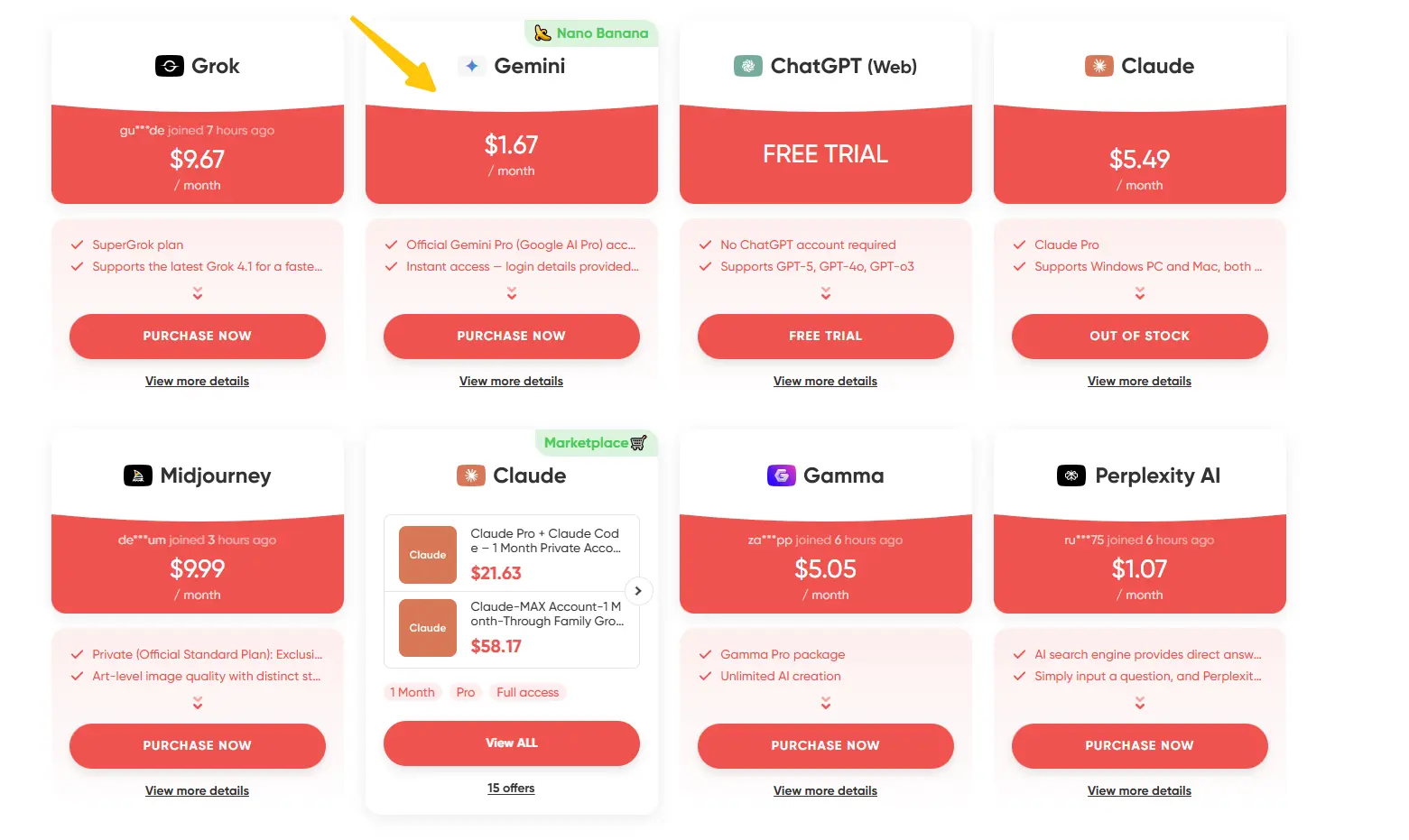
2️⃣ Check the Details and Choose Your Plan
Once on the Gemini page, you'll see all the service information and pricing. After confirming it meets your needs, click the purchase button.
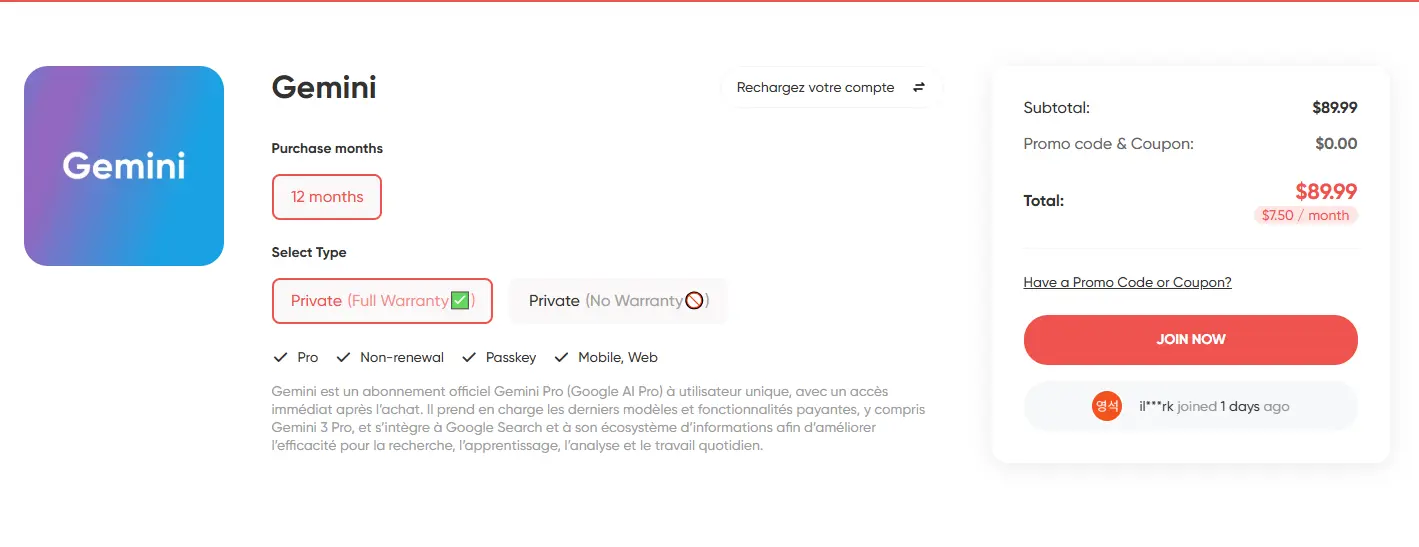
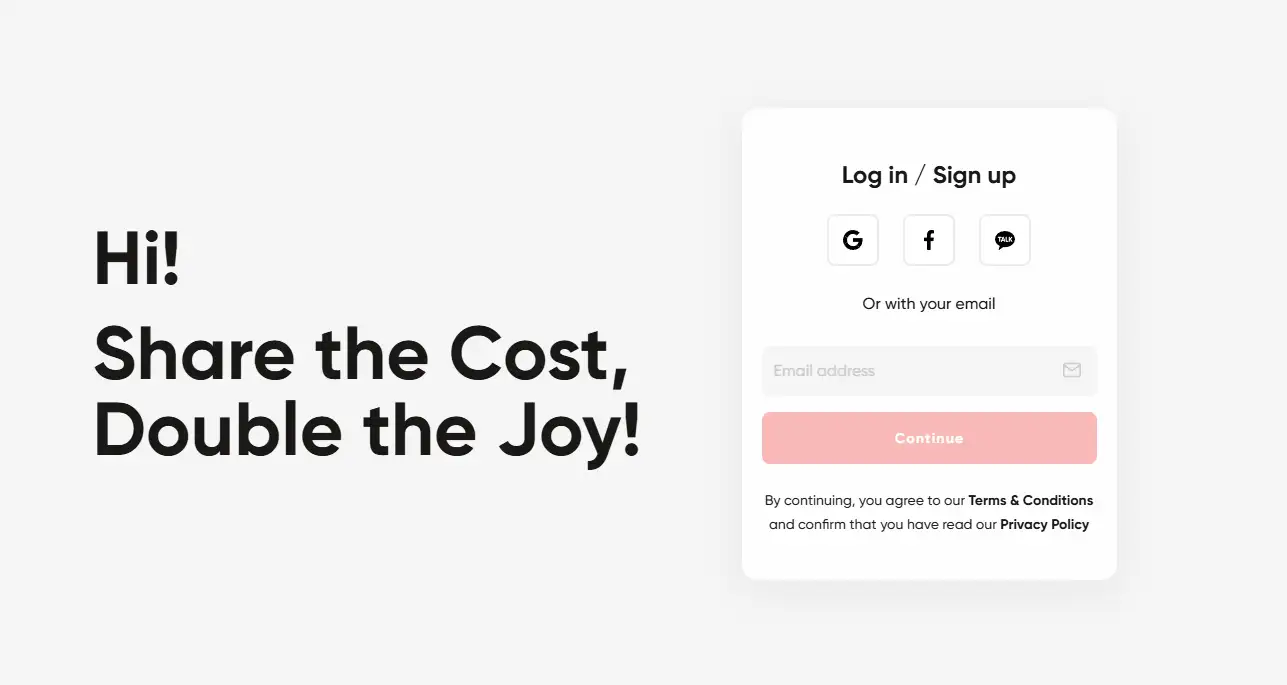
3️⃣ Log In or Create a GamsGo Account
If you don't have a GamsGo account yet, the system will ask you to sign up. Registration is quick: you can use your email or log in directly with Google, Facebook, etc.
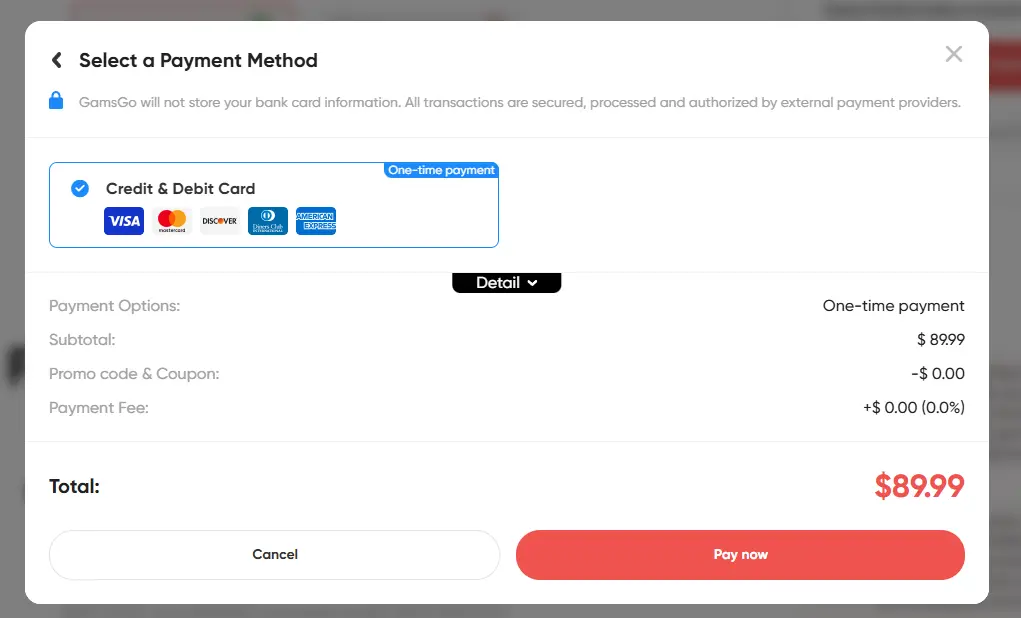
4️⃣ Complete the Payment
Once logged in or signed up, click "Go to Payment," choose your preferred payment method, enter your details, and confirm.
Option 2: Buy on the GamsGo Marketplace
For those who want more choices, here's how to purchase on the Marketplace:
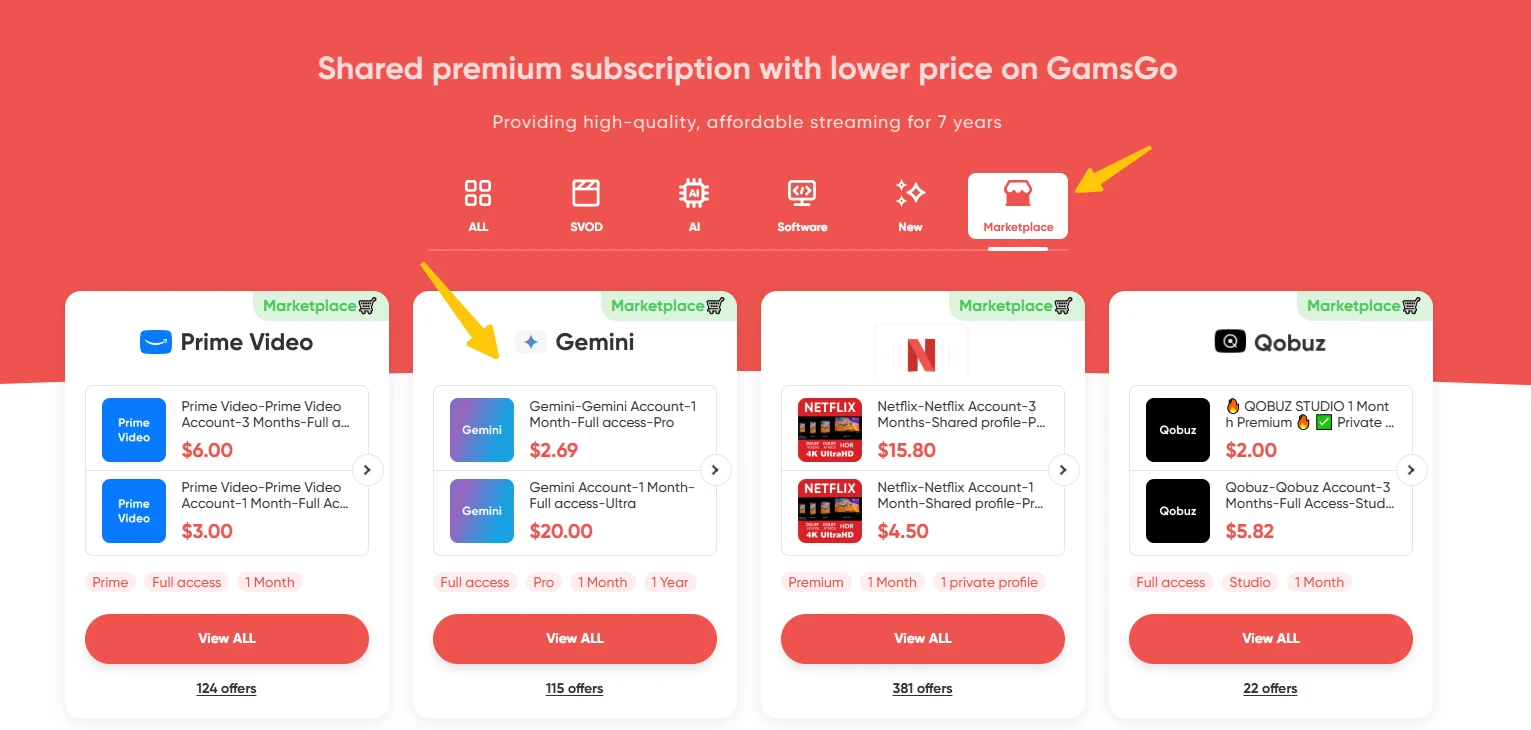
1️⃣ Go to the Marketplace
Visit the official GamsGo website. In the navigation menu, find the "Marketplace" option and click on it. Then select Gemini from the categories.
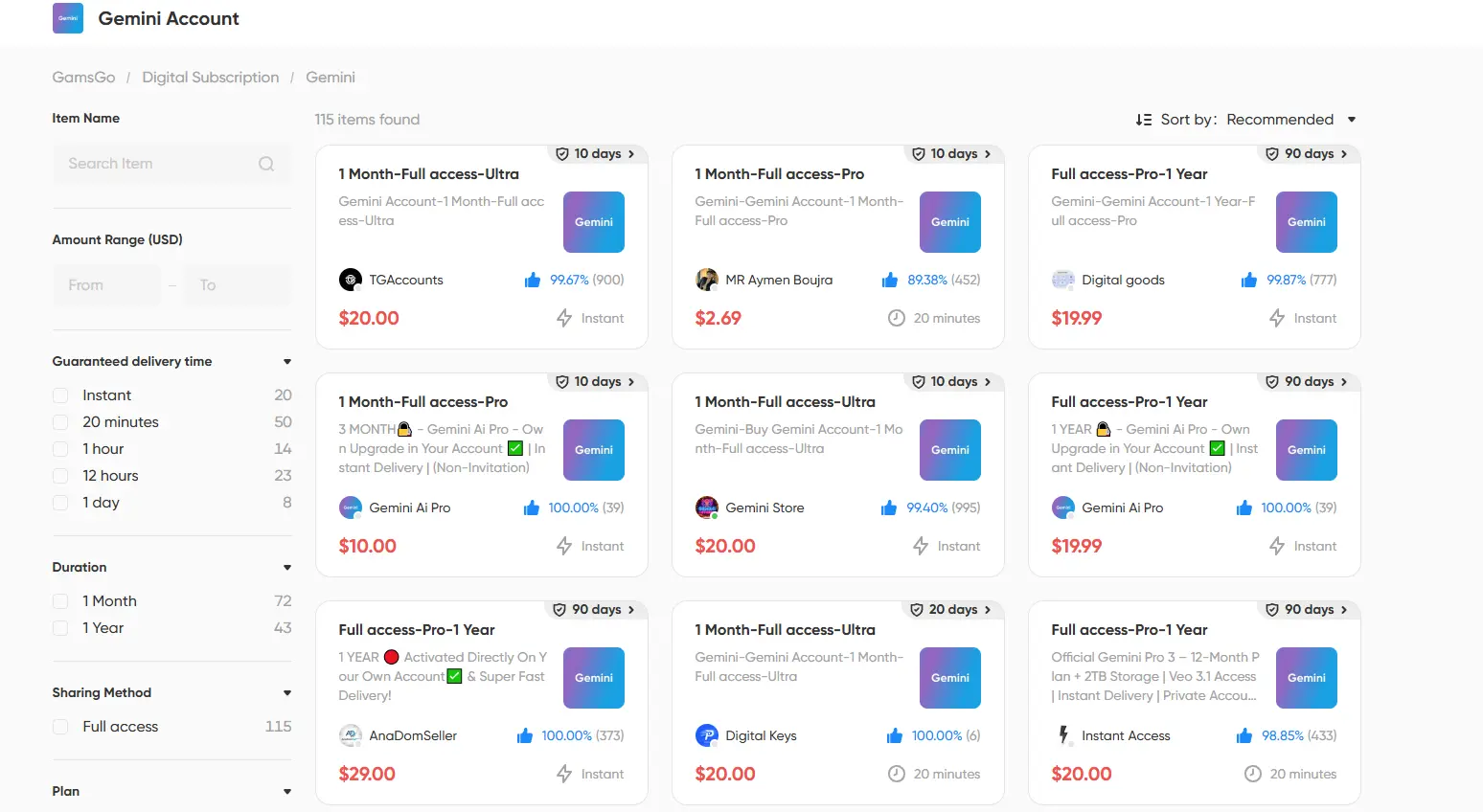
2️⃣ Browse and Filter the Offers
You'll see many sellers offering different Gemini plans with various subscription lengths. If there are too many options, use the filters on the left to quickly find what you're looking for.
3️⃣ Select and Complete Your Purchase
When you find an offer you like, click on it to view the details. Read the seller's information carefully: service description, price, and guarantee terms. After reviewing, click "Buy Now" and complete the payment.
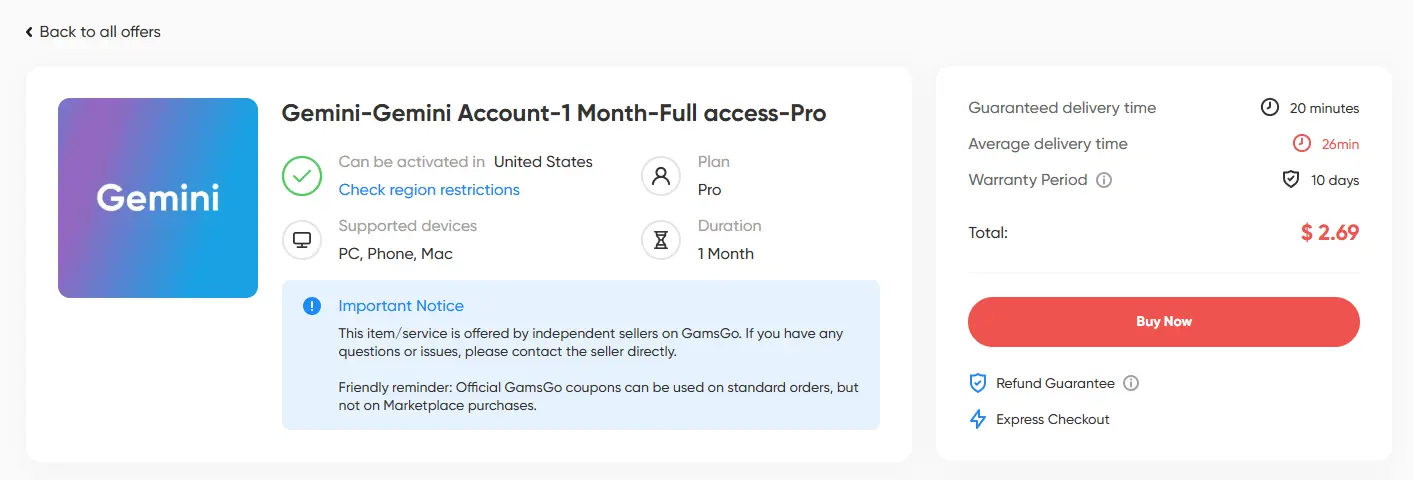
After placing your order, the GamsGo team or Marketplace seller will quickly send you the login details for your Gemini subscription. You can then enjoy all the premium features. 🎉
Why Is GamsGo the Best Choice?
GamsGo isn't the only platform offering discounts on Gemini. But during our research, two problems kept coming up elsewhere. Either the discounts are small, saving only around ten dollars over a year. Or the service is unreliable, and when something goes wrong with the subscription, it's hard to get help.
GamsGo, on the other hand, is known for reliable service and quality support. After your purchase, if any issue comes up, whether the subscription isn't activated, something isn't working right, or you just have a question, their professional support team is available 24/7 to help you quickly.
And this isn't just our opinion. Many users leave very positive GamsGo reviews after using the service.
Other Ways to Get Gemini Pro at a Lower Price
Beyond GamsGo, there are other options for reducing the cost of your Gemini subscription. However, these methods tend to be more restrictive: they often target specific groups (like students), require certain conditions (owning a particular device), or are only available for a limited time.
Here are the best Gemini subscription deals in 2026. If you're still unsure which option to choose, the guide below will help you find the one that fits your situation:
- Want the annual plan at a new-user discount? 👉 Google 2026 Promotional Offer
- Want to try all the features free for a month? 👉 Official Free Trial
- Already a Verizon customer or thinking about switching? 👉 Verizon Gemini Offer
- Are you a student who might catch the next offer window? 👉 Gemini Student Discount
- Already bought or planning to buy a Pixel Pro device? 👉 Pixel Device Bundle Offer
- Are you a startup founder or developer who needs API access? 👉 Startup Cloud Credits Program
Google 2026 Promotional Offer
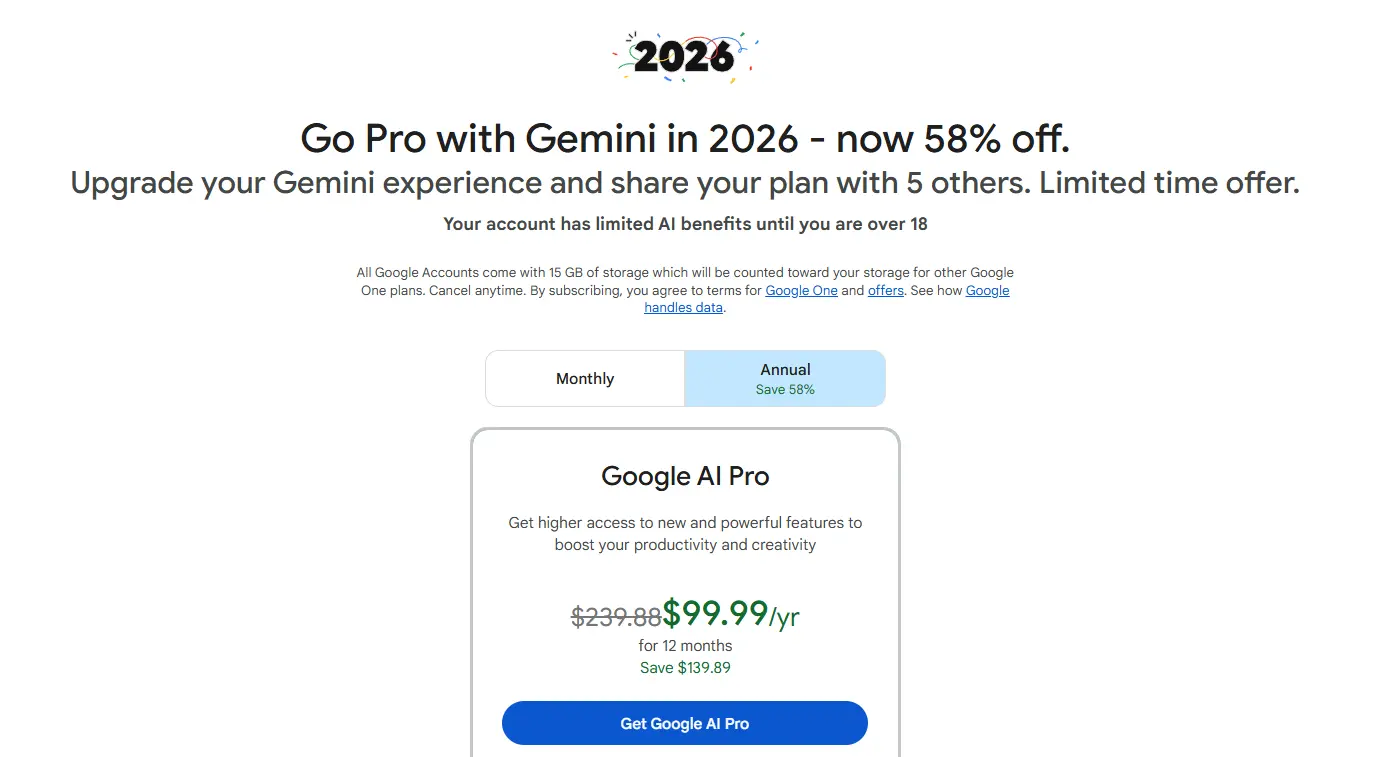
Google runs new-subscriber discounts on the annual Google AI Pro plan from time to time. The big one from early 2026 dropped the yearly price to $99.99 instead of $239.88, close to 58% off, which came out to under $9 a month. That specific promotion has since ended.
These deals come back around, so it pays to check the official Google One page before paying full price. When one is live, it's usually for new subscribers only, so anyone who already used the free trial or held a paid plan won't qualify.
One thing stays true with the annual plan: you can share it with up to six people, including yourself, so a group can split the cost. Keep in mind the promo price only covers the first year. After that the plan renews at the regular rate, so cancel before the renewal date if you don't want to continue.
Official Free Trial
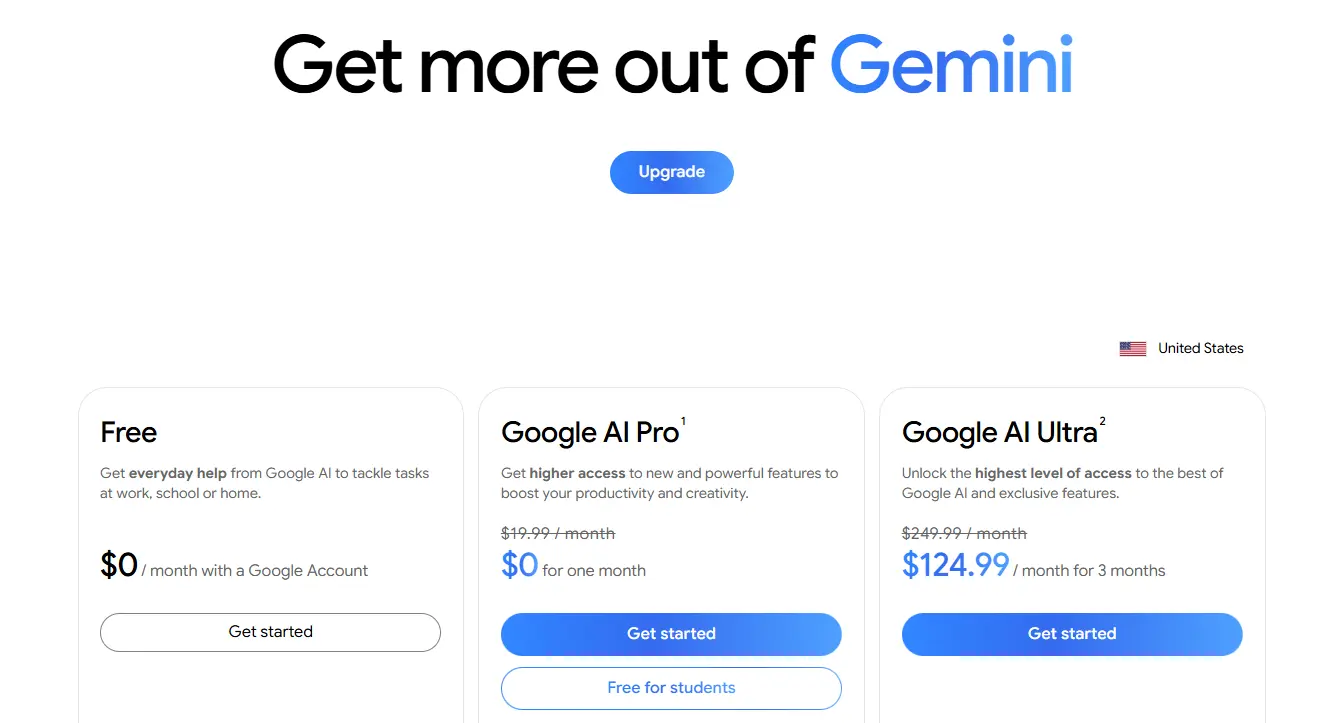
For users who want to try Gemini free before paying, Google offers a one-month free trial of Google AI Pro.
There are no special requirements beyond a new account. You get full access to premium features like Deep Research and Nano Banana Pro for a month, which is enough time to see if the tools fit how you work.
The sign-up process is simple:
- Go to the official Gemini website and sign in with your personal Google account
- Click on your profile picture in the top right corner, then select "Upgrade to Google AI Pro"
- Choose "Start free trial." The system will ask you to enter a credit or debit card
- After confirming your subscription, you can start using all the advanced features right away
Note that even though the first month is free, you still need a valid payment method to activate the trial. This offer is only for new users who have never subscribed to Google AI Pro before.
Also, the 5 TB of Google One storage included during the trial drops back to the free 15 GB if you cancel. If you uploaded a lot of files during this period, back them up or clear some out first so you don't run into the free storage limit.
If you want the top tier instead, Google AI Ultra now starts at $99.99 a month, a lower entry point than it used to have.
Gemini Student Discount
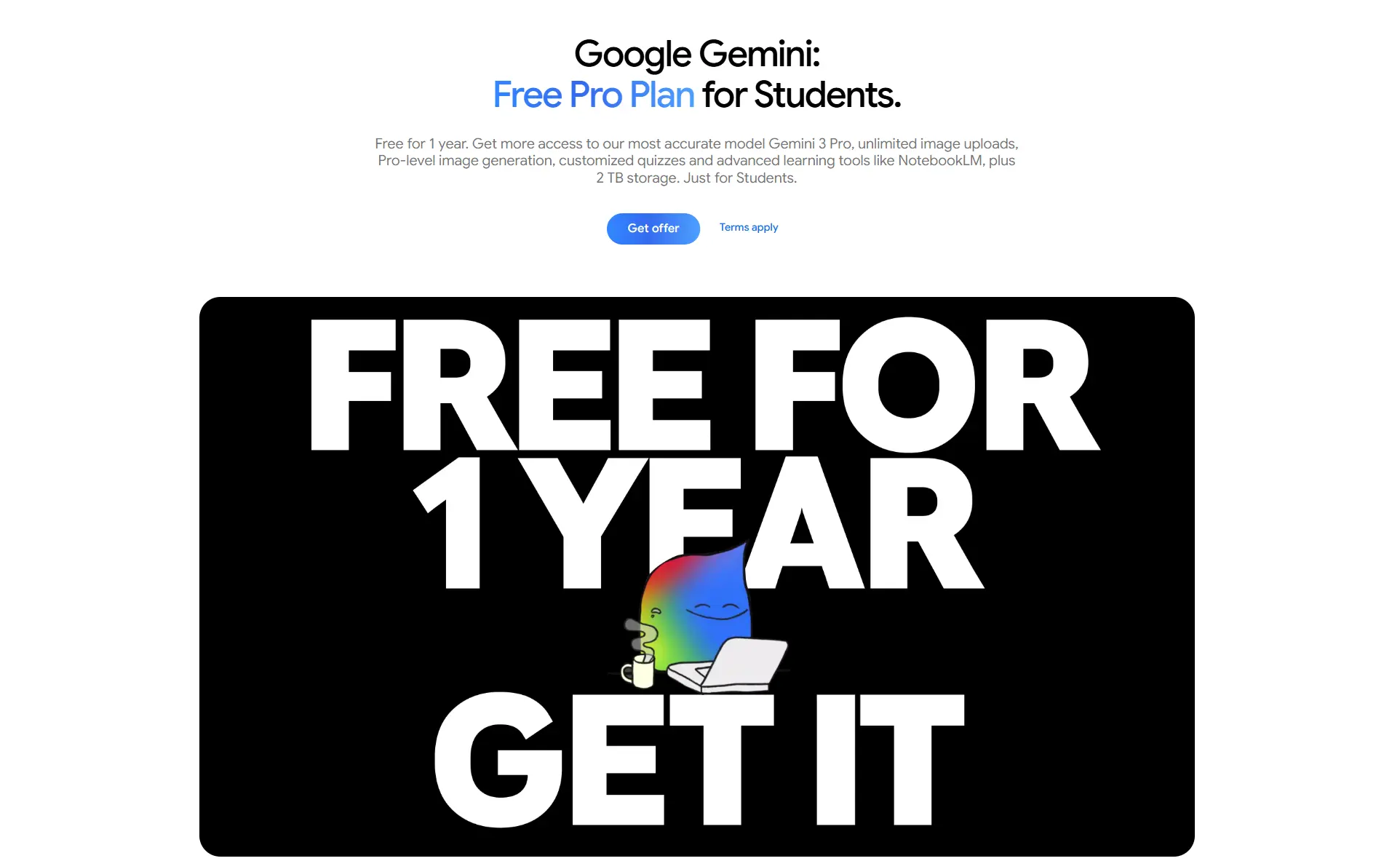
In 2025, Google ran a student program that gave verified students up to 12 months of free Google AI Pro, one of the most generous AI deals around at the time.
That offer has now closed. Regional deadlines ran from late 2025 through early 2026, and the last US redemption window ended on April 30, 2026. Google's official Gemini for Students page now shows the offer as ended and points students to the free Gemini experience instead.
Google has reopened student and regional campaigns through SheerID before, so a fresh round is possible. If you're a student, it's worth checking your local Gemini for Students page now and then, since terms and availability change by country and can appear without much notice.
Verizon Gemini Offer
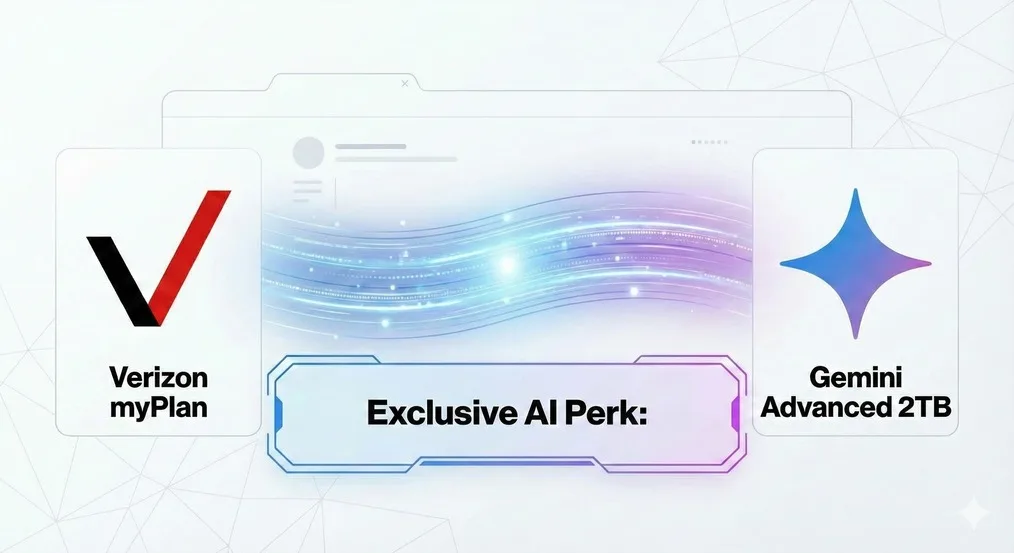
If you're already a Verizon customer or considering switching, this might be the easiest way to save on Gemini. Starting February 2025, Verizon became the first US carrier to offer an AI perk, letting customers add Google AI Pro to their plan for just $10 per month, half the regular $19.99 price.
This perk is available for both myPlan (mobile) and myHome (home internet) subscribers. For $10 a month, you get full access to Gemini Advanced, 5 TB of cloud storage, Gemini integration in Google apps like Gmail, Docs, and Sheets, plus priority access to new features and experimental models.
Here's how to add the perk:
- Make sure you have an eligible Verizon myPlan or myHome subscription
- Open the My Verizon app or visit the Verizon website
- Go to Products & plan perks and scroll down to view available perks
- Select Google AI Pro and follow the instructions to activate
- You'll need to register with a personal Google account within 90 days to complete the setup
A few things to keep in mind: this offer is limited to one per eligible line or home internet plan. You can cancel anytime. If you already have a Google One subscription through Google, you'll have the option to cancel it when you register for the Verizon perk.
However, if your existing subscription is through Apple or another third party, you'll need to cancel that separately before you can use the Verizon offer.
The best part? You can share the benefits with up to 5 family members through a Family Group. They'll be able to share the 5 TB storage and use AI features in Google apps at no extra cost.
If you're paying for Verizon service anyway, adding Google AI Pro for $10 a month is a no-brainer. You'll save about $120 per year compared to subscribing directly through Google.
Pixel Device Bundle Offer
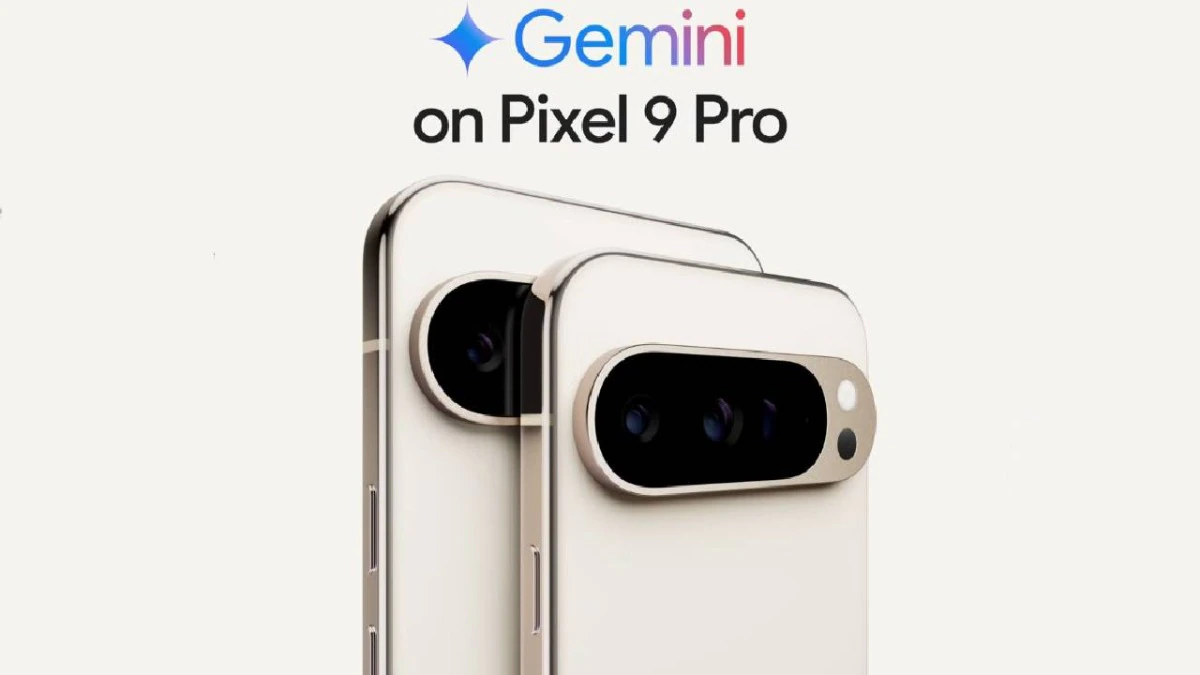
When you buy and activate certain high-end Google Pixel models, you get a free Google AI Pro subscription for up to 12 months, with full access to all advanced Gemini features.
Eligible devices: Pixel 9 Pro / Pixel 9 Pro XL / Pixel 9 Pro Fold, and the newer Pixel 10 Pro / Pixel 10 Pro XL / Pixel 10 Pro Fold.
The free period is up to 12 months when you buy directly and activate through Google. If you buy through a carrier, the included time can be shorter, so check the exact terms at purchase.
The Google AI Pro subscription activated through this offer works on your phone, tablet, and computer. Here's how to claim it:
- Sign in with your personal Google account on your Pixel device (not compatible with Workspace accounts).
- Open the Gemini app or the Google One app on your device.
- The system will automatically detect your eligible Pixel device and display the free subscription offer. Follow the instructions and add a payment method to complete the activation.
Startup Cloud Credits Program
For developers and startups, Google doesn't offer a traditional subscription discount. Instead, it provides cloud service credits through the Google for Startups Cloud Program, which can be used to cover Gemini API costs.
This program has three tiers:
- Early stage: $2,000 in cloud credits, ideal for teams building an MVP
- Growth stage: $200,000 in cloud credits, for startups with a product ready to scale
- AI-focused startups: up to $350,000 in cloud credits, designed for teams with AI at the core of their business
Eligibility requirements:
- The company must generally be less than 5 years old
- Applications must be submitted through official Google channels or partner platforms (like JoinSecret or XRaise)
- Some partner platforms also offer extra perks on API credits. For example, JoinSecret offers $300 in free Gemini API credits
This program provides API credits, not a discount on a Gemini Advanced subscription. If your team needs to integrate Gemini into your product, going through the API is the best approach.
However, if you simply want to use Gemini's chat interface, Deep Research, and other features for everyday tasks, this program isn't the right fit. In that case, the GamsGo subscription offer is a better choice.
Comparison of 7 Ways to Get Gemini Pro at a Lower Price
To help you choose among these different options for getting Gemini at a lower cost, we've put together a detailed comparison table:
| Method | Average Monthly Cost | Who It's For | Ease of Use | Long-Term Stability | Rating |
| GamsGo Subscription | Around $2/month | Everyone | ⭐ Easy | ✅ Stable | ⭐⭐⭐⭐⭐ |
| Google Annual Plan (new-user promo) | Around $8/month when live | New users | ⭐ Easy | ⚠️ Promo periods only | ⭐⭐⭐⭐ |
| Official Free Trial | $0 (1 month) | New users | ⭐ Easy | ⚠️ Limited time | ⭐⭐⭐ |
| Verizon Perk | $10/month | Verizon customers | ⭐ Easy | ✅ Stable | ⭐⭐⭐⭐ |
| Student Discount | $0 (up to 12 months) | Students | ⭐ Easy | ⚠️ Currently closed | ⭐⭐ |
| Pixel Device Bundle | $0 (up to 12 months) | Pixel 9/10 Pro owners | ⭐ Easy | ⚠️ Limited time | ⭐⭐⭐⭐ |
| Startup Cloud Credits | $0 (API credits) | Startups and developers | ⭐⭐⭐ More complex | ⚠️ Limited time | ⭐⭐⭐ |
As you can see, options like the student discount, Pixel device bundle, and official free trial all have significant limitations. These solutions either require a specific user status or follow the "free now, full price later" model.
Considering value, security, and stability, GamsGo stands out as the best long-term option for getting Gemini at a lower price.
With no eligibility restrictions and a cost of around $2 per month, you get stable service at 90% off the official price. That's even cheaper than what other offers cost after their promotional periods end.
Conclusion
This article covered seven ways to get a Gemini subscription at a lower price, from Google's official annual offer to student discounts, carrier perks, device bundles, and API credits. Each option has its own use case.
But when you consider price, stability, and accessibility, GamsGo's subscription service is clearly the best option for getting Gemini at a lower cost: no restrictions on eligibility, device, or duration, and you can use the service reliably for around $2 per month.
The powerful AI capabilities of Gemini 3 Pro deserve to be experienced by everyone, and you don't have to pay full price to do it. Now that you know all the ways to get a discounted subscription, pick the one that works best for you and start enjoying the productivity boost that Gemini offers.
For those choosing GamsGo, here's a little gift🎁:
We’ve prepared an exclusive promo code for all blog readers:
Enjoy an additional 3% off on your next purchase!
Valid across all categories — streaming accounts, AI tools, game top-ups, software subscriptions, and more.
FAQ
How Can I Get a Discount on Gemini?
The cheapest route is GamsGo, which offers Gemini Pro for around $2 per month, up to 90% off the official price. Google also runs new-user discounts on its annual plan from time to time, which have dropped as low as $99.99 for the first year, so check the official Google One page before paying full price.
How Can I Get Gemini for Free?
Google offers a one-month free trial of AI Pro for new users. The 12-month student program has ended, though Google may reopen student or regional offers through SheerID, so students should check their local page. Buying a Pixel Pro device also includes several months of free Google AI Pro.
How Much Does Gemini Cost?
Gemini has four tiers: a free version with basic features, Google AI Plus at $4.99 per month, Google AI Pro at $19.99 per month with all the main advanced features, and Google AI Ultra starting at $99.99 per month for power users. Verizon customers can also add AI Pro for $10 per month as a plan perk.
Related Articles:






%20vs%20ChatGPT%401x-5d2bedb1-6884-4049-b3c3-7ce664d834f4.webp)