Canva Pro is one of the most searched-for premium upgrades in the design space, with the platform now serving over 220 million monthly active users worldwide. At $15/month (or $120/year), the Canva Pro price isn't trivial for students, freelancers, and small teams.
The problem? Most "free Canva Pro" guides online are recycling the same three methods (Education, Nonprofits, trial), padding them with expired hacks like the discontinued GitHub Student Pack, or worse, pointing readers to modded APKs that carry malware and get accounts banned.
We tested every method we could find and verified 9 that actually work in 2026. This guide covers permanent free programs, short-term access windows, free alternatives that use Canva's own technology, and low-cost options for users who don't qualify for the free tiers.
We also include details most guides skip: which regions get 14-day vs. 30-day trials, why Nonprofit applications get rejected, and how to check if your university has Canva for Campus without emailing IT.
📑 Quick Guide: 9 Methods Covered
| ✅ PERMANENT FREE | ⏳ SHORT-TERM ACCESS | 🔓 FREE ALTERNATIVES | 💰 LOW-COST OPTIONS |
What's The Difference Between Canva Pro and Free?
Before diving into the methods, it helps to understand exactly what Pro unlocks and whether you actually need it. Many users find that the free tier already covers their needs.
What You Get on Canva Free
The permanent Free plan is more capable than most people realize. It includes 1.6M+ free templates, 4.7M+ free stock assets, 5 GB of cloud storage, core design tools, and a limited number of AI credits for Magic Write and image generation. For occasional personal use (birthday cards, simple social posts, school projects), it handles the job without hitting walls.
Where Free falls short is anything involving brand consistency, premium content at scale, or advanced AI tools. The moment you need to resize a design across multiple formats, remove a background, or access the premium stock library, you'll see the upgrade prompt.
What Canva Pro Adds
Upgrading unlocks four categories that genuinely change how fast and professionally you can produce content:
- 100M+ premium stock assets: Photos, videos, audio, and illustrations. For many users this replaces a standalone Shutterstock or iStock subscription entirely.
- Full Magic Studio AI suite: Magic Resize (one-click reformatting to 50+ sizes), Background Remover, Magic Eraser, Magic Edit, Magic Grab, Magic Morph, Magic Write at 500 uses/month, AI image generation at 500/month, plus newer tools like Canva Code and Create a Video Clip.
- Brand Kit and brand controls: Store logos, fonts, and color palettes, then apply them instantly across every design. This is the feature that most Pro users cite as the single biggest time-saver.
- Advanced exports and 1 TB storage: Transparent PNG, SVG, CMYK print files, plus direct social scheduling via Content Planner.
Canva Free vs Pro at a Glance
For most users, the three features that justify the upgrade are the premium content library, the full Magic Studio AI suite (especially Background Remover and Magic Resize), and Brand Kit controls. If your workflow doesn't rely on these, Canva Free may already be enough. If it does, keep reading for every legitimate way to access them.
Can You Really Get Canva Pro for Free in 2026?
Yes, but the path depends entirely on who you are.
Canva runs three official programs that grant full Pro-level access indefinitely at no cost: Canva for Education (K-12 teachers and their students), Canva for Campus (universities that have purchased institutional licenses), and Canva for Nonprofits (registered charities and NGOs). If you fit one of those categories, you're set for as long as you remain eligible.
For everyone else, the realistic options fall into three tiers: short-term official access (trials, retention offers, promo codes), free workarounds that replicate specific Pro features without a subscription, and low-cost long-term alternatives.
What doesn't exist is a legitimate "lifetime free Canva Pro for everyone" hack. Any site claiming otherwise is either outdated (GitHub's Canva benefit was discontinued in 2024), a modded app that will get your account banned, or a phishing page designed to steal your credentials.
Let's walk through all nine paths that actually work.
Permanent Free Canva Pro Access
1. Canva for Education (K-12 Teachers & Students)
If you work in a primary or secondary school, this is the best deal in Canva's ecosystem. Canva for Education provides 100% free access with full Pro-level features plus classroom-specific tools like LMS integration (Google Classroom, Canvas), safe-for-school content filters, and student collaboration spaces. Access lasts as long as you hold an active teaching position, with re-verification required every 3 years.
Who qualifies:
- Certified K-12 teachers currently in a teaching position
- K-12 school librarians, learning support assistants, and curriculum specialists
- Certified teachers at technical or vocational schools serving K-12 students
- K-12 students, but only when invited by a verified teacher through their Canva Education account
Who doesn't qualify: University and college staff (see Canva for Campus 👇), homeschool educators without formal certification or employment at a K-12 institution, online tutors, adult education providers, and public librarians.
How to sign up:
- Go to Canva Education and click "Get started"
- Sign in with your Canva account (or create one). Using a verified school email domain (e.g., @school.edu) triggers instant auto-verification in most cases.
- If auto-verification doesn't trigger, upload proof of credentials: a teaching license, school ID, or employment letter showing your name, school name, and current teaching position
- Wait up to 48 hours for manual review
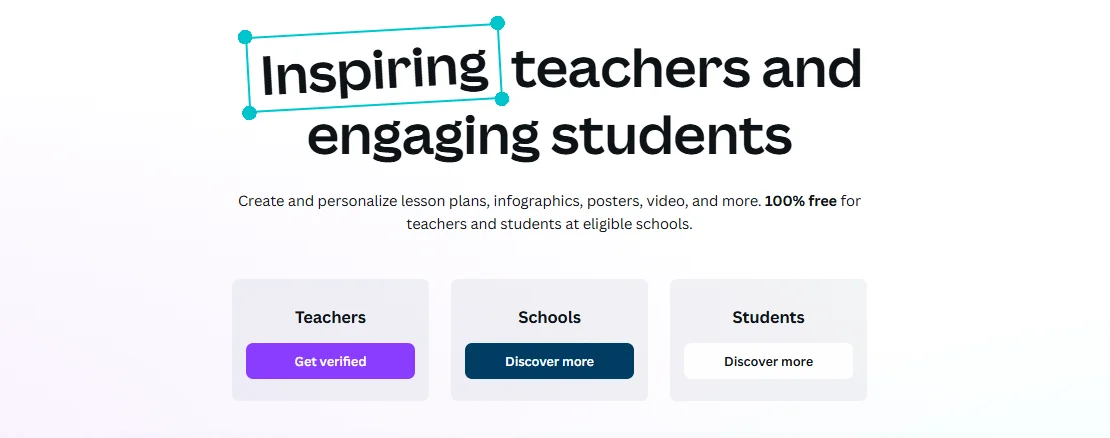
Tips to avoid getting your application rejected: Make sure your uploaded documents are clear, legible, and show all three required fields (your name, school name, and teaching position). Blurry scans and documents that don't show current status are the most common reasons for rejection. Teachers from Japan, Australia, Canada, New Zealand, the UK, the US, South Korea, and Europe only need to submit a copy of their teaching license. If your initial application is rejected, you can reply to the rejection email with additional documentation.
2. Canva for Campus (Higher Education)
Canva for Education does not cover colleges and universities. Instead, higher ed runs on a separate product called Canva for Campus, and your access depends entirely on whether your institution has purchased a license.
Canva for Campus is a paid enterprise product that universities license for their staff. Once an institution purchases enough staff seats (the threshold scales with student body size), all enrolled students get free premium access automatically. For example, a university with 5,000 students that buys around 60 staff licenses unlocks free Pro-level accounts for every student.
How to check if your university participates (without emailing IT):
- Try signing up at canva.com with your university email address. If your school is enrolled, the system detects it automatically and upgrades your account. This is the fastest check.
- Search your university's IT portal or student resources page for "Canva." Many schools list it under "Free Software for Students" or "Digital Learning Tools."
- Check your university's single sign-on (SSO) portal. Schools with Canva for Campus often integrate it into their SSO, so it may appear alongside other licensed software.
- If none of these work, then email your institution's IT or digital learning department.
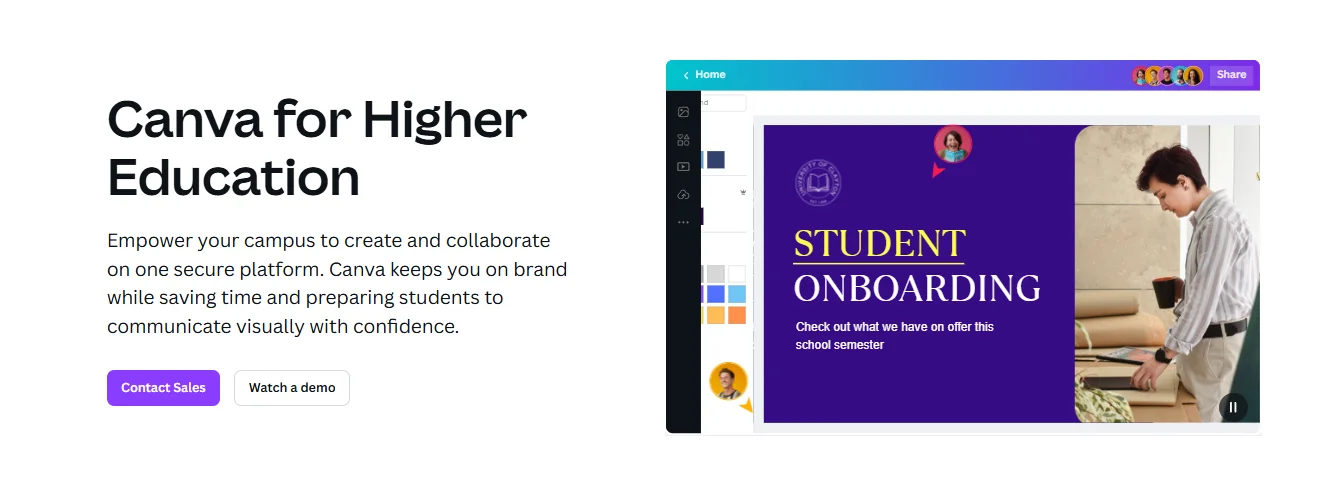
Important note for university students: The GitHub Student Developer Pack used to include Canva Pro access, but this benefit was discontinued in 2024. If you see any guide still listing it as a current method, that information is outdated. Your two options are Canva for Campus (if your school is enrolled) or the 30-day free trial.
3. Canva for Nonprofits (Registered Charities & NGOs)
If you work for a registered nonprofit, this program provides free Canva Pro for up to 50 team members, indefinitely, with full team and collaboration tools included.
Eligible organizations:
- Registered 501(c)(3) organizations in the U.S.
- International NGOs and charities with equivalent registration in their home country
- Social impact organizations with a public-benefit mission (reviewed case-by-case)
Who doesn't qualify: Political organizations, government entities, K-12 schools (use Education), universities (use Campus), professional sports teams, financial services, professional associations, and religious organizations without a clearly defined public-benefit mission.
How to apply:
- Go to Canva for Nonprofits and click "Apply for Canva Nonprofits"
- Create or log into a Canva account with your organization's email
- Submit supporting documents through Goodstack (Canva's verification partner). U.S. nonprofits typically need the IRS EIN assignment letter, governing documents, and proof of your role. Documentation requirements vary by country.
- Wait 7-10 business days for review
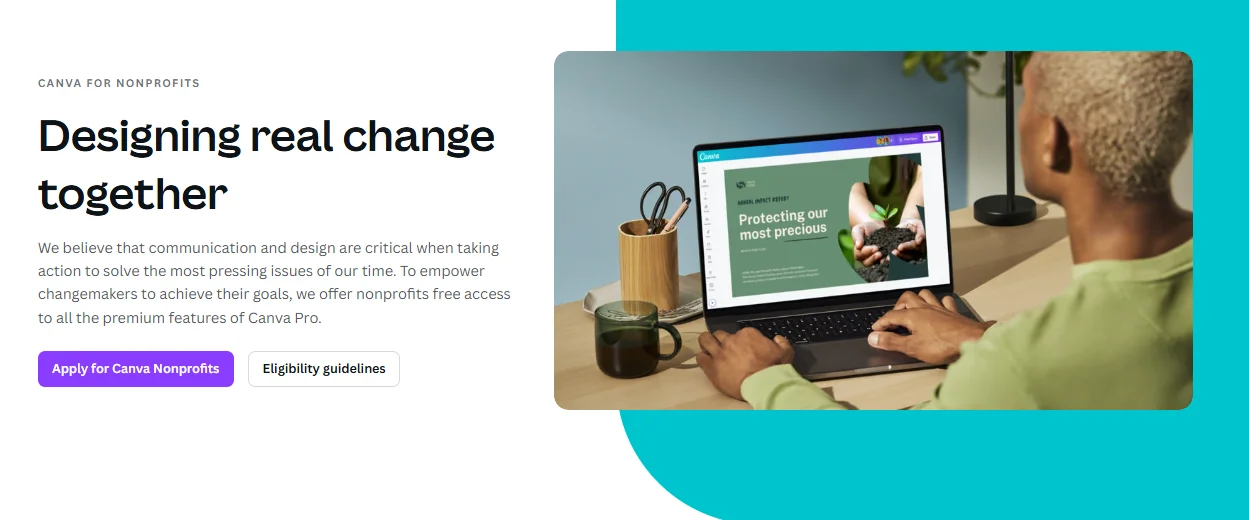
Why Nonprofit applications get rejected (and how to avoid it): In 2024, Canva tightened its rules significantly. The most common rejection reasons include:
- Parent group exemption status: Organizations covered only under a parent organization's 501(c)(3) umbrella (common for chapter-based charities and church clubs) are now frequently rejected. You need independent 501(c)(3) status with your own EIN.
- Missing or unclear documentation: The EIN assignment letter must match the organization name on your Canva application exactly. Mismatches between the legal name and DBA (doing business as) name cause delays.
- Applying with a personal email: Always use your organization's domain email, not a Gmail or Outlook personal address.
- Country eligibility: Not all countries are covered. Check Canva's country eligibility list on the Nonprofits page before applying.
Short-Term Free Canva Pro Access
4. Canva Pro 30-Day Free Trial (14 Days in Some Regions)
The simplest route for anyone who doesn't qualify for the three permanent programs above. The trial gives you full access to every Pro feature (complete asset library, Magic Studio, Brand Kit, advanced exports, 1 TB storage) for up to 30 days.
How to start:
- Go to the Canva Pro page and click "Start your free trial"
- Sign up or log in, then choose monthly or annual billing
- Add a payment method (credit card, PayPal, or in some regions UPI)
- Start using Pro immediately with no charge during the trial period
To cancel, go to Account Settings → Billing → Cancel subscription. You keep Pro access through the remaining trial period. Canva sends a reminder email about a week before the trial ends.
Key details most guides don't mention:
- Trial length varies by region. Most countries get 30 days, but some regions (particularly in parts of Southeast Asia and South America) only receive a 14-day trial. There's no way to change this; it's determined by your account's location setting.
- The old 45-day extended trial no longer exists. Canva Verified Experts used to offer 45-day trials, but Canva standardized all trials to 30 days in 2024. Any link claiming to offer 45 days is outdated.
- Credit card is required in most regions. A few regions allow starting the trial without a payment method, but this is the exception, not the rule.
- Previous subscribers typically cannot re-trigger the trial on the same account. Creating new accounts to restart the trial is against Canva's ToS and is increasingly detected.
- If you already have a Canva Free account, you don't need a new account. Log into your existing account and upgrade from there. All your existing designs carry over.
How to make the most of your trial: Set up your Brand Kit first (logo, colors, fonts) so you can test whether the consistency gains justify the subscription. Then try Background Remover and Magic Resize on real projects. These two features are usually the deciding factor for whether Pro is worth keeping.
5. Cancellation Retention Offers
This approach is less publicized but works for existing subscribers who are considering canceling. When you initiate a cancellation, Canva's billing flow sometimes surfaces a retention offer, typically a discounted month or an extended free period, to persuade you to stay.
How to check:
- Log into Canva and go to Account Settings → Billing & plans
- Click "Cancel subscription"
- Watch for a retention screen offering a discount or free extension
- If you see an offer, accept it; if not, simply close the page and your subscription stays unchanged
This isn't guaranteed. Whether you see an offer depends on your account history, region, subscription length, and Canva's current retention strategy. But it takes 30 seconds to check and there's no downside to trying.
6. Official Promo Codes & Limited-Time Offers
Canva occasionally runs promotions with partners during events like Black Friday, back-to-school season, or major feature launches. Typical formats include first-month-free, percentage discounts on annual plans, or bundled deals through partner platforms.
Where to find legitimate codes: Canva's official newsletter, their LinkedIn page, the Canva blog, and verified affiliate partners like Socially Sorted and Stock Photo Secrets. Always apply codes directly on canva.com to verify them.
Where NOT to look: Third-party "free Canva Pro code" aggregator sites are almost always scams, expired codes, or affiliate traps. If a site is promising something that sounds too good (like "lifetime free Canva Pro code"), it is.
Free Ways to Access Canva Pro Features Without a Subscription
If you don't qualify for the permanent free programs and the 30-day trial has ended, there are legitimate ways to access specific Pro features for free using other tools. This won't give you the full Canva Pro experience, but it covers the features people miss most after downgrading.
7. Replicate the Top Pro Features for Free
Here's how to get the most-wanted Pro features without paying:
This works best when you only need one or two features. Opening a separate site for every task gets tedious fast. Something like GamsGo AI keeps things simpler: it puts several AI tools in one place, from background removal to image editing to image generation, all on one subscription so you're not hopping between sites.
Low-Cost Long-Term Alternatives
8. GamsGo Canva Pro
If you don't qualify for Education, Campus, or Nonprofits and want steady long-term Pro access without paying $15/month, GamsGo offers two routes:
- GamsGo's official Canva Premium (from $5.99/month): A dedicated Canva account provisioned by the platform, ready to log in immediately. No application, no verification, full Pro features.
Buy Canva Pro from GamsGo Marketplace (as low as $1.99/month): Verified sellers offer Canva Pro plans, many via team invites. Your existing account gets added to a seller's Canva Team, and Pro features activate on your own account. No need to switch accounts or lose your design history.
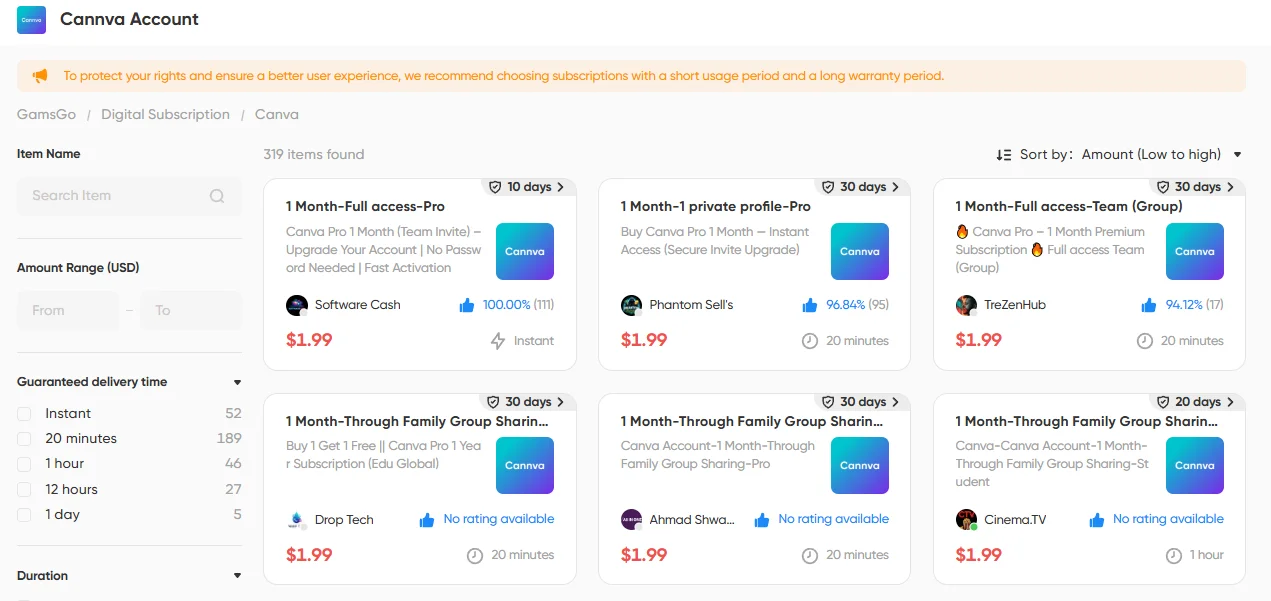
Both options run through GamsGo with 24/7 support and payment protection. Pick Option 1 if you want a clean dedicated account, Option 2 if you want to keep working in your own.
9. Regional Pricing via VPN (Not Recommended)
Canva uses location-based pricing, meaning a Pro subscription costs significantly less in countries like India, Turkey, or Brazil than in the U.S. While using a VPN to access these lower rates might seem tempting, we don't recommend it.
Canva has been cracking down on this approach. They're getting better at detecting billing-address mismatches, flagging VPN IPs, and identifying accounts with inconsistent location signals. If flagged, you risk permanent account suspension and losing all your designs. Additionally, credit cards from outside the target region usually get declined at checkout.
If the goal is simply to pay less, a shared subscription platform like GamsGo reaches the same price point without putting your account at risk.
Which Method Is Right for You?
With nine options available, the best one depends on your situation. Here's the decision table:
| Method | Who It's For | Cost | Duration | What You Get |
| Canva for Education | K-12 teachers, staff, librarians | Free | Permanent (re-verify every 3 years) | Full Pro + classroom tools + LMS integration |
| Canva for Campus | College/university students & staff | Free | While enrolled at a participating school | Full Pro via institution |
| Canva for Nonprofits | Registered 501(c)(3) or equivalent NGOs | Free | Permanent (while org is active) | Full Pro for up to 50 team members |
| 30-day free trial | Anyone new to Pro | Free (credit card required) | 14-30 days (varies by region) | Full Pro experience |
| Retention offer | Current subscribers considering canceling | Free or discounted | ~1 month typically | Extended Pro access |
| Promo codes | Patient users who watch for deals | Free or discounted | Varies | Occasional savings |
| Free feature workarounds | Users who only need 1-2 Pro features | Free | Ongoing | Specific features via other tools |
| GamsGo | Everyone else | From ~$1.99/month | Ongoing subscription | Full Pro, ~80% savings |
| Regional pricing via VPN | Not recommended | N/A | N/A | Risk: account suspension |
The quick decision path: Start by checking the top three rows. If you're a teacher, student, or nonprofit worker, you likely have free access waiting. If not, use the 30-day trial to test whether Pro fits your workflow. If it does and you want to keep it long-term without paying full price, GamsGo is the most practical option.
Scams and Traps to Avoid
Where there's demand for free premium tools, scams follow. Here's what to stay away from:
- Modded APKs and "cracked" Canva Pro apps. These carry malware risks and will get your Canva account permanently banned if detected. There is no safe version of a cracked Canva app.
- "Free Canva Pro lifetime account" giveaways. Almost always either stolen credentials (which Canva recovers quickly, leaving you locked out) or phishing pages that harvest your login information.
- Password-sharing groups on Telegram and Discord. Canva flags abnormal login patterns from multiple IPs, and shared accounts get suspended regularly. You lose access with no recourse.
- GitHub Student Developer Pack's Canva benefit. This was discontinued in 2024 and is no longer available under any circumstances. Any guide listing it as a current method is outdated.
- "Free Canva Pro code generator" websites. These don't work. Canva doesn't use redeemable codes in a way that can be generated by third parties. These sites exist solely to collect your personal information or serve malware.
- VPN-based signups in low-cost regions. Covered in Method 9 above. Violates Canva's Terms of Service.
The safer path is always one of: official trial, eligibility-based free programs, legitimate promo codes, free alternative tools for specific features, or a verified shared subscription platform.
Conclusion
Canva Pro doesn't have to cost $15/month. If you teach in a K-12 school, work at a registered nonprofit, or attend a university enrolled in Canva for Campus, you're likely entitled to free Pro access already.
If you don't fit those categories, the 30-day trial lets you test whether Pro actually improves your workflow, and for ongoing access at a fraction of the price, GamsGo offers the most practical long-term option.
What you shouldn't do is chase cracked apps, expired methods (the GitHub Student Pack hasn't included Canva since 2024), or VPN workarounds. The legitimate paths cover almost every user profile, and for the few gaps that remain, there are free alternative tools that replicate the most popular Pro features individually.
Pick the path that fits your situation, and get back to designing.
FAQ
Is there a way to get Canva Pro permanently for free?
Yes, through three official programs: Canva for Education (K-12 teachers and invited students), Canva for Campus (college staff and students at enrolled institutions), and Canva for Nonprofits (verified charities and NGOs with independent registration). Outside these programs, there is no legitimate permanent free option for general users.
Can I get a Canva Pro free trial without a credit card?
In most regions, Canva requires a payment method (credit card, PayPal, or UPI) to start the free trial. However, a small number of regions allow starting the trial without payment details. There's no reliable way to bypass this requirement. If you'd rather not enter payment information, consider checking whether you qualify for Education, Campus, or Nonprofit access instead.
Will Canva charge me automatically when the free trial ends?
Yes. The trial requires a payment method, and Canva converts it to a paid subscription when the trial period ends unless you cancel manually. Canva sends a reminder email about a week before the trial expires. To cancel, go to Account Settings → Billing → Cancel subscription. You keep Pro access through the remaining trial period after canceling.
Is Canva Free actually free, or is it just a trial?
Canva Free is a permanent plan with no time limit and no credit card required. It includes 1.6M+ free templates, 4.7M+ free stock assets, 5 GB of storage, and all core design tools. It's not a trial. Many users never upgrade because the Free plan covers their needs entirely.
Why is my Canva Pro trial only 14 days instead of 30?
Canva adjusts trial length by region. Most countries get 30 days, but some locations receive only 14 days. This is determined by your account's location setting and cannot be changed. The old 45-day extended trial (previously offered through Canva Verified Experts) was standardized to 30 days in 2024.
Can college and university students get Canva Pro free through Canva for Education?
No. Canva for Education is exclusively for K-12 schools. University students should check if their institution offers Canva for Campus, which unlocks free student accounts once the school purchases enough staff licenses. If your school isn't enrolled, and note that the GitHub Student Developer Pack no longer includes Canva as of 2024, your best options are the 30-day free trial or a low-cost alternative like GamsGo.
How do I get Canva Pro free as a student without Canva for Campus?
If your university doesn't participate in Canva for Campus, the options are: (1) the standard 30-day free trial, (2) checking if your school provides Canva access through a different software licensing program, (3) using the free alternative tools listed in Method 7 to replicate specific Pro features, or (4) using a shared subscription platform like GamsGo for long-term access at a reduced price.
Is GamsGo's Canva Pro safe and legitimate?
GamsGo is a verified subscription-sharing platform with over 1.37 million users in 2026. Its Canva Pro plans run on official Canva accounts, delivering the same premium features, multi-device login, and cross-platform sync as a standard subscription. Payments are PCI DSS-compliant, with 24/7 customer support available if issues arise.
🔍 You Might Also Like: