If you're an experienced designer or an active content creator on social media—whether you make YouTube thumbnails, Instagram posts, or Facebook banners—I'm sure Canva is already an old friend of yours.
Canva Free is great, but Canva Pro is even better! For around fifteen dollars a month, you get access to over 141 million elements and 5 million design templates.
Of course, before subscribing, one question often comes up: "Do I really need Canva Pro?"
This article will help you determine if Canva Pro is worth the upgrade, providing a detailed comparison between Canva Free and Canva Pro to help you better understand the differences and benefits of each version.
How much does a Canva Pro subscription cost?
Canva offers three subscription plans: Free, Pro, and Teams. The price of each plan varies depending on whether you choose monthly or annual billing.
Here are the latest US prices for 2026:
Plan / Price | Canva Free | Canva Pro | Canva Teams | GamsGo |
Monthly | $0/month | $14.99/month | $10/month/person | $5.99/month |
Annual | $0/year | $119.99/year | $100/year/person | $78/year |
As you can see, there are several strategies to reduce the cost of your Canva Pro subscription:
1️⃣ Opt for an annual subscription and save about 33% on the monthly price.
2️⃣ Choose the Teams plan to save up to $5 a month, but it requires at least three users to activate.
3️⃣ Finally, Canva Pro subscriptions via GamsGo allow you to save over 50% every month.
GamsGo is a reliable shared subscription platform, bringing together over 1.37 million users with their own subscription seats as of 2026.
Moreover, Canva offers a 30-day free trial to test out all the features of Canva Pro.
When starting your trial, you will need to link your credit card or PayPal account so the subscription renews automatically at the end of the trial period.
If you decide not to continue with Canva Pro after the trial, remember to manually cancel your subscription before the trial ends to avoid any automatic charges.
Canva will actually send an email reminder about seven days before the trial ends, giving you time to make your decision with peace of mind—and avoiding any accidental renewals.
Canva Free vs. Canva Pro: Which offers the best value for money?
After comparing the prices, you might be wondering: why pay more for the Pro version if the free version already works?
The answer is simple: although both versions let you create, they offer very different experiences.
To help you better visualize these differences, here is a clear comparison of the key points.
Feature | Canva Free | Canva Pro |
Price | $0 | $14.99/month / $119.99/year |
Available Templates | 2 million+ | 5 million+ |
Content Library | 4.7 million+ | 141 million+ |
Advanced Editing Tools | ❌ | ✅ One-click background removal, Magic Eraser, etc. |
Brand Tools | ❌ | ✅ Brand font, color, and logo management |
Real-Time Collaboration | Basic collaboration with comments | Advanced collaboration with role assignments, activity tracking, and brand control |
Cloud Storage | 5 GB | 1 TB |
Export Formats | PNG, JPG | PNG, JPG, PDF, SVG, MP4, GIF |
At first glance, the free version seems more than enough.
But looking closer, you'll notice that Canva Pro isn't just a simple "upgraded version": it allows you to save time searching for resources, access more high-quality templates, and easily maintain consistency across your designs.
The difference then becomes obvious.
Let's dive deeper into the performance of Canva Free vs. Canva Pro, particularly regarding their features, resource libraries, and collaboration tools, to help you find the plan best suited for your creative needs.
Canva Free: The ideal choice for beginners
If you're just starting out in design or simply creating occasional visuals for social media, presentations, or profiles, Canva Free is a simple and hassle-free option.
It gives you access to over 2 million templates, 1,000 design formats, and 5 GB of cloud storage.
Here is what you can do with the free version:
Social media: Easily create posts, Stories, or thumbnails for Instagram, Facebook, TikTok, YouTube, LinkedIn, etc.
Marketing materials: Design logos, posters, banners, flyers, coupons, or promotional emails.
Print documents: Access ready-to-use templates for business cards, resumes, reports, invitations, etc.
Personal or pro use: Plan your tasks with calendar, schedule, or presentation templates.
In short, Canva Free is a practical, comprehensive tool perfect for creating without the headache.
Canva Pro: A step above
Although the free version of Canva is already quite comprehensive, it often happens that a premium template, an exclusive font, or a special effect catches your eye.
And that's usually when you discover it's content exclusive to Canva Pro—which is when you realize its true value.
For $14.99 a month, Canva Pro grants access to over 140 million images, videos, fonts, and graphics, unlocks more than 5 million templates, and expands cloud storage to 1 TB.
Plus, you benefit from particularly handy tools:
One-click background remover: Upload your image, click "Remove Background", and the subject is automatically isolated—almost no manual adjustment needed.

Magic Eraser: Precisely erases unwanted elements and automatically reconstructs the background for a natural look.
Magic Grab (Subject extraction): Identifies the main objects in an image, which you can then resize, move, or rearrange freely.
Grab Text: Detects text within an image or screenshot and converts it into editable text in just one click.
Canva Free vs. Canva Pro: Feature differences
Discover the main differences between Canva Free and Canva Pro.
Design templates
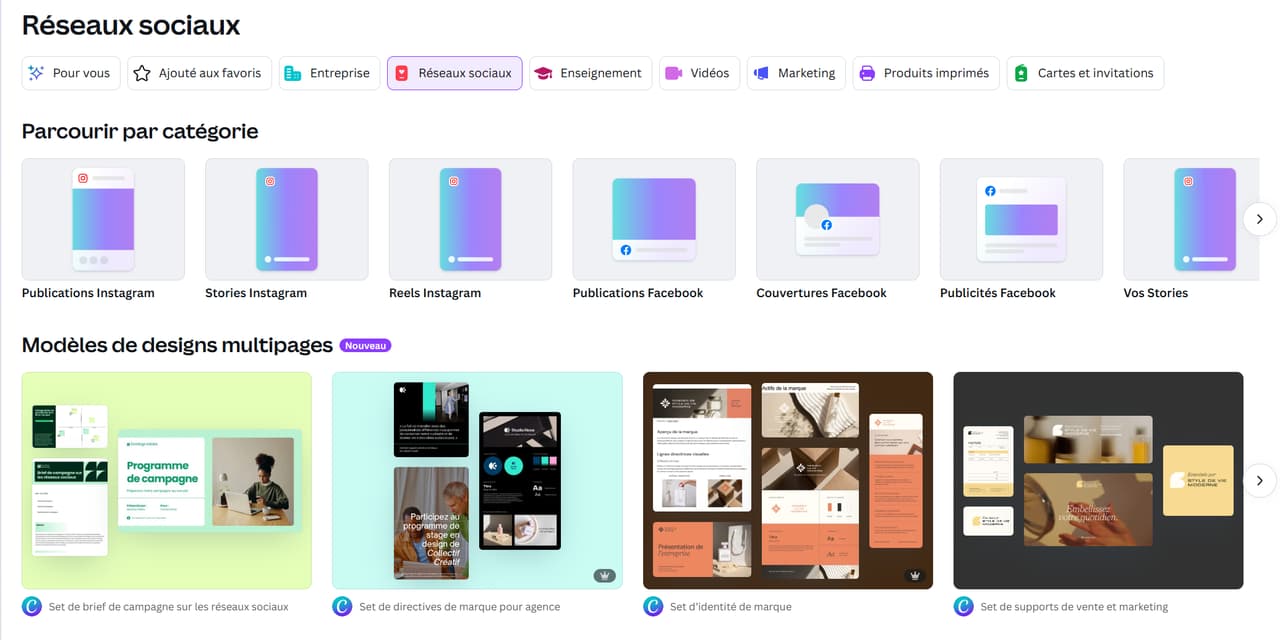
Canva Pro offers over 5 million customizable templates, while the free version provides around 2.2 million.
Whether for social media, branding, or creating professional materials, Canva provides you with a vast collection of templates sorted by category, to help you quickly find inspiration.
Content library
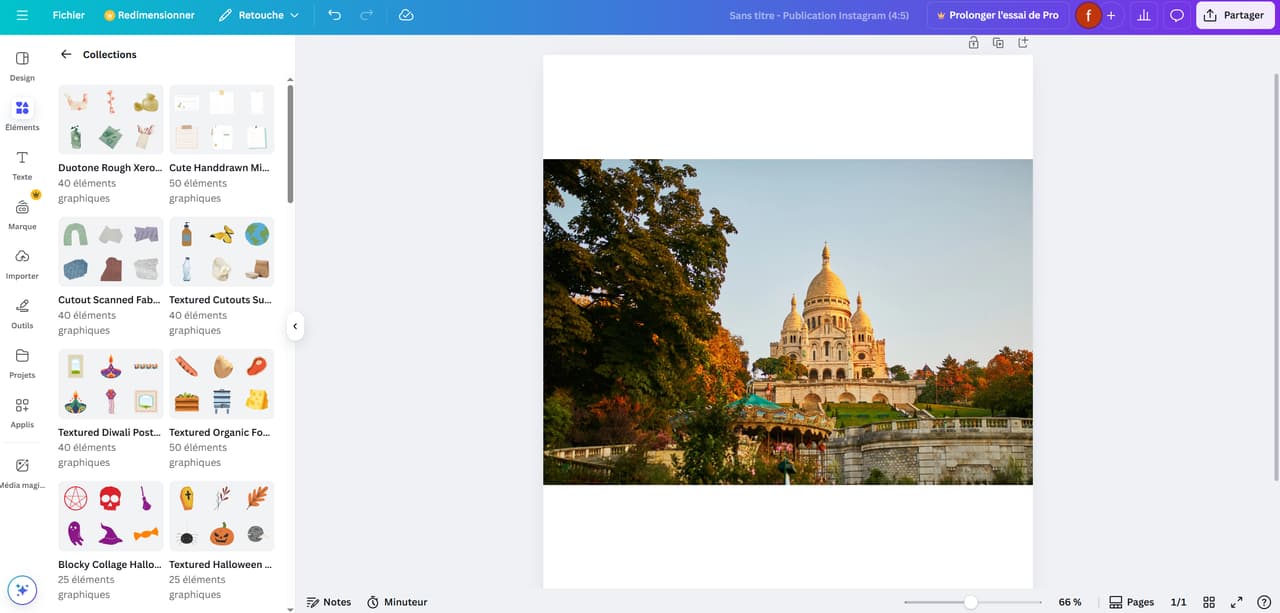
Canva Pro features a vast library of content and graphic elements, bumping the number of images, illustrations, icons, fonts, and much more from 4.7 million in the free version to over 141 million.
Additionally, Canva partners with several renowned stock image banks, such as Pexels and Pixabay, and all Pro elements can be safely used for commercial purposes.
AI creation tools
Canva Pro integrates a smart, AI-powered creation hub—Magic Studio, which brings together tools for text generation, image creation, video editing, and smart retouching to produce even more unique and creative content.
In contrast, Canva Free only offers basic AI tools, while the Pro version unlocks more features and provides more usage credits.
To better visualize these differences, here is a simplified comparison table 👇
AI Feature 🤖 | Simplified Description | Canva Free 😊 | Canva Pro 💎 |
Dream Lab | Canva's complete AI space: text, image, and video generation, etc. | 20 uses/month | 500 uses/month |
Magic Write | AI assistant to generate titles, texts, and posts. | 50 lifetime uses | 500 uses/month |
Text to Video | Turn text into video or image. | 5 uses | 50 uses/month |
Magic Edit | Select an area, and the AI automatically modifies it. | ❌ | ✅ |
Magic Expand | Expands the edges without distortion. | ❌ | ✅ |
AI Background Generator | Creates a background based on your description (landscape, scene, etc.). | ❌ | ✅ |
Text Recognition | Identifies the font in an image and suggests equivalents. | ❌ | ✅ |
Overall, Canva Free is perfectly suited for beginners or occasional creators, offering simple templates and plenty of free content.
Conversely, Canva Pro is geared towards users who want to create faster and more efficiently, unlocking advanced tools like an expanded library, AI features, background removal, brand kits, and one-click resizing.
👉 If you want to make your designs more professional and aesthetically pleasing, while saving valuable time, upgrade to Canva Pro.
How to subscribe to Canva Pro for less?
Subscribing to Canva Pro doesn't necessarily have to cost the official price. You can opt for a reliable shared subscription platform like GamsGo.
On GamsGo, you don't need to create an official Canva account yourself: simply join a verified group hosted by the platform and enjoy the exact same features and experience as Canva Pro.
The best part? Canva Pro only costs $5.99 a month on GamsGo, meaning you save over 50% compared to the official rate.
Quick and easy process:
1️⃣ Head over to GamsGo and create your account (login available via Google, Facebook, or email).
2️⃣ Search for Canva Pro and place your order.
3️⃣ In less than 3 minutes, your account is activated, and you get to enjoy a professional design experience at a low price.
👉 Visit GamsGo right now to subscribe to Canva Pro at half the price and breathe new life into your creativity!
Conclusion: Is Canva Pro worth it?
Canva is one of the easiest-to-use design tools I've ever tested. Even with zero experience, you can create professional and impactful visuals in minutes.
Of course, the official price for Canva Pro is about $14.99 per month, which might seem a bit steep for some users.
But in reality, you aren't forced to pay the official price: thanks to GamsGo, you can unlock all Canva Pro features for less than half the price, including premium templates and advanced creation tools.
So, if you're still paying the full original price for Canva Pro, try GamsGo: you'll enjoy the same experience while making real savings.
Canva Pro Pricing: Everything you need to know (FAQ)
How much does Canva cost per year?
How much is Canva Pro for teachers?
Can I use Canva without copyright issues?
Related articles:
1Password vs LastPass: Which is the best choice for you (2026)
How to Get Canva Pro for Free in 2026 (9 Verified Methods + Alternatives)