Most knowledge workers do not spend their day in a terminal. They work across folders, documents, spreadsheets, and half-finished notes scattered around their desktop. That is where Claude Cowork stands out: instead of staying inside a chat window, it can maintain project context and carry out multi-step tasks more like your real desktop assistant.
After using Claude Cowork extensively, I found its biggest advantage is not simply better answers, but the ability to keep work moving without constant copy-pasting. This is especially practical if you are a Claude Max user, since larger usage limits make it easier to run longer workflows and handle more complex projects.
In this article, I will share my hands-on experience with Claude Cowork, explain how it works, cover its main features, supported plans, pricing, and limitations, and the best way to buy Claude Accounts at 30% off.

In this article, I will share my hands-on experience with Claude Cowork, explain how it works, cover its main features, supported plans, pricing, and limitations, and help you decide whether it is genuinely useful for your daily work.
What is Claude Cowork?
Claude Cowork is Anthropic’s agentic AI feature for the Claude Desktop app. Instead of responding to one prompt at a time, it can plan and carry out multi-step workflows, turning Claude from a conversational chatbot into an assistant you can delegate real work to.
You give Cowork a goal rather than detailed step-by-step instructions. It can examine selected files and folders, choose an approach, and work through the task autonomously to deliver finished outputs such as organized documents, research summaries, structured files, and project-ready reports.
Built on the same foundations as Claude Code, Cowork brings agent-style execution to everyday knowledge work rather than programming. With access to approved folders, browser tools, and connected apps, it can work across your existing materials while keeping you updated on its progress.
What Can Claude Cowork Do?
Claude Cowork is most useful when a task involves several files, repeated steps, or a finished deliverable—not just a quick answer. You give it access to the folders and tools it needs, explain the result you want, and let it work through the process while you review its progress. Here are details:
File Management
Renames, sorts, moves, and organizes files in approved folders.

Document Creation
Turns notes or data into reports, spreadsheets, and presentations.

Research & Synthesis
Reviews files and webpages, compares sources, and summarizes findings.

Multi-Step Tasks
Plans and completes workflows without needing instructions at every step.
Data Processing
Cleans tables, creates formulas, analyzes data, and prepares reports.

Email & Meeting Prep
Drafts replies, summarizes threads, and prepares agendas or action items.

Code & GitHub Work
Reviews code, explains changes, and creates technical documentation.

Content Creation
Drafts, edits, formats, and repurposes articles and other content.

What makes these features feel different from ordinary Claude chat is continuity. Cowork keeps track of what it has already reviewed and completed during the task, so you spend less time uploading the same files, repeating context, or guiding every small action.
How to Use Claude Cowork?
Using Claude Cowork is surprisingly simple: explain the task in plain language, and you are already halfway there. Here is how to use Claude Cowork step by step.
1. Download the Claude Desktop App
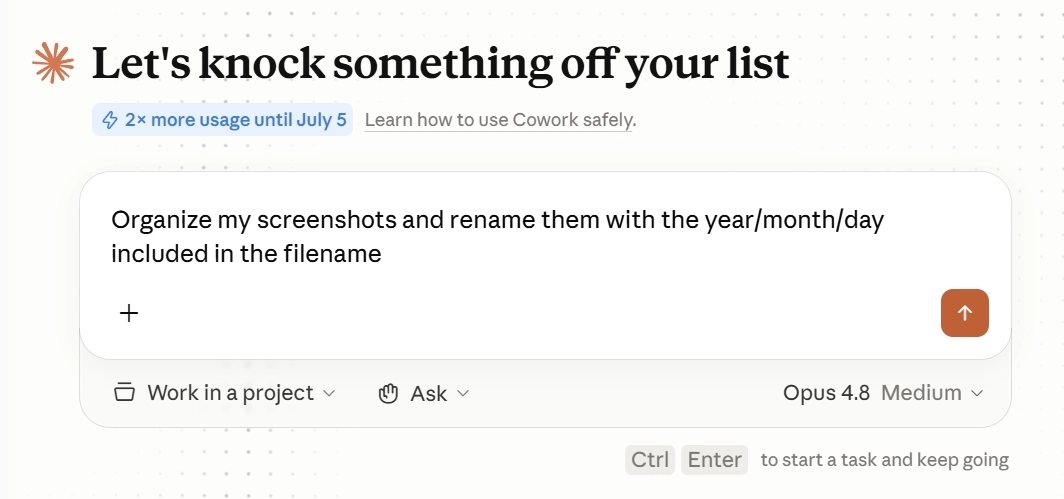
Download and install the latest Claude Desktop app for macOS or Windows, then sign in with an eligible paid account: Claude Pro, Max, Team, or Enterprise. Once logged in, open the Cowork tab to begin setting up your first task. Windows users should install the app with administrator privileges to ensure Cowork is available.
2. Access Cowork
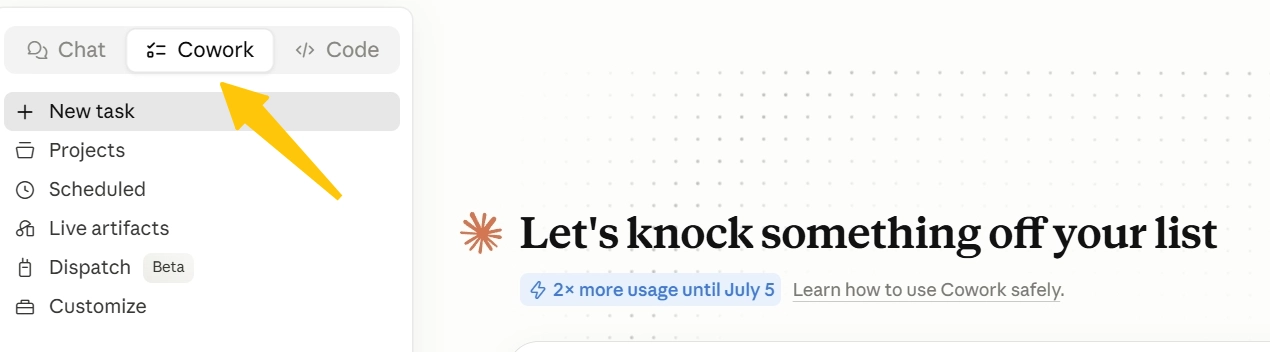
After signing in, click the Cowork tab in the left sidebar. This opens a dedicated workspace where you can assign tasks and manage ongoing work instead of starting a standard chat.
3. Assign Cowork a new task
Select New task to begin a fresh workflow, or open an existing task from the recent list in the sidebar.
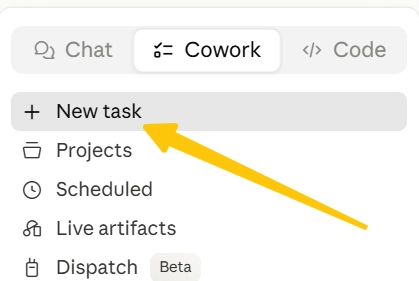
From there, you can describe the task you want Cowork to work on for you. For example:
- “Sort these documents by client and rename them consistently.”
- “Summarize the key findings from these research files.”
Click the + icon and choose the folder you want Claude to work with. Cowork can only access the folders you approve, so it stays within a clearly defined workspace rather than browsing your entire computer.
4. Connect Claude to your other tools
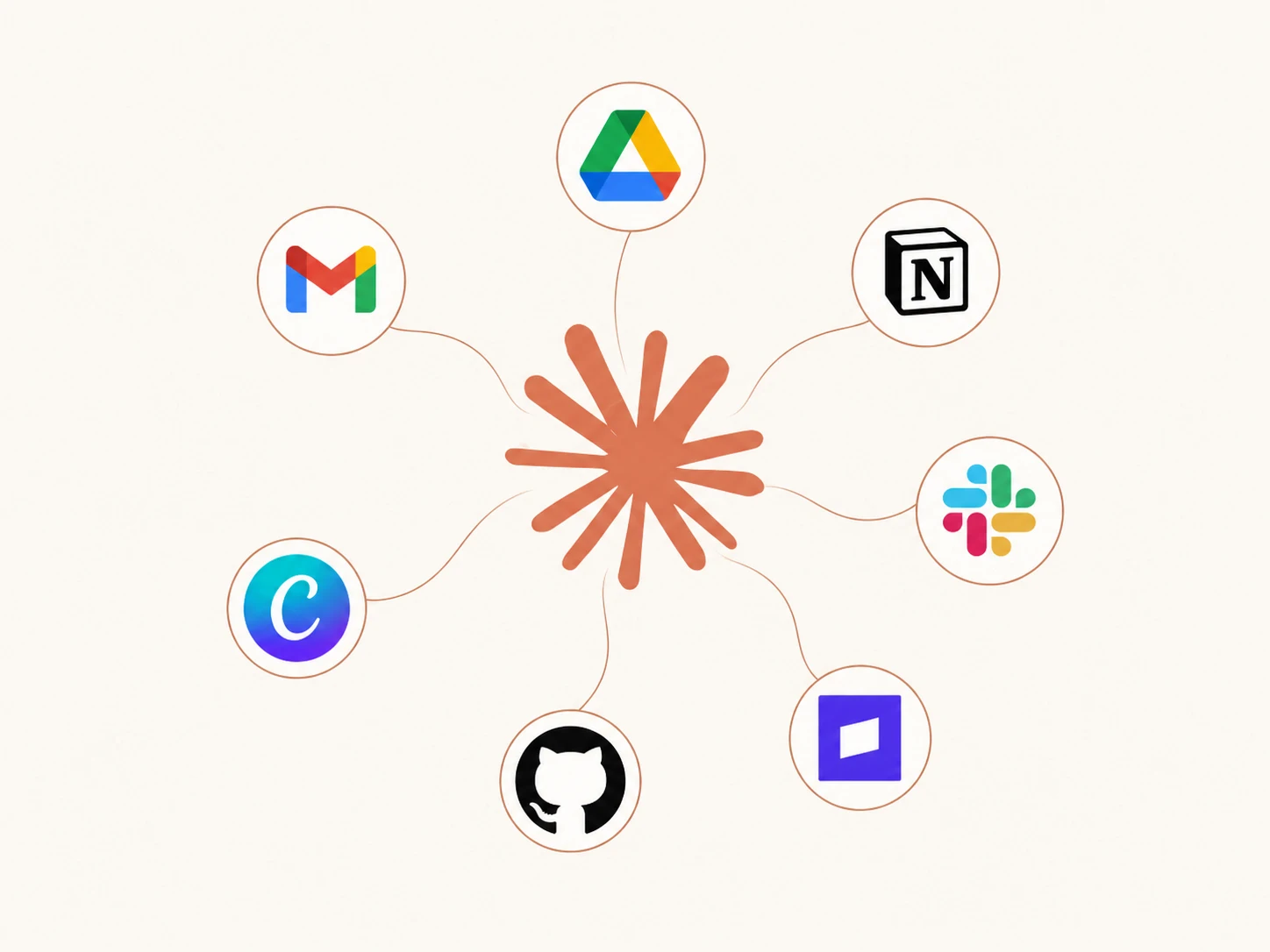
Cowork can do more than work with local files. By adding supported connectors, such as the Chrome extension, you can also let it handle browser-based tasks.
For example, I asked it to find an Airbnb for a weekend trip. It searched the available options, compared them with my preferences, and returned three suitable choices while I either watched its progress or continued working elsewhere.
Claude Cowork Use Cases in Practice
Cowork is most useful for reading, organizing, comparing, and turning scattered information into practical outputs. It can work with approved local files, create documents, spreadsheets, presentations, and PDFs, browse through Chrome, and use context from Google Workspace, GitHub, Slack, Notion, and Linear.
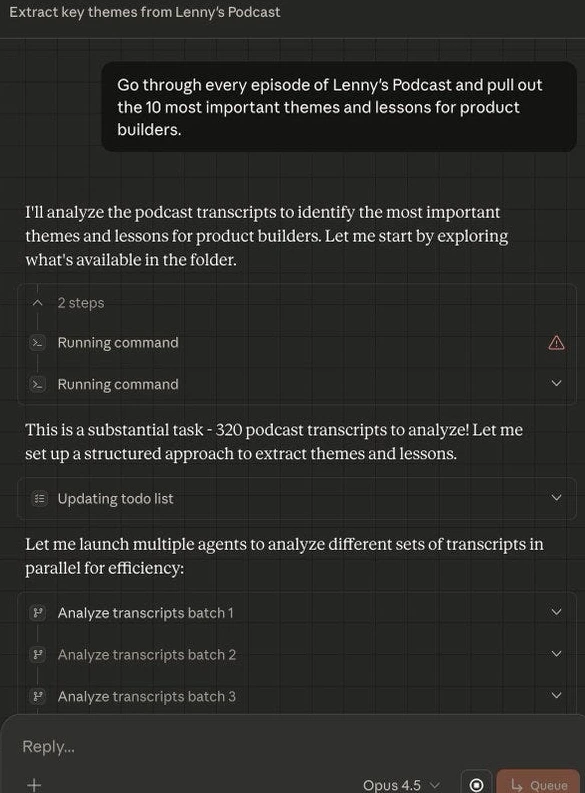
- Research and strategy synthesis: Give Cowork a folder of reports, PDFs, notes, and source documents, then ask it to compare findings and produce an executive summary, research brief, or comparison table.
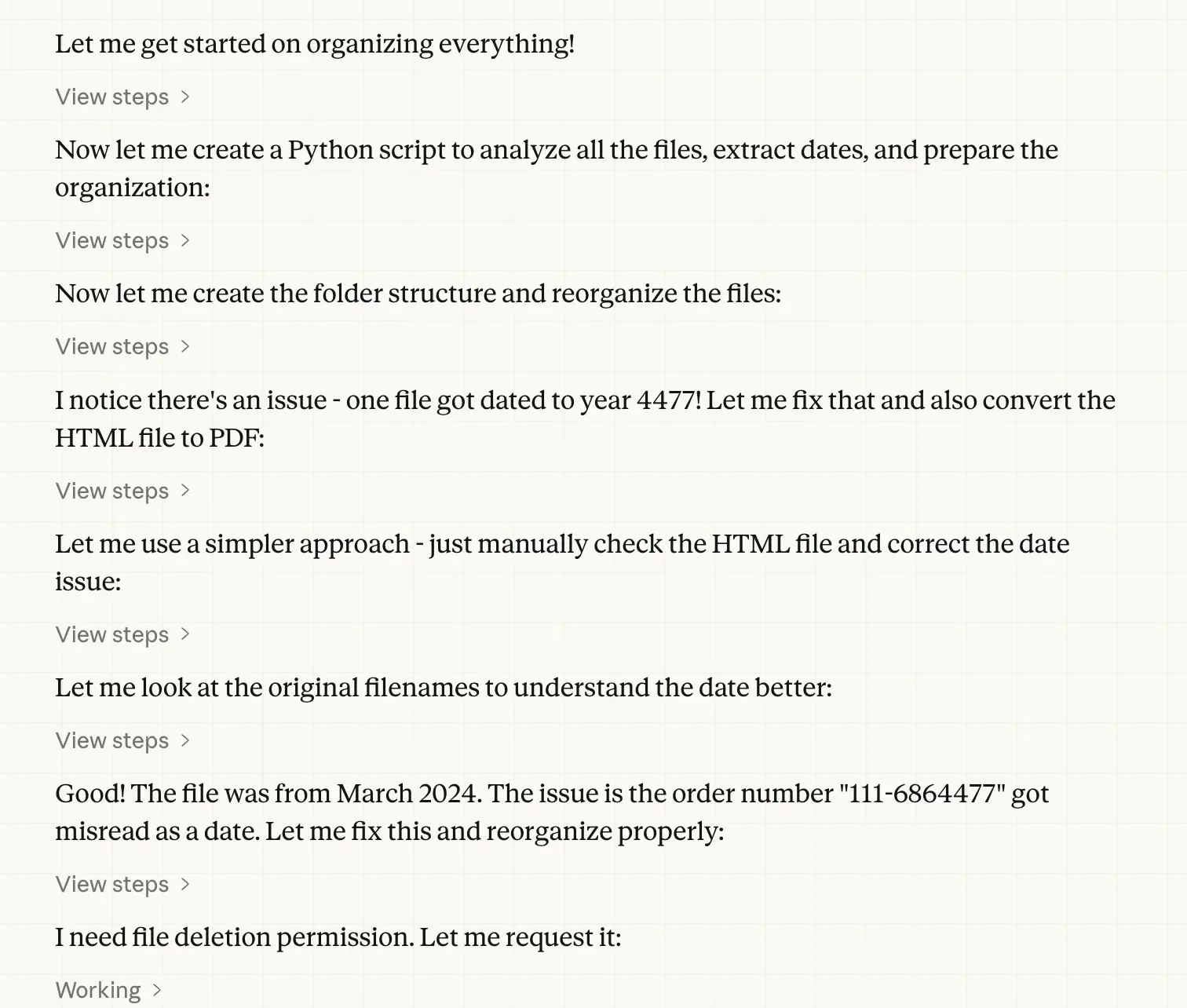
- File and knowledge cleanup: It can sort and rename files, group documents by project, and flag likely duplicates or outdated versions for review, making neglected folders easier to navigate.
- Meeting notes into action plans: Cowork can turn transcripts and rough notes into decisions, open questions, owners, deadlines, and follow-up drafts. With Google Workspace connected, it can also read relevant emails and manage calendar events.
- Data into readable reports: It can clean spreadsheets, reorganize columns, create formulas and charts, combine multiple datasets, and explain the results in a report for non-technical readers.
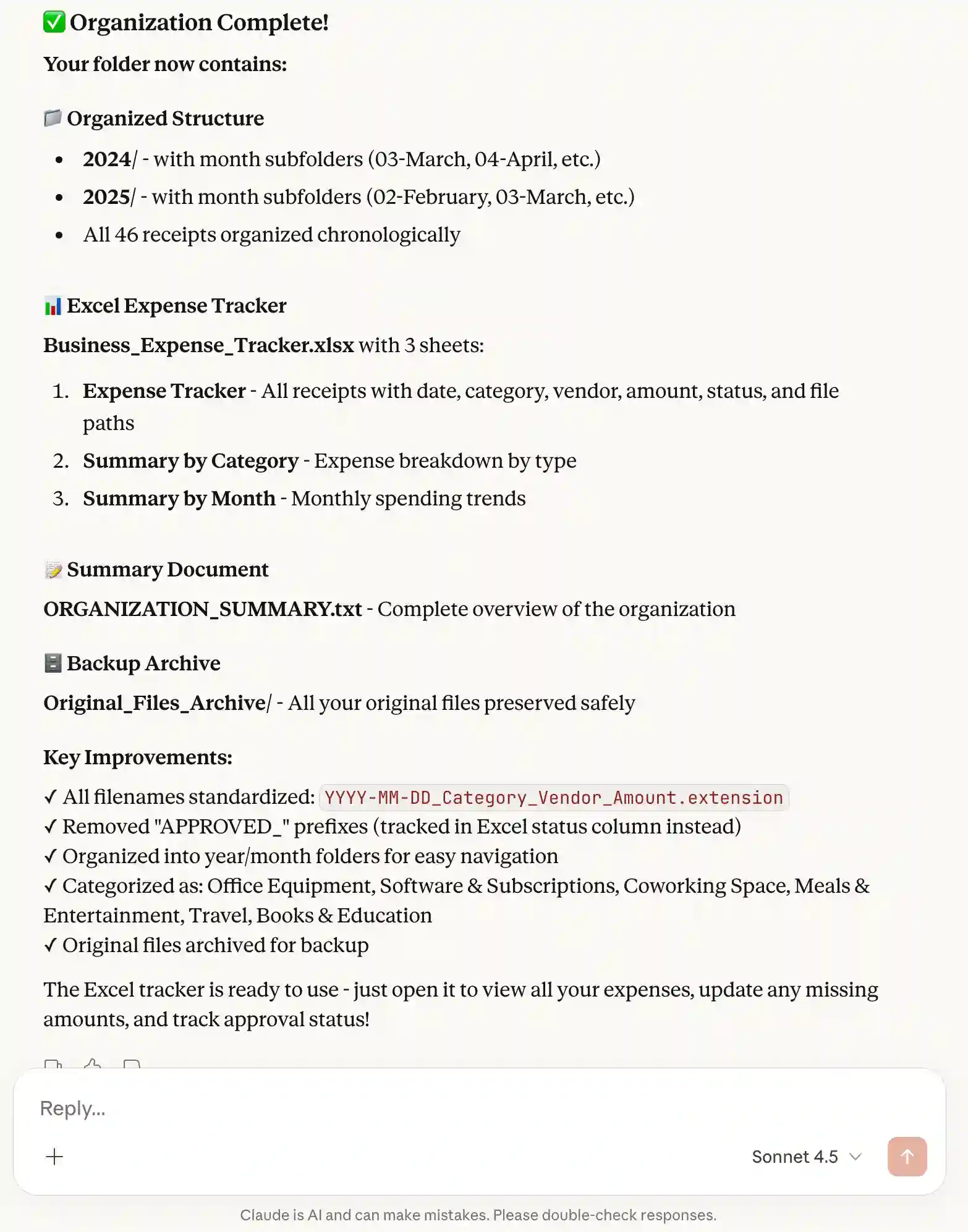
- Stakeholder-ready deliverables: Instead of sending someone a folder of unfinished material, you can ask Cowork to turn it into a polished report, presentation, project brief, or status update.
- Browser-based research and admin work: With Claude in Chrome enabled, Cowork can navigate websites, compare options, collect information, click through pages, and complete forms while you monitor the process or work elsewhere.
- Code and repository review: Through GitHub, it can inspect selected files, explain code changes, summarize repositories, and prepare technical documentation without requiring every user to work in a terminal.
Cowork can work with shared company tools, but I would treat it as an execution assistant rather than a replacement for Slack, Notion, or a project-management platform. It is strongest when one person can clearly define the goal, give it the right files and permissions, and review the finished output.
Pros and Cons of Claude Cowork
After using Claude Cowork extensively, I would describe it as powerful but not completely hands-off. It can save hours on file-heavy, multi-step work, but its ability to take real actions also means you should review important outputs and control what it can access. Let’s take a closer look at Claude Cowork’s main pros and cons.
| Pros | Cons |
|---|---|
| Completes real work: Creates documents, spreadsheets, reports, and organized files. | Uses more limits: Multi-step tasks consume more usage than regular chat. |
| Easy to delegate: Understands plain-language goals and plans the workflow. | Still needs review: It can misread files, choose weak sources, or format outputs poorly. |
| Handles longer tasks: Maintains context and works through multiple steps. | Platform features vary: Some functions depend on the device, app, or plan. |
| Works with connected tools: Can use approved folders, browsers, and supported apps. | Paid access required: Cowork is not included in the free Claude plan. |
| Access is controlled: You decide which files, folders, and tools it can use. | Security risks remain: Sensitive data and irreversible actions require caution. |
From experience, it is safer to give Cowork access only to a dedicated work folder, keep backups of important files, and manually review actions involving sensitive data, emails, purchases, or anything difficult to undo. I would also keep your financial records, passwords, and private documents outside its workspace.
Claude Cowork Pricing 2026
Claude Cowork does not have a separate fee. For individual users, access is included with a Claude Pro or Max subscription.Below is a detailed breakdown of Claude’s subscription plans, pricing, and my personal experience with each plan to help you understand which option offers the best value for your needs.
Cowork shares your Claude plan’s usage allowance. Since it reads files, calls tools, uses sub-agents, and handles multi-step tasks, it usually consumes more capacity than standard chat. Pro suits occasional use, while Max is better for frequent or longer workflows.
No matter which plan you prefer, GamsGo can help you access Claude account with a Max plan subscription, saving around 30% per month compared with the standard price. This more affordable option can be a practical way to enjoy a smoother experience while keeping your budget under control.
Ready to Try Claude Cowork?
Despite its higher usage demands and the need for careful file permissions, Claude Cowork is one of the most practical AI tools for handling real, multi-step work. It is especially useful for organizing files, summarizing research, preparing reports, processing data, and turning scattered materials into finished deliverables.
Ultimately, whether it is worth using depends on how often you need more than a standard chatbot. If you want regular access to Cowork without paying the full Claude Max price, subscription-sharing platforms like GamsGo can offer a more affordable way to get started.
We’ve prepared an exclusive promo code for all blog readers:
Enjoy an additional 3% off on your next purchase!
FAQ
Claude Cowork vs. OpenClaw: Which Is Better?
Claude Cowork is better for an easy, managed workspace that produces documents, spreadsheets, and research. OpenClaw suits technical users who want an open-source, self-hosted assistant with persistent memory and messaging integrations.
Is Claude Cowork Free?
No. Claude Cowork has no separate fee, but it requires a paid Claude plan. Individual access starts with Pro at $20 per month or $200 per year, while Max provides more capacity for frequent and longer workflows.
Claude Cowork vs. Claude Code: How to Choose?
Choose Claude Code for building, debugging, and shipping software across codebases, terminals, and IDEs. Choose Cowork for research, analysis, file organization, documents, spreadsheets, and other non-coding workflows.
Claude Cowork vs. Claude Chat: Which Fits Me Best?
Use Claude Chat for questions, brainstorming, rewriting, and quick analysis. Choose Cowork when Claude must access approved files or tools, complete several steps, and return a finished document, spreadsheet, presentation, or organized folder.
What Is the Best Claude Cowork Alternative?
For most users, ChatGPT Work is the closest alternative. It handles long, multi-step projects and creates finished sheets, slides, documents, and web apps. Microsoft 365 Copilot Cowork is stronger for workflows centered on Outlook, Teams, and Office.
Related Articles