Codex and Claude Code are both AI coding agents, but choosing between them is not simply a matter of GPT versus Claude. The real question is how much useful development work each subscription gives you for the price.
Codex runs on the GPT-5.6 family, while Claude Code offers Claude Sonnet 5 and Opus 5. Both can inspect repositories, edit files, run commands, test code, and complete multi-step development tasks.
The biggest difference is how they fit into your workflow. Codex is built around assigning tasks to agents and reviewing the results later. Claude Code keeps you closer to the process through continuous interaction in the terminal or IDE.
This comparison looks at pricing, usage limits, coding capability, and workflow to answer one practical question: which tool gives you more completed work for your money?
Click the image below to get up to 85% off Codex and Claude Code plans on GamsGo.

Codex vs Claude Code: What Is the Real Difference?
The clearest way to compare Codex and Claude Code is to separate three questions: what model is doing the work, how you work with the agent, and how access is billed.
| Comparison | Codex | Claude Code | Why It Matters |
|---|---|---|---|
| Current models | GPT-5.6 Sol, Terra and Luna | Claude Sonnet 5 and Opus 5 | Each product offers a choice between stronger and more economical models. |
| Product emphasis | Delegating work to agents and running tasks in parallel | Working continuously with an agent inside the development environment | The better fit depends on whether you prefer delegation or active collaboration. |
| Main interfaces | CLI, IDE, desktop app and Codex web | Terminal, IDE, desktop app and web | Both cover the main coding environments, so workflow matters more than platform count. |
| Paid entry point | Included with ChatGPT Plus and higher plans | Included with Claude Pro and higher plans | An existing ChatGPT or Claude subscription can change the real additional cost. |
| Usage after limits | Wait for a reset, upgrade, or add credits where supported | Wait for a reset, upgrade, or continue with usage credits | The subscription price is only the first part of the total cost. |
| Strongest initial fit | Parallel tasks, asynchronous delegation and existing ChatGPT users | Iterative coding, repository investigation and existing Claude users | The tool you already pay for is often the most sensible place to start. |
Codex Is Built Around Delegating Work to Agents
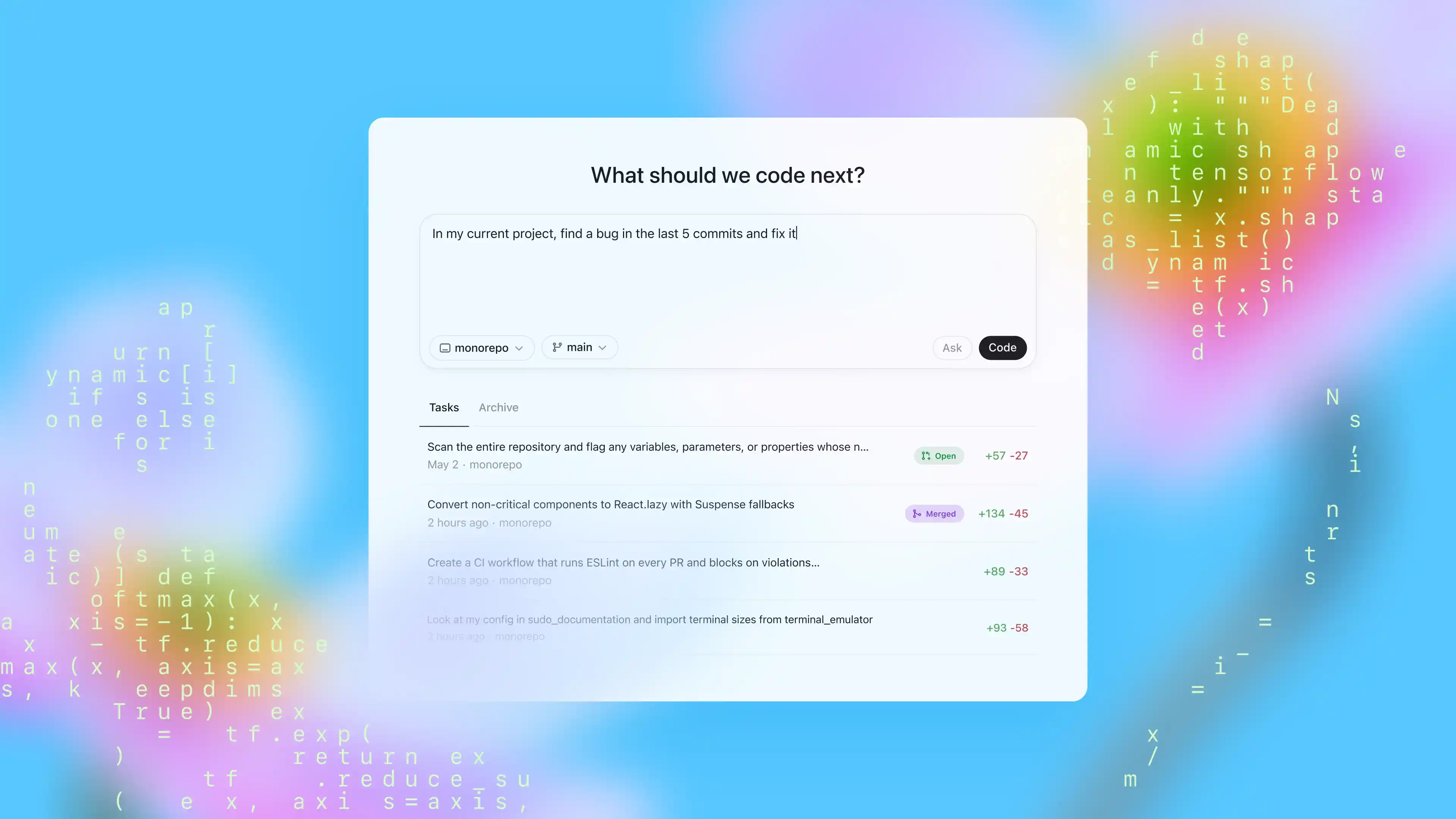
Codex can run locally through its CLI, inside supported editors, in the desktop app, or as a cloud-based agent. Its desktop experience is designed around separate agent threads, parallel work, long-running tasks, diff review, Skills, and reusable Automations.
This makes it well suited to a workflow where you define a task, let the agent work, and return to review the result.
GPT-5.6 also gives Codex a broad model range. Sol targets difficult engineering work, Terra offers a lower-cost middle ground, and Luna is designed for repetitive or high-volume tasks where the flagship model would be unnecessary.
OpenAI’s current API prices range from $5 per million input tokens and $30 per million output tokens for Sol to $0.20 and $1.20 for Luna. Model selection can therefore change the cost of the same workflow considerably.
Claude Code Is Built Around Continuous Development Work
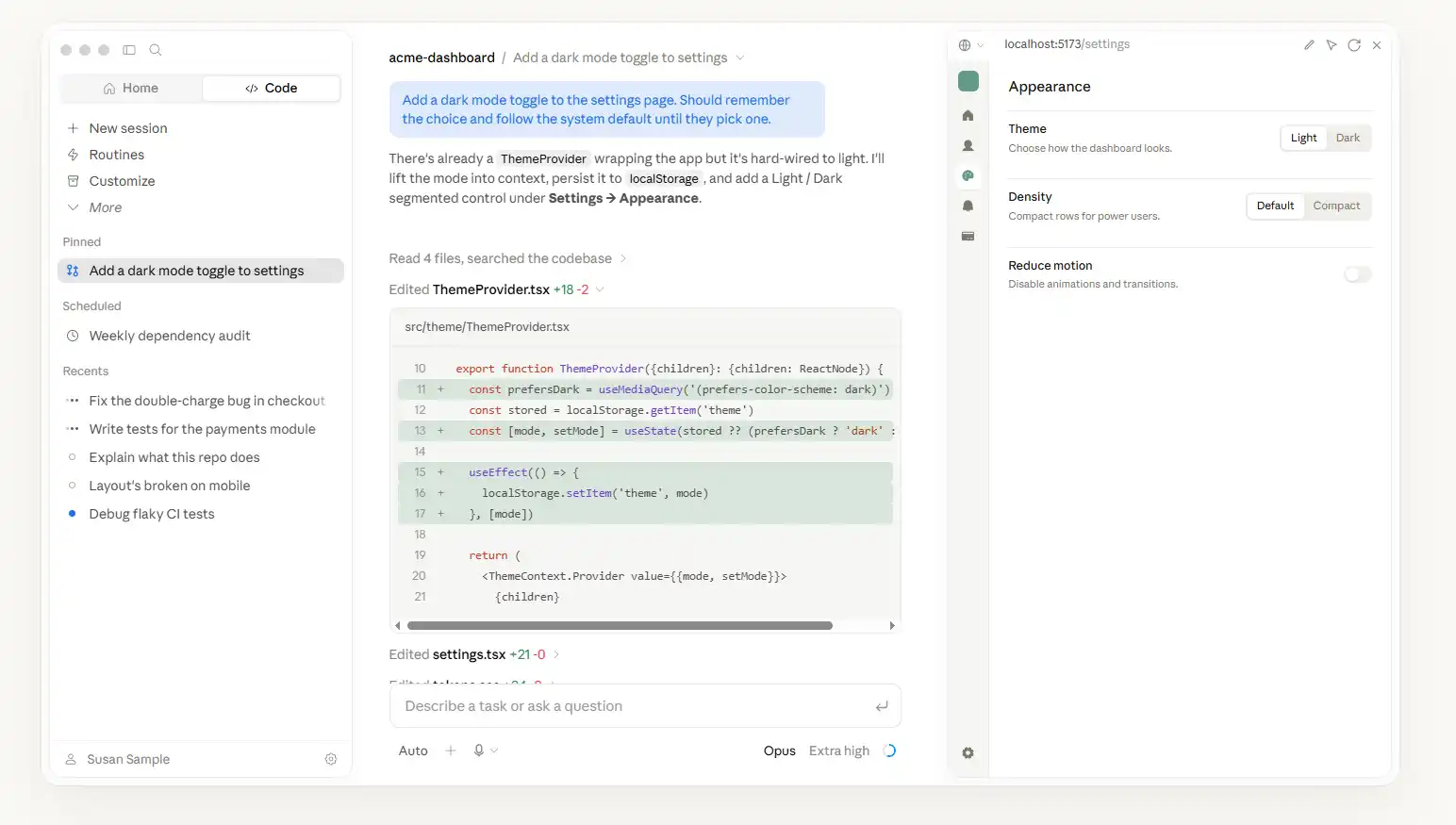
Claude Code reads the codebase, edits files, runs commands, works with Git, and follows a task across multiple files and tools. It is available in the terminal, IDEs, the desktop app, and the browser.
Its workflow feels closer to maintaining an active development session: you can inspect the plan, redirect the agent, review changes, and keep refining the same task without leaving the coding environment.
Claude Sonnet 5 is designed for sustained coding, tool use, debugging, and multi-step execution at a lower model cost. Claude Opus 5 targets more demanding agentic coding and enterprise work, with stronger verification and more careful iteration.
Anthropic prices Opus 5 at $5 per million input tokens and $25 per million output tokens. Sonnet 5 costs $2 and $10 through August 31, 2026, before moving to $3 and $15 on September 1. Our full Claude Code pricing guide explains the subscription tiers, API costs, and usage limits in more detail.
The Main Difference Is How You Turn AI Work Into Finished Code
Codex and Claude Code now overlap on most headline capabilities. Both can understand repositories, modify multiple files, execute commands, use external tools, review code, and continue beyond a single response.
A feature checklist therefore does not reveal which subscription offers better value. The more useful distinction is how the work gets completed.
Codex is structured around assigning and coordinating agent tasks. Claude Code is structured around an ongoing working relationship between the developer and the agent.
Neither approach is universally better. Delegation saves attention when the task is well defined, while closer supervision can prevent wasted work when requirements are ambiguous or the repository is difficult to understand.
Early verdict: Choose Codex if its delegated, multi-agent workflow fits the way you work. Choose Claude Code if its interactive repository workflow fits the way you build.
Price is the next part of the decision. The entry-level plans may look affordable, but the sticker price does not show how much usage is included, what consumes it, or how quickly a heavy user may need to upgrade.
How Much Do Codex and Claude Code Really Cost?
Codex and Claude Code have similar headline prices. Both offer a $20 individual plan and higher tiers around $100 and $200. However, the real cost depends on the included usage, shared limits, model access, and what happens when the allowance runs out.
Codex and Claude Code Subscription Prices
| Usage Level | Codex | Claude Code | Best For |
|---|---|---|---|
| Free | Limited Codex access | Claude Code not included | Testing Codex before paying |
| Entry paid plan | ChatGPT Go: $8/month | Claude Pro: $20/month | Light or occasional coding |
| Standard plan | ChatGPT Plus: $20/month | Claude Pro: $20/month | Individual developers |
| High-usage plan | Pro 5x: $100/month | Max 5x: $100/month | Frequent professional use |
| Highest individual plan | Pro 20x: $200/month | Max 20x: $200/month | Heavy daily agent workloads |
Claude Pro costs $20 per month or $200 per year. Max 5x costs $100 per month, while Max 20x costs $200. Anthropic describes the Max tiers as offering about five and twenty times the per-session capacity of Pro.
Codex is available with every ChatGPT plan, including Free. ChatGPT Plus costs $20 per month, while higher Codex tiers offer 5x or 20x more usage from $100 per month. OpenAI also provides limited Codex access on its free tier.
For a wider breakdown of the available subscriptions, see our ChatGPT pricing guide.
What Does the $20 Plan Actually Buy?
At $20, neither subscription provides only a coding tool. ChatGPT Plus includes Codex alongside other ChatGPT features, while Claude Pro includes Claude Code, Claude chat, Cowork, Research, Projects, and access to additional models.
This matters if you already use one ecosystem. A ChatGPT Plus user can try Codex without buying another subscription, while a Claude Pro user can do the same with Claude Code. In both cases, the additional cost of testing the coding agent is effectively zero.
The $20 plans are best treated as starting points, not unlimited professional plans. They can support regular coding, but long sessions, large repositories, parallel agents, and high-effort models can consume the included allowance much faster.
Developers considering Claude can also read our analysis of whether Claude Pro is worth it before choosing between Pro and Max.
Why the $100 and $200 Plans Cost More
The higher plans mainly buy more usage capacity, not a completely different coding product. They are designed for developers who use agents throughout the workday and repeatedly reach the limits of the standard plan.
| Plan Level | What You Are Paying For | When It Makes Sense |
|---|---|---|
| $20 | Standard individual allowance | You use AI coding regularly, but not continuously |
| $100 | Roughly 5x the base capacity | The $20 limit interrupts paid work every week |
| $200 | Roughly 20x the base capacity | Agents run for much of your working day |
Paying five or ten times more does not automatically produce five or ten times more completed work. The result still depends on model choice, task size, retries, context growth, parallel execution, and human correction.
What Happens When You Reach the Usage Limit?
Reaching a limit does not always mean you need to upgrade immediately. Both products provide several ways to continue, although the available options depend on the plan and account settings.
- Wait for the rolling or weekly allowance to reset.
- Use a lower-cost model or reduce the task scope.
- Move to a higher subscription tier.
- Enable credits or pay-as-you-go usage where supported.
- Use API billing for temporary, usage-heavy projects.
Claude users on Pro, Max 5x, and Max 20x can enable usage credits and continue at pay-as-you-go rates after reaching the included limit. They can also wait for a reset or move to a higher Max tier.
Codex users can use credits on eligible paid plans or connect an API key for separately billed work. The better option depends on whether the extra demand is a temporary coding sprint or a normal part of every working week.
Should You Start with the $20, $100, or $200 Plan?
Most individual developers should start with the $20 plan in the ecosystem they already use. It provides enough real usage data to show whether the agent fits their projects before they commit to a much more expensive subscription.
Move to $100 only when limits repeatedly interrupt valuable work. The $200 tier is easier to justify when coding agents run throughout the day, support several repositories, or handle multiple long-running tasks in parallel.
Cost verdict: The $20 plans offer the safest starting point. The $100 and $200 plans become worthwhile only when their extra capacity produces enough completed work to justify the higher price.
How Usage Limits Turn Into Real Coding Costs
A subscription limit is only useful if it translates into completed work. The same $20 plan can feel generous for small fixes and restrictive for large repositories, long debugging sessions, or several agents running at once.
This is why message counts alone are misleading. One request may explain a function in seconds, while another may inspect hundreds of files, run tests, rewrite code, and repeat the process until the build passes.
How Codex Usage Is Consumed
Codex usage depends on the selected GPT-5.6 model, reasoning effort, task duration, repository size, and whether agents run in parallel. Sol costs more capacity than Terra or Luna, but it may need fewer retries on difficult work.
Local interactions and delegated cloud tasks also create different usage patterns. A short CLI edit is not equivalent to a long-running agent that reads multiple repositories, runs tests, reviews diffs, and fixes follow-up errors.
| Codex Setting | Cost Effect | Best Use |
|---|---|---|
| GPT-5.6 Sol | Highest cost and capability | Complex reasoning and coding |
| GPT-5.6 Terra | Mid-range cost | Daily coding and balanced workloads |
| GPT-5.6 Luna | Lowest model cost | Repetitive or high-volume tasks |
| Higher effort | More reasoning and usage | Hard bugs and architecture work |
| Parallel agents | Several tasks consume capacity together | Independent workstreams |
Codex therefore rewards task routing. Using Sol for every request can waste capacity, while assigning simple edits to Luna and reserving Sol for difficult work can increase the amount of useful output from the same budget.
How Claude Code Usage Is Consumed
Claude Code uses rolling session limits and weekly limits rather than a fixed public token allowance. Capacity varies by plan, model, task size, context growth, and the amount of Claude usage elsewhere on the same account.
Claude Pro is the base level. Max 5x and Max 20x increase available capacity, but a long session can still become expensive when Claude repeatedly reads large files, executes commands, runs tests, and revises its work.
| Claude Setting | Cost Effect | Best Use |
|---|---|---|
| Claude Sonnet 5 | Lower-cost agentic model | Most daily coding tasks |
| Claude Opus 5 | Higher cost and deeper reasoning | Complex agentic coding |
| Higher effort | More thorough but more expensive | Difficult debugging and research |
| Fast mode | About 2x base token price | Time-sensitive Opus work |
| Long conversation | Repeated context increases usage | Tasks that benefit from continuity |
Sonnet 5 is often the practical default for normal development. Opus 5 becomes more valuable when better planning, verification, or root-cause analysis reduces retries enough to justify its higher cost.
What Makes Usage Disappear Faster?
The largest cost drivers are not tied to one vendor. They come from the shape of the work. The more context, tools, retries, and parallel execution a task needs, the faster any allowance is consumed.
| Workload | Why It Uses More | How to Reduce Waste |
|---|---|---|
| Large repository | More files and dependencies | Define a narrower scope |
| Long debugging session | Logs, tests, fixes, and retries | Summarize and reset context |
| Vague request | More exploration and rework | Add clear acceptance criteria |
| High-effort model | More reasoning per task | Reserve it for hard work |
| Multiple agents | Tasks consume usage together | Limit concurrency |
Long Context Can Help and Hurt
Large context windows help agents understand more files and preserve project history. They can also increase cost because old messages, code, tool output, and instructions may be processed again during later turns.
GPT-5.6 API models support a 1.05 million-token context window and up to 128,000 output tokens. This is useful for large projects, but a large available window does not mean every request should fill it.
Claude 4.6 and later API models include a one-million-token context window at standard per-token rates. Anthropic does not add a separate long-context price tier, but users still pay for every token processed.
Claude’s New Tokenizer Changes the Cost Calculation
Claude 4.7 and later models use an updated tokenizer. Anthropic says the same text can produce about 30% more tokens on average, although the increase varies by language, code, and workload.
This means Sonnet 5 or Opus 5 may process the same repository with a higher token count than an older Claude model. Better performance may offset that increase, but the headline API price does not show the full effective cost.
A Stronger Model Can Sometimes Be Cheaper
Lower token prices do not always create lower task costs. A cheaper model may need several retries, miss a root cause, or produce code that requires more human correction.
A stronger model can cost more per token but finish the task in fewer steps. The correct comparison is not cost per message or cost per million tokens. It is cost per accepted fix, completed feature, or successful refactor.
How to Measure Cost per Completed Task
The most reliable comparison is a small test using your own repository. It reveals how each tool behaves on the tasks that actually matter to your work.
- Choose one small fix, one medium refactor, and one long agent task.
- Give both tools the same repository, instructions, and acceptance criteria.
- Record completion time, retries, manual corrections, and failed tests.
- Check how much subscription capacity or API spend each task consumed.
- Compare the cost of accepted results, not the number of messages sent.
Usage verdict: Codex can be more economical when tasks are clearly delegated and routed to the right GPT-5.6 model. Claude Code can justify higher usage when deeper interaction and stronger verification reduce failed attempts.
Codex vs Claude Code for Real Coding Tasks
Price and usage limits only matter if the agent can finish useful work. The real question is whether either tool has an advantage in repository understanding, debugging, refactoring, code review, and long-running tasks.
No current benchmark proves that one tool is better at everything. GPT-5.6 and Claude Opus 5 were released weeks apart, while many public comparisons still rely on older models or different test methods.
Repository Understanding and Multi-File Changes
Both tools can inspect a repository, trace dependencies, edit multiple files, run commands, and verify changes. The main difference is how they approach the work, not whether the feature exists.
Codex is well suited to clearly scoped tasks that can be delegated. It can inspect the relevant files, make changes, run tests, and return a diff without requiring constant developer input.
Claude Code is often easier to use when the task evolves during the session. You can ask follow-up questions, challenge assumptions, redirect the plan, and refine the same change without restarting.
| Repository Task | Codex | Claude Code |
|---|---|---|
| Clear, isolated change | Strong fit for delegation | Works well with more interaction |
| Evolving requirements | Needs clear task updates | Strong fit for continuous refinement |
| Large codebase | Effective with narrow scope | Effective with active guidance |
Debugging and Root-Cause Analysis
Debugging is where model quality can directly affect cost. A quick fix may look efficient, but repeated failures, regressions, and manual correction can make the task far more expensive.
GPT-5.6 Sol is OpenAI’s strongest current model for complex reasoning and coding. It is designed for long-horizon work across files, tests, and follow-up fixes.
Claude Opus 5 focuses more heavily on verification and iteration. Anthropic positions it as stronger at checking its own work, identifying underlying causes, and continuing until the task succeeds.
That does not mean Claude Code will win every debugging task. Codex may finish a reproducible, clearly defined fix with less interaction, while Claude Code may be more useful when the cause is uncertain and requires repeated investigation.
Refactoring and Long-Running Agent Tasks
Large refactors test more than code generation. The agent must understand architecture, preserve behavior, update tests, handle edge cases, and avoid changing files outside the intended scope.
Codex supports long-running delegated tasks and parallel agents. This works well when a migration can be divided into independent workstreams, such as updating tests, changing APIs, and reviewing affected packages.
Claude Code supports subagents, Agent Teams, worktrees, project instructions, and persistent sessions. It is a strong fit when the developer wants to supervise a complex refactor and adjust the plan as new issues appear.
| Refactoring Need | Better Initial Fit | Reason |
|---|---|---|
| Parallel independent changes | Codex | Easier to delegate separate tasks |
| Ambiguous architecture work | Claude Code | Better fit for guided iteration |
| Repetitive repository updates | Codex | Strong task-routing workflow |
| Deep investigation before editing | Claude Code | Strong interactive analysis |
Code Review and Pull Request Work
Codex has a strong GitHub-focused workflow. It can review pull requests, leave inline comments, suggest fixes, and work with repository changes without moving every task into a terminal session.
Claude Code can also review diffs, inspect changes, and explain risks. Its advantage is that the developer can discuss the review in depth and continue directly into implementation.
Codex is often more convenient for processing a review queue. Claude Code is often more useful when review, investigation, and implementation belong to one continuous task.
Agent Autonomy and Human Oversight
More autonomy is not automatically better. An unsupervised agent can save time, but it can also consume more usage following the wrong interpretation when the task is vague.
Codex works best when the task, repository scope, permissions, and acceptance criteria are clearly defined before execution.
Claude Code is easier to steer while the work is happening. This suits projects where the developer expects to inspect plans, challenge assumptions, and approve major decisions.
- Choose more autonomy when the task is clear and easy to verify.
- Choose more supervision when requirements are uncertain.
- Use strict permissions for commands, files, and network access.
- Review tests and diffs before accepting agent-generated changes.
What the Latest Benchmarks Actually Show
OpenAI’s July 2026 results show GPT-5.6 Sol performing strongly on Terminal-Bench 2.1 and the Artificial Analysis Coding Agent Index. These results support its position as a capable coding model.
Anthropic reports that Opus 5 leads Frontier-Bench v0.1 and performs close to Fable 5 on CursorBench 3.2 at a lower cost per task. It also reports stronger verification and iteration than Opus 4.8.
These results cannot be combined into a clean head-to-head score. The companies use different models, effort settings, test suites, tools, and reporting methods.
Benchmark warning: There is no official like-for-like Opus 5 versus GPT-5.6 Sol result on the same current coding benchmark. Older model comparisons should not decide a 2026 purchase.
Does Claude Code Offer Better Coding Quality?
Claude Code may have an advantage on tasks that reward careful investigation, repeated verification, and active developer guidance. Opus 5 is specifically designed for complex agentic coding and thorough iteration.
Codex does not require a major quality compromise. GPT-5.6 Sol is a frontier coding model, and its delegated workflow can be more productive when tasks are clearly scoped and can run independently.
The practical winner depends on the cost of failure. For easy-to-check tasks, speed and autonomy may matter more. For risky refactors or difficult bugs, fewer incorrect changes may justify higher usage.
Capability verdict: Claude Code has the stronger case for supervised, judgment-heavy work. Codex has the stronger case for clearly scoped tasks that benefit from delegation, parallel execution, and less developer attention.
How Codex and Claude Code Fit Into Your Workflow
A coding agent can be powerful and affordable but still feel wrong for daily use. The key question is whether you prefer to stay involved throughout the task or hand off work and review it later.
Interactive Pairing vs Async Delegation
Claude Code is better suited to continuous collaboration. You can discuss the task, inspect its plan, correct assumptions, review edits, and keep refining the same work inside the terminal or IDE.
Codex is structured more clearly around delegation. You can assign a task, let an agent work independently, and return later to inspect the diff, test results, and remaining issues.
| Working Style | Codex | Claude Code |
|---|---|---|
| Daily rhythm | Assign, leave, then review | Discuss, guide, and refine |
| Best task shape | Clearly defined and verifiable | Ambiguous or evolving |
| Developer involvement | Lower during execution | Higher throughout the task |
Terminal, IDE, Desktop, and Web
Both products now work across the main development environments. The decision is no longer about which one has a terminal or desktop app, but which interface becomes the center of your workflow.
Claude Code feels most natural when the terminal or IDE is the main workspace. The agent stays close to the repository, commands, tests, and current conversation.
Codex works across the CLI, IDE, web, and desktop app. Its desktop experience is especially useful for managing multiple tasks, repositories, and agent threads from one place.
Working on One Task vs Several Tasks at Once
Codex has a clearer advantage when several independent tasks can run at the same time. One agent can update tests while another reviews a different repository or investigates a bug.
Claude Code also supports subagents, Agent Teams, and worktrees. Its strongest workflow, however, still centers on guiding a complex task and keeping its decisions aligned with your intent.
- Use Codex when tasks can be separated into independent workstreams.
- Use Claude Code when several subproblems depend on one shared decision.
- Avoid parallel agents when changes may conflict in the same files.
Project Instructions and Reusable Context
Both tools let developers store project-specific instructions. These files can define commands, architecture rules, testing requirements, coding style, and areas the agent should not modify.
Claude Code uses CLAUDE.md as a central project instruction file. It also supports settings, Skills, Hooks, MCP servers, and custom subagents for more controlled workflows.
Codex supports repository instructions and reusable Skills through files such as AGENTS.md and SKILL.md. These help agents follow the same process across repeated tasks.
| Project Need | Useful Instruction |
|---|---|
| Correct test command | Define exactly what must run before completion |
| Protected files | List files or directories that must not change |
| Coding conventions | Add formatting, naming, and architecture rules |
| Completion criteria | State what must pass before the task is done |
These instructions reduce repeated explanations and help the agent produce more consistent changes across sessions.
Permissions, Sandboxing, and Approval Control
Coding agents may read files, edit code, run shell commands, access external tools, and sometimes use the network. The right permission model depends on how much autonomy you are willing to allow.
Claude Code provides permission modes, configurable settings, Hooks, and sandboxing controls. Developers can approve actions individually or allow more automation for trusted projects.
Codex also offers approval policies and sandboxed execution. Its cloud tasks separate setup from agent execution, helping restrict network access while the agent works.
Practical rule: Start with limited permissions. Allow broader file, command, or network access only after the agent has proved reliable on that repository.
Which Tool Is Better for GitHub Work?
Codex is a strong choice for teams that manage work through GitHub issues and pull requests. It can review changes, leave inline comments, suggest fixes, and continue work from repository context.
Claude Code is better when GitHub is only one part of a longer development session. A developer can review a diff, investigate the reason for a change, edit the code, and rerun tests without changing tools.
Codex is the better fit for review queues and delegated repository tasks. Claude Code is the better fit when review and implementation belong to the same session.
Which One Is Easier to Use Every Day?
Codex is easier to adopt when you already work by creating tickets, assigning tasks, and reviewing completed changes. It reduces the need to watch every step.
Claude Code is easier to adopt when you solve problems through exploration. It keeps the conversation, repository, commands, and edits together while the task develops.
| Your Habit | Better Initial Fit |
|---|---|
| I write detailed tasks and review the result later | Codex |
| I make decisions while the agent works | Claude Code |
| I need several independent tasks running | Codex |
| I spend most of my time in the terminal | Claude Code |
| I manage work mainly through pull requests | Codex |
Workflow verdict: Codex fits developers who treat AI like a task queue. Claude Code fits developers who treat AI like a coding partner. The better workflow is the one you will actually use every day.
Codex or Claude Code: Which One Should You Pay For?
Choose based on your existing subscription and working style. ChatGPT users should normally try Codex first, while Claude users should begin with Claude Code before paying for a second tool.
Choose Codex If You Prefer Delegation
Codex is the better fit when you want to define a task, let an agent work independently, and review the result later. It is especially practical for parallel tasks, GitHub workflows, and clearly defined fixes.
- You already use ChatGPT Plus or Pro.
- You want several independent tasks running at once.
- Your work has clear tests and acceptance criteria.
Choose Claude Code If You Prefer Active Collaboration
Claude Code is the better fit when you want to inspect plans, question assumptions, and guide the agent while it works. It is especially useful for difficult bugs, evolving requirements, and complex refactors.
- You already use Claude Pro, Max, or Team.
- You work mainly in the terminal or IDE.
- You want to stay involved throughout the task.
Which One Is Better for Your Work?
| Your Priority | Codex | Claude Code |
|---|---|---|
| Working style | Delegate and review | Discuss and refine |
| Best task type | Clear, separable tasks | Complex, evolving tasks |
| Developer involvement | Lower during execution | Higher during execution |
| Strongest use case | Parallel agent work | Guided debugging and refactoring |
Most individual developers do not need both subscriptions. Start with the tool included in the ecosystem you already use, then add the second only when you identify a recurring gap in quality, workflow, or usage capacity.
Buying verdict: Choose Codex for clearly scoped work that can run independently. Choose Claude Code when difficult projects require ongoing discussion, judgment, and guidance.
How to Get Codex or Claude Code for Less
Official plans start around $20 per month, but frequent users can quickly face $100 or $200 upgrades. Before paying more, reduce wasted usage and compare lower-cost subscription options.
Start with the standard plan and track how often limits actually interrupt work. A higher tier only makes sense when waiting for a reset costs more than the upgrade.
Get ChatGPT Plus for About $6 per Month on GamsGo
The official ChatGPT Plus price is $20 per month. GamsGo offers a ChatGPT Plus account for about $6 per month, which can significantly lower the cost of accessing Codex.
Since Codex is included with supported ChatGPT plans, this option is especially useful for individual developers who want Codex without committing to the full official monthly price.
Available account types and Codex access may vary, so check the current product description before purchasing. You can also compare more ways to save in our ChatGPT discount guide.
Save on Claude Pro, Max, Team, and API Plans
GamsGo also offers Cheap Claude subscription plans covering Claude Pro, Max 5x, Max 20x, Team Standard seats, Team Premium seats, and API options.
Prices generally range from about $7 to $110, depending on the plan and seller. This gives light users a cheaper entry point while also reducing the cost of higher Claude Code tiers for heavier workloads.
| GamsGo Option | Approximate Price | Suitable For |
|---|---|---|
| ChatGPT Plus | About $6/month | Lower-cost Codex access |
| Claude Pro | From about $7 | Light or regular Claude Code use |
| Claude Max and Team | Up to about $110 | Heavy individual or team workloads |
Compare the exact plan, seat type, usage terms, delivery method, supported region, and after-sales coverage before ordering. For more options, see our Claude discount guide.
Consider Other AI Coding and Agent Tools
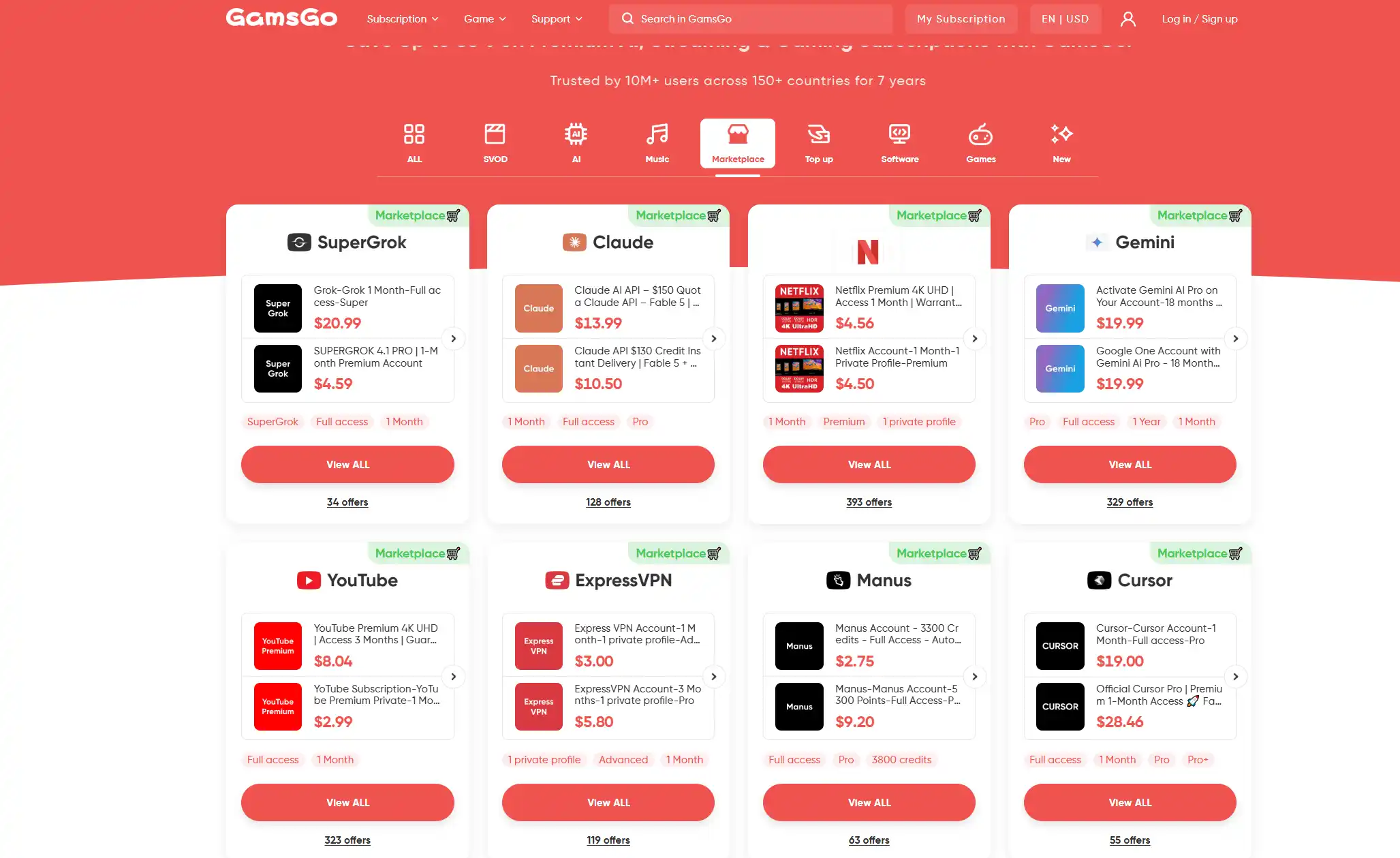
Codex and Claude Code are not the only options. Developers who prefer an editor-first workflow can compare a Cursor Pro subscription.
Saving verdict: Use the coding agent already included in your ecosystem, avoid unnecessary upgrades, and compare GamsGo’s lower-cost ChatGPT Plus and Claude plans before paying full official prices.
Final Verdict: Codex or Claude Code?
Codex and Claude Code can both handle serious development work. The better purchase is not the tool with more features, but the one that turns your budget into more completed work with fewer retries.
Choose Codex if you prefer to define tasks, let agents work independently, and review the results later. It is also the easier starting point if you already use ChatGPT.
Choose Claude Code if you prefer to stay involved, refine requirements during execution, and guide the agent through difficult debugging, refactoring, or architecture work.
| Choose Based On | Codex | Claude Code |
|---|---|---|
| Existing ecosystem | ChatGPT users | Claude users |
| Working style | Delegate and review | Discuss and refine |
| Best task type | Clear, separable tasks | Complex, evolving tasks |
| Parallel work | Stronger fit | Better with supervision |
| Difficult investigation | Strong with clear tests | Stronger initial fit |
| Best first plan | ChatGPT Plus | Claude Pro |
For most individual developers, the safest choice is the standard plan in the ecosystem they already use. Test it on real tasks before paying for Max, Pro 5x, or another high-usage tier.
Track completed tasks, failed attempts, manual corrections, and how often limits interrupt your work. These numbers reveal more about value than a benchmark score or advertised context window.
If the official subscription price is the main barrier, GamsGo offers lower-cost ChatGPT Plus and Claude plans. You can also browse its wider range of discounted AI subscriptions before paying full official prices.
Product format, availability, account type, usage rights, and after-sales terms may vary, so review the current listing before purchasing.
Final answer: Codex is the better buy for autonomous delegation. Claude Code is the better buy for supervised collaboration. The better value is the tool that completes more of your real development work with less correction.
Get Codex or Claude Code for Less
Get ChatGPT Plus for Codex access from about $6 per month, or compare Claude Pro, Max, Team, and API plans from around $7 on GamsGo.
Codex vs Claude Code FAQ
Is Codex Cheaper Than Claude Code?
Codex has a lower entry point because limited access is available on free and lower-cost ChatGPT plans. At the standard paid level, ChatGPT Plus and Claude Pro both cost $20 per month.
Real cost depends on how much work the plan completes before you hit a limit. Model choice, task length, context, retries, and parallel agents all affect how far the allowance goes.
Which Is Better for Large Codebases?
Both can work with large repositories. Codex fits projects that can be divided into clear tasks, while Claude Code is often easier to guide when several parts of the codebase must be understood together.
Which Is Better for Terminal Users?
Claude Code is a natural fit for developers who spend most of the day in a terminal. Codex also has a CLI, but its web and desktop experiences place more emphasis on managing delegated tasks.
Is Claude Opus 5 Better Than GPT-5.6 Sol?
There is no official like-for-like benchmark that proves one model is better across every coding task. Opus 5 has a strong case for verification, while Sol is strong at complex and long-horizon coding.
Should I Use Sonnet 5 or Opus 5 in Claude Code?
Sonnet 5 is the practical choice for most daily coding. Opus 5 is better reserved for complex debugging, architecture, difficult refactors, or tasks where stronger verification may reduce retries.
Should I Use Sol, Terra, or Luna in Codex?
Use Sol for difficult reasoning and coding, Terra for balanced daily work, and Luna for repetitive or high-volume tasks where cost matters more than maximum capability.
Related Articles
How to Get Notion AI for Free in 2026? (7 Proven Ways)
What Is Grok AI? Grok 4.5 Features, Pricing, and Full Guide
Grok Discount Guide 2026: 10 Ways to Pay Less for SuperGrok
Suno Pro Free in 2026: What Still Works & Cheapest Way
Perplexity AI Free vs. Pro: Is Perplexity Pro Worth It in 2026?
LinkedIn Premium Cost in 2026: All Plans, Prices and How to Get 80% Off