As a content creator focused on AI technology, my daily work relies heavily on various AI tools. From writing in-depth articles to organizing research, from finding reliable statistics to analyzing competitors, AI assistants have become an essential part of my workflow.
I’ve used several tools such as ChatGPT, Claude, Gemini, and Perplexity, and even written reviews like ChatGPT Plus Review and Is Claude Pro Worth It? to analyze their strengths and weaknesses.
Finally, Perplexity quickly became one of my top choices for research thanks to its real-time web search, direct answers, and clearly displayed citations. However, the free version’s limited Pro Searches, restricted Research access, and lack of manual model selection often interrupted longer research sessions and forced me to finish the work manually.
That’s why, after using the free version for an extended period, I compared it closely with Perplexity Pro across multiple research scenarios. My goal is to show what actually changes after upgrading and help anyone still on the fence decide whether Perplexity Pro is worth paying for.
What Is Perplexity AI?
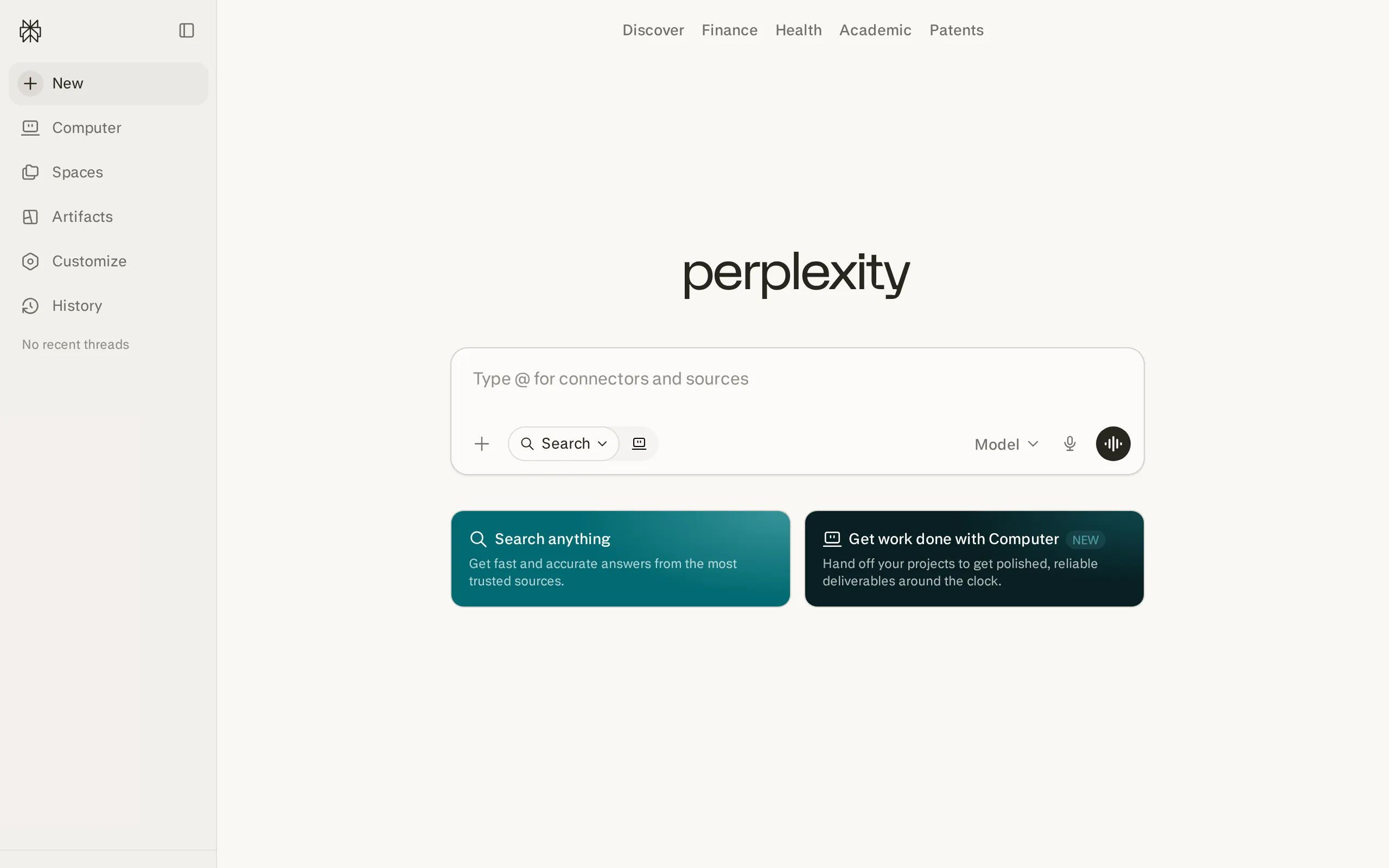
Perplexity is an AI-powered answer engine built around live web research. Instead of giving you a traditional list of search results, it searches multiple sources, summarizes the information, and places numbered citations directly beside its claims.
This makes Perplexity especially useful for research, fact-checking, competitor analysis, academic work, and any task where current information and visible sources matter more than purely creative conversation.
Overview of Perplexity’s Search Modes
Perplexity currently offers several main ways to search and complete tasks:
- Search: Designed for quick, everyday questions. The default “Best” setting automatically selects a suitable model and returns a concise answer with sources.
- Pro Search: Runs a more detailed search process, considers more sources, and produces a more complete answer for complex or multi-step questions.
- Research: Performs dozens of searches, reads a large number of sources, and creates a structured research report. It is better suited to topics that cannot be answered with one quick search.
- Create files and apps: Uses advanced tools to create reports, spreadsheets, dashboards, presentations, and simple web applications.
By default, the free plan gives you practically unlimited basic searches, three Pro Searches per day, one Research query per month, and limited file uploads. Perplexity automatically chooses the model for you, but you cannot manually select an advanced model.
Once you upgrade to Pro, you unlock extended access to Pro Search and Research, advanced model selection, more file uploads, image and limited video generation, Create files and apps, and priority support.
Overview of the AI Models Available in Perplexity Pro
One of the biggest differences between Perplexity Free and Pro is model control. Free users rely on the automatic Best option, while Pro users can manually choose from several advanced models.
As of September 2026, the Pro model selector includes models such as:
- Sonar 2 — Perplexity’s own search-focused model for fast, citation-rich answers.
- GPT-5.6 Terra — Useful for structured reasoning, analysis, and general-purpose research.
- Claude Sonnet 5 — Strong for long-form synthesis, writing, document analysis, and nuanced explanations.
- Gemini 3.7 Flash — Designed for fast multimodal processing and efficient responses.
- Grok 4.6 — Useful for current topics, technical questions, and broader web context.
- Kimi K3, GLM 5.3, and Nemotron 3 Ultra — Additional options for reasoning, coding, and multilingual tasks.
Model availability can change as providers release or retire models.
How to Choose Between Perplexity Free and Perplexity Pro
Perplexity Free is ideal for light usage. It provides practically unlimited basic searches, source citations, three Pro Searches per day, one Research query per month, and limited file uploads. It is enough for casual fact-checking, quick summaries, product research, and finding sources a few times per day.
Perplexity Pro offers extended research allowances, access to advanced AI models, more citations per answer, higher file-upload limits, image generation, limited video generation, and Create files and apps. It is the better choice if research is part of your daily work and the free limits repeatedly interrupt your workflow.
Perplexity AI Free vs. Pro: Feature Comparison
To help you see how Perplexity Pro improves on the free plan at a glance, I’ve put together a detailed side-by-side comparison. These points are based on current official plan information, practical workflow testing, and independent user feedback.
Quick Look: Perplexity AI Free vs. Pro
Feature | Perplexity Free | Perplexity Pro |
Basic searches | Practically unlimited | Practically unlimited |
Pro Search | 3 per day | Extended weekly allowance |
Research mode | 1 query per month | Extended monthly allowance |
Model access | Best automatic selection | Manual advanced model selection |
Citations | Standard citation depth | Up to 10× more citations per answer |
File uploads | Limited | Higher limits; up to 50 files per project |
Create files and apps | Not included | Limited monthly access |
Image generation | No | Yes |
Video generation | No | Limited access |
Support | Basic Help Center | Priority support and Pro Discord |
Price | $0 | $20/month or $200/year |
From the table, it’s clear that Perplexity Pro mainly improves in three areas: research capacity, model control, and file-based workflows. But to understand the real value of these upgrades, we still need to weigh them against the specific limitations of the free plan.
The Main Limitations of the Free Plan
To answer the question “Is Perplexity Pro worth it?”, we first need to look at the drawbacks of the free version. In everyday use, these are the biggest pain points:
- Only three Pro Searches per day: Basic searches remain available, but three advanced searches disappear quickly when you are comparing products, investigating a market, or following several sources through multiple questions.
- Only one Research query per month: The free allowance is enough to test Research mode, but it is not enough to make it part of a regular academic, marketing, or business workflow.
- No manual advanced model selection: Free users must rely on the Best setting. You cannot deliberately choose Claude for writing, GPT for structured reasoning, or another model for a specific type of task.
- Restricted file analysis: Free users can upload files, but the allowance is tighter. This becomes inconvenient when comparing multiple PDFs, reviewing repeated reports, or building a project around persistent source files.
Once you understand these limitations, it becomes easier to see how Perplexity Pro addresses them—and whether those improvements solve a problem you actually have.
The Advantages of Perplexity Pro
After comparing the two plans across real research workflows, I realized the value of Perplexity Pro goes beyond simply receiving more searches. Pro changes how confidently and continuously you can use Perplexity for serious work.
- More room for uninterrupted research: The extended Pro Search and Research allowances make it possible to investigate a topic, ask follow-up questions, compare competing claims, and refine the final answer without returning to basic search after only three queries.
- More sources in each answer: Perplexity states that Pro can provide up to 10× more citations per answer. For competitor analysis or academic research, this means less dependence on a small group of sources and more opportunities to verify claims.
- Advanced model selection: Switching between Sonar, GPT, Claude, Gemini, Grok, and other models is one of the most practical Pro benefits. Different models often produce noticeably different structures, explanations, and writing styles from the same research material.
- Better file-based workflows: Pro allows higher upload limits and up to 50 files per project. This is far more practical for reviewing reports, comparing research papers, analyzing campaign data, or keeping project references together.
- More than search: Create files and apps can turn research into reports, spreadsheets, dashboards, presentations, or basic applications. This reduces the gap between finding information and producing a deliverable.
These advantages give us a theoretical sense of Perplexity Pro’s value. But to judge whether it is worth $20 per month, we also need to look at how the two plans behave in actual research scenarios.
Perplexity AI Free vs. Pro: Real-World Testing
To create a more useful comparison, I evaluated the two plans with the same types of work people normally use Perplexity for: checking a fact, comparing competitors, researching a complex topic, and analyzing uploaded documents.
Research Speed Test
I started with a straightforward current-information query. For a simple question that could be answered from a few reliable web pages, both Free and Pro returned a usable answer quickly.
The difference became much clearer when I changed the task from “find one fact” to “compare several sources and explain the disagreement.”
- Perplexity Free: The initial answer was fast and useful, but it relied on fewer sources and required additional searches to identify missing context and conflicting claims.
- Perplexity Pro: Pro Search provided broader citation coverage and a more structured comparison in one response, reducing the amount of manual source collection required afterward.
I then tested a research brief requiring recent statistics, multiple viewpoints, and a final summary. Free could complete the task, but the three daily Pro Searches made it difficult to continue refining the same project.
Pro’s Research mode was slower than a normal search because it carried out a much deeper process. Perplexity says Research may perform dozens of searches, read hundreds of sources, and usually take several minutes to produce a report.
In other words, Pro is not always faster at generating the first sentence. Its real speed advantage comes from reducing the number of searches, tabs, source checks, and follow-up prompts required to finish the entire task.
Perplexity Free vs. Pro: Accuracy Tests
I also compared the plans across three core scenarios: factual questions, source comparison, and multi-step research. The most important conclusion was that Pro’s advantage is not simply “every answer is more accurate.”
For basic facts supported by clear sources, the difference between Free and Pro was often small. Both plans could find the correct information and display citations.
The gap became more visible when the question required broad coverage, conflicting evidence, or a large number of sources:
- Current factual questions: Both versions performed well when the answer was clearly stated by authoritative sources. Pro usually added more references, but more citations did not automatically change the final answer.
- Competitor and market comparisons: Pro produced a more complete comparison because it could review more sources and maintain the advanced research workflow across follow-up questions.
- PDF and document analysis: Pro was more practical when several files had to be compared. The advantage came from higher upload capacity and project organization rather than a guaranteed improvement to every individual summary.
- Writing and creative tasks: Manual model selection helped improve tone and structure, but Perplexity still felt more research-oriented than ChatGPT or Claude when writing highly creative marketing copy.
In our 2026 editorial test, we checked Perplexity’s answers against the original pages cited, focusing on current facts, source comparisons, market research, and document-based questions.
Perplexity performed well on straightforward factual questions, and most answers were supported by relevant sources. Perplexity Pro delivered the stronger overall result because it reviewed more sources, handled conflicting information more clearly, and produced more complete answers than the free version.
However, our test also found that a citation could be relevant without fully supporting the exact sentence beside it. In several cases, the source confirmed the general topic but not every number, conclusion, or comparison included in the answer. Pro reduced the amount of manual research required, but it did not eliminate the need to open and verify important citations.
Our results suggest that the biggest advantage of Perplexity Pro is not a guaranteed increase in accuracy. Its real value comes from broader source coverage, deeper comparisons, higher research limits, and a more consistent workflow for complex questions.
Bottom line: Perplexity Free is generally sufficient for quick answers and occasional fact-checking. For repeated market research, academic work, document comparison, and professional projects, Perplexity Pro provides more complete results and saves considerably more research time.
Real User Feedback on Perplexity Pro
Beyond feature comparisons, I also looked at feedback from real researchers, marketers, and everyday users to build a more complete picture of how Perplexity Pro performs in different scenarios.
In some review, Perplexity received particularly strong feedback for ease of use, real-time answers, and visible citations. Reviewers frequently described the ability to open and check the original sources as one of the platform’s most valuable features.
File analysis was another commonly praised feature. Users described uploading long PDFs, spreadsheets, reports, and company filings, then using Perplexity to extract information or create an initial summary without manually reading every page first.
However, user feedback also reveals several limitations. Some users find that GPT and Claude perform better inside their native applications, especially for creative writing, advanced coding, and long conversations. Others criticize Perplexity’s changing usage limits and the fact that Pro is still not unlimited.
These experiences show where Perplexity Pro is strongest: current research, source discovery, document review, competitor analysis, and turning a large amount of information into a structured starting point.
They also show what Pro does not automatically solve. It does not guarantee correct citations, replace manual fact-checking, or consistently outperform native ChatGPT and Claude subscriptions for every writing or coding task.
Perplexity Pro Pricing
Now that we’ve covered the practical advantages of the Pro version, the next key question is: how much does it cost to upgrade from Free to Pro?
The official Perplexity Pro subscription costs:
- $20 per month with monthly billing.
- $200 per year, equivalent to about $16.67 per month.
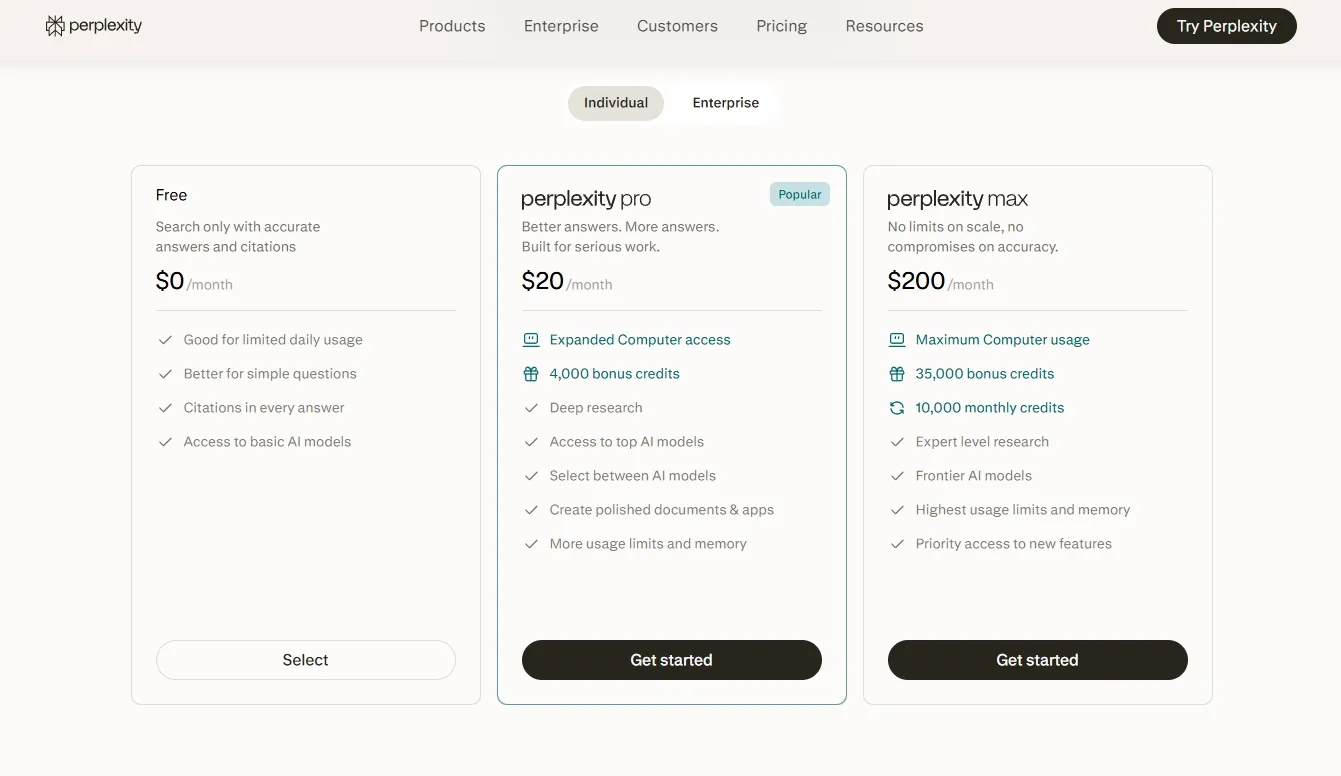
This pricing is roughly on par with ChatGPT Plus and Claude Pro. The difference is what you are paying for: Perplexity Pro focuses on research, citations, source discovery, file analysis, and access to several AI models inside one search-oriented interface.
Based on an official annual price of $200, Pro costs about $0.55 per day. If it saves one or two hours of manual research each month, the subscription can already pay for itself for many researchers, marketers, journalists, consultants, and students.
If you use Perplexity fewer than three times per day and rarely need Research mode, the free plan offers better value. If you regularly compare sources, upload documents, conduct competitor research, or hit the Pro Search limit, the paid plan becomes much easier to justify.
But if you feel the official subscription price is too high yet still want access to advanced research and model selection, there is another option: purchasing a lower-cost Perplexity Pro subscription on GamsGo.
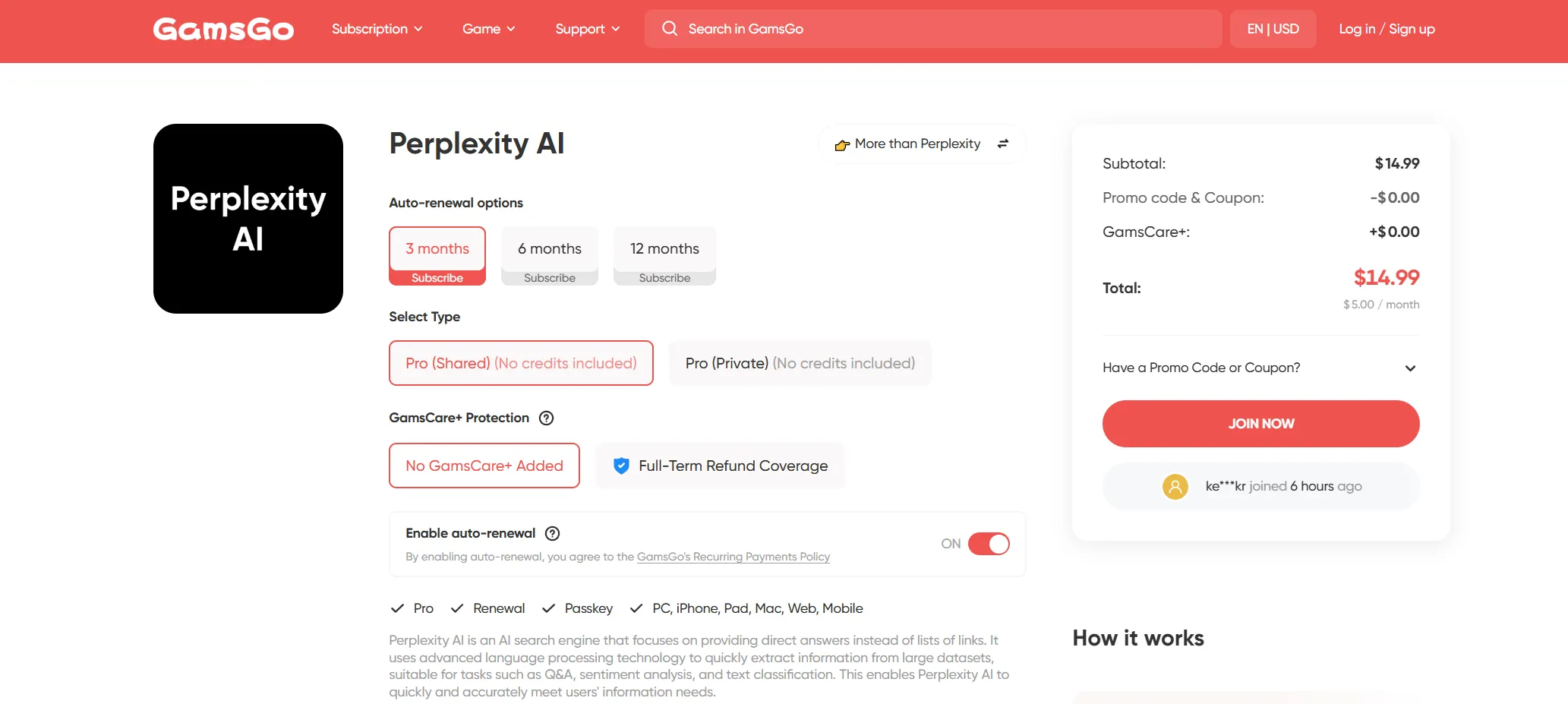
Compared with the official monthly subscription, GamsGo offers different Perplexity options and subscription periods. The exact discount depends on the duration, warranty, access type, and current availability.
Through GamsGo’s dedicated Perplexity product page, you can save up to 70% compared with the official price on selected offers.
GamsGo also provides 24/7 online customer support. Before purchasing, users should still check the exact duration, access method, warranty period, renewal method, and whether the listing is for a shared account or full access.
If you would like to compare other legitimate ways to reduce the cost, you can also read How to Get Perplexity Pro for Free, which explains current trials, promotions, student options, and lower-cost alternatives.
Final Verdict: Is Perplexity Pro Worth It?
After comparing the plan limits, research workflows, external accuracy studies, and real user feedback, my conclusion is clear: Perplexity Pro is worth it for people who conduct research frequently and is especially one of the best AI tools for students.
The free version already provides the most important Perplexity experience: fast web answers with visible citations. If you only need occasional fact-checking, quick explanations, or a few sourced answers each day, Free is enough.
Pro becomes worth paying for when the free plan starts interrupting real work. The extended Pro Searches, more Research queries, advanced model selector, broader citation coverage, higher file limits, and Create tools make a noticeable difference for research-heavy workflows.
However, upgrading does not guarantee that every answer will be more accurate. Perplexity should still be treated as a research assistant rather than a final authority. Important statistics, quotations, legal claims, medical information, and financial data should always be checked against the original sources.
For researchers, students, marketers, journalists, consultants, and analysts, the official $20 monthly plan can deliver strong value. If the official price is the main reason you are hesitating, GamsGo offers a more affordable way to access Perplexity subscriptions.
👉 Visit GamsGo to compare current Perplexity Pro and Max listings, check the access type and warranty, and choose the option that best fits your research needs and budget.
We’ve prepared an exclusive promo code for all blog readers:
Enjoy an additional 3% off on your next purchase!
FAQ
What Is the Difference Between Perplexity Free and Perplexity Pro?
Perplexity Free provides practically unlimited basic searches, three Pro Searches per day, one Research query per month, and limited file uploads. Perplexity Pro adds extended Pro Search and Research access, manual advanced model selection, more citations, higher file limits, image generation, limited video generation, Create files and apps, and priority support.
Is Perplexity Pro Actually Worth It?
Perplexity Pro is worth it for users who conduct frequent research, compare multiple sources, analyze documents, or repeatedly hit the free Pro Search limit. Casual users who only need a few sourced answers per day should stay with the free plan.
Is Perplexity Pro More Accurate Than the Free Version?
Not automatically. Pro can search more deeply, use advanced models, and provide more citations, which improves coverage and makes answers easier to verify. However, both versions can misunderstand sources or provide incorrect citations, so important claims still need manual verification.
Is Perplexity Pro Better Than ChatGPT Plus?
Perplexity Pro is generally better for live web research, source discovery, citation-backed summaries, and comparing current information. ChatGPT Plus is usually more versatile for writing, brainstorming, coding, data analysis, and long conversational workflows. The better subscription depends on whether research or general AI assistance is your priority.
Does Perplexity Pro Include Unlimited Searches?
No. Basic searches are practically unlimited, but Pro Search, Research, file uploads, Create files and apps, and advanced model use remain subject to dynamic weekly or monthly limits. Perplexity may adjust these allowances based on usage and system capacity.
Does Perplexity Pro Include API Access?
No complimentary API credits are included with Perplexity Pro. The Perplexity API Platform is billed separately using purchased credits or pay-as-you-go pricing.
Which Perplexity Plan Is Best for Students?
Verified students and educators should check Education Pro before purchasing the standard plan. It costs $10 per month with SheerID verification and includes Pro features, Learn Mode, premium models, file and image uploads, and education-focused tools.
You Might Also Like:
How to Get Notion AI for Free in 2026? (7 Proven Ways)
How to Use Magnific(Freepik) for Free in 2026 (3 Legit Ways)