Notion AI is no longer just a small writing assistant. It can work directly inside your Notion workspace to handle notes, documents, databases, meeting notes, and team knowledge bases. It can even help you complete more complex workflows through features like Notion Agent.
Today, Notion has more than 100 million users worldwide and is used by 62% of Fortune 100 companies and 98% of Forbes Cloud 100 companies.
But if you want to use Notion AI fully, each person needs to buy a plan that costs $20 per month. This is not a small expense. The good news is that in 2026, there are still some legal ways to use Notion AI for free or at a lower cost, such as the Free Plan trial, the 30-day Business Trial, and more.
I have clearly organized these 7 methods one by one, including the application requirements, free period, limits, and steps. If you do not want to wait for approval or check your eligibility, you can also directly view the GamsGo Notion subscription and upgrade Notion at a lower price. It saves money and makes things easier.
Quick Guide: The 7 Methods Covered
- 1. Notion AI Free Plan
- 2. 30-Day Notion Business Plan Trial
- 3. Notion for Startups
- 4. Notion for Creators
- 5. Notion for Education
- 6. Claim Notion AI Responses Through GitHub Student Developer Pack
- 7. Buy a Cheap Notion Subscription on GamsGo
What Is Notion AI?
Notion is a workspace for managing notes, documents, projects, databases, and team knowledge bases. Notion AI is the AI assistant built into Notion. In simple terms, Notion stores your content, while Notion AI helps you understand, organize, and create content.
Currently, Notion AI includes the following available AI models:
- Claude series: Sonnet, Opus, and more
- GPT series: GPT-5.2, GPT-5.4, GPT-5.5, and more
- Gemini series: Gemini Pro, Gemini Flash, and more
- Grok series: Grok 4.3, Grok Build, and more
- Open models: Kimi, DeepSeek, GLM, and more
However, the models you can actually see may vary depending on your plan, region, testing access, and Notion’s current page updates. The actual options shown in your account should be the final reference. The list of models in Notion AI also changes as new models are released, so some models may be added, replaced, or removed in the future.
Notion AI can mainly do the following:
Can You Use Notion AI for Free in 2026?
Yes, but you need to know that Notion AI in 2026 is not a tool you can use for free forever without limits.
Notion AI is now deeply connected with your workspace, databases, meeting notes, connected tools, and team knowledge base. It does not just generate a piece of text. It works with the content inside your workspace.
These AI features come with ongoing costs for model usage, storage, permissions, and security, so Notion is unlikely to offer a full free version for the long term.
I carefully checked the official terms. In 2026, there are mainly three ways to use Notion AI for free:
- Limited free AI responses that all users can try. After signing up, you can test features such as generation, summarization, translation, and rewriting, but the number of responses is limited.
- Business Plan trials, such as the 30-day Business Trial. This is suitable if you want to fully test features like Notion Agent, AI Meeting Notes, and Research Mode.
- Special identity programs, such as Notion for Startups, Notion for Creators, and Notion for Education. Startups and some creators may have a chance to get Business, while students and teachers mainly get Plus for free.
Besides the methods to use Notion AI for free, we have also organized ways to try ChatGPT Plus for free, how to get Claude Pro for free, and how to get Gemini 3 Pro for free. If you want to learn more, you can browse more articles on the GamsGo blog.
What Is the Difference Between Notion AI Free and the Business Plan?
Before looking for free methods, it is better to understand the differences between Notion’s plans first. Currently, Notion mainly offers two plans: Free and Business.
| Notion AI Feature | Free Plan | Business Plan |
|---|---|---|
| Price | $0/month | $20/member/month |
| AI writing, rewriting, and summarizing | Limited trial | Unlimited |
| AI document generation | Limited trial | Unlimited |
| AI database autofill | Limited trial | Unlimited |
| Notion Agent | Limited trial | Unlimited |
| AI Meeting Notes | Limited trial | Unlimited |
| Research Mode | Limited trial | Unlimited |
| Enterprise Search | Not included / very limited | Included as Beta |
| Search across connected apps | Not included / very limited | Included through Enterprise Search and AI Connectors |
| AI Connectors | Limited or unavailable | Supports Slack, Google Drive, GitHub, Microsoft Teams, Jira, Salesforce, and more |
| Custom Agents | Not available; Notion credits are only available on Business and Enterprise plans | Available with extra Notion credits: $10 / 1,000 monthly credits |
| Model switching | Limited by trial access and account availability | Available, depending on workspace, feature, and model availability |
| AI usage limit | Limited complimentary AI responses | Ongoing AI access included |
During previous use, the AI allowance for the free plan was exhausted after about 20 responses, requiring the purchase of the Business Plan.
In short, the Free Plan is mainly for testing Notion AI with limited complimentary AI responses. The Business Plan includes ongoing access to core Notion AI features, but Notion does not publish a fixed monthly usage number. Custom Agents are separate and require extra Notion credits.
Ways to Get Notion AI for Free
1. Notion AI Free Plan
This is the simplest method with the lowest entry barrier. As long as you sign up for a Notion account, you can try Notion AI directly.
You can think of it as a basic trial quota for Notion AI. Every time you ask AI to create content, edit content, use AI blocks, add an autofill property, ask a question and receive a reply, it will use one AI response. If you click regenerate, it will also use one extra response.
From my actual experience, the free quota is more suitable for testing features. It is not very suitable for long-term use.
For example, if you keep asking it to summarize a note, extract action items, and translate content, you will use up quite a lot of responses very quickly. If you need to organize documents every day, the quota will run out soon, and you will still need to upgrade to the Business plan.
Note: Notion does not publicly state a fixed number of free responses, and it does not clearly promise how many times they refresh each month. After you use up your complimentary AI responses, you need to upgrade to Business or Enterprise to continue using AI. You can decide whether to upgrade based on your needs.
The steps are as follows:
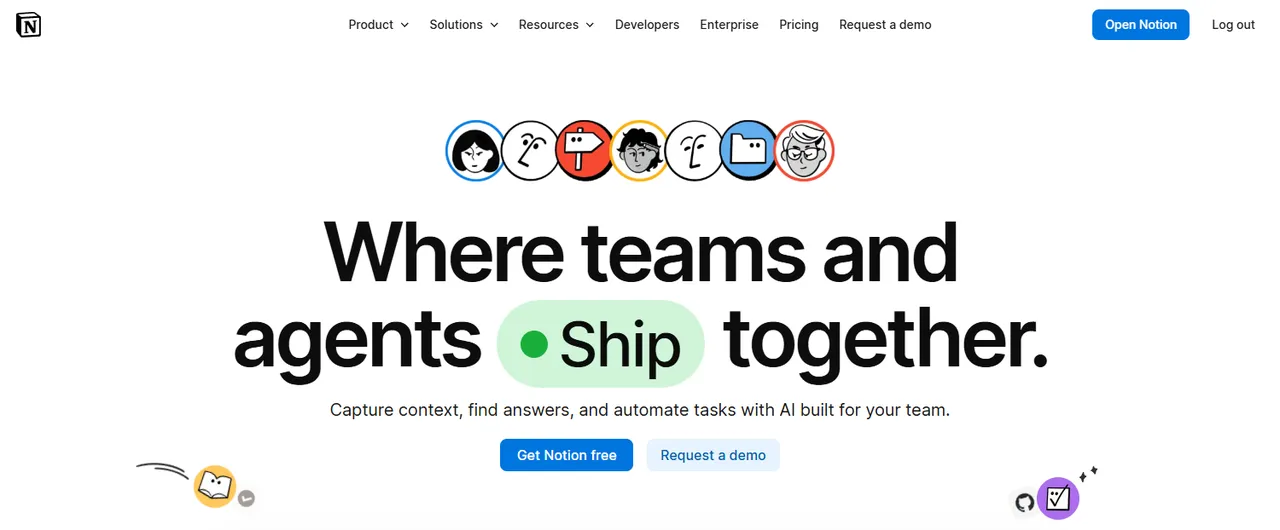
- Open the Notion official website and click "Get Notion free" to sign up for an account. If you already have an account, you can log in directly.
- Enter your Notion workspace.
- Click the bottom-left corner to add a new conversation and start trying Notion AI.
When you try it for the first time, do not ask it to generate long articles again and again right away. You can first test it with a real note. For example, ask it to summarize the key points first, then extract action items, and finally translate it into English. After three or four tries, you can basically tell whether it fits your workflow.
2. 30-Day Notion Business Plan Trial
If you want to experience Notion AI fully, this method is very suitable for you. It lets you enjoy the full Business Plan for free for 30 days.
During the trial, you can access all Business Plan features, including Notion AI, AI Meeting Notes, Research Mode, Notion AI connectors, Private teamspaces, SAML SSO, and integrations.
However, the 30-day Business Trial cannot be activated directly by every account. Notion officially requires the applying team to use a professional domain, which means an email domain owned by a company, brand, organization, or startup team.
Email addresses like name@company.com or hello@brand.co are more likely to meet the requirements. Personal email domains such as gmail.com, outlook.com, and qq.com, as well as school email domains, generally do not qualify for the Business Trial.
So, if you previously signed up for Notion with a personal email address, you may not see the Business Trial entry point. If you want to try this method, you need to create a new Notion workspace with a company email address or a team domain email address.
Teams that are already on the Business or Enterprise Plan also cannot activate this trial again.
In addition, you need to use the Notion web version or desktop app to start the trial. This usually cannot be done in the mobile app.
The steps are as follows:
- Prepare a company email address or a professional domain email address, such as name@company.com. Do not use Gmail, Outlook, or a school email address.
- Open the Notion official website, click Get Notion free, and create a new workspace with this email address.
- After entering the workspace, click Settings in the left sidebar.
- Go to Explore plans or Upgrade plan.
- Find the Business Plan. If your account is eligible, you will see a button such as Start trial, Try Business, or something similar.
- Click to start the 30-day Business Trial.
If you enter payment information when starting the trial, the Business Plan will renew automatically after 30 days. If you do not enter payment information, you will be asked to confirm whether you want to upgrade when the trial ends.
If you do not want to renew, go to Settings → Explore plans from the official website sidebar before the trial ends and cancel the trial.
3. Notion for Startups
Notion for Startups is Notion’s official program for startups. Through this program, eligible teams can get 1 to 6 months of the Notion Business Plan for free, and it includes Notion AI.
However, “startup” here does not simply mean any small company. Notion is more likely to support startup teams that are building scalable, tech-related products or services. Usually, you need to meet these basic requirements:
- Your team has fewer than 100 people.
- You are a new, unpaid Notion user.
- You have a public company website.
- You have a company domain email address, such as name@company.com.
- You have a valid Notion workspace.
- Your website clearly explains what product you are building, who you serve, and whether the team is real.
If your website is only a blank page, a parked page, or does not include complete business information, it will be difficult to prove your startup identity during the review.
From what I understand, the free period also varies depending on your status. Startups connected with Notion partners may get up to 6 months of the Business Plan. Startups that are not connected with partners but still meet the requirements may get 3 months.
If you are an SMB, a service-based business, a small team with fewer than 10 people, or your application materials are not complete enough, you may only get 1 month even if your application is approved.
In simple terms, the 3-month and 6-month offers are mainly for startups that are building scalable, tech-related products or services. They are not for all personal projects, consulting services, agencies, or traditional service-based businesses.
So, before applying, it is better to prepare three things first: a company website, a company domain email address, and a Notion workspace. Try to use a company email address like name@company.com, not a personal email such as Gmail or Outlook.
Your website should not be too empty either. At the very least, it should help Notion see that this is a real team and a real project.
The specific application path is as follows:
- Open the official Notion for Startups page.
- Click Get Started Free or the application entry point on the page.
Get the partner code.
If you are part of the Notion partner ecosystem, for example, if you are using AWS Activate, Stripe Atlas, HubSpot for Startups, or your company comes from a VC, accelerator, startup community, or technology platform, first check the corresponding platform dashboard to see whether there is a Notion offer. If there is one, go to the partner dashboard to find the Notion offer, or contact the partner to get a code, and then enter it in the application form.
- After entering the application form, fill in your company name, company website, company email, team size, and Notion workspace information.
- If you have a partner code, enter it in the correct field. If you do not have a code, apply as a non-partner startup.
- Before submitting, check whether your company name, email domain, website, and workspace information are consistent.
- Submit the application and wait for the review. Usually, you need to wait 3–5 business days.
- After your application is approved, Notion will confirm it by email. The Business Plan will be applied directly to your workspace, and the upgrade will take effect immediately.
- Go back to Notion, open Notion AI from the left sidebar, and start testing Business features such as Notion Agent, AI Meeting Notes, and Research Mode.
One thing to remember: do not make your explanation too empty when applying. Do not just write, “I want to use Notion AI for free.”
A better way is to tell Notion that your team will use Notion to manage tools such as product roadmaps, user feedback, and meeting notes, and explain how Notion AI will help your team reduce repetitive work.
This program is originally designed to help real startups improve collaboration efficiency. The closer your application is to a real use case, the higher your chance of approval.
Another point should also be made clear in advance: the Notion Startup offer can only be used once, and you cannot stack multiple partner offers. Paid users also cannot request a refund for previous bills. Notion also clearly states that this offer only applies to new, unpaid Notion customers.
4. Notion for Creators
If you are a creator, you can also take a look at Notion for Creators. Eligible creators can get 6 or 12 months of the Notion Plus or Business Plan for free.
To apply for this program, you also need to meet the following conditions:
10K+ Followers
You need to have more than 10K followers across all active platforms.
5K Average Views
Your average views need to reach 5K.
Non-paying Notion User
You must currently be a non-paying Notion user.
Team Under 10
Your team must have fewer than 10 people.
In other words, this program is not something you can apply for just because you have a social media account. Notion will look at your audience size, content activity, and whether you meet the conditions of being a non-paying user and a small team.
This method is more suitable for YouTubers, TikTok creators, bloggers, newsletter writers, course creators, and LinkedIn content creators.
It is especially suitable for people who already use Notion to manage topics, scripts, material libraries, publishing calendars, and brand partnerships, because they can explain their use case more clearly.
The application path is as follows:
- First, organize the links to your creator accounts, such as YouTube, TikTok, Instagram, X, LinkedIn, newsletter, or personal blog. Prepare materials that can prove your data, including your total follower count and average views.
- Open the official Notion for Creators page.
- Click Apply now.
- After entering the application page, fill in your creator information, including your content platforms, account links, total follower count, average views, team size, and Notion workspace information.
- Before submitting, make sure you are using the workspace that you want to receive the offer for. After your application is approved, the Plus or Business Plan will be added to the workspace you used during the application.
- Submit the application and wait for Notion’s email.
- After approval, carefully check whether the email gives you Plus or Business.
- If it is Business, you can use the full Notion AI features after entering your workspace. If it is Plus, treat it as a free Notion Plus plan and continue using the limited AI responses.
After you submit the form, Notion officially says that it usually takes 3 to 5 business days to receive an update.
If your application is approved, Notion will tell you by email what specific offer you received and how to use it next. After approval, the Plus Plan or Business Plan will be added directly to the workspace you used during the application, and you can use it immediately.
5. Notion for Education
Students and teachers can apply for Notion for Education, but this part needs to be made clear: what it offers for free is the Notion Plus Plan, not the full Notion AI Business Plan.
Notion for Education is mainly for college students, graduate students, and higher education teachers. As long as your school is a higher education institution recognized by Notion and you have a valid school email address, you can apply for the free Notion Plus Plan.
After you graduate or leave your school, as long as your Notion account is still connected to your education email address, you can continue using this free Plus Plan.
Note:
- Notion mainly verifies your identity through your school email address. It currently does not accept student IDs, admission letters, or other documents as alternative proof.
- This free Education Plan is usually not available to students and teachers in elementary school, middle school, or high school.
The application steps are very direct:
- Log in to Notion with your school email address. If your current account uses a personal email address, change it to your school email first.
- Make sure your workspace is currently on the Free Plan.
- Open Notion through the official web version or desktop app. Do not use the mobile app for this step.
- Click Settings in the left sidebar.
- Go to Upgrade plan.
- Click Get free education plan.
- If your school is recognized by Notion’s system, your workspace will be upgraded automatically.
If you clearly meet the requirements but do not see Get free education plan on the page, you can contact Notion support and ask them to add your school email domain to the allowlist. The condition is that your school must be a higher education institution recognized by Notion.
After your application is approved, you can get Notion Plus for free and use the limited Notion AI trial. If you only need it for class notes, research databases, course tasks, and student club collaboration, Education Plus is already enough. But if you want to fully test Notion Agent, AI Meeting Notes, or Research Mode, you still need to look at the Business Trial, Startup offer, or Creator Business offer.
6. Claim Notion AI Responses Through GitHub Student Developer Pack
Besides applying directly for Notion for Education, students can also check the Notion benefit in the GitHub Student Developer Pack. This is not exactly the same as the regular Notion Education plan.
The official GitHub Student Developer Pack page clearly lists a Notion offer: it includes the benefits of the Notion Education plan and also provides additional AI responses. In other words, it gives students some extra Notion AI response credits on top of the Notion Education Plan.
This benefit is not the Notion Business Plan, and it is not unlimited Notion AI. It is more like an AI trial supplement inside the GitHub Student Developer Pack. You can get the benefits of the Notion Education Plan, plus some additional AI responses, but it is still not the full Notion Business Plan.
Before claiming this benefit, you need to pass GitHub Education student verification first. GitHub officially requires applicants to be currently enrolled in a program that grants a degree or diploma, such as a high school, university, college, homeschool, or similar program.
You also need to have a personal GitHub account, be at least 13 years old, and provide materials that prove your current student status. Accepted materials include a photo of your student ID with current enrollment dates, a course schedule, a transcript, or an enrollment or registration letter.
The steps are as follows:
- Open the GitHub Student Developer Pack page.
- Click Sign up for Student Developer Pack.
- Complete student verification according to GitHub Education’s requirements.
- After verification is approved, go back to the offers page in GitHub Student Developer Pack.
- Find Notion among all the offers.
- Click the Notion offer and enter Notion’s partner redemption page.
- On the Notion page, click Get verified with GitHub or a similar authorization button.
- Authorize GitHub to connect with your Notion account.
- After the connection is completed, Notion will apply the corresponding education benefits and extra AI responses to your account or workspace.
7. Buy a Cheap Notion Subscription on GamsGo
If the free methods above are not suitable for you, GamsGo is a very good option.
For example, you may not be a student, you may not have a startup identity, you may not meet the application requirements for the Creator Program, or others. With GamsGo, you can get Notion Plus and Business benefits at a lower price.
The reason I think this method is worth including in the article is that it solves a real pain point for many people. Not everyone is eligible for Notion for Startups. Not everyone can pass the Creator Program application. Student benefits are also only Plus, not full AI.
If you just want to upgrade Notion from the free version to a more useful version, GamsGo is actually the easiest choice. The official Notion Plus subscription costs $10 per month, while buying a Notion subscription on GamsGo starts from $3.25/month, saving you 60%–70%.
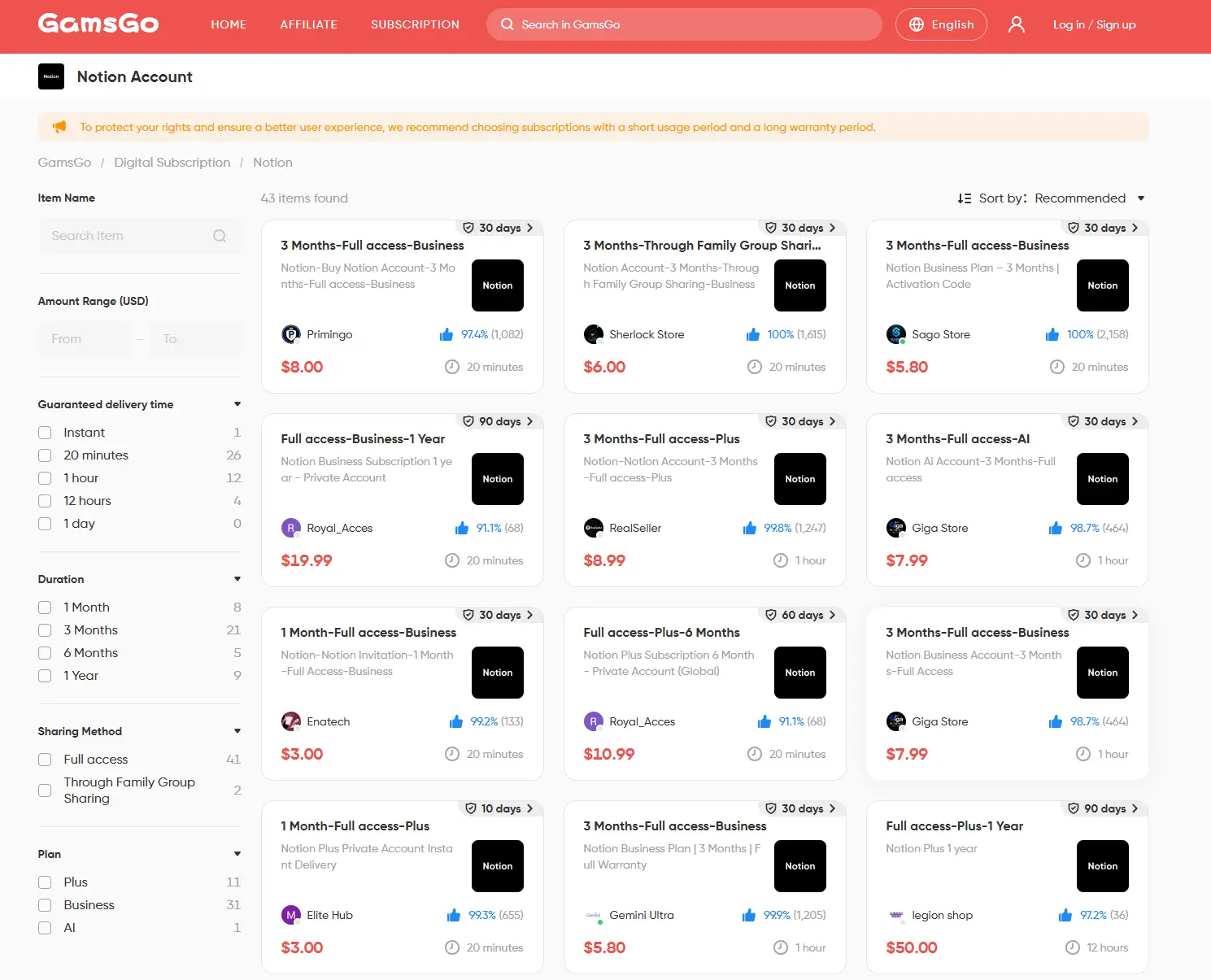
The steps are also very simple:
- Open the GamsGo Notion account page.
- In the purchase area, check the two current Notion plans and choose the one that fits your needs based on the price, duration, and description.
- Select the plan and complete the payment.
- After placing the order, go to the order page to check the account information and usage instructions.
- Follow the instructions to log in to the official Notion platform and check whether the Notion Plus benefits are available.
Which Free Notion AI Method Is Right for You?
After reading all these methods to get Notion AI for free, you may feel a little confused. To help you compare them more easily, I have organized these methods into a comparison table. It clearly shows the differences between each method and can help you quickly decide which method is best for you.
| Method | Difficulty | Duration | Benefits You Can Get | Best For |
|---|---|---|---|---|
| Notion AI Free Plan | Low | Not fixed, until the quota is used up | Limited free AI responses | Users who want to try Notion AI first and see whether it works well |
| 30-Day Notion Business Plan Trial | Low to medium | 30 days | Full Business Plan + full Notion AI | Users who want to fully test all Notion AI features |
| Notion for Startups | Medium to high | 1–6 months | Business Plan + full Notion AI | Startups with a website, company email, and a real startup project |
| Notion for Creators | Medium | 6 or 12 months | Plus or Business, depending on the review result | Creators with a stable content platform and follower base |
| Notion for Education | Low | Can be used as long as your education status remains valid | Education Plus + limited AI trial | College students, graduate students, and higher education teachers |
| GitHub Student Developer Pack | Medium | Specific duration not publicly stated | Education Plan + additional AI responses | Students who have completed GitHub student verification |
| Buy a Cheap Notion Subscription on GamsGo | Low | Continues based on the purchased plan | Low-cost Notion subscription plan | Users who do not qualify for free methods, or want to use Notion for the long term |
Overall, every free entry point for Notion AI has its own eligibility rules and time limits. The best choice depends on your identity, how long you want to use it, and whether you need full Business features.
If you do not want to wait for approval, or you do not qualify for official free offers, the GamsGo Notion Subscription is more practical. It is not a free method, but it has a lower price and a simple process. It is more suitable for long-term daily use.
Conclusion
In 2026, Notion AI can still be tried for free, but most methods come with conditions. These free methods are more suitable for short-term testing, and they are not ideal for people who need stable long-term use.
If you just want to upgrade Notion at a lower cost and reduce the limits of the free version, the GamsGo Notion subscription will be a more convenient choice.
If you also need stronger AI writing, file analysis, or coding assistance, you can also buy a ChatGPT Plus account and a Gemini Pro account on GamsGo. Notion can handle workspace organization, while other AI tools can handle content generation and deeper processing. This combination can make your workflow more efficient.
In short, if you want to try it first, start with the free methods. If you want to use Notion at a low price for the long term, you can directly check the GamsGo Notion subscription.
Want to keep using Notion after the free AI trial? Use this exclusive promo code for blog readers:
Enjoy an additional 3% off on your next Notion purchase!
A simple way to upgrade Notion for less when Free Plan limits are not enough.
FAQ
Does Notion AI have a free trial?
Yes. Notion officially provides free AI responses, and all users can try Notion AI for free. After you use up the free responses, you need to upgrade to Business or Enterprise to continue using all AI features.
Will I be charged automatically after the Notion AI free trial ends?
If you are using the 30-day Notion Business Plan Trial and you entered payment information when starting the trial, the Business Plan will renew automatically after the trial ends. If you did not enter payment information, you will be asked to confirm whether you want to upgrade when the trial ends.
Is Notion AI free for students?
Students can get the Plus Plan for free through Notion for Education, but this is not the full Notion AI. The Plus Plan still only includes a Notion AI trial. If students want full access to Notion AI, they need to use the Business Trial, Startup offer, Creator Business offer, or a Business/Enterprise workspace provided by their organization.
You Might Also Like:
How to Get Apple One Free in 2026 (8 Legit Methods That Still Work)
10 Best Websites to Watch Football Live for Free in 2026 (WC & UCL)
6 Ways to Get Cheap Spotify Premium in 2026