Grok Bot launched on August 11, 2026 as xAI's always-on AI teammate: agents with their own cloud computers that take a task, work through it in the background, and plug into tools like GitHub, Google Workspace, and your helpdesk. It is one of the most talked-about agent launches of the year, and it competes directly with Claude, ChatGPT, and Gemini's own agent products.
It is also confusing to buy. There is no standalone Grok Bot subscription. Access comes bundled inside nine different plans across two ecosystems, Cursor and xAI, and the entry price moved three times in 15 days, from $200 at launch to $60 and then to $20. Plenty of guides still tell you Grok Bot starts at $200/month. It does not.
Below are 9 verified ways to pay less for Grok Bot in 2026, checked against Cursor's and xAI's current docs, including the $20 entry route and the linking trick that stops you from paying twice. Or skip the plan maze entirely: GamsGo sells SuperGrok accounts with Grok Bot and the Cursor Pro Plan starting at just $5.99 per month.
Quick Guide: 9 Methods Covered
- GamsGo Marketplace
- The $20 Cursor Pro Entry Route
- Annual Billing Discount
- Grok Bot Free Trial
- Link a Subscription You Already Have
- X Premium+ Linking
- Price Drops and Launch Windows
- Student Access
- Control On-Demand Usage
Grok Bot Pricing Overview
Grok Bot's pricing works differently from almost every other AI product. You cannot buy Grok Bot on its own. Instead, it rides along inside plans sold by two separate companies: Cursor, the AI code editor, and xAI, through SuperGrok and X Premium+. Knowing which ecosystem you already pay for comes before any hunt for discounts.
Plans That Include Grok Bot
Most AI agents have a simple ladder: a trial, a paid plan, then enterprise. Grok Bot has nine consumer and team plans across two ecosystems, and the overlap creates real confusion.
The Cursor plans are coding subscriptions that now include Grok Bot as part of the package. The xAI plans, SuperGrok and its higher tiers, are Grok AI subscriptions with Grok Bot added. X Premium+ sits alongside them and unlocks Grok Bot by linking your account.
The key point is that Grok Bot comes with its own usage pool, separate from your Cursor or Grok chat usage. What you hand off to a Bot does not eat into your coding or chat limits, and the size of that Bot pool rises with the plan you pay for.
| Plan | Monthly Price | Annual Price | Track | Grok Bot Usage | Key Features | Best For |
|---|---|---|---|---|---|---|
| Cursor Pro | $20/mo | ~$16/mo billed yearly | Cursor | Weekly, entry tier | Full Cursor editor plus a weekly Grok Bot pool | Cheapest way in |
| SuperGrok | $30/mo | $300/yr (~$25/mo) | xAI | Weekly, entry tier | Grok chat, DeepSearch, Imagine, plus a separate Bot pool | Grok chat users |
| Cursor Teams | $40/seat | ~$32/seat/mo | Cursor | Follows Teams allowance | Central billing, admin controls, shared team usage | Small teams |
| X Premium+ | $40/mo | ~$395/yr | X / xAI | Via account linking | Grok access plus ad-free X and creator tools | Existing X power users |
| Cursor Pro+ | $60/mo | ~$48/mo billed yearly | Cursor | Generous weekly | More Bot and coding headroom than Pro | Daily Bot users |
| SuperGrok Plus | $100/mo | N/A | xAI | Higher weekly | Mid-tier Grok limits plus a larger Bot pool | Heavy Grok chat users |
| Cursor Teams Premium | ~$120/seat | Contact sales | Cursor | Premium team allowance | SSO, central billing, larger included usage | Teams running Bots daily |
| Cursor Ultra | $200/mo | ~$160/mo billed yearly | Cursor | Highest weekly | Top Bot limits, cloud computer, mobile access | Always-on agent workloads |
| SuperGrok Heavy | $300/mo | N/A | xAI | Top xAI tier | Grok Heavy multi-agent mode, max Grok rate limits | Researchers, power users |
Two plans are missing on purpose. SuperGrok Lite ($10/month) and X Premium ($8/month) are not on the list of plans that include Grok Bot, so neither is a shortcut in. Enterprise customers get access through their Cursor account team, with pricing negotiated separately.
One thing to watch across every tier: neither Cursor nor xAI publishes the size of each weekly Bot allowance. You know that Pro+ gets more than Pro and Ultra gets the most, but not by how much. Treat the monthly price as the entry fee, not a guarantee of how much Bot work you can run.
Grok Bot On-Demand Usage and Hidden Costs
When your weekly allowance runs out, Grok Bot does not stop. If on-demand usage is switched on, it keeps working and bills you per token. Here is what that meter looks like:
Read this before you budget anything. There is currently no Grok Bot-specific spend cap. On Cursor, overage is billed through your normal on-demand monthly limit, which means a Bot left running on a big task can spend the same budget your editor was using. One early tester reported burning through more tokens in a month of always-on agents than in the previous five years combined.
Token prices are not the whole bill either. If your Bot works inside GitHub, Google Workspace, or a helpdesk, those tools may charge for the seat it occupies. A team that plans only for the $20 or $40 plan price will underestimate its real cost.
Now let's look at every way to bring these costs down.
How to Get Grok Bot for Less
Buy Grok Bot-Ready Account from $5.99/Month on GamsGo
GamsGo marketplace is a digital trading platform connecting retailers, wholesalers, and distributors across 130 countries. As of June 2026, more than 10 million users in over 150 countries had saved nearly $300 million through GamsGo.
Since SuperGrok includes Grok Bot, a SuperGrok account from GamsGo gets you the Bot, Grok chat, DeepSearch, and Grok Imagine in one plan. There are two ways to buy, and for Grok Bot the choice matters more than usual:
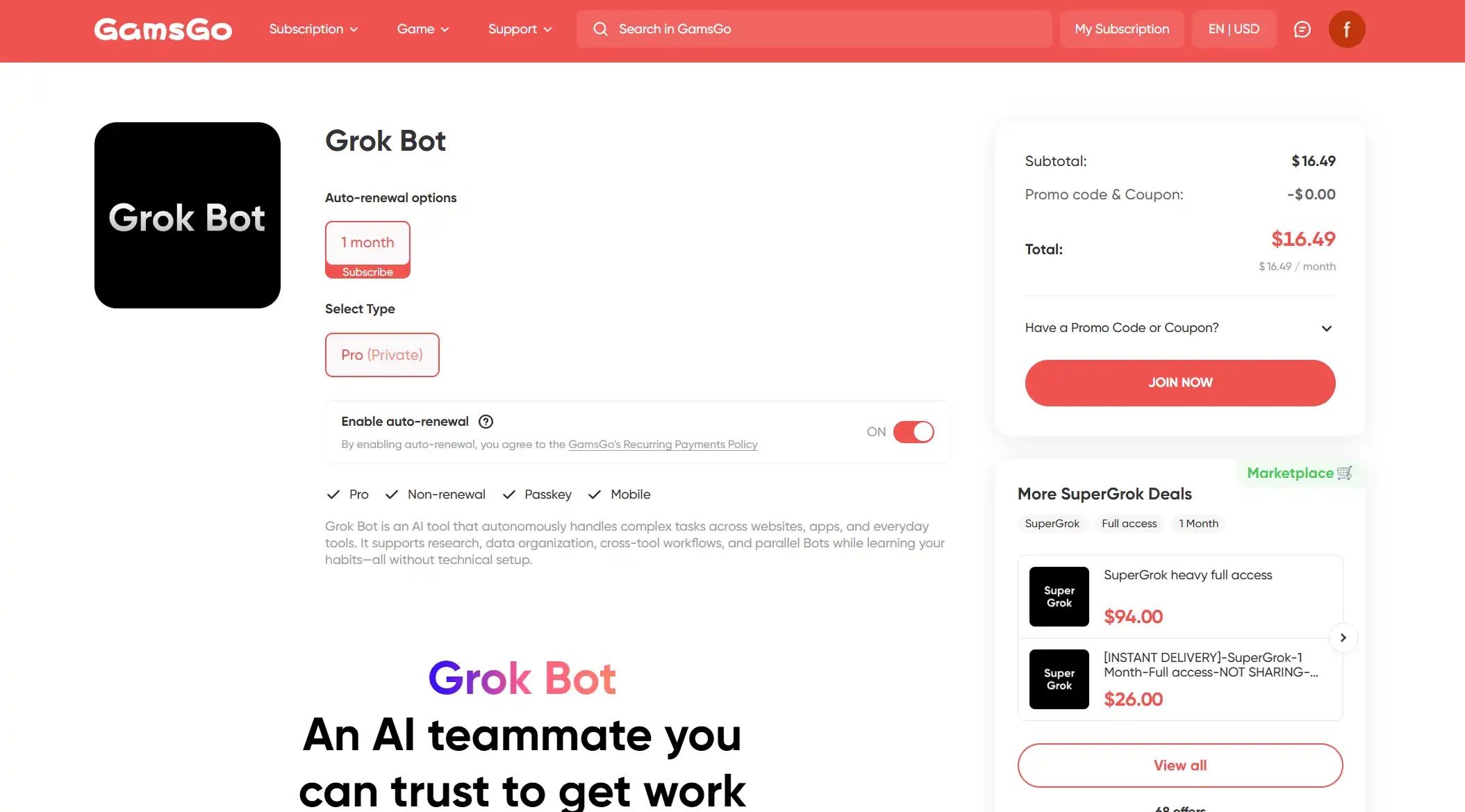
Private plans from $16.49/month (recommended for Grok Bot). The Grok Bot account is yours alone, at around 45% below the official $30. Your weekly Bot allowance, your chat history, and the tools you connect stay private to you.
- Shared plans from $5.99/month. Good for Grok chat and light research. For Grok Bot, the weekly allowance is split between members, and you should not connect a shared account to your personal GitHub, email, or work tools.
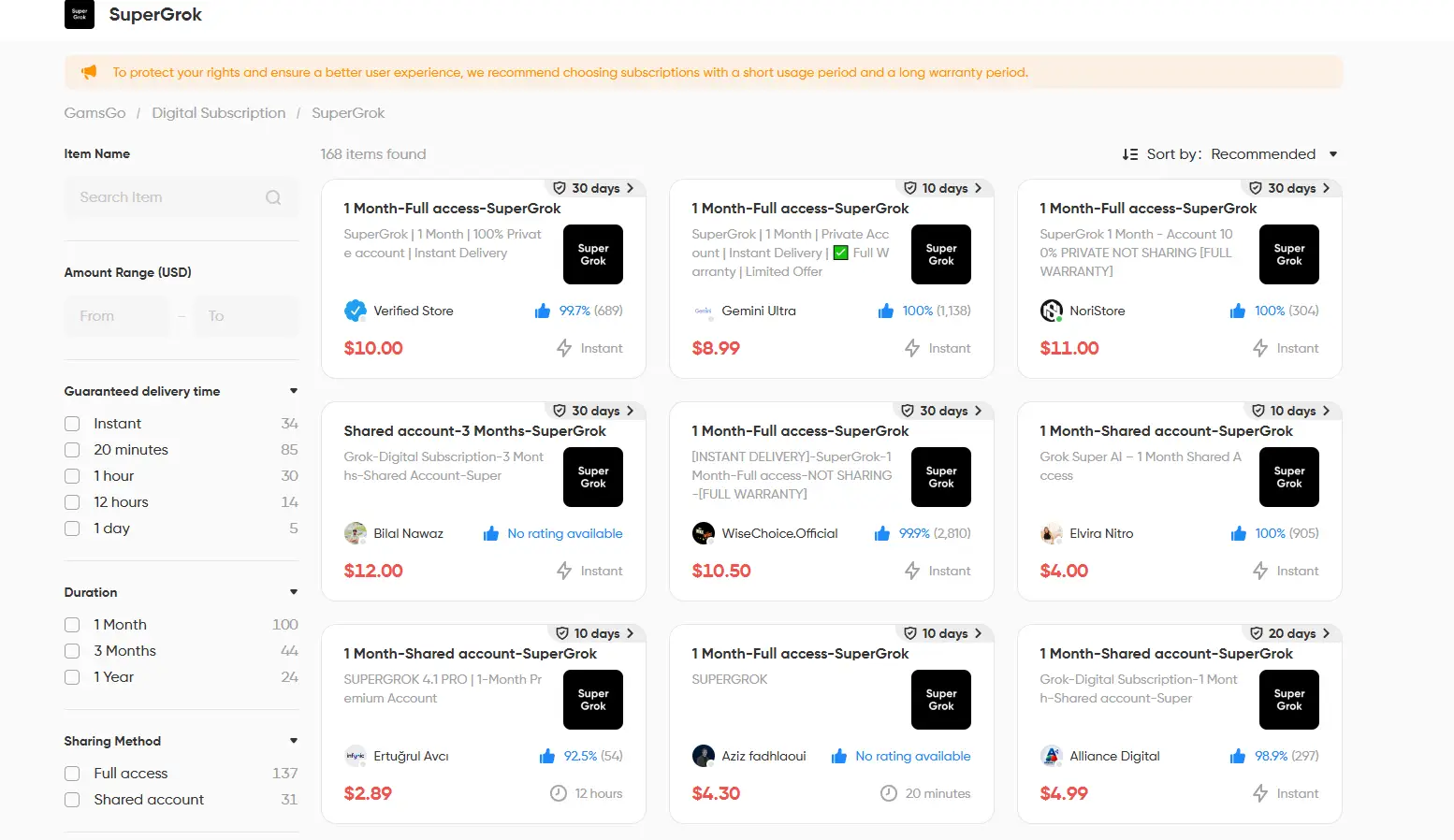
Getting started takes minutes:
- Visit the GamsGo website and create an account
- Search for "Grok" and choose a dedicated plan if you plan to use Grok Bot
- Pay via Visa, Mastercard, or PayPal
- Receive your access details and start handing tasks to Grok Bot immediately
On trust and security: GamsGo holds PCI DSS v4.0 compliance, uses bank-grade SSL encryption, and adheres to GDPR data protection standards. Dedicated after-sales support handles any delivery or access issues.
Compared with the official routes, which depend on what you already pay for, annual commitments, or one-time trials, GamsGo's advantage is simplicity. Anyone can use it, from anywhere, at any time, with no annual commitment.
The $20 Cursor Pro Route: The Biggest Price Drop So Far
When Grok Bot launched on August 11, 2026, the only ways in were SuperGrok Heavy at $300/month or Cursor Ultra at $200/month. Ten days later xAI and Cursor added Pro+ and SuperGrok Plus, pulling the floor to $60. On August 26 they opened it up to every paid tier, and the entry price fell to $20/month on Cursor Pro, a 90% drop from launch.
That makes Cursor Pro the cheapest official way to use Grok Bot today, and most guides written in August still list $200 as the minimum. What $20 gets you:
- A weekly Grok Bot allowance that resets every week and is separate from your coding usage
- The full Cursor editor, so developers get their coding tool and Grok Bot in one bill
- On-demand usage if you choose to enable it, for weeks when the allowance runs short
If you do not code, the $10 difference to SuperGrok at $30 is worth weighing. SuperGrok gives you Grok chat, DeepSearch, and Grok Imagine on top of your Bot pool, while Cursor Pro gives you an editor you may never open.
Two practical notes. The entry tier carries the smallest weekly allowance, and early users report it can go fast under heavy workloads. And pricing has changed three times without a public changelog, so confirm the current terms on the checkout page before you commit.
Annual Billing Discount: Save 17% to 20%
Both ecosystems offer annual billing on the plans that include Grok Bot. On Cursor, paying yearly brings Pro to about $16/month, Pro+ to about $48, and Ultra to about $160, roughly 20% off. On xAI, SuperGrok costs $300/year, or about $25/month, and X Premium+ runs about $395/year.
The product itself does not change. You get the same plan, the same weekly Bot allowance, and the same features, just at a lower effective price.
The real risk with Grok Bot is timing. The entry price has dropped from $200 to $20 in a single month, and the size of each allowance is still unpublished. Locking in a year now means betting that neither changes against you. It is better to stay monthly for a few weeks, see how quickly your Bot uses its weekly pool, and switch once you know which tier fits.
SuperGrok Plus ($100/month) and SuperGrok Heavy ($300/month) do not list annual billing. If you need more Bot capacity than the entry plans and want the yearly discount, Cursor Pro+ or Ultra is the route.
For the lowest official price, buy from the web rather than through the App Store or Google Play. That avoids the 15% to 30% in-app purchase markup, and paired with annual billing it gives you the best rate available on the plan you choose.
Grok Bot Free Trial
Alongside the August 21 expansion, xAI and Cursor launched a limited free trial for Grok Bot. It works differently from a normal subscription trial: instead of a set number of days, you get a block of usage credits that your agents draw down as they work.
That changes how you should use it. A trial measured in credits rewards planning, not speed. Pick two or three real tasks from your own workflow, such as triaging a GitHub backlog or drafting a weekly report, and run those. Letting a Bot explore freely is the fastest way to burn the credits before you learn anything.
Three rules to know before you start. The size of the credit block is not published. The trial is one per person, and you cannot claim it again after cancelling. And some signup flows ask for a payment method, so set a reminder in case the plan converts to paid when the credits run out.
Link a Subscription You Already Have: Stop Paying Twice
This might be the most overlooked way to save on the list. A common question in Grok Bot communities is whether you need both a Grok subscription and a Cursor subscription to use it. You do not.
Cursor's own documentation says Grok Bot does not require a separate subscription. If you already pay for SuperGrok, SuperGrok Plus, or SuperGrok Heavy, you can link that account and get Grok Bot usage without buying a Cursor plan. If you already pay for Cursor Pro, Pro+, Ultra, or a Teams seat, Grok Bot is already included.
So before you subscribe to anything new, check what you already pay for:
- You pay for SuperGrok or higher: Link it. Adding Cursor Pro only makes sense if you also want the editor.
- You pay for any paid Cursor plan: You already have Grok Bot. Buying SuperGrok for the Bot alone is a second bill for the same access.
- You pay for both: Each plan includes its own allowance, so you may be getting more Bot capacity than you need. Check whether one plan covers your usage and cancel the other.
This is not a hack or a workaround. It is how Grok Bot is designed to be sold, and it is the fastest way to cut a bill that has quietly doubled.
X Premium+ Linking: Grok Bot Through Your X Account
If you are already an X Premium+ subscriber at $40/month, you can link that subscription to unlock Grok Bot usage without paying for SuperGrok or Cursor on top.
This matters most for creators and X power users who already pay for Premium+ for its social perks, including ad-free X, the verification badge, and creator payouts. For them, Grok Bot comes at no extra cost.
What you should not do is subscribe to Premium+ just for Grok Bot. At $40, it costs double Cursor Pro and $10 more than SuperGrok, and the extra money pays for X features rather than more Bot capacity. And note that the cheaper X Premium at $8/month does not include Grok Bot.
X regularly runs 50% off the first one to two months for new Premium+ subscribers, and holiday deals have dropped the introductory price as low as $10/month. If you want Premium+ anyway, timing your signup around Black Friday or New Year's can make it the cheapest Grok Bot route for a month or two. Check x.com/premium before subscribing.
Price Drops and Launch Windows
Grok Bot's short history already shows a clear pattern: xAI and Cursor keep widening access and lowering prices to drive adoption.
In its first 15 days, the entry price fell from $200 to $60 to $20, and the plan list grew from two tiers to nine. When Grok Bot for Enterprise went live on September 3, 2026, existing enterprise customers received two free weeks to try it before billing started.
The play is simple. If you are not in a hurry, do not overbuy. Start on the cheapest plan that covers your needs, avoid annual prepayment on the higher tiers, and watch @xai and the Cursor changelog for the next move. New tiers, new trials, and new free periods have each arrived with only days of notice.
Student Access: Check Your School First
Here is the current status. There is no Grok Bot student discount, and xAI's 2025 offer of free SuperGrok for .edu emails was time-limited and has not been renewed.
Students still have a route through Cursor. Cursor offers student access through university partnerships and bootcamp programs, so check your institution's software benefits page. If your school provides a paid Cursor plan, confirm whether it is a Pro-level plan, since that is the tier that includes Grok Bot.
If neither applies, the free trial above costs nothing and has no eligibility test. Our Grok student discount guide tracks the xAI side and updates when anything changes.
Control On-Demand Usage: Stop the Meter from Running
For many users, the biggest saving is not a cheaper plan. It is not paying overage. Because there is no Bot-specific spend cap, a few habits keep your bill at the plan price:
- Turn off on-demand usage until you know your weekly pattern. When the allowance runs out, the Bot pauses instead of billing you. You can switch it back on for a deadline week.
Set an account-level on-demand limit in Cursor. It covers your editor and your Bots together, so pick a number you are comfortable losing in a bad week.
Remember that input and output rates double above 200K prompt tokens. A Bot that loads a whole repo or a long document thread into every step costs far more than one pointed at a single folder.
- Scope tasks tightly: Give each Bot one clear job, the specific files or channels it needs, and a clear finish line. Always-on agents with open-ended goals are what drain allowances fastest.
Practical math at current rates: a Bot task that reads 150K tokens and writes 20K costs about $0.42 in on-demand usage. Run that 30 times in a week after your allowance is gone and you have added about $12.60 to your bill, more than half the price of Cursor Pro.
Cursor vs SuperGrok: Which Gives You More Grok Bot per $1?
This is the question Grok Bot users ask most, usually right after their first weekly allowance runs out. The honest answer is that nobody can give you an exact per-dollar number, because neither company publishes allowance sizes. What you can compare is what else each plan gives you for the same money.
- If you write code: Cursor wins. Pro at $20 is cheaper than SuperGrok and includes the editor you would pay for anyway. When you outgrow it, Pro+ at $60 is the next step, with annual billing available.
- If you mainly use Grok chat: SuperGrok wins. For $10 more than Cursor Pro you get DeepSearch, Grok Imagine, and Grok chat limits alongside your Bot pool, and each resets on its own schedule.
- If your Bot runs all day: Compare Cursor Ultra at $200 with SuperGrok Heavy at $300. Ultra carries the highest published Bot tier, a cloud computer, and mobile access, and costs about $160/month billed yearly.
One rule holds across every tier: the lowest monthly price is not always the cheapest bill. If you regularly pay overage on Pro, moving up a tier can cost less than the on-demand charges you are paying now.
Which Grok Bot Discount Option Is Best for You?
With nine different ways to save, the right choice depends on your situation rather than the biggest headline number. Here is a side-by-side comparison.
| Discount Option | Savings | Applies To | Key Limitation | Rating |
| Cursor Pro Route | 90% vs launch price | Everyone | Smallest weekly allowance | ⭐⭐⭐⭐ |
| Annual Billing | 17% to 20% | Cursor plans, SuperGrok, X Premium+ | Upfront payment while prices still move | ⭐⭐⭐ |
| Free Trial | Free usage credits | New users | One per person, size unpublished | ⭐⭐⭐ |
| Link Existing Plan | $20 to $30/mo saved | SuperGrok and Cursor subscribers | Only helps if you already pay | ⭐⭐⭐⭐ |
| X Premium+ Linking | Free for Premium+ users | X Premium+ subscribers | $40 is poor value for Bot alone | ⭐⭐ |
| Price Windows | Free weeks, price cuts | New tiers and launches | Unpredictable timing | ⭐⭐ |
| Student Access | Varies by school | Students at partner schools | No Grok Bot-specific offer | ⭐ |
| On-Demand Control | Avoids overage | All paid plans | Bot pauses when allowance runs out | ⭐⭐⭐ |
| GamsGo | Up to 80% (dedicated) | SuperGrok with Grok Bot | None | ⭐⭐⭐⭐⭐ |
Based on your situation, here is the best approach:
- Curious first-timers: Start with the free trial and spend the credits on two or three real tasks. If Grok Bot earns its place, Cursor Pro at $20/month is the lowest-cost step up.
- Existing SuperGrok, Cursor, or X Premium+ subscribers: Do not buy anything yet. Link what you already have, and only add a second plan if you keep running out of weekly usage.
- Developers: Cursor Pro, then Pro+ when the allowance gets tight. Once your usage settles, annual billing brings Pro+ to about $48/month.
- Non-coders who want Grok and Grok Bot together: SuperGrok gives you both in one plan. A GamsGo dedicated SuperGrok plan from $5.99/month gets you the same access for less than the official annual rate.
- Power users and teams: Turn off on-demand usage or set a firm limit first, then compare Cursor Ultra, Teams Premium, and SuperGrok Heavy against what you are paying in overage today.
Conclusion
Grok Bot has changed price faster than any AI agent launched this year. In its first month the entry price fell from $200 to $20, the plan list grew from two tiers to nine, and a trial appeared that did not exist at launch.
That pace cuts both ways. It means guides go stale fast, and it means the best Grok Bot deal next month will probably not be the best deal today. Before you buy anything, check the checkout page against the numbers here, and check what you already pay for before you pay again.
If you would rather skip the plan maze altogether, GamsGo offers SuperGrok plans with Grok Bot included and instant activation, with dedicated accounts from $5.99.
We track Grok Bot pricing changes, new plan tiers, and new discount methods as they appear. When we verify one, it goes straight into this guide, so bookmark this page.
We’ve prepared an exclusive promo code for all blog readers:
Enjoy an additional 3% off on your next purchase!
Valid across all categories — streaming accounts, AI tools, game top-ups, software subscriptions, and more.
FAQ
Is There a Standalone Grok Bot Subscription?
No. Grok Bot is only available inside other plans: Cursor Pro, Pro+, Ultra, and Teams, or SuperGrok, SuperGrok Plus, and SuperGrok Heavy. X Premium+ subscribers can also unlock it by linking their account. Each plan includes its own weekly Grok Bot allowance, separate from your coding or chat usage.
What Is the Cheapest Way to Use Grok Bot?
Officially, Cursor Pro at $20/month, or about $16/month billed yearly. SuperGrok at $30/month is the cheapest xAI route. If you want to try it before paying, the one-time free trial gives you a block of usage credits.
Do I Need Both Cursor and SuperGrok to Use Grok Bot?
No. Either one is enough. If you already pay for SuperGrok or higher, you can link it to get Grok Bot usage without buying Cursor. If you already pay for a Cursor plan, Grok Bot is already included. Paying for both only makes sense if you want both products.
What Happens When My Weekly Grok Bot Usage Runs Out?
If on-demand usage is enabled, the Bot keeps working and bills you at $2 per million input tokens and $6 per million output tokens, with both rates doubling above 200K prompt tokens. If on-demand is off, the Bot pauses until your allowance resets the next week. There is no Grok Bot-specific spend cap yet, so set an account-level limit.
Is There a Grok Bot Free Trial?
Yes, a limited one. It gives you usage credits rather than a set number of days, and you can only claim it once. The credit size is not published, and some signup flows ask for a payment method, so check the terms before you start.
Can I Combine Multiple Grok Bot Discounts?
Partly. Annual billing applies on top of whichever plan you choose, and you can link an existing SuperGrok or X Premium+ subscription instead of buying a new plan. Holding several plans gives you several separate allowances, but you pay full price for each.
Related Articles