When it comes to professional video editing, Adobe Premiere Pro sits at the top: it accounts for around 35% of the global market, and you'll find it behind everything from blockbuster films to the YouTube videos and short clips in your feed.
The catch is the price. A subscription runs $22.99/month on the annual plan or $34.49/month month to month, which stings if you're a student, freelancer, or just starting out. There's no permanently free version, but a few legitimate routes can get you in for free or for far less.
So we put them to the test and landed on 8 that genuinely work. Short on time? GamsGo bundles Adobe Creative Cloud accounts with Premiere Pro and 20+ other Adobe apps from around $16.99/month, about 70% off the official Creative Cloud Pro rate.
Let's dive in👇.
📑 Quick Guide: 8 Ways That Actually Work in 2026
- 🆓 Genuinely Free
- 1️⃣ Premiere on iPhone (free official app)
- 2️⃣ Official 7-Day Desktop Trial
- 3️⃣ Stretch the Trial to ~21 Days via the Refund Window
- 💰 Low-Cost, Long-Term
- 4️⃣ Student & Teacher Discount (66-71% Off)
- 5️⃣ Nonprofit Access via Adobe & TechSoup
- 6️⃣ Adobe Seasonal Promotions
- 7️⃣ GamsGo Adobe Account (from ~$16.99/mo)
- 🔧 Free Alternatives
- 8️⃣ DaVinci Resolve & Other Free Editors
What You Actually Get with Premiere Pro?
Premiere Pro can handle pretty much anything you throw at it. Drop in clips from your phone, a camera, and a drone at different resolutions, and it just works, no converting files first. Footage that looks flat or too blue can be fixed and matched so the whole video looks consistent, and dialogue you recorded in a noisy room can be cleaned up with a couple of clicks.
A few newer tools are what really set it apart. You can cut a video by deleting words from its auto-generated transcript, which saves a ton of time on interviews. Generative Extend stretches a clip that ends too early instead of making you reshoot. And you can send a clip into After Effects or Photoshop and your changes show up back in Premiere instantly, something free editors can't really do.
All that power is also why it isn't cheap. Here's what Adobe charges:
For a lot of people, that monthly bill is the only thing standing between them and the software they actually want to use.
Can You Really Get Premiere Pro for Free in 2026?
Partly, and it depends on what you mean by free. The free iPhone app is genuinely free forever. The desktop Premiere Pro is not, and there is no legitimate "lifetime free" desktop version for the general public. Anything advertising a permanent free download of the full desktop app is either a cracked build that carries malware and breaks on every update, or a phishing page after your Adobe login.
What does exist is a set of honest paths. You can use the desktop editor for free for a short window through the official trial and Adobe's own refund policy. You can cut the long-term cost dramatically if you are a student, teacher, or nonprofit. Or you can switch to a free professional editor that does most of what Premiere does.
The eight methods below cover every one of those routes, with the catches most guides leave out.
Genuinely Free Ways to Use Premiere
1. Premiere on iPhone: The Only Truly Free Official Editor
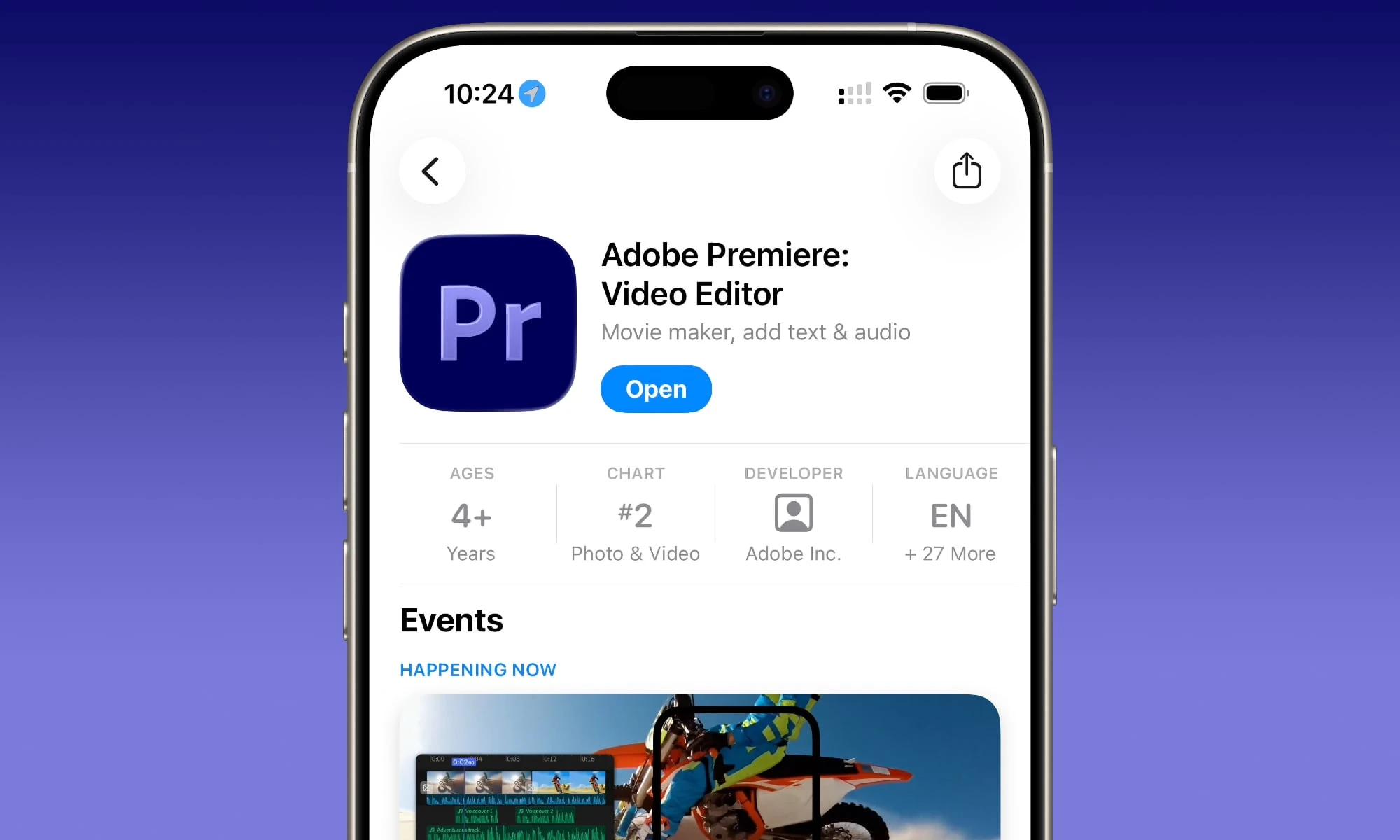
This is the method most "free Premiere Pro" articles still miss, because it only launched in late 2025. The Premiere iPhone app gives you Adobe's editing engine on mobile at no cost, with no watermark and no export cap. For a creator who films on a phone and posts to social, it removes the subscription question entirely.
How to get it:
- Open the App Store on your iPhone and search for "Adobe Premiere," or scan the QR code on Adobe's Premiere app page
- Install the app and sign in with a free Adobe account (create one if you don't have it)
- Start editing right away. Core tools, assets, fonts, and royalty-free music are included free
What to know before you rely on it:
- It is iPhone only for now. Android users should preregister for the beta or use a free alternative from Method 8 in the meantime.
- Generative AI features (Firefly) consume credits that are not part of the free tier. You can still edit normally without them.
- It is designed for mobile-scale projects. For complex desktop work you can rough-cut on the phone and hand the project to Premiere Pro desktop later.
2. The Official 7-Day Desktop Free Trial
For the full desktop editor, Adobe's 7-day trial is the cleanest free route. It unlocks every Pro feature with nothing locked or limited, so it is a real test of the software rather than a stripped demo.
How to start it:
- Go to Adobe's Premiere Pro trial page and click Start free trial
- Choose Individuals, Business, or Students & Teachers
- Pick the Premiere Pro single-app plan or the Creative Cloud All Apps plan, and a billing cadence
- Create or sign in to your Adobe account and add a payment method
- Download the Creative Cloud app, then install Premiere Pro and start editing
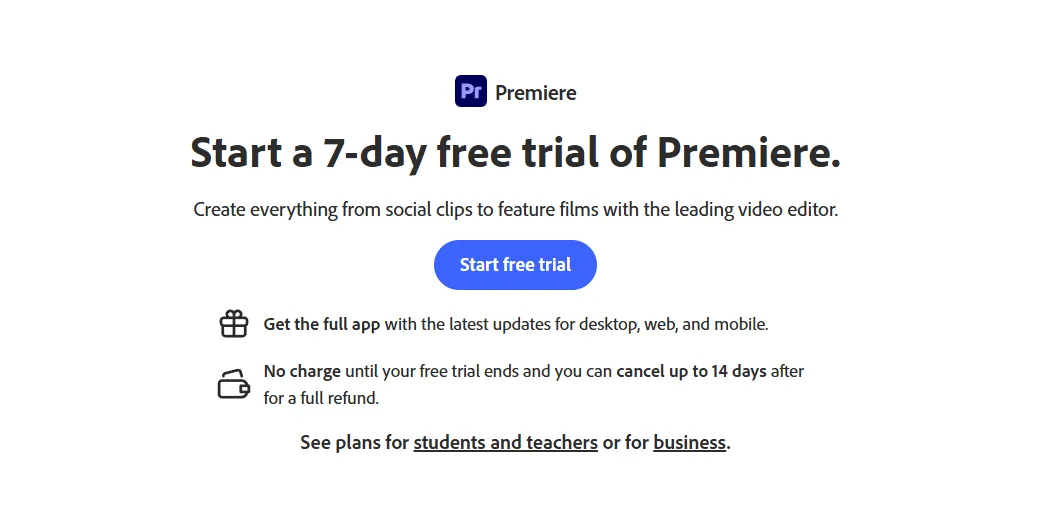
The catches: A payment method is required up front (a card, or PayPal in some regions), and the trial converts to a paid plan automatically when the 7 days end. Set a reminder and cancel before then if you don't want to be charged. To cancel, sign in at your Adobe account plans page, choose Manage plan, then Cancel plan.
3. Stretch It to Roughly 21 Days Using Adobe's Refund Window
Here is a legitimate way to extend your free time that sits entirely inside Adobe's own rules. On top of the 7-day trial, Adobe offers a full refund for up to 14 days after your first charge. Used together, that adds up to about three weeks of paid-grade access at no net cost.
How it works:
- Start the 7-day trial as described in Method 2
- Let it convert to a paid plan after day 7 and keep working
- Before day 14 of the paid period closes (roughly three weeks from when you began), cancel and request the refund through your account page
Please use this responsibly. Adobe permits the refund, but it explicitly asks people not to lean on this as a recurring free trick if they have no intention of subscribing. Do it once to genuinely evaluate the software, not on a loop with throwaway accounts.
Abusing it risks flags on your Adobe ID, and repeatedly creating new accounts to reset the cycle breaks Adobe's terms. Treat the refund as a real evaluation window, not a permanent free plan.
Low-Cost, Long-Term Routes
4. Student & Teacher Discount (66-71% Off)
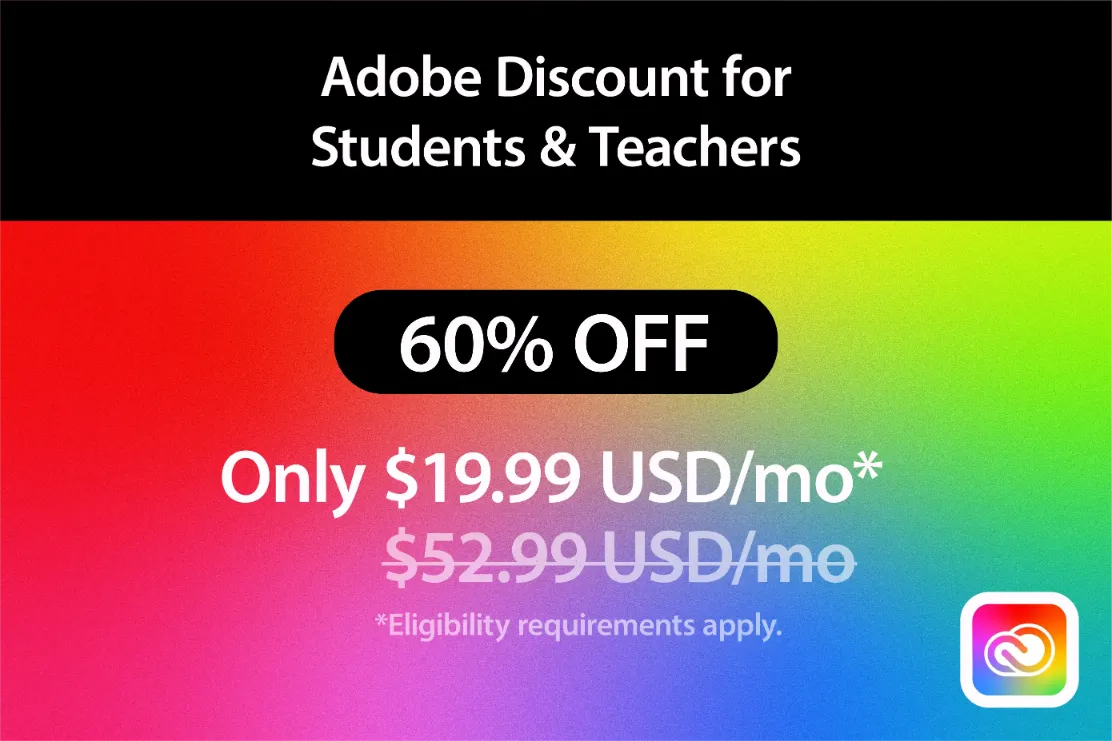
If you are enrolled in or teaching at a recognized institution, this is the strongest official discount Adobe offers. The Creative Cloud All Apps plan, normally $59.99/month, drops to around $19.99/month for your first year, which is a 66-71% cut and works out to less than a dollar a day.
That single price covers Premiere Pro plus Photoshop, Illustrator, After Effects, Lightroom, Acrobat Pro, and the rest of the 20+ app suite.
Who qualifies: Students aged 13 and up enrolled full or part-time at an accredited school, college, or university, plus teachers and faculty. Part-time learners, community college enrollees, online students, and homeschoolers can be eligible too.
How to claim it:
- Go to Adobe's Creative Cloud student and teacher pricing page
- Sign in or create an Adobe account
- Verify your status, fastest with a school email on a recognized domain, or by uploading proof such as a student ID, enrollment letter, or transcript dated within the last six months through SheerID
- Pick your plan and check out at the discounted rate
The catch worth flagging: The $19.99 rate applies to the first year only. After that it renews at a higher rate (around $39.99/month), so set a calendar note before renewal to decide whether to continue, switch, or move to a cheaper route. You also need to re-verify your eligibility each year to keep the discount.
5. Nonprofit Access via Adobe and TechSoup
Registered nonprofits have two distinct options, and they changed in November 2024 when Adobe split the program between its own site and TechSoup.
- Discounted Creative Cloud through TechSoup: Eligible organizations can request Creative Cloud memberships at a minimum 49% discount. You join TechSoup, complete its qualification process, and your nonprofit status is validated through Goodstack. This route gets your team the full Premiere Pro desktop app at a steep discount, though not free.
- The donated Elements bundle: TechSoup also lists a Photoshop Elements and Premiere Elements bundle as a near-free donation (a small administrative fee applies) with a multi-year license. Note this is Elements, the consumer-grade editor, not Premiere Pro. It is a fine fit for simple organizational video work, but it lacks the pro timeline and integrations.
Who qualifies: In the US, a 501(c)(3) public charity recognized by the IRS, or the local equivalent elsewhere. The organization must follow an anti-discrimination policy. Political groups, government bodies, and schools (which have their own programs) are generally excluded. Apply with your organization's domain email, not a personal one, and make sure your registered name matches your documentation exactly to avoid rejection.
6. Adobe Seasonal Promotions
Adobe runs limited discounts a few times a year, typically around back-to-school season, Black Friday and Cyber Monday, and the new year. Offers vary but often include a reduced first month or a percentage off an annual plan. These are short windows rather than a standing deal, so timing matters.
Where to watch: Adobe's official pricing pages during sale periods, the Adobe newsletter, and its verified social channels. Always confirm and apply any offer directly on adobe.com. Treat third-party sites promising "secret Adobe coupons" with suspicion, since the legitimate promotions come straight from Adobe.
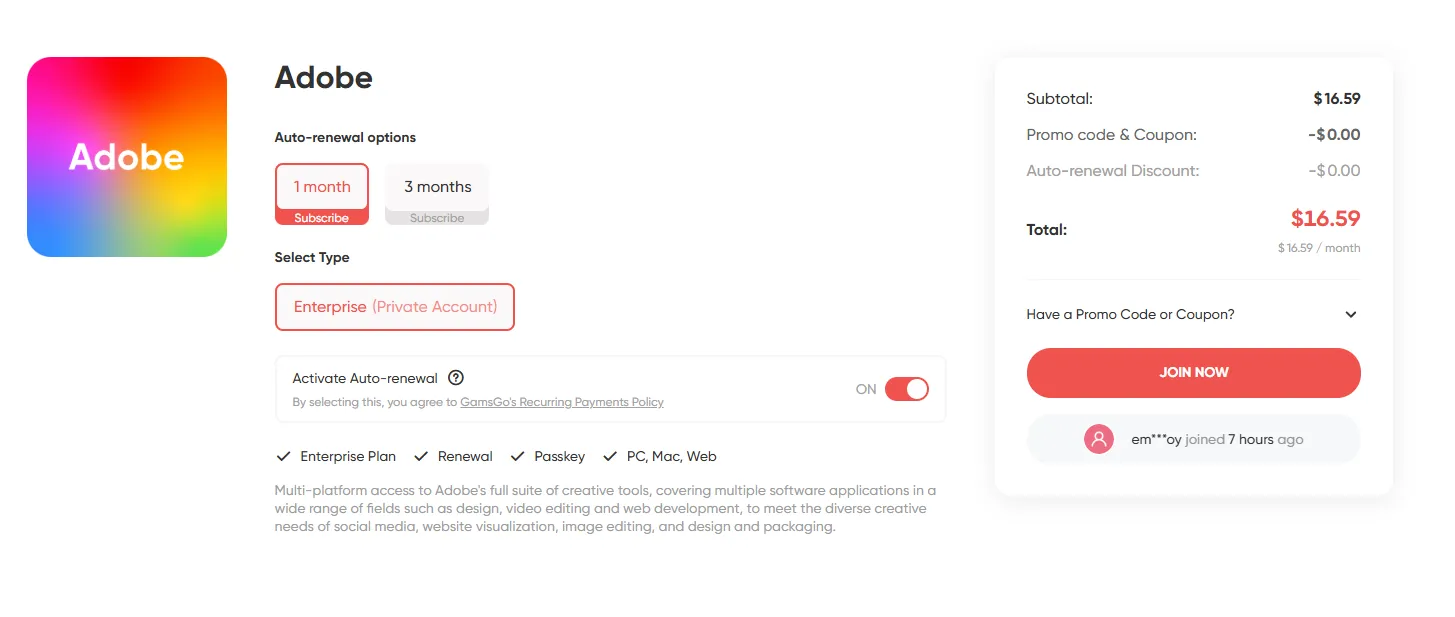
7. GamsGo Adobe Creative Cloud Account (from ~$16.99/month)
If you don't qualify for the education or nonprofit pricing and you want steady, long-term access without the full subscription cost, GamsGo's Adobe Creative Cloud is the practical option. You get a dedicated, official Adobe account rather than a shared login, so your files and settings stay yours.
Each account includes the full 20+ app suite (Premiere Pro, Photoshop, Illustrator, After Effects, and more), 80GB of cloud storage, 250 monthly Firefly generative credits, and works on both Windows and Mac.
Pricing starts around $16.99/month, roughly 70% below the standard Creative Cloud Pro rate, and the account is ready to use upon delivery with no application or verification step.
Everything runs through GamsGo with 24/7 support and payment protection, which is the difference between this and the risky "cheap account" listings you find on open marketplaces. For freelancers and creators who need the desktop suite month after month, it is usually the lowest stable price outside of qualifying for an official discount.
Free Alternatives That Do the Job
8. DaVinci Resolve and Other Free Editors
If you would rather not pay at all and the iPhone app doesn't fit your workflow, several free desktop editors handle most of what Premiere Pro does.
- DaVinci Resolve: The standout. It is a genuinely professional, free editor used on major films, with the best color grading tools in the field, plus editing, audio, and visual effects in one app. The trade-off is a steeper learning curve. A paid Studio version exists as a one-time $295 purchase, but the free edition covers the vast majority of work. This is the closest free substitute for Premiere Pro.
- CapCut: Best for short-form social. Fast assembly, auto-captions, and trendy effects, with a generous free tier. The CapCut Pro price starts at $9.99/month, making it a budget-friendly upgrade for creators who need more features. Lighter than Resolve for long-form work.
- Clipchamp: Microsoft's editor, built into Windows 11 and free to use, is good for quick browser-based or desktop edits without an install.
- Shotcut, Kdenlive, OpenShot: Open-source, completely free, no watermarks, available across platforms. Less polished than the commercial tools, but dependable for offline editing.
- iMovie: Free on Mac and a smooth on-ramp for Apple users who want fast results without complexity.
For anyone leaving Adobe entirely, DaVinci Resolve is the answer most editors land on, since it is the only free option that matches Premiere Pro on professional depth.
Which Method Fits You?
With eight routes on the table, the right one comes down to your device, your status, and how long you need access. Use this to narrow it down fast:
Quick path: Edit on a phone? Start with the free iPhone app. Need the desktop editor briefly? Use the trial, and the refund window if you want longer. Qualify for school or nonprofit pricing? Take it. Need the desktop suite long term without a discount? GamsGo is the cheapest stable option. Refuse to pay anything? DaVinci Resolve.
Traps to Avoid
Demand for free Premiere Pro attracts plenty of bad options. Steer clear of these:
- Cracked or "pre-activated" downloads. These violate copyright, frequently carry malware, break on every Adobe update, and can damage your system. There is no safe pirated build.
- "100% free full version" download sites. Adobe does not distribute a free desktop Premiere Pro. These pages exist to serve malware or harvest your Adobe credentials.
- VPN tricks for cheaper regional pricing. Adobe detects billing-address and location mismatches, foreign cards are often declined at checkout, and a flagged account can be suspended. The savings are not worth the account risk.
- Coupon and code generators. Adobe's real promotions come from Adobe. Third-party "code generator" sites produce nothing usable and exist to collect your information.
The safe routes are the ones above: the free iPhone app, the official trial and refund window, eligibility-based discounts, a verified shared platform, or a free alternative editor.
Conclusion
Premiere Pro really is a fantastic editor, and the good news is you don't have to pay full price to enjoy it. If you're after the most stable way to use the full desktop apps long term at a low cost, GamsGo is your best bet.
We'll keep an eye out for new ways to get Premiere Pro for free, and the moment one actually works, we'll add it here. Check back anytime.
We’ve prepared an exclusive promo code for all blog readers:
Enjoy an additional off on your next purchase!
Valid across all categories — streaming accounts, AI tools, game top-ups, software subscriptions, and more.
FAQ
Is Adobe Premiere Pro Free?
The desktop Premiere Pro is not free; it is subscription-only, starting at $22.99/month. However, the separate Premiere app for iPhone, launched in 2025, is free to use with no watermark and 4K export. Generative AI features in either product require paid Firefly credits.
How Can I Use Premiere Pro Free Without Pirating It?
Use the free Premiere iPhone app, start the official 7-day desktop trial, or extend that to about 21 days using Adobe's 14-day refund policy. Students, teachers, and nonprofits can also access the full suite cheaply through official discounts. None of these involve cracked software.
Does the 21-Day Refund Method Break Adobe's Rules?
No. Adobe offers a full refund within 14 days of your first charge, so combining it with the 7-day trial is allowed. Adobe does ask that you not abuse it if you have no intention of subscribing, so use it once as a genuine evaluation rather than a repeated free workaround.
Can I Get the Premiere Pro Free Trial Without a Credit Card?
Adobe requires a payment method to start the trial. In some regions you can use PayPal instead of a card, but you cannot start the desktop trial with an email alone. If you want to avoid entering payment details, the free iPhone app or a free alternative like DaVinci Resolve is the better choice.
Is There a Free Premiere Pro for Android?
Not yet. The free Premiere mobile app is iPhone only as of 2026, with an Android version in development. Android users can preregister for the beta or use a free editor such as CapCut, Kdenlive, or DaVinci Resolve in the meantime.
What Is the Best Free Alternative to Premiere Pro?
DaVinci Resolve. It is a free, professional-grade editor with industry-leading color tools used on major films. It has a steeper learning curve than Premiere, but no other free option matches it for serious work.
Related Articles: