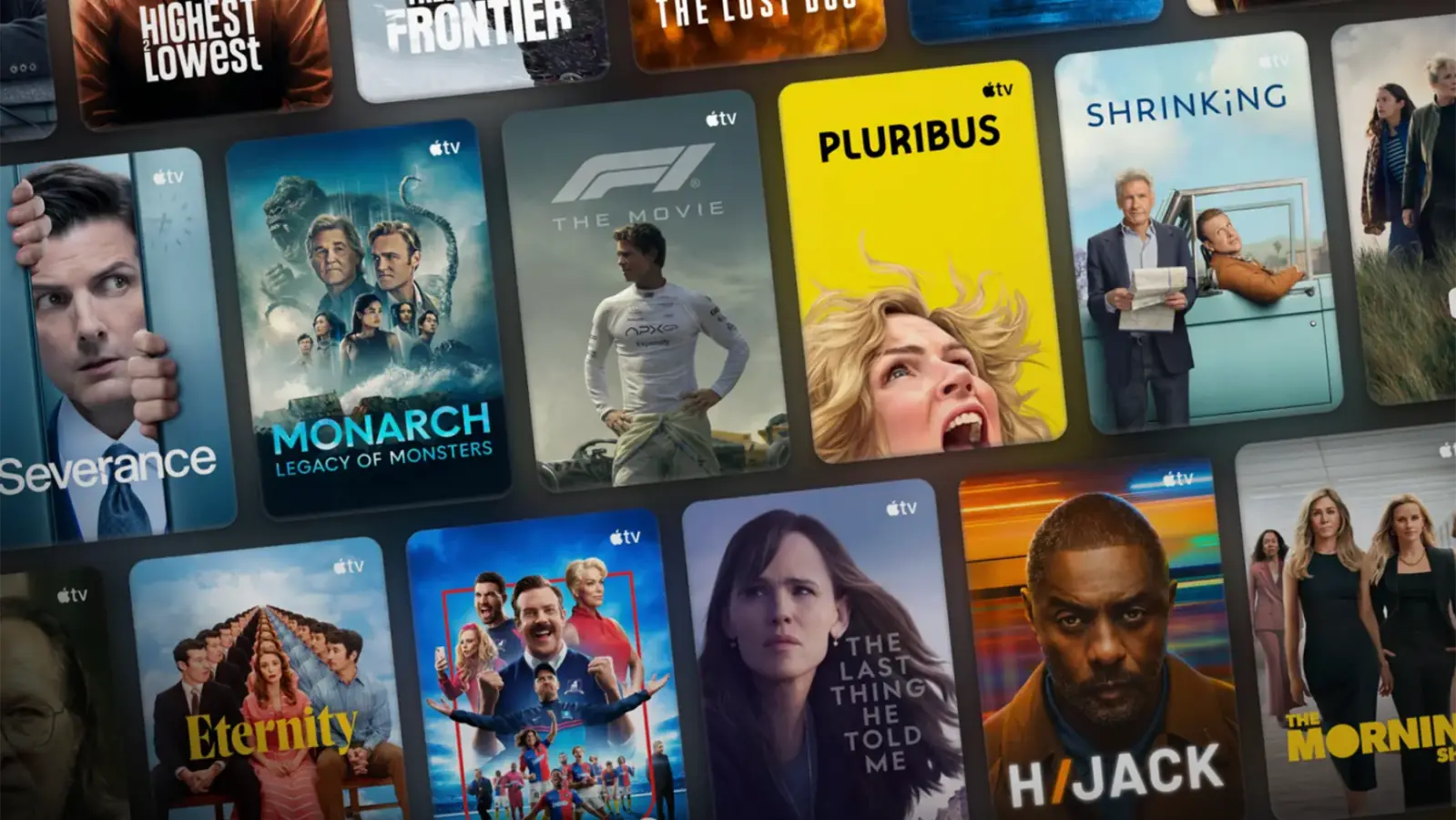
Apple TV (formerly Apple TV+) is Apple's original streaming service. Apple Originals has won 850 awards and received 3,734 nominations, including 89 Emmy nominations in 2026. With popular shows like Severance, Ted Lasso, Silo, and Dark Matter, Apple TV is attracting more subscribers.
As its content library grows, Apple TV subscription prices continue to rise. On August 28, 2026, Apple increased its US monthly price from $12.99 to $14.99 and its annual price from $99 to $119. The new rates took effect immediately for new subscribers, while existing users will be notified about a month before the price change applies.
Finding a good Apple TV free trial or deal takes more than searching for “Apple TV free.” Some offers require an eligible Apple device, while others are limited to certain plans or partners. We reviewed the available options and selected 7 official or partner offers worth checking first. If you are not eligible for a free offer or do not want to pay the full subscription price, you can also check Apple TV plans on GamsGo.
The most direct option is to buy Apple TV through the GamsGo marketplace. Visit the Apple One accounts page to learn more!

Can You Get Apple TV for Free? (Formerly Apple TV+)
Yes, you can watch Apple TV for free, but most free options are limited-time trials rather than permanent free plans.
If you're searching for an Apple TV+ free trial, you're looking for what is now called the Apple TV free trial. Apple dropped the "+" from its name in 2025, but the free trial remains available. New subscribers can still enjoy 7 days of full access for free.
Apple TV doesn't have separate Pro, Plus, or Premium tiers. Whether you get access through a free trial, an eligible Apple device purchase, or a partner promotion, you can usually enjoy the full Apple TV subscription library during your free period.
Below, we'll cover 7 ways to get Apple TV for free, starting with the official 7-day free trial, and compare the available offers to help you find the best option.
How to Get Apple TV for Free: 7 Legit Methods
1. Get a 7-Day Apple TV Free Trial
This is the easiest way to get Apple TV for free. If you're a new subscriber with an Apple Account and a valid payment method, you can usually start the trial right away. However, if you've subscribed before or already used a free trial, the offer may no longer be available.
Follow these steps to start your free trial:
Open the Apple TV app or visit tv.apple.com.
Sign in with your Apple Account.
Select the free trial and confirm your payment method.
Note the renewal date shown on the confirmation page.
The trial lasts 7 days from activation. After that, it automatically converts to a paid subscription at $14.99/month in the US, with local pricing in other regions.
If you only want the free trial, cancel at least one day before it ends. On iPhone or iPad, go to Settings > [Your Name] > Subscriptions > Apple TV, or manage it through Apple's Account Settings > Subscriptions.
Since 7 days isn't very long, prepare a watchlist before starting. This helps you make the most of your trial and decide whether Apple TV is worth paying for.
2. Get 3 Months Free When You Buy an Eligible Apple Device
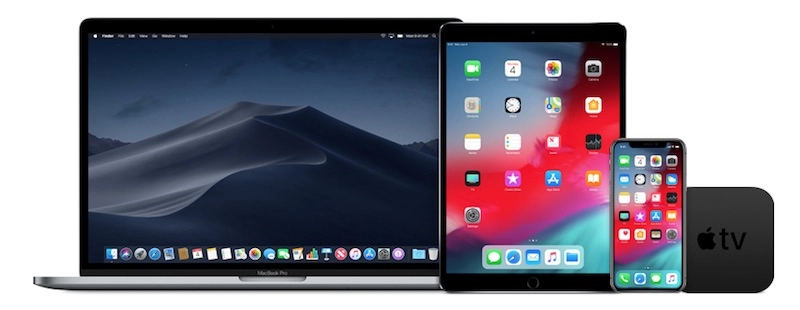
Recently bought a new iPhone, iPad, Mac, or Apple TV device? Open the Apple TV app first and check whether your device includes a free Apple TV offer.
For example, under Apple's current Singapore promotion terms, eligible customers can receive 3 months of Apple TV for free after purchasing a qualifying device. The offer must be claimed within three months of setting up the new device for the first time.
Eligibility can also depend on your current subscription status and whether you or members of your Family Sharing group have previously redeemed a similar offer. The promotion generally cannot be combined with Apple One or other Apple TV free offers.
You can review the official Apple device promotion terms for full details.
To claim the offer:
- Complete the setup of your new Apple device and update it to the latest available software.
- Sign in to your Apple Account on the new device.
- Open the Apple TV app and look for the free offer.
- Check the free period and renewal price before redeeming it.
If the offer does not appear, first check when the device was set up, which Apple Account you are using, and whether you or a family member has claimed a similar promotion before.
If you are still unsure whether you qualify, keep your proof of purchase and contact Apple to confirm your eligibility.
3. Get Apple TV Free With Apple One
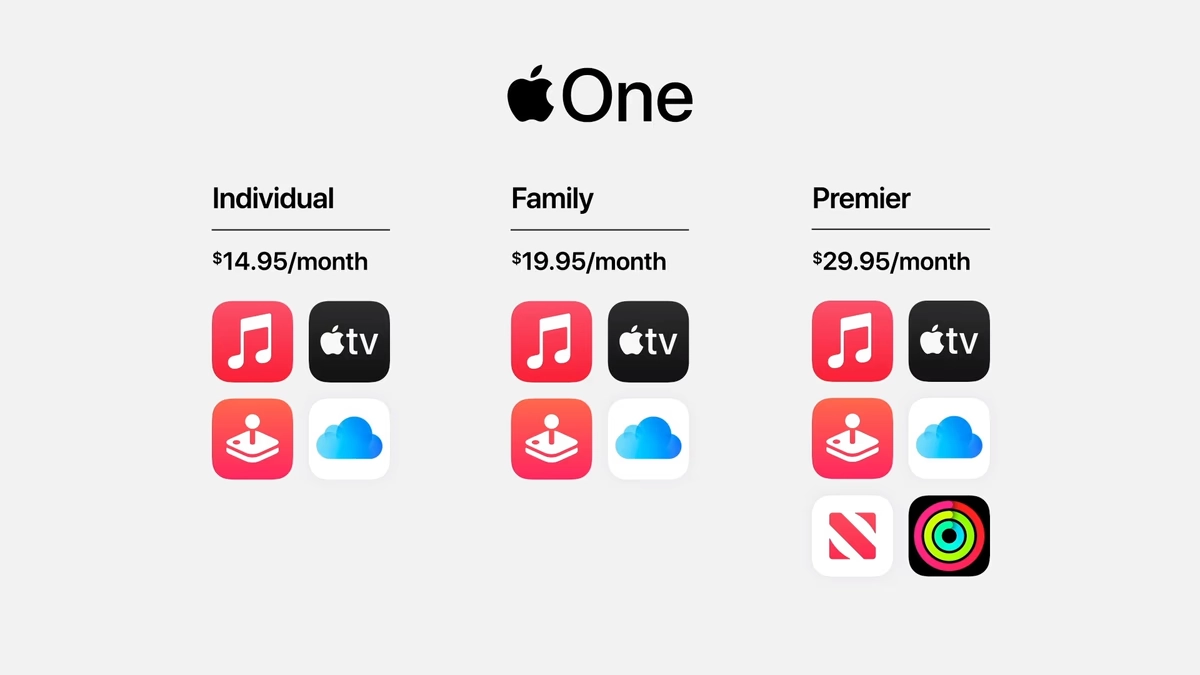
Apple One bundles Apple TV with other Apple services such as Apple Music, Apple Arcade, and iCloud+. If you already use several Apple services, check whether Apple TV is included in an eligible 1-month Apple One free trial. This can be useful if you already manage an Apple account with multiple paid services.
The Apple One trial only applies to eligible services that you are not already paying for. Any existing Apple subscription will not automatically become free, and recently canceled subscriptions may also affect your eligibility.
If your main goal is simply to watch Apple TV for free, compare the total cost of Apple One with a standalone Apple TV subscription signing up. This will help you decide whether the bundle is actually more cost-effective for your needs.
However, if you already need Apple Music, iCloud storage, Apple Arcade, or other included services, the Apple One free trial can be a practical way to try Apple TV at the same time. You can also compare other discounted Apple TV plans before choosing the option that fits your budget.
4. Get Apple TV Through an Apple Music Student Plan
If you are a university student and already plan to subscribe to a music service, the Apple Music Student Plan is worth checking first.
In supported regions, an Apple Music student subscription includes access to Apple TV at no extra charge. However, this is an added benefit of the paid student music plan. Once any music trial ends, you will usually need to keep the student subscription active to continue using Apple TV.
How to get started:
- Open Apple Music and choose the Student Plan.
- Follow the instructions to verify your student status.
- Check the local price and included benefits.
- After subscribing, open the Apple TV app with the same Apple Account.
This Apple TV benefit is linked to your Apple Music student subscription, so it may not appear as a separate subscription. It also cannot be shared with other members through Family Sharing.
Apple describes this as a limited-time student benefit, so it should not be treated as guaranteed free Apple TV access for your entire time at university. You can check the official Apple student subscription information for details.
If Apple TV still asks you to pay after setup, first make sure Apple Music and Apple TV are using the same Apple Account. Then check whether your student verification is still valid and whether the benefit is available in your region.
5. Watch Apple TV for Free With Family Sharing
Among these 7 methods, Family Sharing is the only option without a fixed expiration date. As long as someone in your family pays for Apple TV or Apple One, you can keep watching for free until their subscription ends.
A Family Sharing group supports up to 6 people, including one organizer and five members. Everyone needs their own Apple Account and can only belong to one group at a time. Apple designed this feature for family members, not strangers.
If you're the family organizer, follow these steps:
On your iPhone or iPad, go to Settings > [Your Name] > Family Sharing.
Tap Add Member and send an invitation via message, email, or in person.
Make sure Apple TV is enabled under shared subscriptions.
If you're invited, simply accept the invitation on your iPhone, iPad, or Mac, then open the Apple TV app using your own Apple Account. Once the subscription is active, you can start watching without any additional steps.
The subscription is paid for by the subscribing family member, usually the organizer, so you won't be charged. Family Sharing also works with free offers. For example, if someone claims the 3-month device promotion mentioned in Method 2, the whole family can enjoy Apple TV for free during those 3 months.
However, your access ends if the subscriber cancels, you leave the group, or the organizer removes you or disables Family Sharing.
At the US price of $14.99/month, splitting the cost among six people works out to about $2.50 per person. For families, this is one of the most affordable ways to enjoy Apple TV long-term.
6. Get Apple TV Free Through Mobile Carrier Deals
Some mobile carriers, broadband providers, and TV service providers include Apple TV as an extra benefit with selected plans. These Apple TV deals may include 3 months, 6 months, or even longer access at no extra cost.
However, these offers usually require an eligible mobile, internet, or TV plan and may come with specific contract conditions.
Before claiming a discounted Apple TV offer, check whether it is available to existing customers, whether manual redemption is required, and whether it will automatically convert to a paid Apple TV subscription after the free period ends.
Apple TV Free Offers in the US
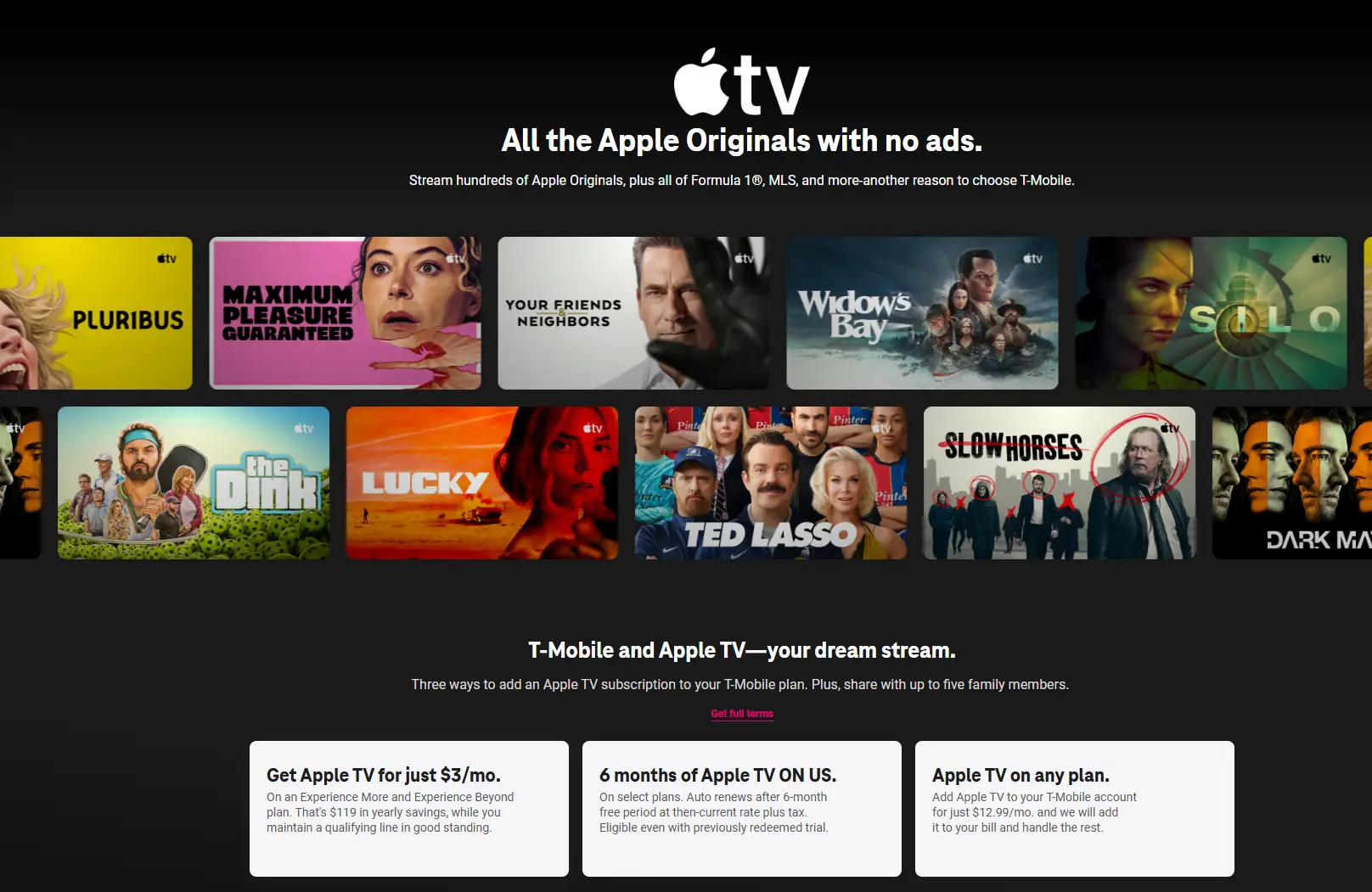
One example is the T-Mobile Apple TV deal.
T-Mobile offers 6 months of Apple TV free with selected eligible plans, and some users who have already used a previous Apple TV trial may still qualify. If you are already a T-Mobile customer, sign in to your account and check the add-ons or plan benefits section.
Keep in mind that T-Mobile may offer both free trials and discounted paid Apple TV deals. Not every Apple TV promotion on the page is completely free, so always check the exact free period and the price that applies afterward before activating the offer.
Apple TV Free Trial Offers in the UK
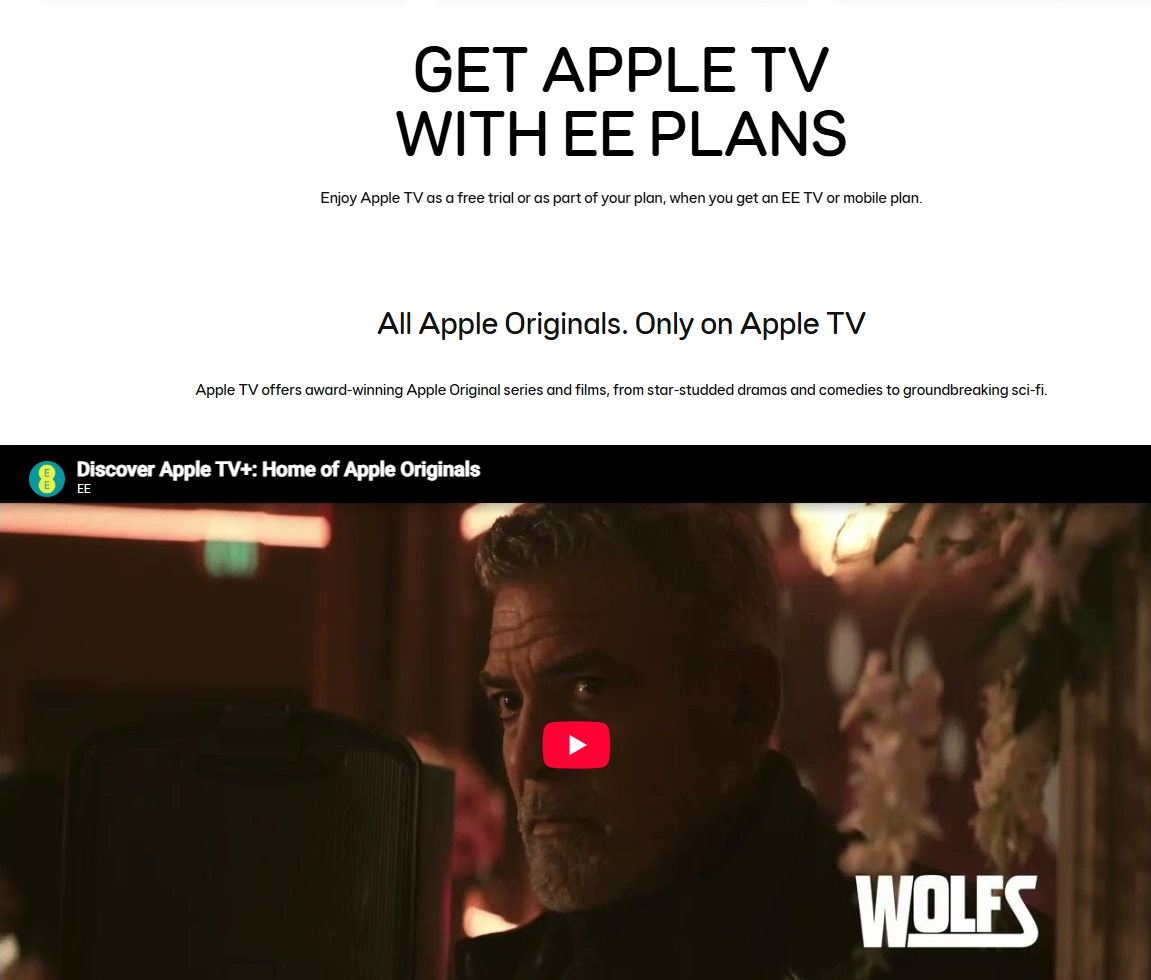
EE offers different Apple TV benefits depending on your service or plan:
| EE Service or Plan | How You Can Get Apple TV |
|---|---|
| EE Mobile | New and existing customers can check for a 3-month free trial |
| EE TV | Get a 6-month free trial with an eligible TV package; activation is required |
| iPhone All Rounder | Choose Apple TV as an Inclusive Extra |
| iPhone Full Works | Choose a package that includes Apple One |
If you are already an EE customer, check your current plan first to see whether any of these Apple TV benefits are included.
If you are thinking about upgrading your plan, compare the extra monthly cost with the value of the included subscription before making a decision.
You can check the latest details on the EE Apple TV offers page.
Three: Get 3 Months Free With an Eligible Device or Broadband Bundle
Three offers 3 months of Apple TV free to customers who buy an eligible iPhone or iPad, or choose selected home broadband bundles that include Apple TV.
This offer is linked to a qualifying device purchase or bundle, so it is not automatically available to every existing Three mobile or broadband customer.
After your purchase, follow the promotion instructions to set up your device and then open the Apple TV app to look for the redemption option.
Three states that the offer must be redeemed within 90 days. Before claiming it, check when the 90-day period begins and make sure your Apple Account and purchase meet the eligibility requirements.
You can check the latest details on the Three Apple TV offer page.
7. Check Retailer, Broadband, and Loyalty-Program Offers
Besides mobile carrier deals, it is also worth checking retailers, device brands, broadband providers, and loyalty programs for free Apple TV offers.
These promotions are often delivered through a member account, purchase confirmation email, or special redemption link. They are most useful for customers who have already bought an eligible product or are already part of a rewards program.
Sky VIP: Check Your Account for Available Rewards
Sky customers can check the VIP section in the My Sky app to see whether any Apple TV rewards are currently available. You can also visit Sky VIP.
Some older guides mention a 6-month Apple TV free trial from Sky. However, the original promotion page now redirects, so it should not be taken as confirmation that the same offer is still available.
If an Apple TV offer appears in your Sky account, check the free period, redemption deadline, and whether it is available to current or previous Apple TV subscribers before claiming it.
Retailers and Device Brands: Check What the Offer Actually Includes
After purchasing a TV, streaming device, or other electronic product, check your order confirmation email and membership account to see if any Apple TV redemption offers are included.
Keep in mind that “free Apple services” doesn't always include Apple TV. For example, Currys' current Apple services promotion mainly features Apple Music, Apple Arcade, and Apple Fitness+.
Looking for a Cheaper Way to Watch Apple TV?
Official free trials are useful if you only want to try Apple TV for a short time. Once the free period ends, however, the regular subscription cost becomes more important.
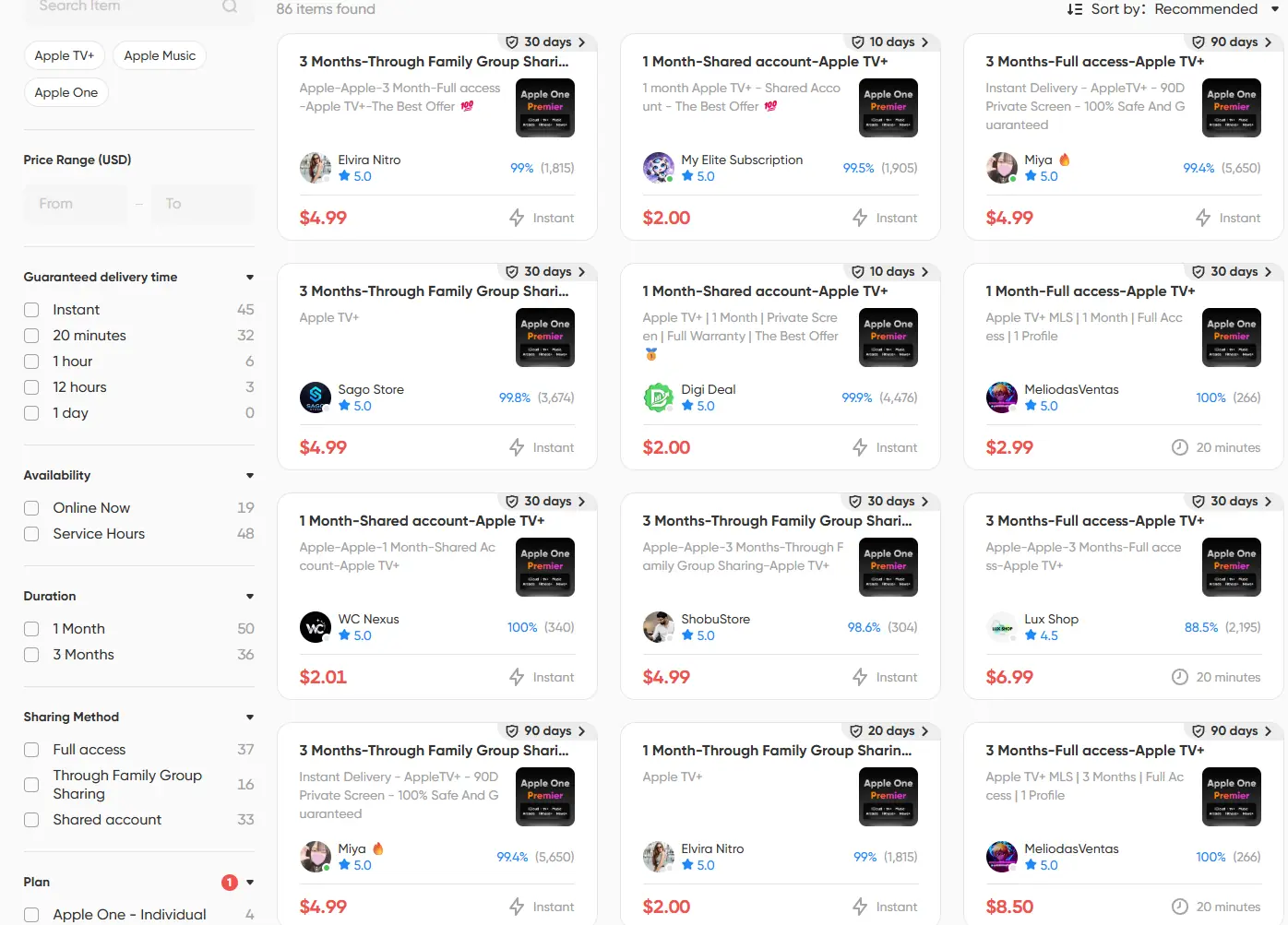
If you are no longer eligible for an Apple TV free trial, or you do not want to wait for another carrier or retailer promotion, you can consider the Apple One Family Sharing plan as another way to keep watching Apple TV content.
Founded in 2020, GamsGo is a subscription-sharing platform with more than 1 million users worldwide and over 100 digital services. The platform connects users with available shared subscription accounts or plans, allowing multiple people to split the cost of digital subscriptions.
For Apple TV, GamsGo offers an Apple One Family Sharing plan that includes Apple TV along with other Apple services.
By joining a Family Sharing group and sharing the subscription cost, you can access the included Apple One services at a lower price. This is a paid shared-subscription option rather than a free trial, making it more suitable for users who want to continue using Apple TV after their free access ends.
Which Free Apple TV Method Is Best for You?
| Method | Free Period | Best For | Main Requirement |
|---|---|---|---|
| Official Apple TV Free Trial | Usually 7 days | New users who want to try Apple TV right away | Apple Account and a valid payment method |
| Free Apple TV With a New Device | Usually 3 months | People already planning to buy an eligible Apple device | Eligible device and redemption within the required period |
| Apple One Free Trial | Usually 1 month | Users who want several Apple services at the same time | Eligible services that have not already been subscribed to |
| Apple Music Student Plan | Varies by region | Eligible university students | Student status verification |
| Mobile Carrier Offers | Varies by promotion | Customers on selected mobile or broadband plans | Eligible plan or contract |
| Retailer and Loyalty Offers | Varies by promotion | Customers who already qualify for a retailer or membership offer | Eligible purchase, membership, or redemption conditions |
The best way to get Apple TV for free depends on your situation. If you only want to try the service, the official 7-day trial is usually the simplest option. If you recently bought an Apple device or already pay for other Apple services, a device promotion or Apple One trial may give you a longer free period.
Conclusion
The key to getting Apple TV for free is finding an offer that matches your current situation.
If you recently bought an eligible Apple device, check for a device promotion first. If you have an Apple Music student subscription or an eligible mobile or broadband plan, look at the benefits already included with your service. If none of these apply, the official Apple TV free trial is a simple way to test the platform and see whether its content is right for you.
If you still want to watch Apple TV after your free period ends, compare the regular subscription price with options such as the GamsGo shared subscription. Consider the actual price, how the subscription works, and how often you plan to watch before choosing the option that fits you best.GamsGo
We’ve prepared an exclusive promo code for all blog readers:
Enjoy an additional 1% off on your next purchase!
FAQ
Is There a Permanently Free Version of Apple TV?
No. Apple TV does not have a permanently free subscription plan. Most ways to watch Apple TV for free come through limited-time trials, eligible device purchases, or partner promotions.
Can I Get an Apple TV Free Trial If I Have Subscribed Before?
Possibly, but it depends on the offer. Apple's standard new-subscriber trial and promotions from carriers, retailers, or other partners can have different eligibility rules. Some offers may be available to returning subscribers, while others are limited to new users. Always check the eligibility shown on your account before claiming an offer.
Do I Need an Apple TV 4K Device to Watch Apple TV?
No. Apple TV is a subscription streaming service, while Apple TV 4K is a physical streaming device. You can also watch Apple TV on supported smart TVs, smartphones, tablets, computers, streaming devices, and through a web browser. You can check the available options on the Apple TV website.
Can I Combine the 7-Day Apple TV Free Trial With the 3-Month Device Offer?
Do not assume that the free periods can be combined. Apple's device promotions have their own subscription and redemption restrictions. If you qualify for a longer device offer, check its terms before starting another Apple TV free trial so you do not accidentally affect your eligibility.
Can I Watch Apple TV Without an Apple Device?
Yes. You do not need to own an iPhone, iPad, Mac, or Apple TV 4K to use the subscription. Apple TV is available on a range of supported smart TVs, streaming devices, mobile devices, computers, and web browsers.
Why Do Some Movies Still Cost Money During My Apple TV Free Trial?
The Apple TV app shows more than just content included with your Apple TV subscription. It can also display movies and shows available for rental or purchase, as well as content from other services. Your Apple TV free trial only covers titles included with your current subscription. Rentals, purchases, and content from services that are not part of your plan may still require an additional payment.
Articles connexes