10 Best CapCut Pro APK Alternatives in 2026 (Free & Paid)
By GamsGo Team
2026/11/24
Share
Looking for a CapCut Pro APK alternative because you need AI captions, premium-looking effects, motion tracking, or high-quality exports, not just a basic video trimmer? The real question is which advanced features you can replace, what works for free, and what still requires a subscription.
This guide compares 10 video editors based on their Pro-level features, editing capabilities, export quality, and limitations. Whether you want free watermark-free editing, AI-powered tools, or professional timeline controls, you'll find options worth trying. For more general editing tools, check out ourCapCut alternativesguide.
But what if you prefer CapCut's familiar workflow and don't want to switch editors? You can explore affordable CapCut Pro options on GamsGo and keep creating with the tools you already know. Check out the available deals below!
What Is CapCut Pro APK?
CapCut Pro APK usually means an Android CapCut installation file advertised as offering the paid Pro effects, templates, AI tools and export options.
On third-party download sites, it often refers to a modified (Mod) APK marketed as “Premium Unlocked,” not a separate official CapCut subscription. Installing the legitimate CapCut app does not unlock Pro by itself: paid features are tied to an eligible account and plan.
If you want those Pro-style results without relying on an unofficial modified download, the alternatives below work across Android, iPhone, iPad and/or desktop. Their capabilities vary; none automatically imports your CapCut projects.
Is a Mod APK Safe?
A third-party modded app is harder to verify than an official release. It might include unwanted code, lack normal updates, or fail when a cloud-based AI feature checks account entitlement. A supposed “all Pro unlocked” label is not proof of safe installation or access to server-side generation.
Why can an unlocked APK still fail to generate AI videos?
Some templates, AI generation models, stock assets and cloud services rely on verified accounts or usage credits. Modifying the local app does not guarantee entitlement to those online features. That is why this guide compares actual applications rather than APK download claims.
CapCut Pro APK Alternatives: Quick Comparison
Choose by the Pro feature you actually use. The export figures below are advertised maximums on supported devices or editions, not a promise that every free account or phone reaches them.
These tools are not interchangeable. Some replace the quick AI workflow, others replace the editing control or premium export quality. Each recommendation below explains what you can make, a measurable capability, and the trade-off you need to accept.
01 / BEST PRO TOOLS ON A PHONE
1. KineMaster
Android / iPhone / iPad
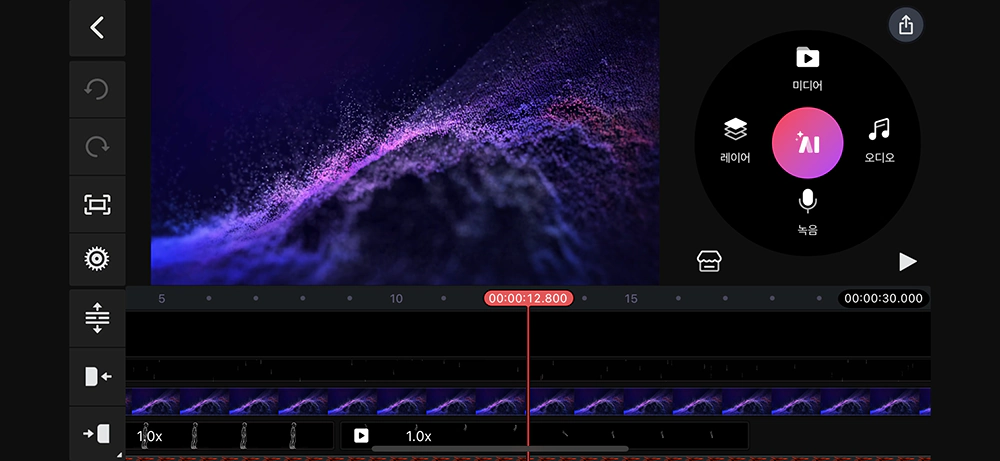
KineMaster earns its place because it replaces the parts of CapCut Pro that are difficult to recreate manually: moving-label tracking, quick cutouts, animated layers and usable audio repair. It is a stronger mobile editing workstation than its simple interface suggests.
Try this edit: For a football highlight, place a name tag over a player and let AI Tracking follow them. For a tutorial, generate editable captions on-device, isolate the speaker with Magic Remover, then remove fan noise from the voice track. You still control every title, overlay and cut in the multitrack timeline.
What it actually replaces in CapCut Pro
CAPTIONSAuto Captions supports 36 languages and can work on-device after downloading the relevant language pack.
EXPORTThe official feature page advertises up to 4K at 60fps on compatible hardware. 4K/60 availability depends on the device, not merely on what its camera can record.
AI REPAIRSuper Resolution can upscale suitable low-resolution material toward HD or 4K; Noise Remover tackles distracting background audio. AI Tracking is available for free.
Where it falls short: Free exports contain a KineMaster watermark; Premium removes that branding and expands asset access. A single tracking layer can follow only one target, and tracked layers cannot use manual keyframes at the same time.
Official price example: KineMaster’s own checkout shows US$7.99/month or US$51.99/year for Premium, including watermark removal and Spring Premium. The US App Store lists different in-app prices, so check the channel before paying.
THE CALL: Pick it if you want motion tracking, cutouts and caption control on a phone, even if you eventually pay to remove the watermark.
Plan, device and export notes
KineMaster also advertises an asset library of more than 75,000 items. Check the free/premium status of the exact effect before using it in a client project, and test AI processing on your device first.
KineMaster interface: AI tools sit next to the multitrack timeline. Interface language depends on the app region.
02 / BEST FREE CLEAN EXPORT
2. VN Video Editor
Android / iOS / Windows / macOS
VN is the answer for a creator who does not need every cloud AI model but does need the editing fundamentals that make CapCut Pro attractive: multitrack work, speed ramps, keyframes, captions and a clean high-quality export.
Try this edit: Build a gaming montage by marking the beat, applying a custom speed curve before a kill, adding two-layer text animations and mixing background music with commentary. VN gives you enough timeline control to shape that sequence yourself rather than settling for a preset.
What it actually replaces in CapCut Pro
EXPORTOfficial mobile listings advertise no-watermark output up to 4K at 60fps, subject to source footage and device capability.
CAPTIONSAuto Captions is available. VN distinguishes lighter local models from credit-consuming cloud processing; do not assume every voice model or language is unlimited.
MANUAL CONTROLKeyframes, multiple tracks, masking, speed curves and beat-sync tools cover a substantial part of a CapCut Pro effects workflow without a forced editor watermark.
Where it falls short: The AI-generation ecosystem and viral template selection are not identical to CapCut’s. Advanced cloud transcription and special AI tools can still require credits or Pro.
Official price example: the US iOS App Store lists VN Pro at US$7.99 and 100 AI credits at US$1.00. The listing does not make the Pro billing period clear, so confirm that in-app; basic watermark-free editing does not require these add-ons.
THE CALL: Pick it if the non-negotiable requirement is a clean 4K edit with actual keyframe and timing control, not unlimited generative AI.
Plan, device and export notes
Check the export preview for the final resolution, frame rate and any paid effect. A watermark-free editor does not make third-party music or stock footage automatically license-free.
VN keyframes: build a speed-ramped or layered edit without relying on a ready-made template.
03 / BEST ALL-ROUND AI EDITOR
3. Filmora
Android / iOS / Windows / macOS
If the appeal of CapCut Pro is that one editor handles captions, cutouts, motion tracking, polished effects and AI-generated shots, Filmora is the closest broad substitute on this list. It offers automated starting points without locking you into a template-only workflow.
Try this edit: Picture a product Reel: use AI Auto Cut to select highlights, Smart Cutout to isolate the product, Smart Tracking to attach a price tag, and Dynamic Captions for the spoken hook. You can then adjust the timing with multiple tracks, keyframes and a custom speed curve instead of accepting a one-tap result.
What it actually replaces in CapCut Pro
AI GENERATIONFilmora’s Veo 3.1 integration advertises 4-, 6- or 8-second clips. Another listed model supports up to 15 seconds at 2K. Those are per-model generated clips, not normal editing time limits.
VIDEO REPAIRIts AI Video Enhancer can sharpen or upscale footage up to 4K. AI Night View is credit-metered at 1 credit per second of processed video on the cited desktop feature page.
OUTPUT & ACCESS4K editing/export is supported in eligible workflows. Clean exports generally need Pro; generated clips, speech and cloud AI may draw from separate credit balances.
Where it falls short: Filmora does not transfer CapCut projects or reproduce its exact creator templates. Generated video length and resolution change with the selected AI model; not every desktop feature exists on mobile.
Official price example: Filmora Advanced for Windows/Mac is shown at US$59.99/year with 1,000 AI credits per month. The free version cannot make clean exports; mobile plans are sold separately. AI-generated clips can incur additional credit use.
THE CALL: Pick it if you regularly combine AI-generated shots, captions and hands-on editing in the same workflow.
Plan, device and export notes
Before paying for Filmora, confirm whether you need the mobile subscription or desktop license, which AI model you will use, and how many credits that model consumes. “Pro” does not mean unrestricted AI generations.
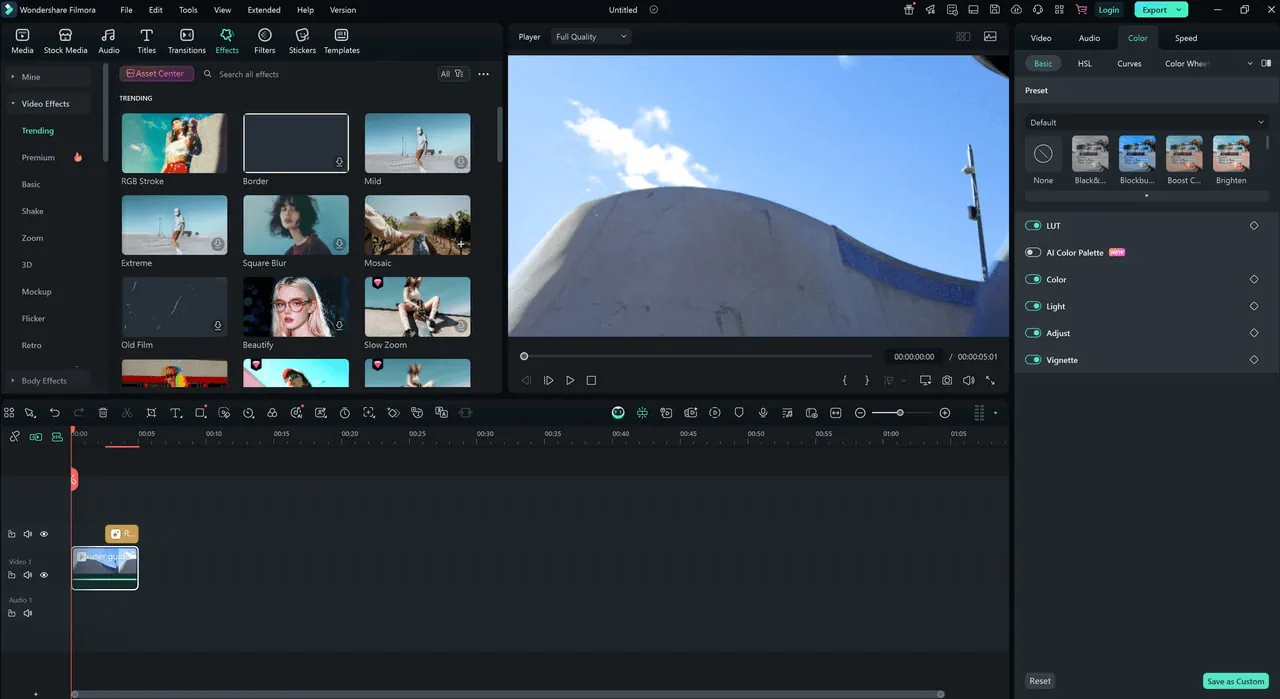
Filmora AI Video Enhancer: an example of the footage-repair tools that make it a more complete Pro replacement.
04 / BEST CUSTOM VFX / AMV EDITS
4. Alight Motion
Android / iPhone / iPad / compatible Mac
Alight Motion is the right substitute when “CapCut Pro” means hand-crafted AMVs, animated typography and edits that hit every beat. It does not compete by generating a Reel with one tap. It competes by giving you far deeper control over the movement.
Try this edit: Build a custom anime transition using parent-child layers, masks, a simulated camera move, motion blur and precisely shaped easing curves. Instead of searching for a specific CapCut template, make the effect from reusable elements and export the animation as video or GIF.
What it actually replaces in CapCut Pro
VFX TOOLKITThe App Store lists more than 160 basic effect building blocks, extensive masking, parent-child layers, rigging, easing curves and velocity-based motion blur.
OUTPUT TYPESMP4, GIF, PNG image sequences and still frames are supported. High resolutions such as 4K can strain mobile hardware; exact workable settings depend on the device.
FREE LIMITThe free app adds a watermark to exports. Core AI auto-cut/caption tools are not the point of the product.
Where it falls short: More capable for custom animation than most quick social editors, but slower for a basic talking-head video and less useful for AI voice, captions and generative shots.
Official price example: selected Apple storefronts list US$6.99/month or US$28.99/year for Alight Motion. Prices can differ by country and store; subscribing removes export limitations but does not transform it into an AI text-to-video product.
THE CALL: Pick it if your creative advantage is original transitions, motion graphics and frame-level rhythm.
Plan, device and export notes
Large compositions with multiple blur and distortion effects may render slowly. Start at an appropriate preview resolution and use only the export size the source footage can justify.
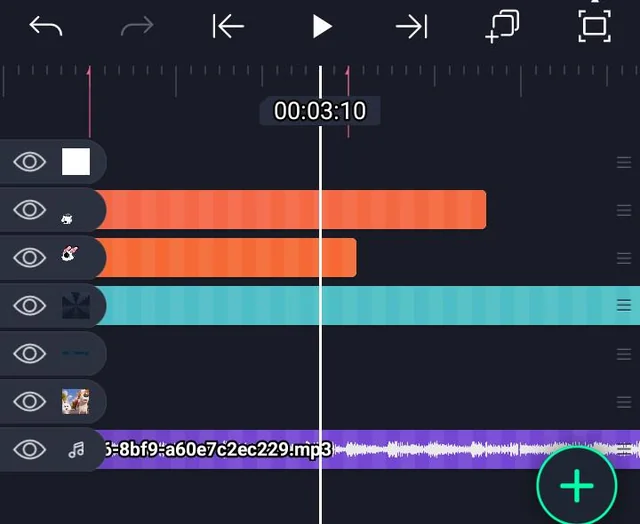
Alight Motion: stacked layers and custom timing are why it works for motion graphics and AMVs.
05 / BEST AI CLEANUP + TIMELINE
5. PowerDirector
Android / iOS / Windows / macOS
PowerDirector makes sense when your CapCut Pro habit has grown beyond social templates and into more demanding footage repair, background swaps or layered ads. It is especially compelling on desktop, where its AI utilities are integrated with a conventional editor.
Try this edit: For a storefront video, remove the distracting background behind a spokesperson, track a moving label over the product, clean room noise from the voice and reframe the finished sequence for 9:16. The important advantage is being able to correct the AI result with timeline edits rather than rebuilding the shot.
What it actually replaces in CapCut Pro
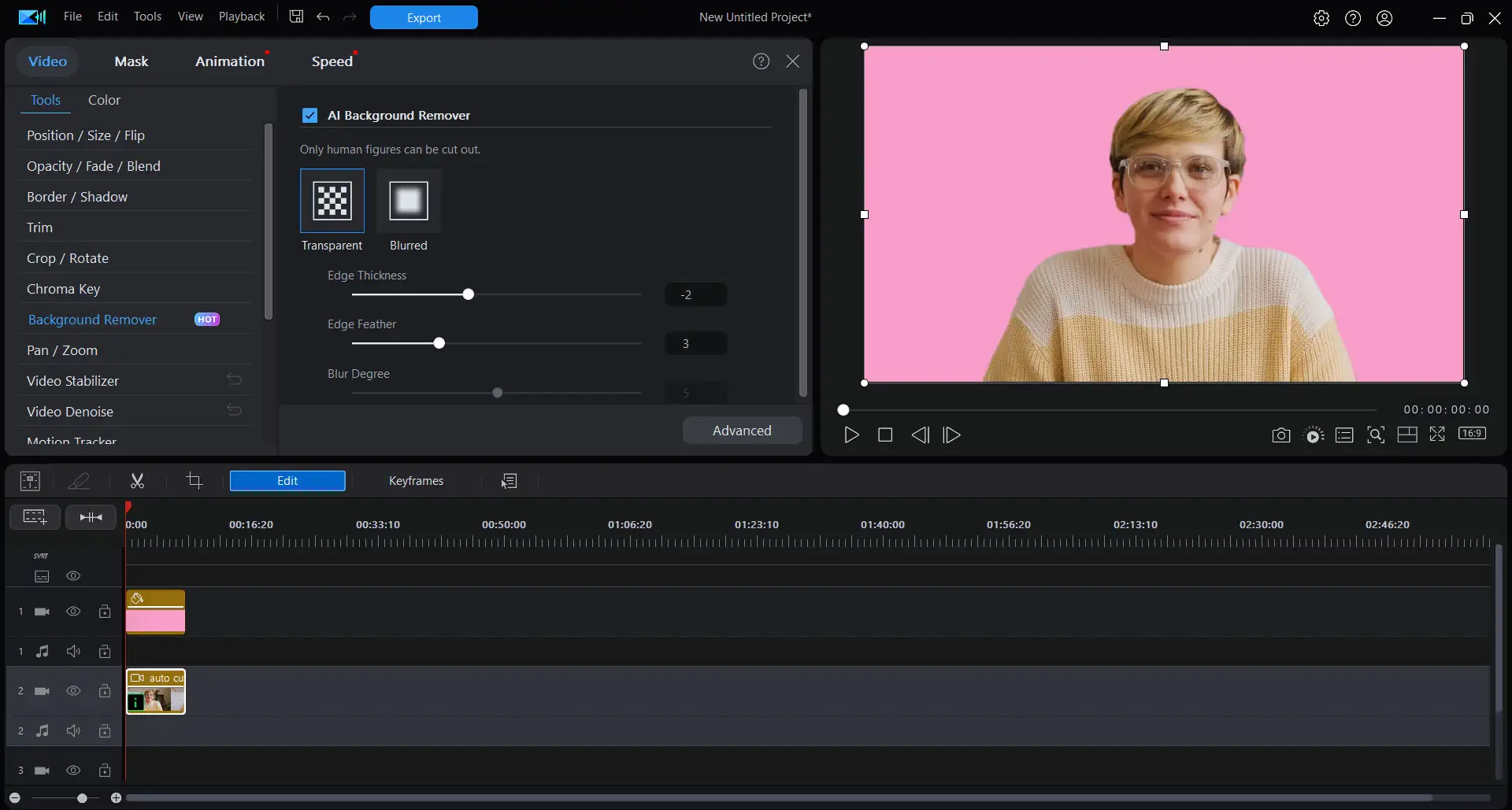
MOTION TRACKINGCyberLink says AI Motion Tracking is available in its free desktop edition for following an object with text, stickers or blur.
REPAIRDesktop features include AI Video Enhancement, speech enhancement, noise reduction and background removal. Availability and credits vary across editions.
4K & MOBILEPowerDirector Mobile supports 4K/60fps production on supported Android chipsets; this does not guarantee every device or the same controls as PowerDirector 365 on Windows.
Where it falls short: Be careful with cross-platform comparisons: a feature promoted for desktop PowerDirector may not exist in the mobile app, and AI-generation access varies by plan.
Official price example: the US desktop site currently shows PowerDirector 365 at US$54.99/year promotional pricing (regularly US$79.99/year), with 100 AI credits issued monthly. The discount is time-sensitive; mobile subscriptions are separate.
THE CALL: Pick it for hands-on desktop editing with genuine AI cleanup, not because you expect its phone app to mirror the Windows editor.
Plan, device and export notes
If 4K/60fps mobile exporting is essential, check CyberLink’s compatibility list and your device chipset before editing a long project.
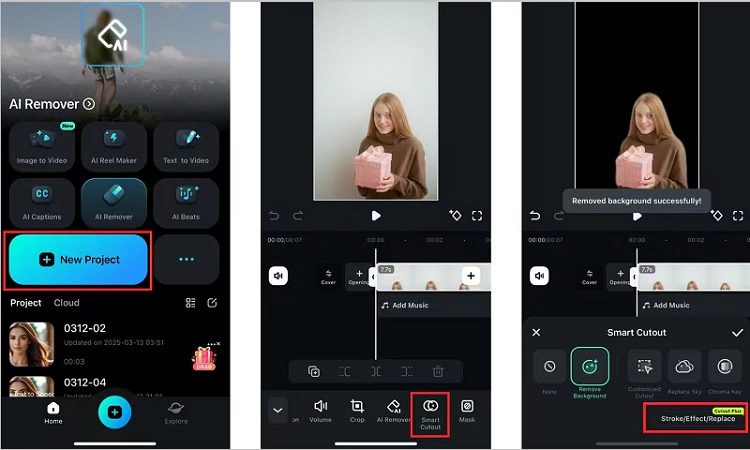
PowerDirector: the AI background remover can isolate a subject inside a standard timeline workflow.
06 / BEST FAST WATERMARK-FREE SHORTS
6. Spring
Android / iPhone / iPad
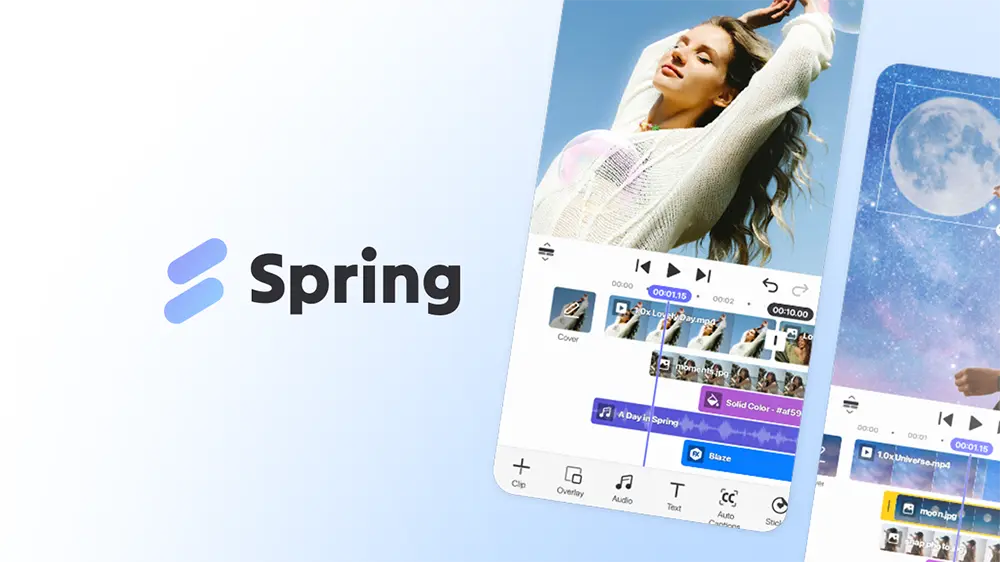
Spring is an unusually relevant CapCut Pro APK substitute for people who mainly cut Shorts, Reels and TikToks. Built by the KineMaster team, it combines quick templates with real AI-assisted editing while keeping the core export watermark-free.
Try this edit: Start with a trending vertical template, swap in your clips, use Auto Captions for the voiceover and AI Magic Removal to separate the speaker from a messy background. Finish with keyframed text, music and a clean vertical export. You do not need to learn a dense desktop timeline for a 20-second Reel.
What it actually replaces in CapCut Pro
EXPORTThe official Android and iOS listings advertise output up to 4K at 60fps.
AI TOOLKITAuto Captions, AI Tracking, AI Magic Removal, audio noise removal, text-to-speech and AI Upscaling appear in the current feature listings.
FORMATIts interface and template workflow are optimized for short-form vertical videos. The template phrase “done in 60 seconds” describes speed of production, not a hard duration cap on all videos.
Where it falls short: Spring offers less control for complex multi-scene productions than KineMaster or a desktop NLE. Some effects and asset rights vary with the current listing.
Official pricing note: free standard exports are advertised without a watermark. Premium effects may require an in-app purchase; KineMaster Premium currently lists US$51.99/year on its own checkout and includes Spring Premium. Verify any standalone Spring plan in your store.
THE CALL: Pick it if you want fast social edits with a genuine AI toolbox and no default export watermark.
Plan, device and export notes
Spring is developed by the KineMaster team but is a separate app with its own UI and export behavior. Its official store listings may show ads or in-app purchases even when the core editor is free.
Spring’s vertical editor is designed for fast Shorts and Reels, with overlays and a simplified timeline.
07 / BEST ONE-TAP TALKING-HEAD EDITS
7. Captions
Android / iOS / Web
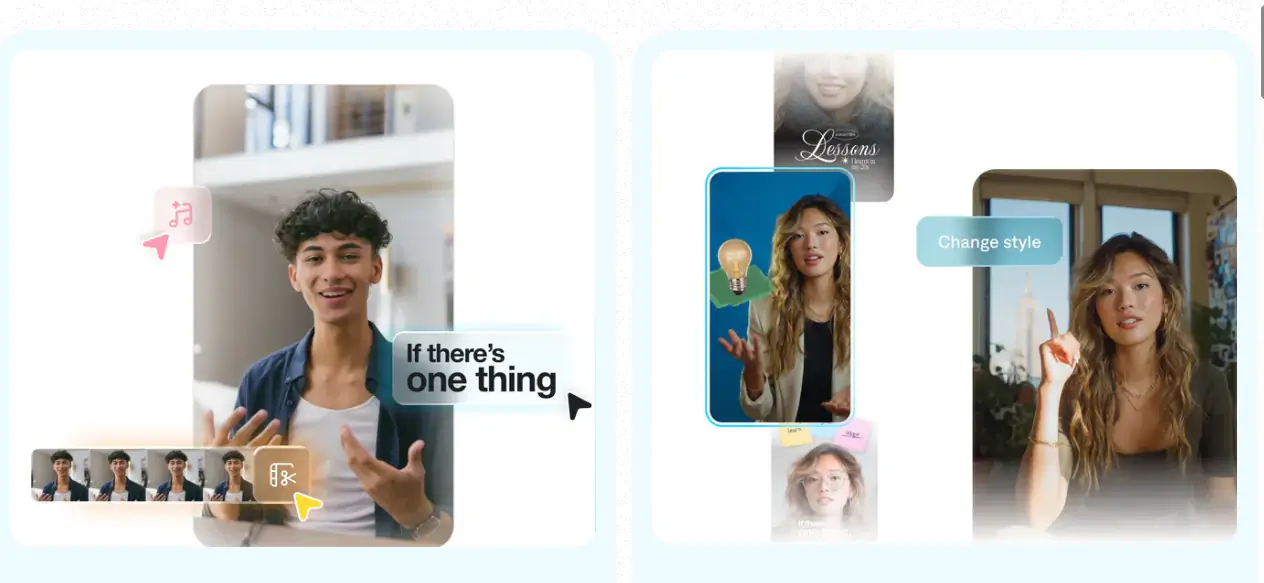
Captions is not a general-purpose replacement for the entire CapCut timeline. It is a sharper choice for creators who downloaded CapCut Pro mainly to stop spending hours editing face-to-camera videos, lessons, ads and talking-head Shorts.
Try this edit: Record yourself explaining a product for a minute, import the clip and let AI Edit assemble styled subtitles, B-roll, transitions, music and motion graphics. Fix the misheard product name word by word, change the caption style and export a publishable short without manually placing each cutaway.
What it actually replaces in CapCut Pro
AUTOMATIONAI Edit can build the first cut from spoken video; automatic captions remain editable at the word level.
LONG-VIDEO REPURPOSINGThe separate AI Shorts tool accepts source videos between 4 minutes and 2 hours long, then selects shorter social clips. This is an INPUT range, not the output duration of AI Edit.
EXPORT & PLANSIts own workflow recommends 1080p for most social exports. Higher-level AI Edit styles and automated production depend on eligible paid plans.
Where it falls short: It is much weaker than Alight Motion or KineMaster for precision masking, custom speed ramps and intricate keyframe animations. A lot of its unique value sits behind paid AI tiers.
Official price example: Captions lists Max at US$24.99/month with 500 AI credits per month for eligible iOS plans. The US iOS App Store also lists Basic at US$9.99/month, which should not be confused with unlimited AI Edit or AI generation.
THE CALL: Pick it if your biggest bottleneck is turning spoken footage into polished vertical content, not designing complex effects.
Plan, device and export notes
Captions recommends trying a 30-second sample before AI-editing a full video. Treat automation as a first pass: always correct names, captions, pacing and any inserted B-roll before posting.
Captions: styled spoken-video editing is the core attraction, rather than elaborate manual compositing.
08 / BEST QUICK SOCIAL EDITS
8. InShot
Android / iPhone / iPad
InShot deserves to stay on the list despite being common in ordinary CapCut comparisons. The reason is its current premium-like toolset: AI Cut, Auto Captions, object tracking, smart cutouts, speed curves and multi-layer overlays, not simply trimming and filters.
Try this edit: For a fashion try-on or travel Reel, use AI Cut to tighten the boring parts, add auto-generated captions, track a product label across a moving shot and apply a speed curve on the reveal. InShot is fast enough to do that between shoots without a complicated project setup.
What it actually replaces in CapCut Pro
EXPORTThe official Google Play listing advertises custom exports up to 4K at 60fps. Whether a selected effect, asset or clean export is free depends on the current version/plan.
AI + MOTIONAuto Captions, AI Cut, background cutout, tracking and speed curves tackle several popular CapCut Pro edit patterns.
SOCIAL FORMATPortrait-friendly ratios, picture-in-picture, text, stickers and quick audio overlays keep the editing loop short.
Where it falls short: Free use may involve ads and a watermark or ad-based removal. Its layer and compositing controls are less deep than a dedicated motion graphics app.
Official price example: the US iOS App Store lists InShot Pro at US$4.99/month or US$19.99/year and a separate US$49.99 lifetime item. Pro removes ads/watermarks and unlocks eligible effects, but this is not a CapCut AI-generation subscription.
THE CALL: Pick it for a reliable TikTok/Reels workflow when speed matters more than a huge effects graph.
Plan, device and export notes
Do not promise completely free 4K no-watermark export. InShot distinguishes its free editor from Pro assets, and unlock behavior can vary by device and store version.
InShot Smart Cutout: a practical replacement for fast social-video subject isolation.
09 / BEST PRO MOBILE FILMMAKING
9. LumaFusion
iOS / iPadOS / Android / ChromeOS
LumaFusion is for people who used CapCut Pro because they needed a serious editing timeline on a phone or tablet, not because they wanted trendy AI templates. It is an editorial upgrade for interviews, documentaries, vlogs and multi-camera stories.
Try this edit: Assemble an interview with multiple camera angles, cutaways and separate microphone tracks. Add color correction, audio EQ and keyframed titles, then make a controlled H.264 or HEVC output. That is far more predictable than piling dozens of effects into a preset-driven social editor.
What it actually replaces in CapCut Pro
TRACKSLumaTouch’s Android/ChromeOS page specifies six video/audio-or-graphic tracks plus six additional audio tracks.
MANUAL EFFECTSColor correction, chroma/luma keying, blending modes, keyframed movement and audio EQ are supported.
EXPORTLumaFusion supports up to 4K/60fps in supported workflows; exact features, codecs and device compatibility vary by platform.
Where it falls short: Usually a paid editor. It will not replace CapCut’s one-tap templates, AI avatars or broad consumer AI generation services.
Official price example: LumaFusion’s US iOS App Store lists a US$29.99 base purchase, plus optional Creator Pass at US$9.99/month or US$69.99/year and separate add-ons such as a US$19.99 speed-ramping package. It is not simply “pay once for everything.”
THE CALL: Pick it if timeline precision, consistent audio and professional mobile edits matter more than one-click automation.
Plan, device and export notes
Android/ChromeOS and iOS/iPadOS versions differ in release history. Verify the features you need in your own app store listing before purchase.
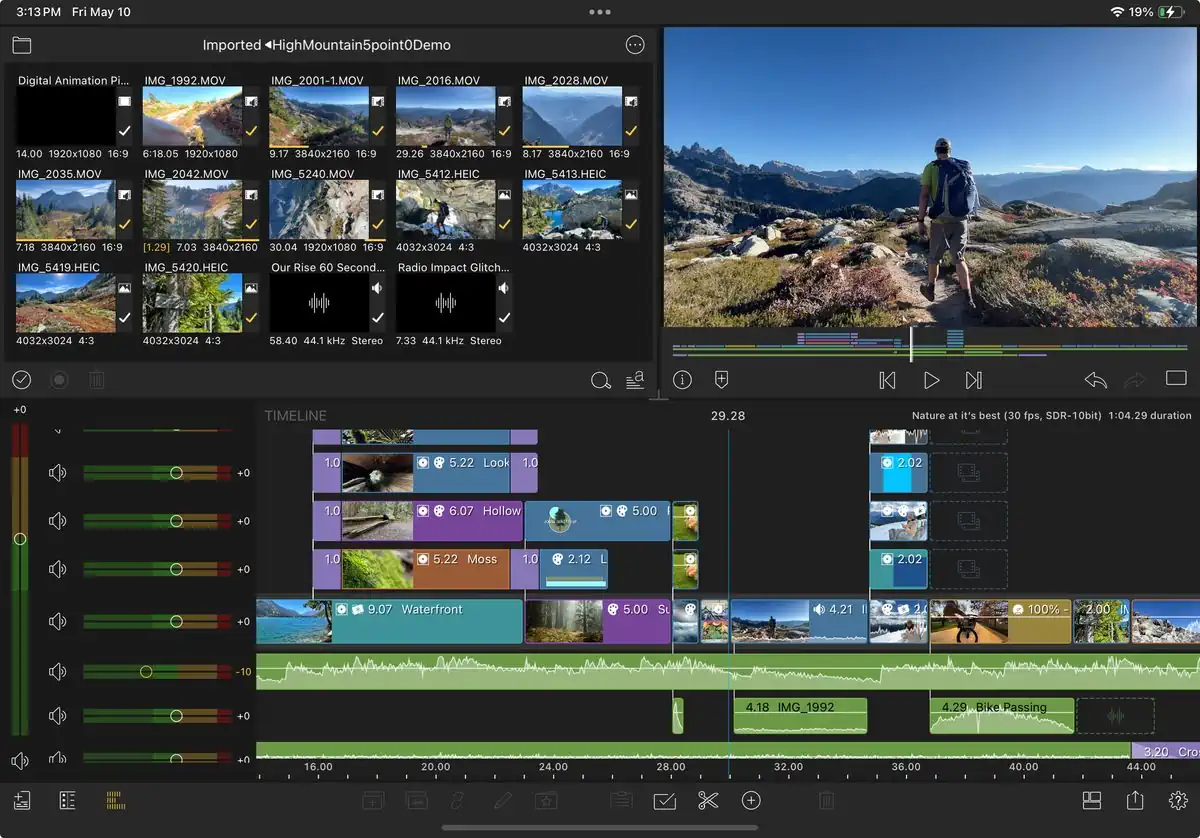
LumaFusion: separate image and audio layers make longer-form mobile editing practical.
10 / BEST FREE DESKTOP POWER
10. DaVinci Resolve
Windows / macOS / Linux / iPad
DaVinci Resolve is the specialist pick. It does not imitate CapCut Pro’s template library; it replaces the editing ceiling. If your work has moved from trendy social edits to color-sensitive client videos, complex sound and serious compositing, its free desktop version is hard to dismiss.
Try this edit: Grade mixed-camera footage for a YouTube review, build a motion graphic in Fusion, remove audio distractions in Fairlight and deliver a consistent 4K master. The appeal is having color, effects, audio and editing together without jumping between several simple apps.
What it actually replaces in CapCut Pro
FREE EXPORTBlackmagic states the free desktop edition supports up to Ultra HD 3840 × 2160 at 60fps with supported 8-bit formats.
STUDIO AIMagic Mask, advanced temporal/spatial noise reduction and many AI Neural Engine features belong to the paid Studio edition.
STUDIO HEADROOMThe official Studio page advertises up to 120fps and resolutions beyond 4K (up to 32K), depending on hardware and codecs.
Where it falls short: There is no official Android version. The learning curve and hardware requirements are much higher, and it is not a convenient substitute for quick cloud-based templates.
Official price example: the free desktop edition is US$0; DaVinci Resolve Studio has a regular official price of US$295 one-time. Promotional discounts can occur. Studio-only AI tools should never be described as available in the free edition.
THE CALL: Pick it for genuine desktop post-production, not because you need a fast CapCut-style template app.
Plan, device and export notes
The iPad version and desktop version have different feature matrices. Do not assume Studio AI functions, codec support or media export capabilities are identical on iPad.
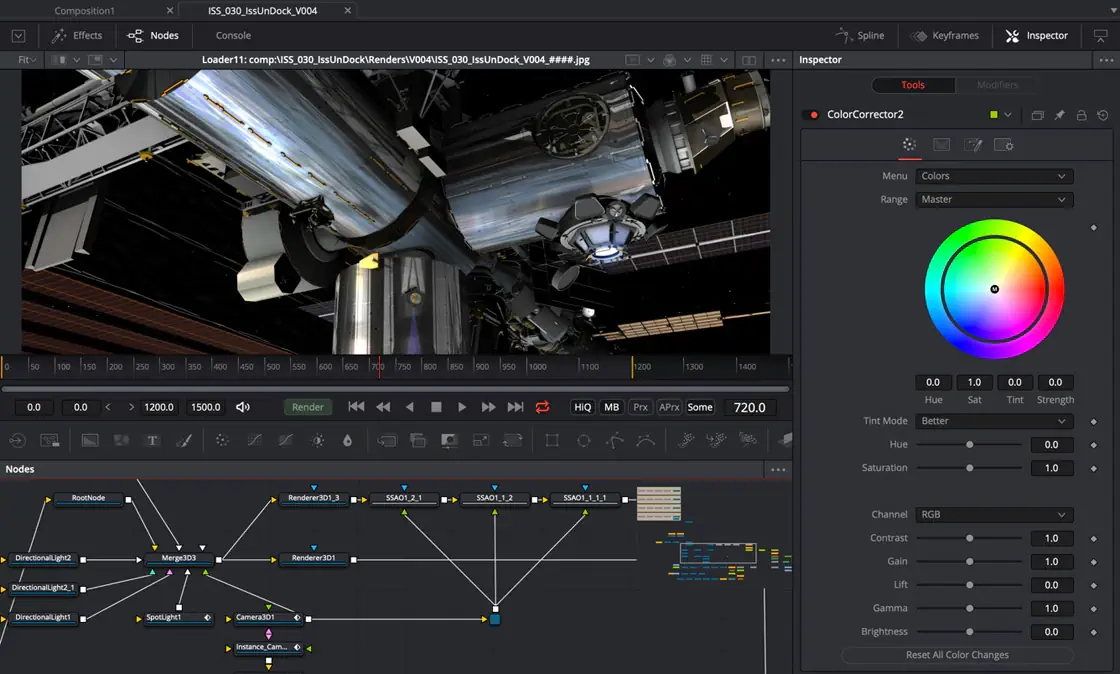
DaVinci Resolve Fusion: node-based compositing goes far beyond a basic social-video effect preset.Do these editors include the same CapCut Pro templates?
No. Every editor has its own preset library, licenses, AI models and project format. Switching to Filmora, VN or Spring may let you achieve a similar final result, but it will not import every CapCut draft or guarantee matching paid templates.
What If You Still Want CapCut Pro?
If the sticking point is a particular CapCut template, an existing project library or the convenience of its built-in Pro tools, replacing the app may cost more time than it saves. Review CapCut subscription options before switching.
GamsGo lists CapCut Pro access products. The purchase type matters: an account-based product is not automatically an upgrade to your existing CapCut login. Confirm the delivery method, region, term, supported devices and any account restrictions on the actual product listing.
Summary
The best CapCut Pro APK alternative isn't necessarily the one with the longest feature list. What matters is whether it fits your editing workflow, delivers the quality you need, and offers good value without unexpected restrictions. Try the free version with a real project before committing to a subscription.
Want to take your creative workflow further? Explore affordable CapCut Pro options on GamsGo, use Canva Pro for thumbnails and social media designs, or try Adobe Creative Cloud for more advanced creative projects. Find the tools that fit your workflow without overspending.
GamsGo · SOFTWARE DEAL
Buy a CapCut Subscription
Use the GamsGo CapCut Pro offer at your next renewal and keep more of your editing budget for content.
Is There a Free Capcut Pro Apk Alternative Without a Watermark?
VN Video Editor and Spring support clean exports in their free editing workflows. VN advertises up to 4K/60fps, and Spring lists up to 4K/60fps. Advanced AI models or premium assets may still have separate limits.
Which Alternative Provides Ai Video Enhancement or Repair?
Filmora offers AI Video Enhancer and model-dependent 4K enhancement, while KineMaster has Super Resolution and Noise Remover. PowerDirector offers AI video enhancement and audio cleanup, although some features are edition-specific.
Can I Use These Capcut Pro Alternatives on iPhone or Windows?
Yes. Filmora, VN and PowerDirector have supported mobile and desktop editions. KineMaster, Spring, InShot and Alight Motion are mobile-oriented. DaVinci Resolve has a desktop editor and a separate iPad edition. An Android APK itself does not install natively on iPhone or Windows.
Can a Capcut Pro Mod Apk Unlock Every Pro Ai Tool?
Not reliably. Cloud AI generation, premium stock assets, template rights and account-level entitlements can be validated on servers. A modified installer cannot guarantee access and can add security or update risks.
The GamsGo content team covers creative software, AI video editing tools, and digital subscriptions. This guide compares 10 CapCut Pro APK alternatives, focusing on advanced editing features, free-plan limitations, export quality, and pricing to help creators find the right tools for their workflow.