When using CapCut to edit videos, have you ever run into this situation? You finish editing your video, get ready to export it, and suddenly realize you used a premium template that requires payment. To save your video, you have no choice but to pay the $19.99 subscription fee.
As a long-time CapCut user, I’ve tried many methods that claim to offer free access to CapCut premium templates. In this guide, I’ll share the six most effective methods I personally tested, including the official free trial, earning free days by inviting new users, and more affordable options like shared subscriptions—helping you use the CapCut Pro plan for free or at a lower cost.
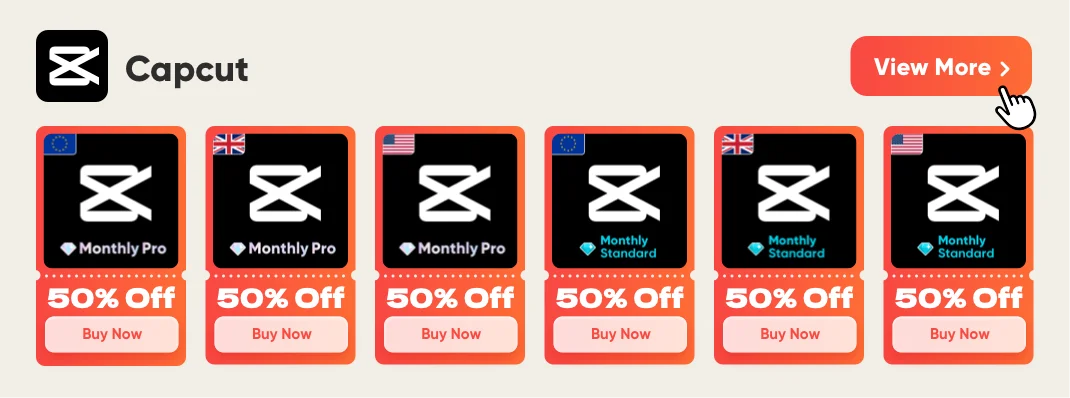
🎁 If you do not want to spend too much time on this, GamsGo also offers CapCut Pro accounts. Prices start at about $7.99 per month. We have included it as one of the options below. Now let’s look at which methods really work.
📑 Quick Guide: How to Get Capcut Pro for Free
- 1️⃣ Official 7-Day Free Trial
- 2️⃣ Invite Friends to Get Free Pro Days (Up to 70 Days)
- 3️⃣ Retention Discount After Canceling Subscription
- 4️⃣ CapCut Student Discount (50% Off)
- 5️⃣ Official Promo Codes & Limited-Time Deals
- 6️⃣ GamsGo Shared Account (Lower Long-Term Price)
Can You Get Capcut Pro for Free in 2026
Yes, you can. CapCut offers several ways to get Pro for free or at a lower price. These include official free trials, invite rewards, student discounts, and partner promotions. But most of these options come with time limits or specific requirements.
CapCut is developed by ByteDance, the parent company of TikTok. Its business model depends on subscription income. That income helps cover AI development and server costs. So a permanently free Pro version is not realistic. But short-term free access and long-term low-cost options are completely possible.
As free alternatives like DaVinci Resolve and VN become more popular, CapCut is also expanding its official free access channels. These now include invite rewards, education discounts, and partner campaigns. The goal is simple: keep users growing and staying on the platform.
What are the differences between Capcut Free and Pro
Before you look for free options, it helps to understand what CapCut Pro actually gives you. That way, you can decide whether you really need it.
Capcut Free Version Features 2026
CapCut’s free version is already very generous compared with similar tools. You can use basic editing, a multi-track timeline, keyframe animation, chroma key, basic stabilization, free music and sound effects, and 1080p export without a watermark.
For AI features, the free version gives you a limited amount each month. You get 5 AI auto-edits, 10 minutes of auto captions per video, 3 AI effect generations, and 5 AI background removals. This is enough for casual creators. But if you make content every day, you will likely hit the limit very quickly.
Overall, the free version is enough for light users. It lets you experience CapCut’s core editing features. But once you use a Pro-only template or effect with the crown icon (👑), you will need to pay before export, or the video will be forced to keep a watermark that you cannot remove.
Main Benefits of CapCut Pro
When you upgrade to Pro, you unlock many features and templates that are either unavailable or limited in the free version:
- 4K ultra HD export: Supports 3840×2160 resolution, HDR color, and 60fps. This is better for professional YouTube uploads and commercial projects.
- Full AI toolset: Unlimited background removal, motion tracking, vocal isolation, speaker recognition, subtitles, and AI effect generation. No usage limits.
- Professional camera movement templates: After unlocking Pro, you do not need someone else to manually create camera movement effects for you. You can handle them later in editing by applying templates and effects.
- No watermark at all: All Pro templates and effects can be exported cleanly, with no logo or mark.
- Library of over 12 million licensed assets: Full access to paid music, sound effects, stickers, stock videos, and more.
- 100GB cloud storage: Sync projects across devices and move from phone to computer without interruption.
- Full commercial license: Templates, music, and effects can be used for client work, ads, and monetized content. The free version is only suitable for personal use or small-scale projects.
CapCut Free vs. Pro
Comparison Item | Free Version | Pro Version ($19.99/month) |
Export Resolution | Up to 1080p | 4K + HDR + 60fps |
Video Watermark | Watermark required for Pro templates and effects | No watermark |
AI Auto Editing | 5 times per month | Unlimited |
AI Background Removal | 5 times per month | Unlimited |
Auto Captions | Up to 10 minutes per video | Unlimited duration |
Motion Tracking | Not available | Available |
Voice Isolation | Not available | Available |
AI Effect Generation | 3 times per month | Unlimited |
Cloud Storage | Limited | 100GB+ |
Asset Library | Free assets only | Access to 12 million+ assets |
Commercial License | Personal or small-scale use only | Full commercial license |
Rendering Priority | Standard queue | Priority processing |
As you can see, the gap between the free and Pro versions is not just about export quality. The bigger difference is in AI limits, asset licensing, and commercial use. If you only edit one or two videos per week, the free version is more than enough.
But if you post every day, work as a freelance editor, or create content for business use, the Pro version can save you a lot of time and improve your workflow in a very noticeable way.
How to Get Capcut Pro for Free
How to Get the CapCut Official 7-Day Free Trial
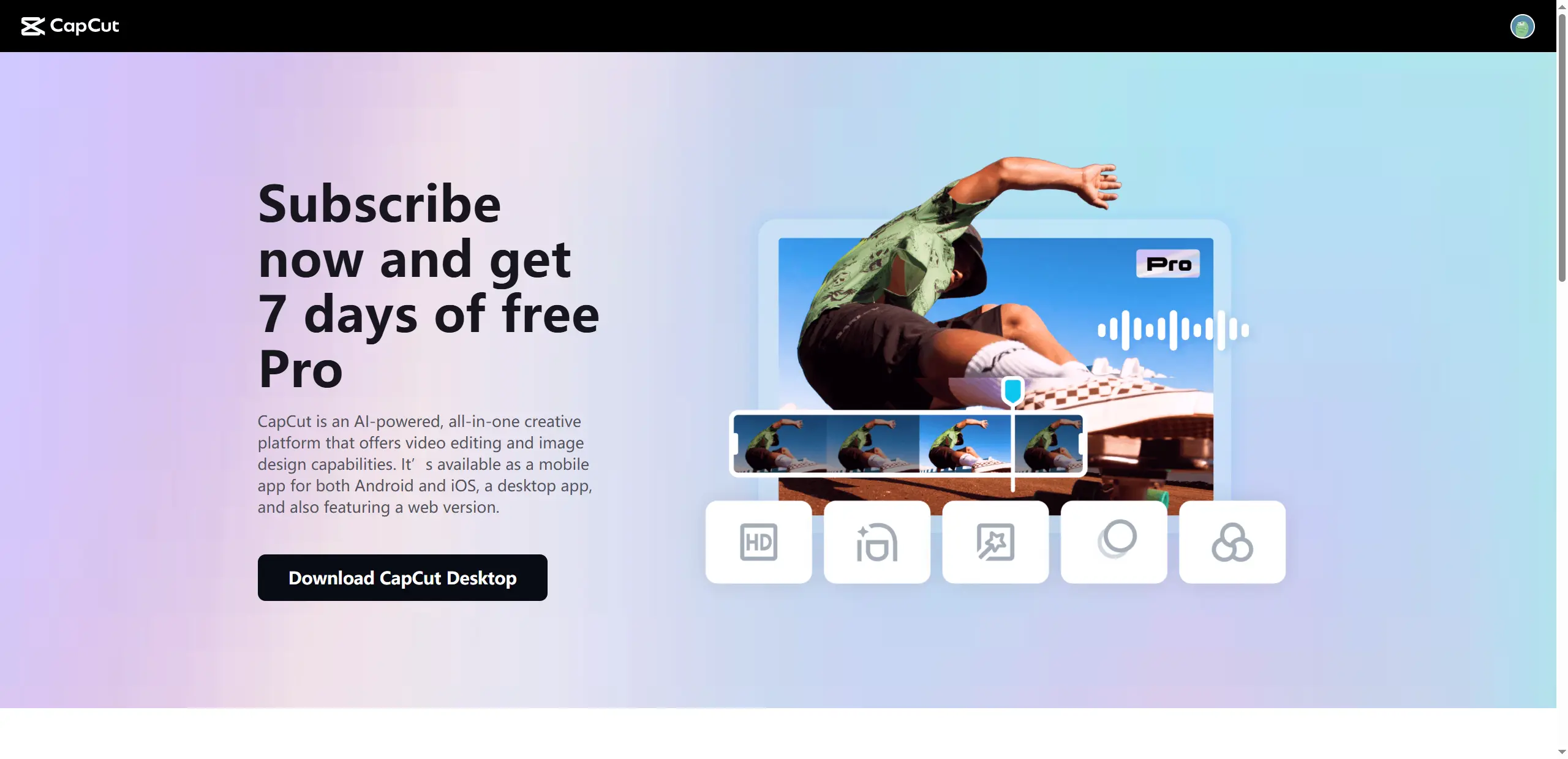
The most direct option is CapCut’s official 7-day Pro free trial. In some countries and regions, new users who have never subscribed to Pro before can activate the trial without linking a credit card. Once activated, you can use all Pro features right away.
You need to install CapCut 8.20 or later. Your account must never have had a Pro subscription before. If you see a “Free Trial” badge on the subscription page, it means your account is eligible.
How to activate it on the web:
- Log in to your account on capcut.com
- Click the Upgrade button in the top right corner
- Choose the 7-day free trial plan on the subscription page
- Confirm it, and you can start using all Pro features immediately
How to activate it on mobile:
- Open the CapCut app and go to Profile or Settings
- Tap Join Pro
- Choose the 7-day free trial plan
- Confirm it through the App Store or Google Play
In some regions, a payment method is still required
If you start the trial on a weekend, you will have more free time to test all the main Pro features. This is especially useful for trying 4K export, motion tracking, and AI voice isolation. These are some of the most important factors to consider when deciding whether Pro is worth paying for.
If you do not want to keep the subscription, make sure you cancel it one day before the trial ends through the App Store or Google Play. Otherwise, you will be charged $19.99 per month automatically.
Invite Friends to Earn Up to 70 Free CapCut Pro Days
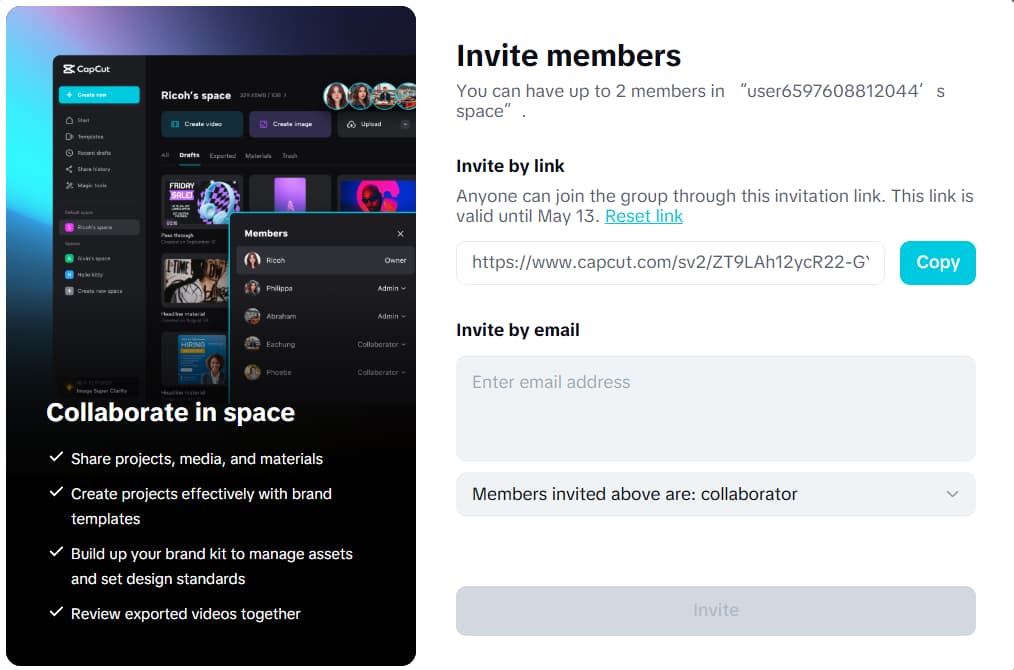
CapCut also has an official invite program. For each new user you successfully invite to install and use the CapCut desktop version, you get 7 free days of Pro. You can invite up to 10 people, which means you can get up to 70 days of CapCut Pro for free.
The invited user must meet a few conditions. They must never have installed CapCut on a computer before, and their account must never have claimed this reward before. After downloading CapCut, they must redeem the free membership within 3 days. If they do not, the reward will expire.
How it works:
- Open the CapCut desktop app and find the invite entry point
It is usually on the user page or the Pro subscription page - Generate your personal invite link
- Share it with friends who have never used CapCut on PC before
You can also post it in places like Reddit, Discord, or WeChat groups - Once your friend installs CapCut and claims the reward, your free Pro days are added automatically
This program is for PC users only. Only new desktop users count toward the reward. Mobile users do not count. If you do not have enough friends to reach 10 invites, you can also share your link in creator communities that allow invite posts.
Retention Offer When You Try to Cancel
If you are already a CapCut Pro subscriber, you may see a retention offer when you try to cancel your subscription. The system may show a pop-up with a free extra month or a discounted price. The goal is simple. CapCut wants to keep you as a user.
This is a common strategy. CapCut faces strong competition from free tools like DaVinci Resolve and VN. So the platform sometimes offers deals to users who are thinking about leaving. If you plan to cancel or if you want a better price, this method is worth trying.
How to check for the offer:
- Log in to your CapCut account
- Go to Settings → Account → Subscription Management
- Click Cancel Subscription
The cancellation will not take effect immediately - Watch for a special offer pop-up
- If you see a free month or discount, accept it
- If no offer appears, simply close the page
Your subscription will stay active as normal
This offer is not guaranteed for every account. It often depends on your usage history and subscription record. For better results, try this 1–2 days before your renewal date. The chance of seeing an offer is usually higher at that time.
CapCut Student Discount (Up to 50% Off)
CapCut offers a generous student discount for users currently enrolled in higher education. This reduces the Pro subscription price from $19.99 per month to about $3.99–$9.99, depending on your region. For students who plan to use Pro long-term, this is one of the best official deals available.
Where to Find the Student Discount Entry?
- On Mobile/Desktop App: Open CapCut, go to your Profile (or Settings), and click on Join Pro. On the subscription pricing page, look for the "Student" or "Education" plan tab next to the standard Monthly/Yearly options.
- On the Web: Log in to your account on capcut.com, click the Upgrade button in the top right corner, and scroll to find the Student Verification banner.
What Materials Are Needed for Verification?
To successfully claim the CapCut student discount, you will need to prove your student status. Have the following ready before you apply:
- A Valid .edu Email Address (Fastest Method): The easiest way to get verified is by entering your school-issued email address
.edu. CapCut will send a verification code or link to this inbox. You must click the link to activate the discount. - Basic Enrollment Info: You will likely need to select your university/college from a drop-down list and provide your expected graduation year.
- Student ID or Transcript (Alternative): If your school is not automatically recognized, or if you don't have an .edu email, the system may ask you to manually upload a clear photo of your valid Student ID card, a tuition receipt, or a recent transcript showing your name and the current academic term.
Note: Right now, CapCut education pricing is primarily available in the United States, Canada, the United Kingdom, and Australia. In other regions, you can check the subscription page in the app to see if the student verification option appears. If you are not a student, using a shared account like GamsGo (mentioned in Method 6) is the closest alternative.
Official Promo Codes and Limited-Time Deals
CapCut regularly releases promo codes through partners and social media channels. These offers often appear during major updates, big holidays like Black Friday or New Year's, or special brand collaborations. The benefits may include a free first month, a limited-time discount, or extra usage time.
To find these offers, follow CapCut’s official accounts on Instagram, TikTok, and X (Twitter). Subscribe to the official newsletter and watch for in-app notifications when new features or updates arrive. You should also check creator channels and YouTube review videos, because influencers sometimes share exclusive codes.
To get the latest working promo codes, we recommend following CapCut's official channels directly — they are the fastest source for new offers:
- CapCut on TikTok — new codes often appear in pinned videos during product updates
- CapCut on Instagram (@capcutapp) — holiday and seasonal promotions are announced here
- CapCut on X (Twitter) — limited-time collaborations and partner codes
We will also update this page whenever we verify a working code ourselves.
GamsGo Capcut Pro Accounts
For non-student users, GamsGo offers a more stable, easy, and affordable way to use CapCut Pro.
GamsGo is a subscription-sharing platform that offers services like Windows Copilot Pro and Dropbox Plus at a fraction of the retail price. Capcut Pro on GamsGo runs about $7.99/month, roughly 60% less than the official $19.99/month.
In addition, based on our real tests, the CapCut Pro shared account on GamsGo offers the same core features as the official Pro version. You still get 4K export, the full AI toolset, 100GB cloud storage, and access to all Pro templates and effects.
More importantly, the overall performance is just as stable. The response speed feels the same as a direct subscription. During our testing period, we did not encounter any connection issues or quota problems.
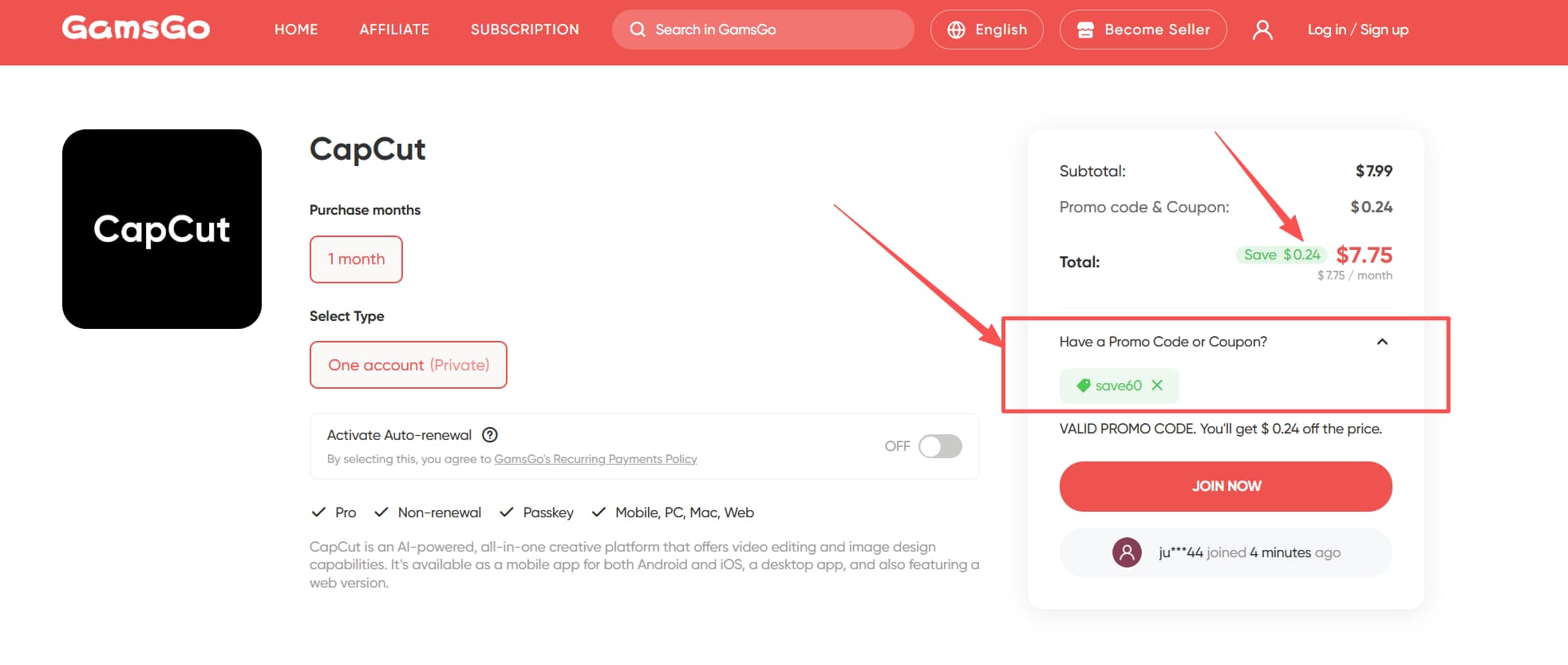
🎉Bonus: If you're looking for a CapCut promo code, we have another redeem code for you! Use SAVE60 to get an extra 3% off instantly.
We’ve prepared an exclusive promo code for all blog readers:
Enjoy an additional 3% off on your next purchase!
Valid across all categories — streaming accounts, AI tools, game top-ups, software subscriptions, and more.
6 CapCut Pro Free Methods Compared
After reviewing the 6 methods above, use the table below to quickly find the option that fits you best:
Method | Duration | Benefits | Limitations | Recommendation |
Official 7-Day Free Trial | 7 days | Official channel; no card required in some regions | New users only; region limits | ⭐⭐⭐ |
Invite Friends Program | Up to 70 days | Official rewards; days can stack | Requires real new users; PC only | ⭐⭐⭐ |
Retention Offer When Canceling | About 1 month | Simple to try; 100% free if triggered | Requires active subscription; not guaranteed | ⭐⭐ |
Student Discount (50% Off) | Long-term | Official verification; stable pricing | Requires .edu email; region limits | ⭐⭐ |
Official Promo Codes | Varies | Multiple discount types | Hard to find consistently; short validity | ⭐ |
Buy via GamsGo | Long-term | Lower price; full features; stable access | No major restrictions | ⭐⭐⭐⭐ |
If you only want to try Pro for a short time, the official free trial is the simplest choice. If you have a .edu email, the student discount is usually the best long-term official option. If you want stable access at a lower price without waiting for deals, the most cost-effective option is often to top up CapCut through GamsGo.
Conclusion
There are indeed ways to use CapCut Pro for free. These include the official 7-day trial, the invite program, retention offers after canceling, and the student discount. With these options, you can try Pro features for a period of time, including 4K export, the full AI toolset, and all Pro templates.
But if your goal is to use CapCut Pro accounts long term and keep them stable, then after testing different methods ourselves, the option we recommend most is getting an account through GamsGo. The price is lower, the features are complete, and the overall experience is very close to the official version.
If new free methods appear in the future, we will update this page as soon as possible.
FAQ
Is CapCut free in 2026?
Yes, CapCut is free to download and use on iOS, Android, and desktop. The free plan includes core editing tools, basic transitions, free music, and 1080p export with no watermark on your own footage. Some premium templates and effects marked with a crown icon require a Pro subscription.
Which version of CapCut is totally free?
The base CapCut app is completely free. It includes multi-track editing, keyframe animation, chroma key, speed ramping, filters, and AI voiceover at no cost. The Standard ($9.99/mo) and Pro ($19.99/mo) tiers unlock additional assets and AI tools, but are not required for general editing.
How long can I use CapCut for free?
You can use CapCut's free plan indefinitely — there is no time limit or expiration. New users may also be eligible for a 7-day Pro free trial to test premium features. After the trial ends, the account simply reverts to the free tier with no charge.
Can I no longer use CapCut for free?
Yes, you can still use CapCut for free in 2026. The free plan remains available with no expiration. While the May 2025 price increase raised Pro to $19.99/month, the free tier was not removed. Core editing features and 1080p export remain accessible without any subscription.
What are the limitations of the free version of CapCut?
Free users are capped at 1080p export, 5 AI auto-edits/month, 5 background removals/month, and 10 minutes of auto-captions per video. Pro-marked templates add a permanent watermark to exports. Advanced tools like motion tracking, vocal isolation, and 4K export require a paid plan.
If you want to find more free guides for popular software, feel free to check out the articles below.