Who has not experienced this? You want to continue watching your new favorite series, but suddenly Netflix says the password is incorrect, the screen limit has been reached, or the account has a technical problem.
These issues may occur more often when an account is used on several devices within the same household.
In most cases, it is not a serious error but a situation that is easy to fix. The main difficulty is that the cause may not be clear at first.
In this article, we cover the most common Netflix login, playback, and account setting problems, along with practical solutions. Check the table of contents and go directly to the issue you need to solve.
Common Netflix account and login problems
When an account is used on several devices, many issues are related to login details and passwords. Below are the five most common situations and their solutions.
What should you do if Netflix says the password is incorrect?
If Netflix says the password is incorrect even though the login details were entered correctly, other account users may have signed in too many times recently.
In this case, wait for a while and try again.
In many cases, the login starts working again after several attempts.
Why does Netflix show a “technical problem” message?
If a technical problem message appears when you try to sign in, it usually means that the account has temporarily triggered Netflix's automatic security check.
This is usually nothing to worry about. Wait for a moment and try again to sign in normally.
What should you do when the screen limit is reached?
Netflix allows you to create several profiles, but the number of devices that can stream at the same time depends on the plan. The Premium plan supports up to 4 simultaneous streams.
If several people in the same household use the account at the same time, Netflix may display a message saying that the screen limit has been reached.
It is uncommon for every user to watch content at the same time. If this happens, wait for a while before trying to stream Netflix again.
Why was the password reset?
If an account password was reset unexpectedly, another user may have requested the change.
If the password shown on the page still does not work, contact our customer service team immediately.
How do I set up a PIN if other people use my profile?
When several people in the same household use one account, someone may open your profile by mistake. You can prevent this by protecting your profile with a PIN.
Follow these steps to set up a PIN:
- Sign in to your Netflix account and open “Account”.
Find your profile and select Profile Lock.
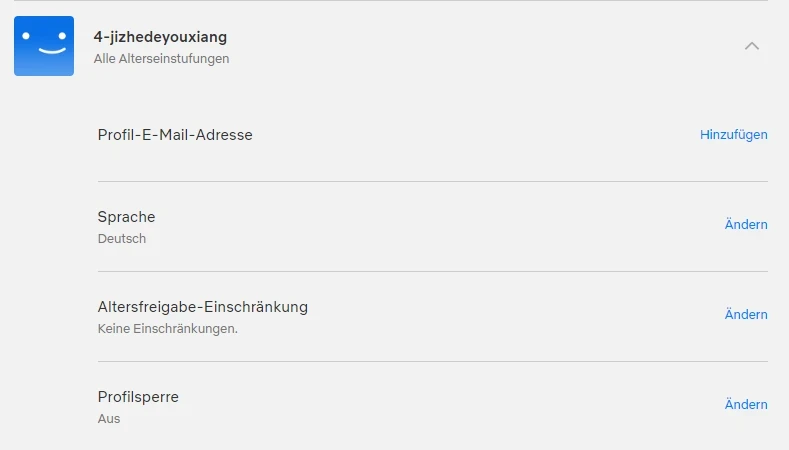
- Enter the account password and select Continue.
- Enter a 4 digit PIN and select Save to complete the setup.
Common Netflix streaming and playback problems
Even after signing in successfully, you may not be able to find a series or movie, or the picture quality may not meet your expectations. Below are the most common Netflix playback problems.
Why are some series or movies not available?
Many Netflix Original titles are available in a wide range of countries.
Other titles are licensed to Netflix but are not available in every region. As a result, some series or movies may not appear in your country. This is not an account problem but a result of regional licensing agreements.
How can I watch Netflix in 4K or HDR?
To watch Netflix content in 4K, you need to meet the following requirements:
- A Netflix plan that supports Ultra HD 4K.
- A television, monitor, or streaming device that supports Netflix in 4K.
- A stable internet connection of at least 15 Mbps.
- Playback quality set to “Auto” or “High”.
If you meet all the requirements but the content does not play in 4K, one of your devices, cables, or ports may not support Ultra HD 4K.
Find more information here: Is Netflix showing poor picture quality? 4 tips for a better image.
Why does an expiration warning appear after buying or renewing an account?
After buying or renewing an account, an upcoming expiration warning may appear for several days. This happens because the renewal is completed before the actual expiration date.
The warning does not affect account use. If the account was not renewed correctly and you cannot use it, contact our customer service team immediately.
Basic Netflix setup
If you are setting up Netflix or using an account for the first time, it helps to know how to install the app, change the language, and choose a purchase option.
Download the Netflix app on iOS, Android, and Smart TV
You can also watch Netflix directly in a web browser, although some features are only available in the app.
- On iOS, open the App Store, search for “Netflix”, install the app, and sign in with your email address and password. The latest app version requires iOS or iPadOS 18 or later.
- On Android, Netflix may be available through the Google Play Store, Samsung Galaxy Store, or Amazon Appstore, depending on your device. Find the app, install it, and sign in to your account.
- On most Smart TVs, the Netflix app is already installed. If it is not available, you can use a compatible external streaming device or game console.
Change the interface and subtitle language
If another person used the account before you, the interface or subtitle language may not match your preference. You can change it by following these steps:
- Sign in to your account.
Select Manage Profiles.
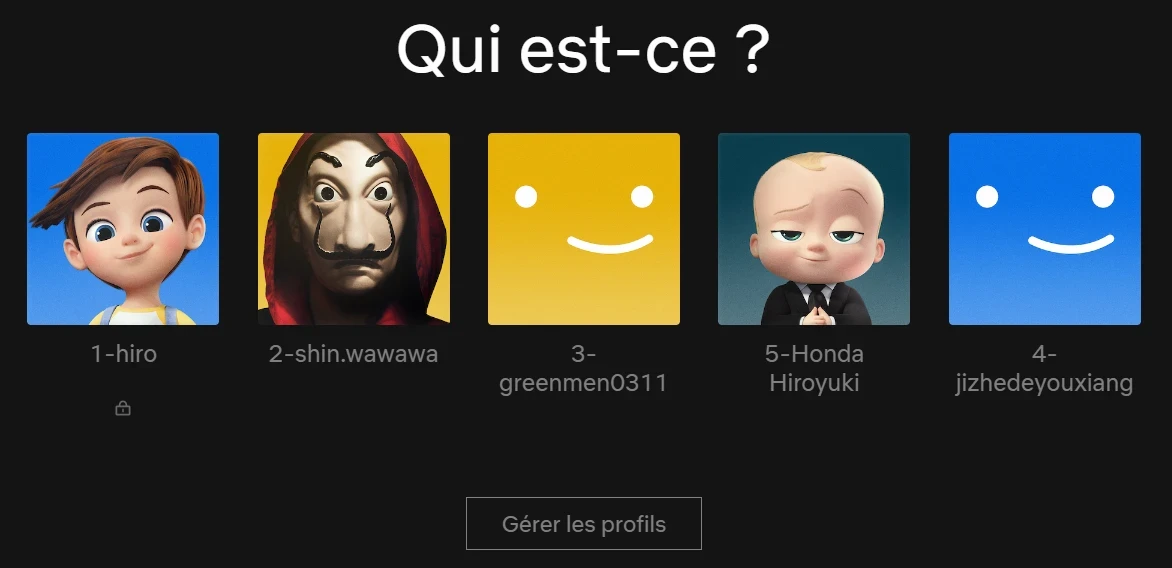
- Choose your profile.
Select your preferred language from the dropdown menu.
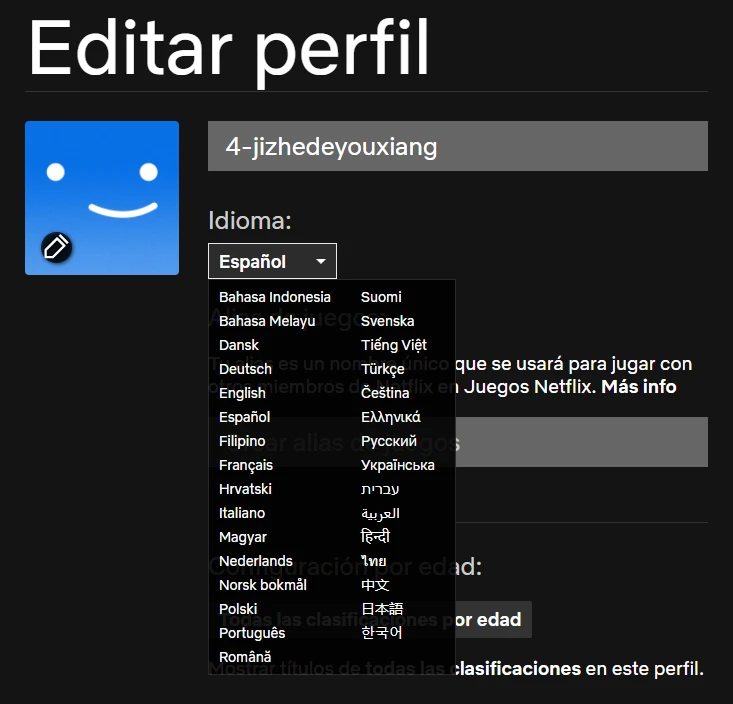
- Select Save to apply the change.
Buy Netflix for less on GamsGo
If you do not have a Netflix account yet or are looking for a more affordable subscription option, you can buy Netflix on GamsGo.
GamsGo is a global platform for discounted digital subscriptions. The service is available in more than 150 countries and regions and offers over 200 popular subscription services and digital products.
These include streaming platforms, AI tools, office software, game top ups, game accounts, and in game items.
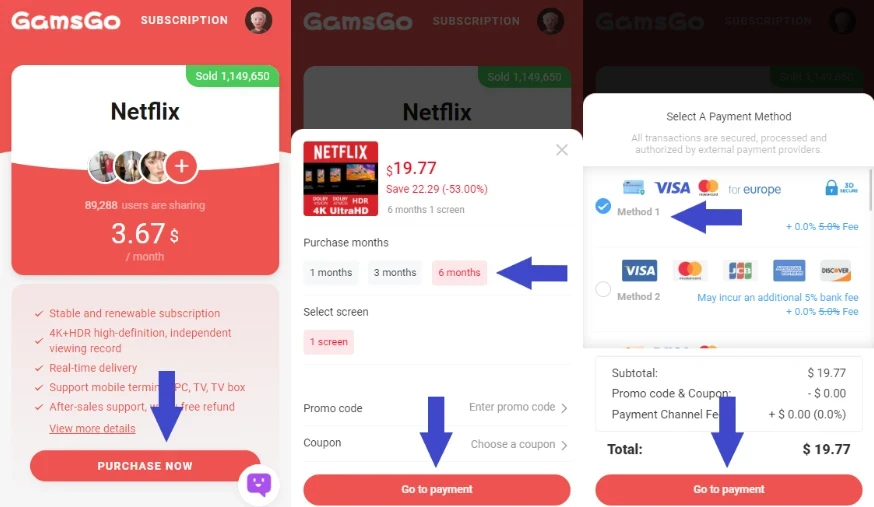
The buying process is simple. Visit the GamsGo Marketplace, search for “Netflix”, and compare the offers provided by different sellers.
Then choose a suitable plan based on the package type and subscription period.
After completing the payment, you will normally receive the username and password within a few minutes, allowing you to start using Netflix.
When you buy a Netflix subscription on GamsGo, you can save up to approximately 70% and access Netflix at a lower price.
Conclusion
Most problems that occur while using Netflix are not serious. Login errors and screen limit messages can usually be resolved by following the steps in this article.
If you want to reduce risks from the moment you make a purchase, using a verified channel can be a good option. GamsGo provides Netflix accounts through a regulated payment process.
After your purchase, you can contact the 24/7 online customer service team at any time to ask questions and receive additional support.
If you buy a Netflix gift card on GamsGo, you can get an additional 1% discount with the Netflix promo code shown below.
Frequently asked questions
Will my Netflix account be locked if I enter the wrong password several times?
Login access may be temporarily restricted, but the account is not usually locked permanently. In most cases, you can sign in again after waiting for a few minutes.
Why does Netflix not play in 4K even though my device is compatible?
Even when your connection and settings are correct, Netflix may not play in 4K if your plan, device, cable, or port does not support Ultra HD 4K.
Can I share a Netflix account with several people?
A Netflix account can only be shared with people who are part of the same Netflix Household.
People who live outside the household need to create their own account or be added as an extra member when the selected plan and local availability allow it.
Some series or movies are missing. Is this an error?
It is usually not an error. The content may not be licensed for your country or current region, which is why it does not appear in the Netflix catalog.
Related articles: