If you want to compare DeepSeek and ChatGPT, the real question is not simply which one is “better.” It is which one fits your task: reasoning, coding, writing, research, daily work, or quick access to multiple AI models.
If you want an easier way to try AI tools without switching between different platforms, you can start from Rita, which brings popular AI capabilities into one place.

Quick Verdict: DeepSeek or ChatGPT?
Choose DeepSeek if you care most about reasoning models, technical problem solving, coding, long-context work, or open-weight model research. Choose ChatGPT if you want a polished everyday assistant for writing, research, file-based work, brainstorming, planning, and general conversations.
Use Case | Better Fit | Why |
|---|---|---|
Complex reasoning and STEM tasks | DeepSeek-V4-Pro | V4-Pro is DeepSeek’s newest preview model for heavier reasoning, coding, STEM, and complex tasks, but users should still test it on their own workflow. |
Fast everyday AI use | DeepSeek-V4-Flash or ChatGPT | V4-Flash is positioned as DeepSeek’s faster and more economical V4 option, while ChatGPT is smoother for everyday writing, planning, and back-and-forth work. |
Writing, emails, summaries, planning | ChatGPT | ChatGPT is usually smoother for general writing, tone control, long conversations, and everyday productivity tasks. |
Trying multiple AI models | Rita | Rita lets users access multiple AI tools from one interface, which is useful if you do not want to manage several separate model platforms. |
What Is DeepSeek?
DeepSeek is an AI company known for open-weight language models and its hosted AI chat experience. Earlier models such as DeepSeek-R1 and DeepSeek-V3 made the brand popular for reasoning, coding, math, and cost-efficient AI access. The latest major update is DeepSeek-V4 Preview, which DeepSeek says is officially live, open-sourced, available on chat.DeepSeek.com, and supported through its updated API.
That makes older comparisons that only mention R1 and V3 less current. Still, V4 is a Preview release, so it is better to explain it as a new model family users can try, not as a model with years of user feedback behind it. R1 and V3 still help readers understand DeepSeek’s earlier strengths, while V4-Pro and V4-Flash show where DeepSeek is moving now.
💡 DeepSeek-V4 Preview
DeepSeek-V4 is DeepSeek’s newest preview model family, including DeepSeek-V4-Pro and DeepSeek-V4-Flash. DeepSeek officially positions V4-Pro for heavier reasoning, coding, STEM, and complex tasks, while V4-Flash is the faster and more economical option for lighter use. According to DeepSeek, V4-Pro has 1.6T total parameters with 49B active parameters, and V4-Flash has 284B total parameters with 13B active parameters.
DeepSeek also says both V4 models support a 1M context length across official services. That makes V4 especially worth testing for long documents, larger codebases, research-heavy prompts, and multi-step tasks. Because it is still a Preview release, users should compare V4 with R1, V3, and ChatGPT on their own real tasks before replacing an existing workflow.
💡 DeepSeek-R1
DeepSeek-R1 is still important because it helped build DeepSeek’s reputation for reasoning. It is useful for step-by-step problem solving, math questions, coding logic, and tasks where the answer needs structured reasoning rather than a quick general response. DeepSeek’s official material also describes R1 as strong for math, code, and reasoning tasks, but the current DeepSeek model lineup has now shifted toward the V4 series.
💡 DeepSeek-V3
DeepSeek-V3 is one of DeepSeek’s earlier general-purpose models. Its official model information lists 671B total parameters and 37B activated parameters, with a 128K context length. For everyday chat, content generation, quick answers, and general AI tasks, V3 is still useful as a reference point, but current users should also check whether V4-Pro or V4-Flash is available for their use case.
What Is ChatGPT?
ChatGPT is OpenAI’s AI assistant for everyday tasks such as writing, research, coding help, summarizing files, brainstorming, translation, planning, and conversation. Unlike DeepSeek’s open-weight model releases, ChatGPT is mainly used as a hosted product through OpenAI’s own app and web experience.
ChatGPT has also changed a lot since early comparisons between DeepSeek and OpenAI o1. OpenAI’s current ChatGPT release notes describe GPT-5.5 Instant as its most-used ChatGPT model, with updates focused on better conversational quality, stronger instruction following, more useful recommendations, and less templated formatting. OpenAI has also simplified the model picker into options such as Instant, Medium, High, Extra High, Pro Standard, and Pro Extended, depending on plan availability.
That means an updated comparison should not treat ChatGPT as only a general chatbot. It is better described as a broad AI work assistant for writing, reasoning, search, file-based work, planning, and productivity.
DeepSeek vs ChatGPT: Main Differences
1. Reasoning and Technical Tasks
If your main task is math, algorithmic thinking, STEM work, long technical analysis, or reasoning-heavy coding, DeepSeek-V4-Pro is the newest DeepSeek model to test first. R1 is still a useful reasoning reference, but V4-Pro is now the more current option in DeepSeek’s official lineup.
ChatGPT is also strong for technical help, especially when the task includes explanation, debugging context, documentation, or turning technical output into a usable workflow. For many users, ChatGPT feels easier when the work is not just “solve this problem,” but “help me understand, fix, rewrite, and apply the solution.”
2. Writing and Everyday Productivity
For general writing, ChatGPT is usually the smoother choice. It tends to handle tone, structure, rewriting, summarizing, and multi-step planning well. If you need help with emails, blog outlines, meeting notes, resumes, research summaries, or creative brainstorming, ChatGPT often feels more polished.
DeepSeek can also write and summarize, but its biggest advantage is not general prose. It is more compelling when the task benefits from reasoning, technical analysis, coding logic, long context, or open-weight model options.
3. Access and Flexibility
DeepSeek can be used through its official chat website and API platform, and some models can also be downloaded or deployed by technical users. DeepSeek says V4 Preview is available through Expert Mode and Instant Mode on chat.DeepSeek.com, and the API model names now include DeepSeek-v4-pro and DeepSeek-v4-flash. It also notes that DeepSeek-chat and DeepSeek-reasoner will be deprecated on July 24, 2026, 15:59 UTC, with compatibility routed to V4-Flash modes.
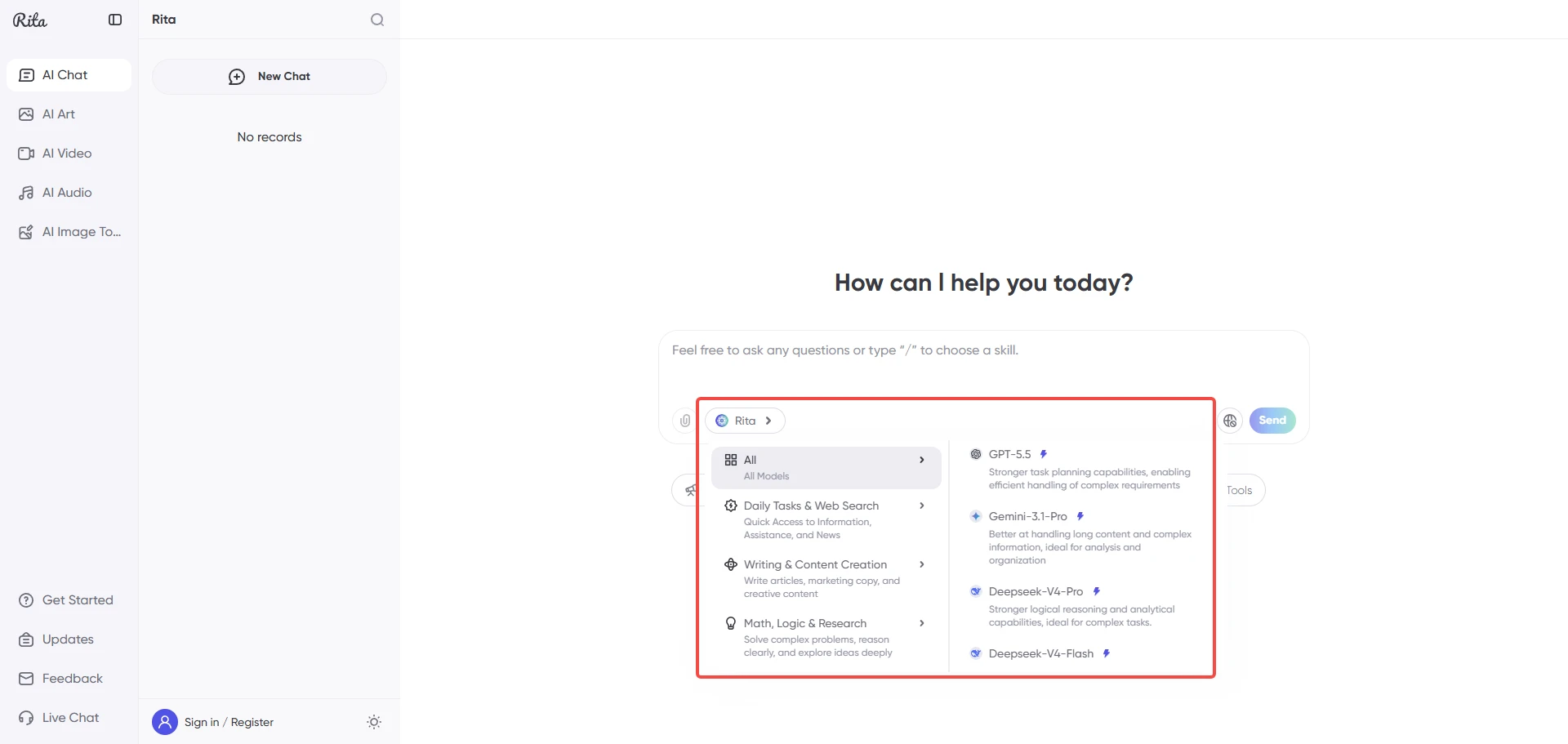
If you do not want to choose only one platform, Rita gives users another route. Rita is positioned as an all-in-one AI assistant and supports access to multiple mainstream AI models across chat, image, video, and audio scenarios.
How to Use DeepSeek
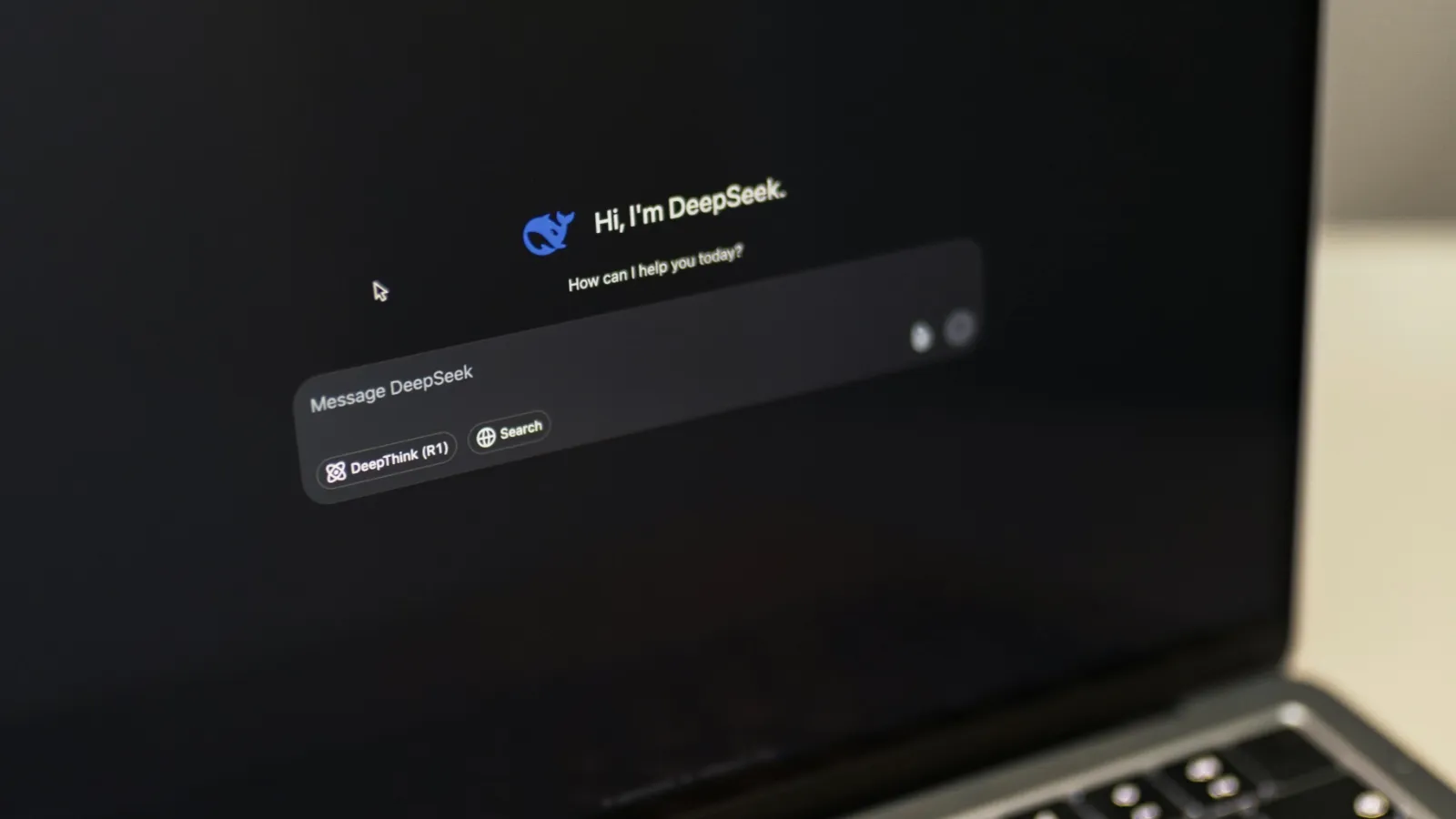
Step 1: Visit the DeepSeek Official Website
Open the DeepSeek chat website in your browser. If the service is available in your region, you can enter the chat interface and start testing the available models directly.
Step 2: Register or Log In
Follow the account instructions on the official page. Depending on current availability and region, login methods and access rules may change, so it is better to check the latest official page instead of relying on old screenshots.
Step 3: Choose the Right Model
Use DeepSeek-V4-Pro when you want to test DeepSeek’s newest preview model for reasoning, math, coding logic, or long-context analysis. Use DeepSeek-V4-Flash when you want a faster and more economical V4 option. If you prefer a more familiar reference point, R1 and V3 are still useful for understanding DeepSeek’s earlier reasoning and general-chat strengths.
Experience DeepSeek and ChatGPT Through Rita
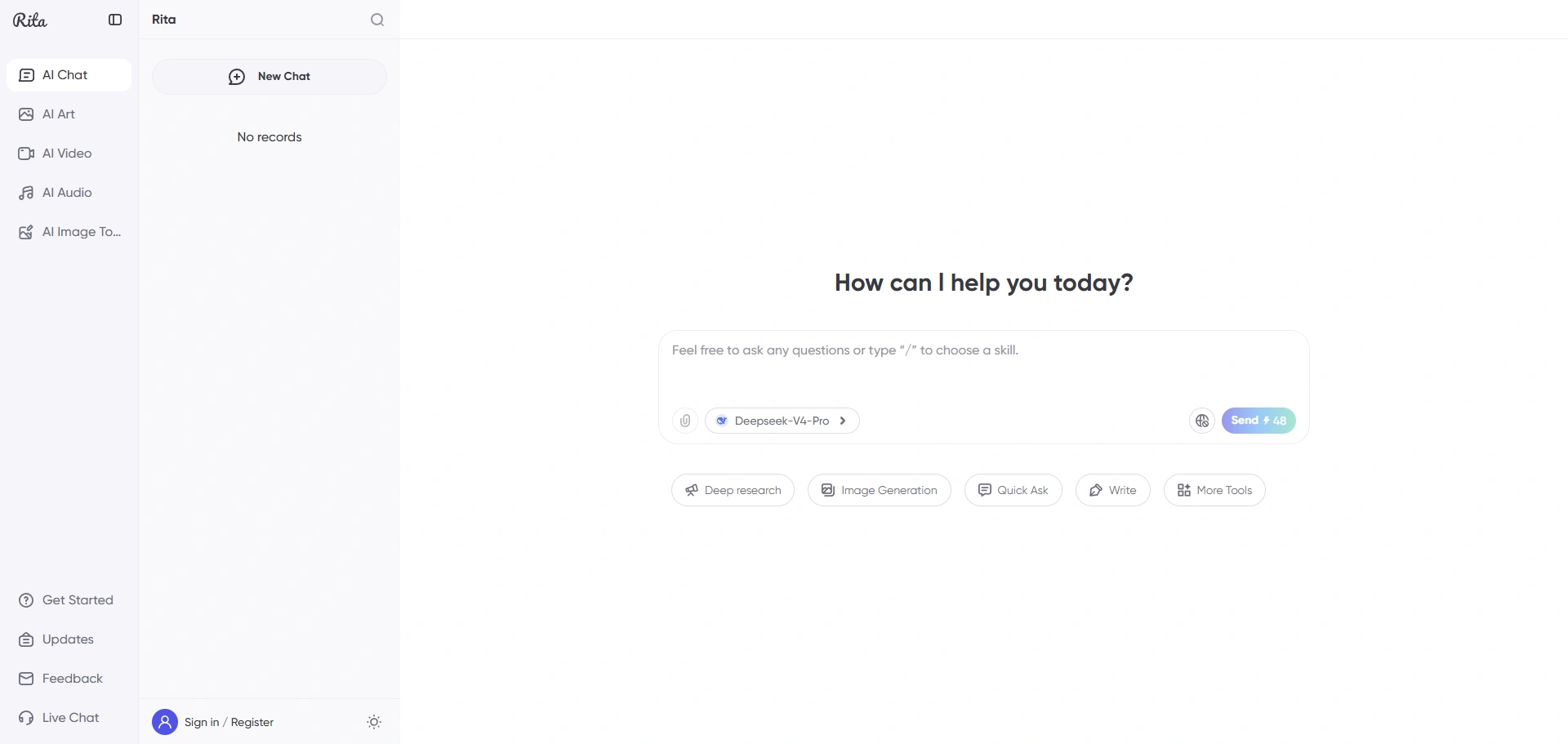
If you mainly want to try AI models without managing several separate platforms, Rita is a practical option. Its current AI page introduces Rita as an all-in-one AI assistant for work, research, writing, programming, drawing, image generation, video generation, and audio generation.
Rita is especially useful for users who want a simpler entry point. Instead of deciding first whether to use ChatGPT, DeepSeek, Gemini, Claude, Grok, Midjourney, or another AI tool, you can start from one AI workspace and switch based on what you are trying to do.
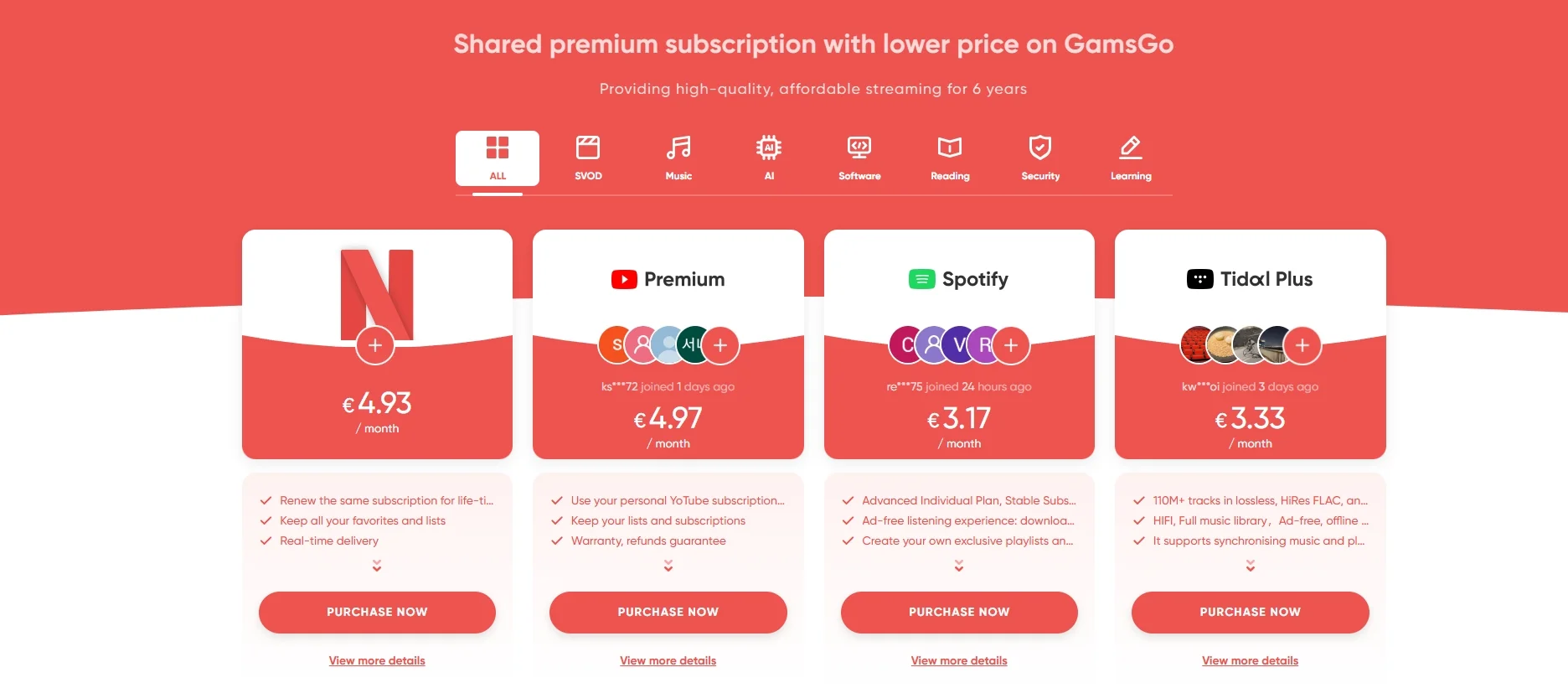
Where Can You Find AI Models in GamsGo?
Step 1: Open the GamsGo homepage.
Step 2: Find the GamsAI or AI assistant entry.
Step 3: Enter Rita.
Step 4: Choose the model or AI tool that matches your task.
Which DeepSeek Model Should You Choose?
DeepSeek-V4-Pro
Choose DeepSeek-V4-Pro if you want to test DeepSeek’s newest preview option for complex reasoning, coding, STEM questions, long technical documents, and multi-step analysis. It is the most current DeepSeek model to look at for heavier tasks, but because it is still a Preview release, compare it with your own prompts before making it your default.
DeepSeek-V4-Flash
Choose DeepSeek-V4-Flash if you want a faster and more economical V4 option for everyday use. It is a better fit for normal chat, quick writing help, simpler coding questions, summaries, and tasks where response speed matters.
DeepSeek-R1
DeepSeek-R1 is still worth mentioning because it built much of DeepSeek’s reasoning reputation. It remains useful as a reference point for math, logic, and code reasoning, even though the current official model lineup has moved toward V4.
DeepSeek-V3
DeepSeek-V3 is best described as an earlier general-purpose DeepSeek model. It is still important historically and useful for comparison, but current users should also check the newer V4-Pro and V4-Flash options.
When Should You Use Rita Instead?
Use Rita when convenience matters more than managing every model separately. If your work changes from writing to coding, from chat to image creation, or from research to video ideas, having multiple AI tools in one place can save time.
It is also a good option for users who are new to AI tools. You do not need to understand every model name before starting. Begin with the task you want to complete, test the available model options, and keep the one that gives the best result for your workflow.
Summary: DeepSeek vs ChatGPT in Simple Terms
DeepSeek and ChatGPT are not built for exactly the same kind of user. DeepSeek is the better place to start if you care about reasoning depth, coding logic, long-context work, or open-weight model access.
V4 Preview is now the newest DeepSeek model family to test, while R1 and V3 remain useful reference points for understanding DeepSeek’s earlier reasoning and general-chat strengths.
ChatGPT is still the easier all-around assistant for most daily tasks. If your work involves writing, research, files, planning, summaries, brainstorming, or back-and-forth editing, ChatGPT usually feels smoother and more complete.
For users who do not want to manage several AI platforms separately, Rita can be a simpler way to test different AI tools from one place.
We’ve prepared an exclusive promo code for all blog readers:
Enjoy an additional 3% off on your next purchase!
FAQ
Is DeepSeek-V4 Available Now?
Yes. DeepSeek’s official API documentation says DeepSeek-V4 Preview is live, open-sourced, available through chat.DeepSeek.com, and supported by the updated API. Because it is still a Preview release, users should test it on their own tasks before treating it as a full replacement for their existing workflow.
Is DeepSeek-V4 Better Than DeepSeek-R1?
It depends on the task. V4 is the newer model family, and V4-Pro is positioned for stronger reasoning, coding, and STEM work. R1 is still useful as a familiar reasoning model and comparison point, but current users should test V4-Pro directly if they have access.
Is DeepSeek Free to Use?
DeepSeek has offered free access options. You can also try out DeepSeek's latest models for free on Rita.
Which Is Better for Coding, DeepSeek or ChatGPT?
Use DeepSeek-V4-Pro when the coding task is mainly about logic, algorithms, agentic coding, or reasoning through a complex problem. Use ChatGPT when you need a broader workflow, such as explaining an error, rewriting code, generating documentation, or planning a project.
Which Is Better for Writing, DeepSeek or ChatGPT?
ChatGPT is usually the safer first choice for writing. It tends to be smoother for tone, structure, rewriting, summarizing, and long-form content. DeepSeek can still help with writing, especially when the task also needs reasoning or long-context input.
Can I Use DeepSeek Through GamsGo?
Yes. Rita is designed as an all-in-one AI assistant with access to multiple AI tools and models. If you want a simpler way to explore AI options, visit the Rita page and check the currently available model choices.
Should Beginners Choose DeepSeek, ChatGPT, or Rita?
Beginners who want one familiar assistant may prefer ChatGPT. Users who want reasoning, coding depth, or open-weight model exploration may prefer DeepSeek. Users who want to try multiple AI tools from one place may find Rita easier to start with.
Recommended Reading