If you want to unlock watermark-free exports, AI tools, and more premium assets in Filmora, you usually need to subscribe to Filmora Advanced. However, for students with a limited budget, paying for a long-term software subscription can be a financial burden.
So, does Filmora still offer a student discount in 2026? What requirements do students need to meet to apply? This guide will explain the Filmora student discount price, application process, and other ways to save money.
Even if you do not qualify for the student discount, this article will also cover other ways to reduce Filmora costs. If you do not want to spend extra time applying, you can directly buy a Filmora Advanced account on GamsGo for as low as $4.99/month.
Does Filmora Still Offer Student Discounts in 2026?
Yes, Filmora still offers student discounts in 2026. Eligible students can apply for the Filmora Student Discount through the Wondershare Education page and get education pricing when purchasing selected personal plans.
Filmora student discounts are mainly designed for students and educational users. Compared with regular personal plans, students can get lower subscription prices. Currently, Wondershare uses Student Beans for student verification, and users need to complete the verification process before viewing and purchasing student pricing.
It is important to note that Filmora student discounts are generally only available for personal learning and non-commercial use. Licenses purchased through student discounts cannot be transferred or used for commercial projects.
What Is the Difference Between Filmora Student Plan and Regular Plans?
Compared with regular personal plans, both options offer similar core editing features. Users can access Filmora editing tools, AI features, templates, assets, and export functions. The main advantage of the Filmora Student Plan is its lower price.
The following are the publicly available student discount prices in the United States:
Comparison | Filmora Student Plan | Regular Filmora Plan |
|---|---|---|
Monthly Plan Price | Around $19.99/month | Around $29.99/month |
Annual Plan Price | Around $40.99/year | Around $69.99/year |
Lifetime Plan Price | Around $49.99 | Around $99.99 |
Features | Similar features to the corresponding regular plan, including editing tools, AI features, assets, and export functions | Full personal plan features |
Purchase Requirements | Requires student or education identity verification | No identity verification required |
Price Advantage | Students can get Filmora licenses at a lower price | Higher price but a simpler purchase process |
As shown above, the Filmora Student Discount offers better pricing for eligible students. So how can you apply for this discount?
How to Apply for Filmora Student Discount
Applying for the Filmora student discount usually requires the following steps:
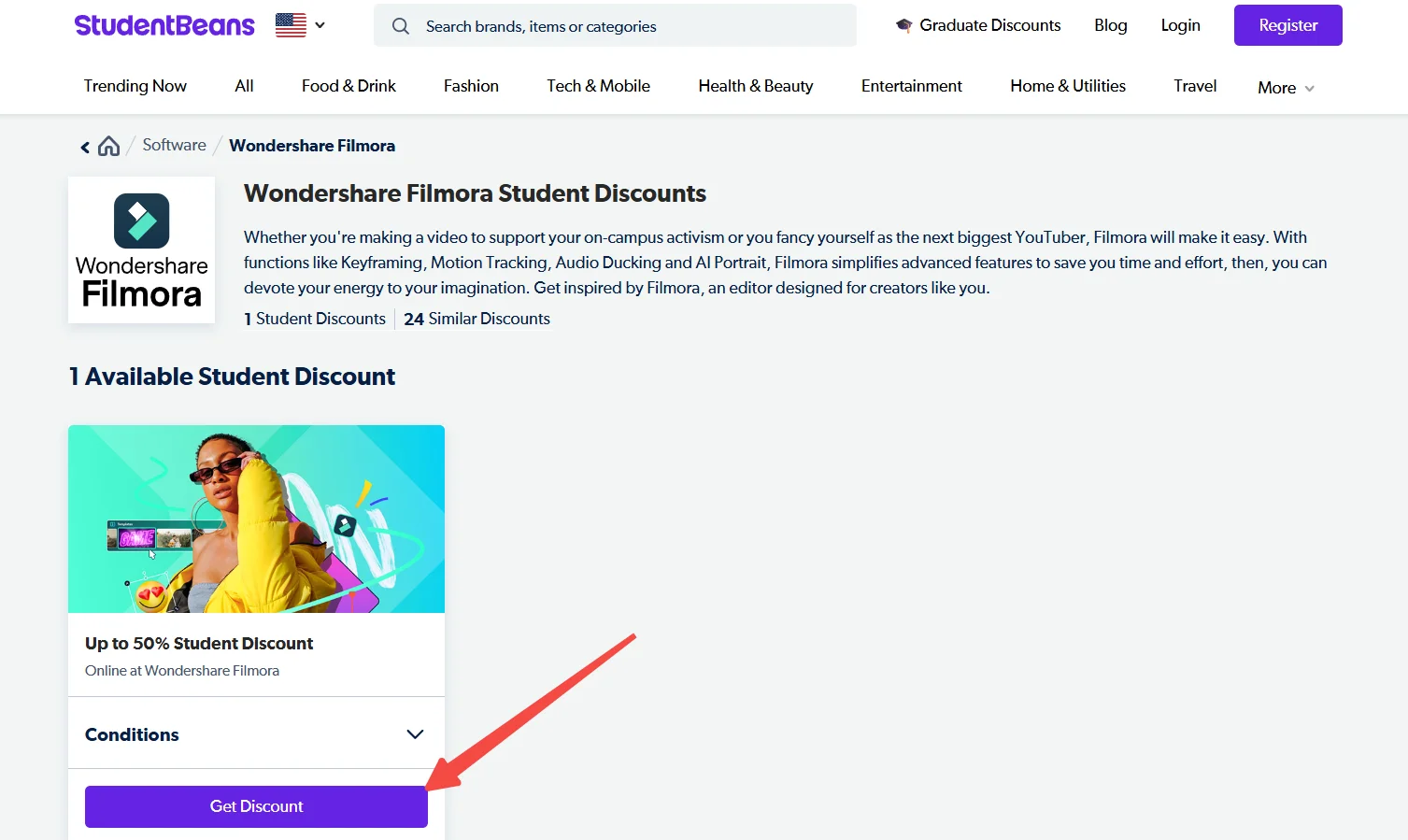
- Visit the Filmora Education Page
First, visit the Wondershare Filmora education discount page and select the student discount option during the purchase process.
- Verify Your Student Status Through Student Beans
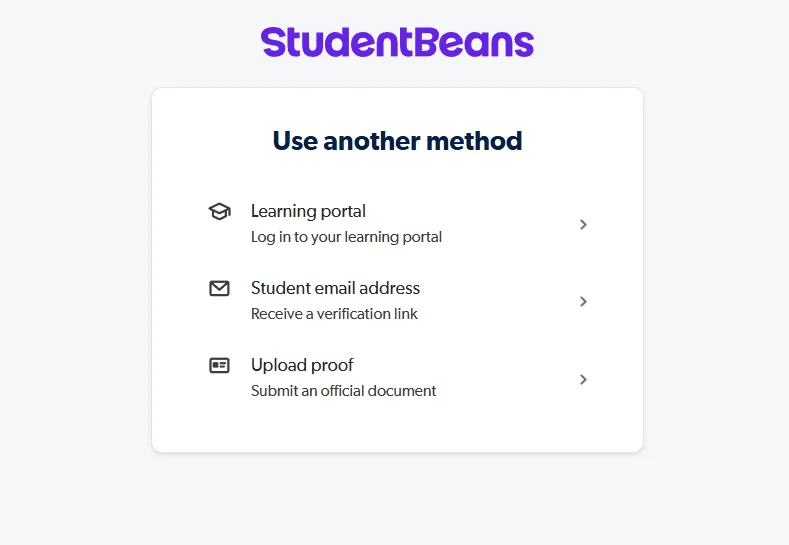
After clicking the student discount option, you will be redirected to the Student Beans verification page. You need to log in to your Student Beans account and complete student verification according to the instructions. In most cases, you need to provide your school name, school email, and relevant student information.
If your school email cannot be verified automatically, Student Beans may also support manual verification by submitting proof documents. Common documents include student ID, enrollment proof, tuition payment records, or official school documents. After completing verification, you can continue applying for the student discount.
- Choose Filmora Student Plan
After successful verification, you can return to the purchase page, view student pricing, and select a plan based on your needs:
- Creating only course videos: Choose a short-term subscription
- Creating videos regularly: Choose an annual plan
- Long-term use: Consider the lifetime license
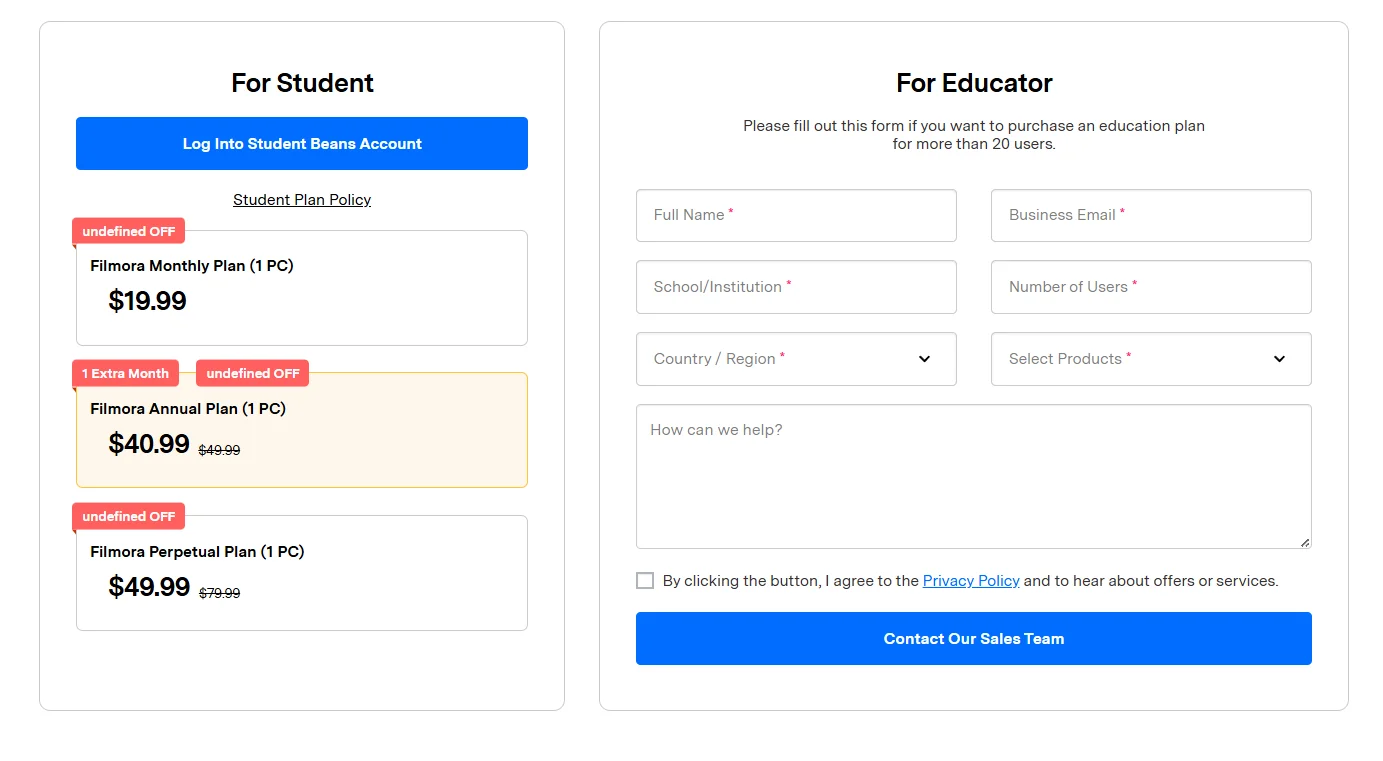
- Complete Purchase and Log In to Filmora
After completing the purchase, log in to Filmora with the corresponding Wondershare account to use the student discount license.
What Are the Requirements for Filmora Student Discount?
After successfully applying for the Filmora Student Discount, students still need to follow relevant usage rules to keep the student discount license valid:
- The Discount Account Is for Personal Use Only: The student discount is usually linked to the Wondershare account used during application. It cannot be sold, shared, transferred to other users, or exchanged for cash.
- For Personal Learning and Non-Commercial Use Only: Filmora Student Plan is mainly intended for course assignments, personal practice, and learning projects. Licenses purchased through student discounts generally cannot be used for commercial projects or business purposes.
- No Repeated Applications or Discount Abuse: Student discounts usually require identity verification. Each eligible user can only purchase the corresponding plan according to official rules and cannot apply with false student information.
- Follow Filmora Account and License Rules: Users must continue following Wondershare's terms of service and software license agreement while using the student discount. Any violation may affect discount eligibility.
How to Save Money If You Cannot Apply for Filmora Student Discount?
Filmora Student Discount is mainly available for eligible students. If you have graduated, cannot pass student verification, or do not meet education discount requirements, you cannot purchase Filmora Advanced at the student price.
However, this does not mean you can only choose the official full-price subscription. Users who need watermark-free exports, AI features, premium assets, and more editing tools for long-term use can also consider getting Filmora Advanced through GamsGo.
GamsGo is a digital subscription marketplace where products are provided by verified sellers. When purchasing Filmora Advanced, you can check the account type, subscription period, usage method, and delivery details in advance and choose a suitable option based on your editing needs.
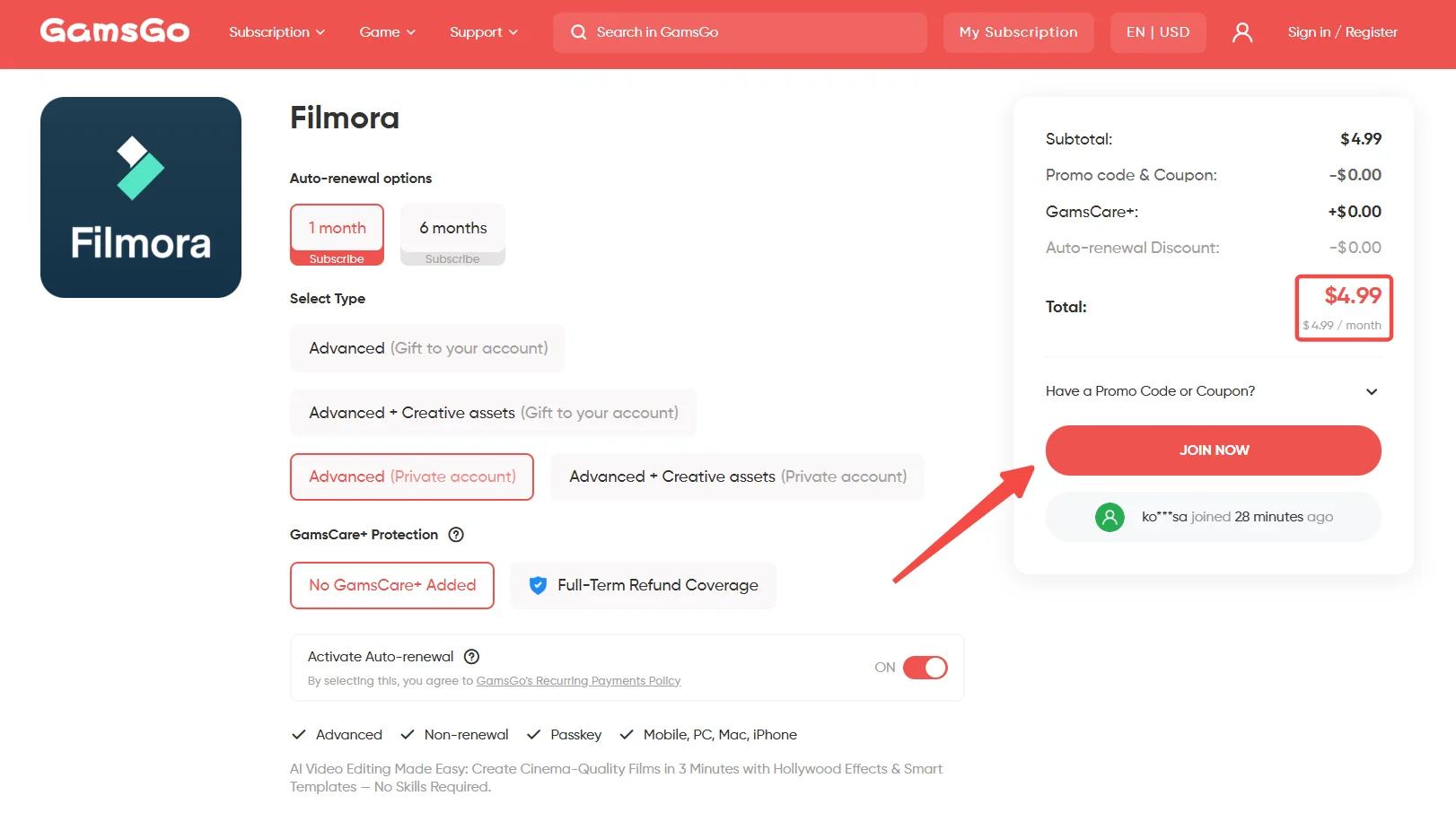
Compared with purchasing an official plan directly, GamsGo provides another option for users with limited budgets. For students, freelance creators, or people who occasionally create videos, they can choose a more flexible Filmora Advanced plan based on their actual usage period instead of paying for a costly long-term subscription.
Conclusion
Overall, Filmora Student Discount is still available for eligible students in 2026. After completing identity verification through Student Beans, students can purchase education plans and use Filmora's full editing features at a lower price.
If you want to use Filmora's full features but do not meet the student discount requirements, you can also consider other flexible options. If you are looking for an affordable Filmora Advanced account subscription service,GamsGo's shared subscription plan can provide full access at a price far below the official cost.
We’ve prepared an exclusive promo code for all blog readers:
Enjoy an additional 3% off on your next purchase!
FAQ
When Does the Filmora Student Discount End?
Filmora has not announced a fixed end date. The offer may change, so check the official education discount page for current details.
Can Filmora Student Discount Be Used for Commercial Projects?
No. The student license is mainly for personal learning and cannot be transferred or used for commercial projects.
Filmora vs CapCut: Which Is Better?
CapCut is better for quick short-form videos and social media templates. Filmora offers broader editing tools for YouTube, course videos, product content, and longer projects.
Filmora vs Canva: Which Is Better?
Filmora is better for timeline-based video editing, effects, audio, and AI tools. Canva is more suitable for graphics, posters, presentations, and simple videos.
Is Filmora Student Discount Worth Buying?
Yes, if you regularly create course videos, social content, or personal projects. For occasional basic editing, Filmora Free may be enough.
Related Articles