Zoom remains one of the world’s most widely used video conferencing platforms, supporting remote work, online classes, interviews, and business meetings. As of July 2026, Zoom had 4,625 customers generating more than $100,000 in revenue over the previous 12 months, showing its continued influence in professional and enterprise communication.
However, one issue continues to affect Zoom Free users: the 40-minute meeting limit. If you are hosting a class, training session, interview, or client meeting, having the call end unexpectedly can interrupt the conversation and force everyone to rejoin.
So, is there a way to increase Zoom meeting time for free in 2026? This guide explains several methods that are still available, along with their limitations. If you frequently need meetings longer than 40 minutes but do not want to pay the full official Zoom subscription price, you can also explore a Zoom Pro shared account on GamsGo and choose an option based on your usage needs.
Why Does Zoom Meeting End After 40 Minutes?
If your Zoom meeting always ends after around 40 minutes, it is usually not caused by your internet connection or an incorrect meeting schedule setting.
In most cases, the reason is that the host account is using the Zoom Meetings Basic plan, which has a limited meeting duration.
Zoom determines the meeting time limit mainly based on the license of the account that schedules and hosts the meeting, not whether individual participants are using a Free or Pro account.
Zoom Free Account Meeting Limit
Zoom Workplace Basic is available for free and supports up to 100 participants in a standard meeting. However, almost all meetings scheduled and hosted by Basic users with other participants joining are limited to 40 minutes.
This rule also applies to one-on-one meetings. Zoom has included 1:1 meetings, group meetings, and Personal Meeting Rooms hosted by Basic users under the same 40-minute time limit.
Therefore, having only one host and one participant does not bypass the Zoom 40-minute limit.
When Does the 40-Minute Timer Start?
The Zoom 40-minute limit applies to the actual ongoing meeting session, not the duration you set when scheduling the meeting on your calendar.
For example, scheduling a meeting from 3 PM to 5 PM does not mean a Basic user can host a continuous two-hour meeting. If the meeting is scheduled and hosted by a Basic user with at least one other participant joining, it will still be subject to Zoom’s meeting duration limit.
There is one detail that is easy to overlook: if a Basic user starts a meeting and remains the only person in the room, Zoom states that the session does not follow the standard 40-minute ending rule. However, the meeting must remain active.
Therefore, the key factors are not the length of time set on your calendar, but which account creates and hosts the meeting and whether other participants join the session.
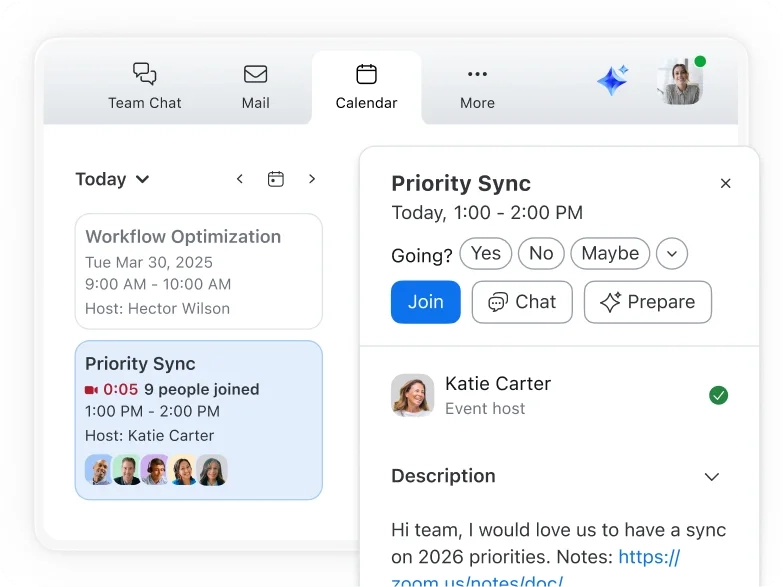
Why Does Zoom Cut Off My Meeting?
The Zoom meeting time limit is mainly determined by the license type of the original host account.
If a meeting is originally created and hosted by a Zoom Basic user, transferring Host privileges to a Zoom Pro user after the meeting starts will not automatically extend the meeting to the 30-hour maximum duration.
According to Zoom’s rules, if the original host uses a Basic license, the meeting remains subject to the 40-minute limit even after Host permissions are reassigned. If the original host has a paid license, the meeting can continue for up to 30 hours.
Therefore, if someone on your team already has a Zoom Pro account, the correct approach is to have that Pro user create and host the meeting from the beginning instead of changing the host after the meeting has started.
How to Extend Zoom Meeting Time Limit for Free
There is currently no permanent free option for regular Zoom Basic users to remove the 40-minute limit.
However, if you only occasionally need a 60-minute, 90-minute, or longer meeting, you may not need to upgrade to Zoom Pro immediately. The following methods can still help with temporary situations.
Restart the Zoom Meeting
The simplest workaround is to start a new meeting after the current one ends.
Zoom Basic has a 40-minute limit for each meeting session, but free users are not limited to creating only a certain number of meetings. Zoom also allows Basic users to host an unlimited number of meetings.
For example, if you need to host a 90-minute online class, you can run the first 40-minute session, then start a new Zoom meeting after it ends and ask participants to join again.
This method does not require a Zoom Pro subscription, but it has some obvious drawbacks:
- Everyone needs to rejoin the meeting
- Ongoing screen sharing or discussions will be interrupted
- Some participants may not return immediately
- It is not ideal for formal situations such as interviews or client meetings
For casual conversations or occasional internal discussions, this method may be enough.
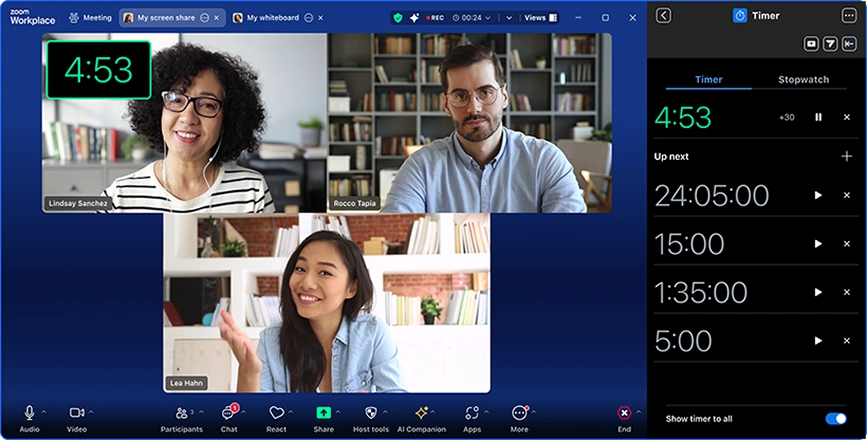
Use Multiple Short Sessions Instead of One Long Meeting
Another option is to split a long meeting into several shorter sessions in advance.
For example, a 90-minute training session can be organized as:
35 minutes of teaching → 10-minute break → 35 minutes of discussion → final summary
By keeping each session within the Zoom Free time limit, you can restart the meeting when needed and allow participants to join again.
This method works well for online classes, study groups, and internal training because these formats can naturally include breaks between sessions.
However, if you regularly host client meetings or work meetings that last more than an hour, restarting every 40 minutes can quickly become inconvenient.
Ask a Zoom Pro User to Host the Meeting
If your friend, teacher, or team member already has a Zoom Pro account, you can ask them to create and host the meeting instead.
Zoom Workplace Pro currently supports meetings lasting up to 30 hours, which removes the need to deal with the 40-minute limit for most classes, training sessions, and business meetings.
However, there is one important requirement: the Pro user must be the original meeting host.
Do not create the meeting with a Zoom Free account and transfer Host privileges to a Pro user afterward. Zoom calculates the meeting duration based on the original host’s license, so changing the host later will not remove the 40-minute limit.
Can You Remove Zoom 40-Minute Limit Without Paying?
If your goal is to permanently remove the Zoom 40-minute limit from a personal Zoom Basic account, there is currently no reliable free method.
You may find many so-called Zoom 40-minute limit tricks online, such as changing your computer time, switching devices, signing out and back in, or transferring Host privileges during a meeting.
However, these methods do not change a Basic license into a Zoom Pro license and cannot remove the meeting duration restriction.
In practice, there are only two free solutions:
- Restart the meeting after 40 minutes
- Join a meeting hosted by a paid Zoom user
If you are only a participant, you do not need your own Zoom Pro account. The maximum meeting duration is mainly determined by the license of the original host, not whether individual participants use Free or Pro accounts.
However, if you need to create and host meetings longer than 40 minutes yourself, you will need an account with a paid Zoom meeting license.
Zoom Free vs Zoom Pro: Which One Removes the Time Limit?
One of the biggest differences between Zoom Free and Zoom Pro is the meeting duration limit.
| Feature | Zoom Free | Zoom Pro |
|---|---|---|
| Meeting duration | Up to 40 minutes | Up to 30 hours |
| Standard meeting participants | Up to 100 participants | Up to 100 participants |
| Create meetings | Supported | Supported |
| Continuous meetings longer than 40 minutes | Not supported | Supported |
| Cloud storage | Limited basic features | 10 GB |
| AI Companion | Limited compared with Pro features | Included |
| Best for | Short meetings, casual chats, temporary use | Classes, training, interviews, and work meetings |
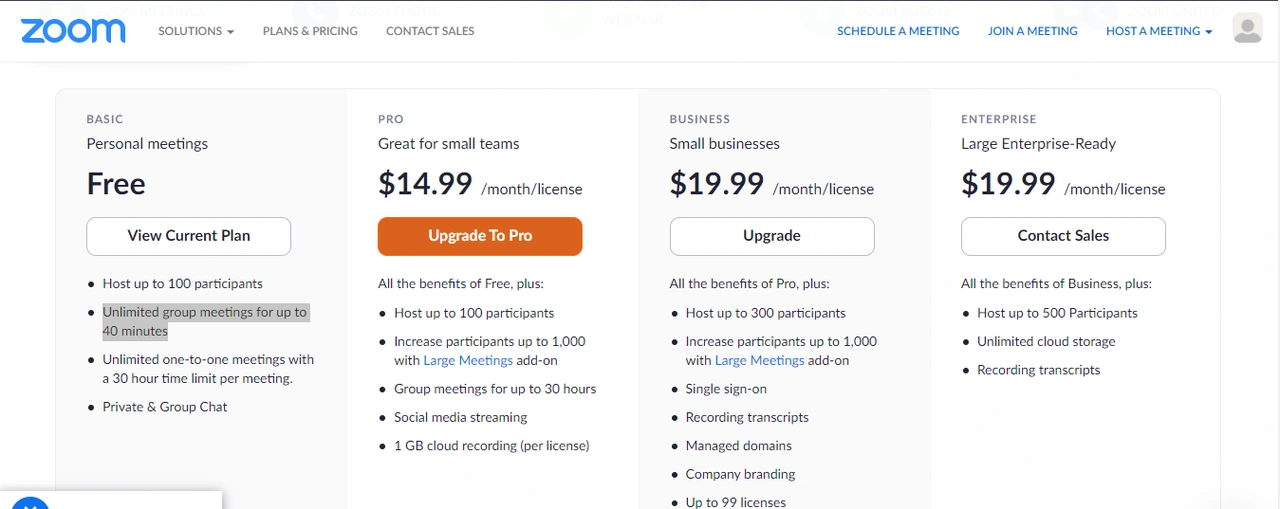
According to Zoom’s current plan details, Zoom Workplace Basic limits standard meetings to 40 minutes, while Zoom Workplace Pro extends the maximum meeting duration to 30 hours and includes additional features such as 10 GB of cloud storage and enhanced AI and collaboration tools.
If you only need a longer meeting occasionally, the free version combined with restarting the meeting may be enough.
However, if you regularly host meetings longer than 40 minutes, such as weekly classes, training sessions, or business meetings, Zoom Pro provides a much smoother experience.
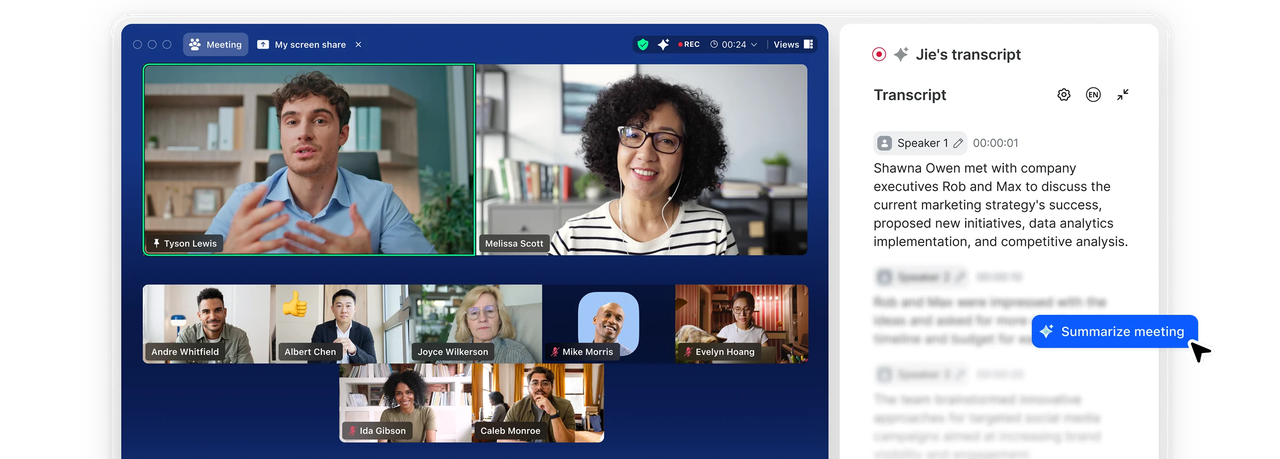
When Should You Upgrade From Zoom Free to Zoom Pro?
Not every Zoom user needs a Zoom Pro subscription.
If you only have one or two meetings per month and most sessions finish within 40 minutes, continuing with Zoom Free is usually enough.
However, Zoom Pro may be a better choice if you:
- Regularly host online classes that last more than an hour
- Need to run continuous client meetings
- Frequently use Zoom for job interviews
- Organize training sessions or online webinars
- Do not want to resend meeting links every 40 minutes
- Cannot risk a meeting ending unexpectedly
This is especially important for business meetings.
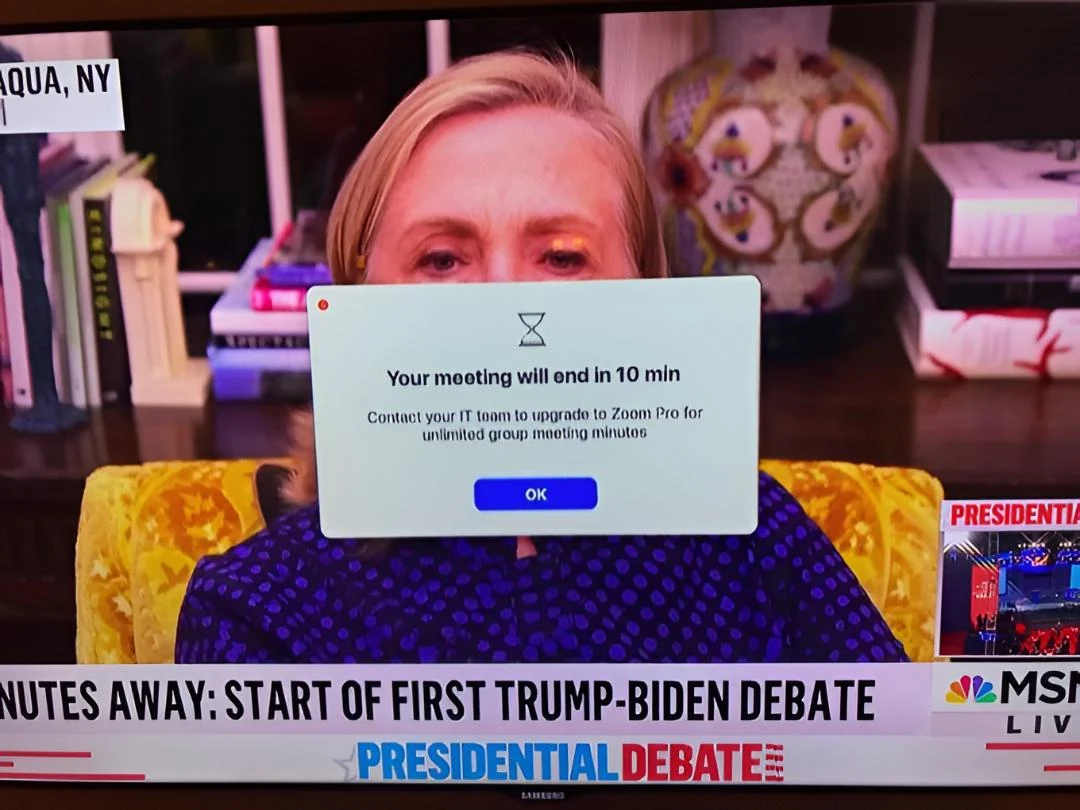
If a meeting reaches a critical point and Zoom suddenly shows a “10 minutes remaining” warning, forcing everyone to leave and rejoin later can create a poor experience for clients and attendees.
With Zoom Pro, a single meeting can last up to 30 hours, so users who regularly host long Zoom meetings can avoid repeatedly dealing with the 40-minute time limit.
How to Get Zoom Pro Without Paying Full Price
If you have decided that you need Zoom Pro, the next question is usually about pricing.
Buying directly from Zoom is the most straightforward option. Zoom currently offers monthly and annual billing plans, making it suitable for individuals and businesses that need stable, long-term access to Zoom features.
However, if you only need Zoom Pro occasionally or want a more flexible subscription option, you can also explore shared subscription solutions.
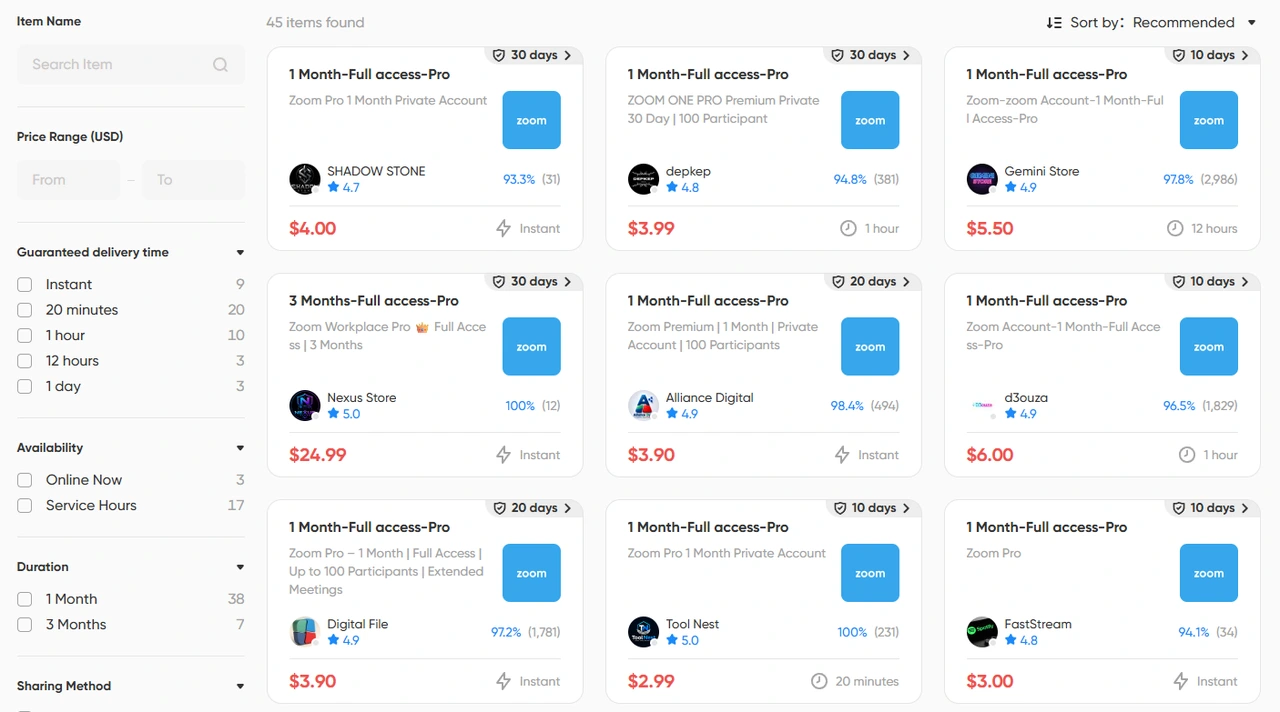
Through GamsGo, users can access eligible Zoom Pro shared accounts by connecting subscription owners with co-subscribers. This subscription-sharing model allows users to choose a plan based on their actual needs instead of committing to a full subscription immediately.
However, not every user needs to maintain a full official subscription for a long period.
For example, you may only need Zoom Pro to:
- Host a few meetings longer than 40 minutes
- Access longer meeting durations temporarily
- Run online courses or training programs for a few weeks
- Occasionally host client meetings or interviews
- Avoid paying for a full subscription year-round
In these situations, some users may also compare third-party Zoom Pro account options, especially if they only need short-term access and do not want to commit to a full official subscription.
Founded in 2020, GamsGo is a digital subscription-sharing platform with more than 1 million users worldwide and over 100 digital services. The platform connects subscription owners with co-subscribers, allowing users to choose suitable subscription options based on their usage period instead of purchasing a long-term plan by default.
For users who only need to host longer Zoom meetings temporarily, GamsGo also provides Zoom Pro-related account options. Before purchasing, check the product details carefully, including the usage period, account type, login method, meeting duration, delivery method, and after-sales policy. Different Zoom Pro options may have different usage methods, so the best choice should not be based on price alone.
It is also important to understand that third-party “Zoom Pro shared accounts” are not the same as official Zoom multi-user licenses. Zoom’s terms of service include rules related to accounts, Host permissions, and login credential sharing. Before using any third-party solution, review how the product works and whether it aligns with Zoom’s current usage requirements.
If your main goal is simply to avoid meetings ending every 40 minutes, the key factor is not whether a product is labeled “Zoom Pro,” but whether the account used to create and host the meeting has a valid paid Zoom Meetings license.
If you regularly need to host Zoom meetings longer than 40 minutes but do not want to purchase a full long-term official subscription, you can check the current Zoom Pro account options on GamsGo and choose based on your usage period, account type, and meeting requirements.
Conclusion
In 2026, the Zoom Free 40-minute limit is still in place, and this restriction also applies to one-on-one meetings.
If you only need to extend a Zoom meeting occasionally, you can restart the meeting after it ends, split a long meeting into multiple sessions, or join a meeting created by a Zoom Pro user.
These methods can work for temporary situations, but they do not actually remove the 40-minute limit from a free account.
If you regularly host online classes, training sessions, interviews, or business meetings that require more than 40 minutes, Zoom Pro provides a much more convenient solution. A single meeting can last up to 30 hours, so you no longer need to repeatedly manage meeting interruptions.
If you do not want to purchase a full long-term official subscription, you can also compare Zoom Pro account options on GamsGo. Before choosing a plan, check important details such as the account type, usage period, actual Meetings license, delivery method, and usage rules instead of comparing prices alone.
Explore flexible Zoom Pro options with GamsGo and choose a subscription solution based on your meeting needs.
Access longer meeting durations without committing to a full long-term subscription plan. Enjoy an additional 1% off on your next purchase!
FAQ
Is Zoom Still Limited to 40 Minutes in 2026?
Yes.
As of September 2026, most meetings hosted by Zoom Workplace Basic users are still limited to a maximum of 40 minutes, including both one-on-one meetings and group meetings.
Can I Restart Zoom After 40 Minutes?
Yes, but it does not permanently remove the limit.
Once a meeting reaches 40 minutes, you can start a new meeting session and ask participants to join again. Another option is to have a Zoom Pro user create and host the meeting from the beginning.
Is Zoom Unlimited for Two People?
No. One-on-one meetings on Zoom Free are also subject to the 40-minute limit. Having only one host and one participant does not automatically provide unlimited meeting duration.
How Long Can a Zoom Pro Meeting Last?
A Zoom Workplace Pro meeting can currently last up to 30 hours per session. Standard Pro meetings support up to 100 participants.
Can I Change the Host to Remove the 40-Minute Limit?
No. If a meeting is originally created by a Zoom Basic user, transferring Host privileges to a Zoom Pro user later will not remove the 40-minute limit. The meeting needs to be created and hosted by the Pro user from the start.
How Long Can a Zoom Pro Meeting Last, and Do Participants Need Pro?
A Zoom Workplace Pro meeting can last up to 30 hours and supports up to 100 participants in a standard meeting.
Participants do not need their own Zoom Pro accounts. As long as the meeting is created and hosted by a user with a valid paid Zoom Meetings license, Zoom Free users can still join longer meetings.
Articles connexes