From 2025 to 2026, Grok grew from a "viral chatbot" into a mainstream AI option alongside ChatGPT and Claude in just one year. As of July 2026, Grok's monthly active users have passed 60 million. But when even the free version can now use Grok 4.3 Mini, is the $30-a-month SuperGrok plan really worth it?
As someone who has used SuperGrok for almost a year, my answer is: yes, it's worth it — but only if you actually need DeepSearch, Big Brain, and Grok Imagine. In this article, I'll break down every dollar of SuperGrok based on the latest pricing and features as of July 2026.
If you've already decided to buy it, you can get SuperGrok subscriptions through GamsGo for as low as a quarter of the official price.
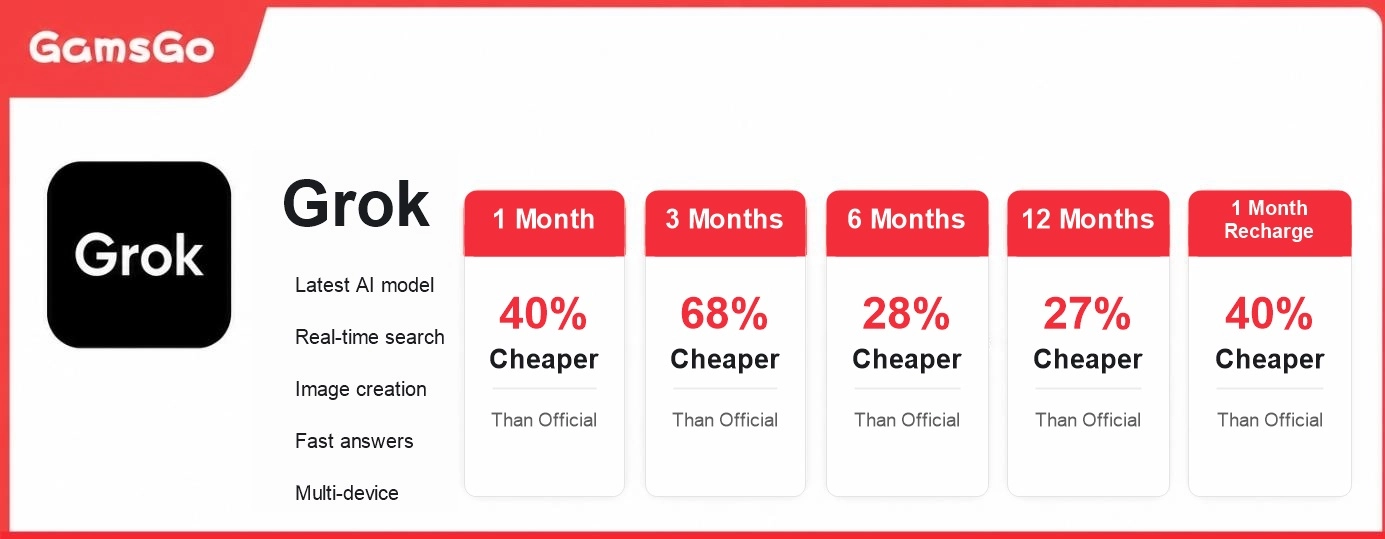
What Does SuperGrok Cost in 2026?
Since the start of 2026, xAI has expanded Grok's paid tiers from a simple "free or $30" setup into four tiers, ranging from $0 to $300. That's why a lot of people now have trouble picking the right one. Here's a table with all the latest prices:
Plan | Monthly Price | Key Benefits |
Free | $0 |
|
SuperGrok Lite | $10 |
|
SuperGrok | $30 |
|
SuperGrok Heavy | $300 |
|
There are also two options tied to the X platform: X Premium ($8/month) bundles basic Grok access with X's verification badge, ad-free browsing, and other social features. X Premium+ ($40/month) gets you benefits close to SuperGrok, but the extra $10 mostly pays for X's social features, not more AI power.
Looking at overall value, SuperGrok ($30/month) is still the best choice for most people. So what does that $30 actually get you? Let's take a closer look.
What Makes SuperGrok Worth It?
A lot of people upgrade to SuperGrok for "a smarter AI" on the surface, but what actually keeps them paying month after month usually comes down to these specific features:
- Full access to Grok 4.3 and Grok 4.5
- Higher usage limits and more reliable access
- DeepSearch real-time research
- Big Brain deep reasoning mode
- Grok Imagine: nearly unlimited image and video generation
- Voice mode and long-term memory
- Grok Build and multi-agent teamwork
Full Access to Grok 4.3 and Heavy Models
Right now, free users only get a trimmed-down Grok 4.3 Mini through Auto mode, and it clearly struggles with complex questions. SuperGrok users get steady access to the Grok 4 lineup all the way up to the newest Grok 4.5, and can switch between models freely.
Take coding and multi-step reasoning as an example: Free and Lite users often lose context or get shallow suggestions when debugging longer code or working on cross-file architecture. SuperGrok users who switch to Grok 4.5 or the full version of 4.3 see a clear jump in reasoning depth and code quality.
As of July 2026, Grok 4.5 is being rolled out gradually to $30-tier users, while SuperGrok Heavy ($300) gets the full multi-agent architecture first. For most individual users and creators, though, the standard SuperGrok plan already offers model power well beyond the free or Lite tiers — more than enough for everyday writing, research, coding, and creative work.
Higher Usage Limits and More Reliable Access
"Less waiting around for answers" is one of the main reasons people upgrade to SuperGrok.
The free plan only allows about 10 messages every 2 hours, and while Lite offers more, it still hits limits during busy hours. SuperGrok raises that to about 100 messages every 2 hours and gives you priority computing power. Even during peak global usage times, it stays fast and responsive, so you rarely hit a "limit reached" wall or get stuck waiting.
For professionals who treat Grok as a real work partner, this kind of reliability matters a lot. When you're racing a deadline to finish a report, debug code, or brainstorm ideas, getting cut off by a usage limit is frustrating and hurts your productivity. SuperGrok's priority access means you can actually treat the AI as a tool that's "always ready," not one that only works "if you're lucky."
DeepSearch: Turn All of X and the Web Into Your Research Team
DeepSearch is one of the clearest differences between SuperGrok and the free plan. It's not just a search feature — it pulls from the web and X discussions in real time, cross-checks multiple sources, and produces a structured report with citations. The free plan doesn't have this at all, and Lite's version is very limited.
For anyone tracking breaking news, competitor moves, market sentiment, or industry trends, SuperGrok's DeepSearch is hard to replace. It can pull real-time, first-hand info from X that competitors like ChatGPT can't easily get, and turn it into a usable report fast.
Big Brain Deep Reasoning Mode
Big Brain (Grok's "Think" mode) shows the AI's full step-by-step reasoning before giving you a final answer, instead of just handing you a conclusion. This makes a big difference for math problems, code debugging, and complex strategy planning — you can see exactly "how it thought," which makes it much easier to spot where something went wrong.
You can turn this mode off for simple everyday questions to keep things fast, and switch it on with one click when you need to tackle something harder.
Grok Imagine: Nearly Unlimited Image and Video Generation
Since March 2026, xAI has removed image and video generation from the free tier entirely. That means if your main need is AI-generated images or short videos, the free plan won't help much anymore. SuperGrok users get close to unlimited image generation (with a soft daily cap) through Grok Imagine, plus higher-resolution video rendering, with a daily limit of around 100 videos.
If you're a content creator, designer, or anyone who needs a lot of visual output, this kind of "generate whenever you want" freedom makes a big difference to your workflow. Lite users often hit strict daily caps, while SuperGrok lets you experiment and refine without worrying about limits.
Voice Mode and Long-Term Memory
SuperGrok's voice conversations are smoother and more natural, support longer continuous sessions, and come with 128K+ long-term memory. Grok can remember your past projects, writing style, personal preferences, and even conversation details from months ago, cutting down a lot on repeating yourself.
Free and Lite users get strict time limits on voice mode and almost no lasting memory. The gap is especially noticeable for language learning, brainstorming sessions, or anyone who wants a long-term, ongoing AI companion.
SuperGrok's voice mode supports nearly unlimited conversation length, responds naturally, and can follow context in real time for language learning or translation practice. With up to 128K of memory context, Grok remembers your past projects, writing style, and even personal preferences, so you don't have to keep re-explaining things. Free users only get a few hours of voice access per day, with no lasting memory.
Grok Build and Multi-Agent Teamwork
If you're a developer or a heavy-duty productivity user, Grok Build lets you test coding projects, and multi-agent teamwork lets several AI agents handle research, coding, review, and debugging at the same time — like a small automated team working for you. Lite only supports a single Expert Agent, and the free plan doesn't have this feature at all.
After upgrading, many users have cut work that used to take days down to just a few hours.
Overall, the value of SuperGrok's $30/month price tag is that it turns Grok from a "fun toy" into a "reliable work partner." If you only chat occasionally, Lite or the free plan is enough. But once you start relying on it for real work, creative projects, or research, the $30 usually pays for itself quickly in time saved and better results.
SuperGrok Isn't Perfect: A Few Limits to Know Before You Upgrade
Even though SuperGrok is a big step up from the free plan, it still has some real limits:
- Messages aren't fully unlimited: Standard SuperGrok gives you about 100 messages every 2 hours. Heavy users — like those processing long documents or running DeepSearch constantly — can still hit that ceiling, and that's when the $300 Heavy plan is actually worth considering.
- Accuracy still varies: Like all large language models, Grok can sometimes give wrong data or made-up sources, especially when DeepSearch pulls together multiple sources. Double-checking is still a good idea.
- Grok 4.5 isn't fully available yet: The $30 tier is still getting Grok 4.5's full capabilities in stages, so some queries may still fall back to older models.
- Image/video generation has some regulatory controversy: As mentioned above, some Grok Imagine features are currently under regulatory review in various regions, which is worth keeping in mind before choosing SuperGrok.
Anyone who wants to get past these limits should consider SuperGrok Heavy. This plan gives you much higher usage limits across all models, top-priority compute, and a bigger context window — great for large files or complex tasks.
How to Get SuperGrok for Less
In the US, SuperGrok's official list price is $30 a month, and paying yearly only brings the average monthly cost down to around $25. But through GamsGo, you can get the same features for as low as $10 a month. Each person also gets their own independent account and usage history, so nothing overlaps between users. DeepSearch, Big Brain, Grok Imagine, voice mode, multi-agent teamwork — every standard SuperGrok feature stays fully intact, with nothing cut.
How to Subscribe to SuperGrok Through GamsGo
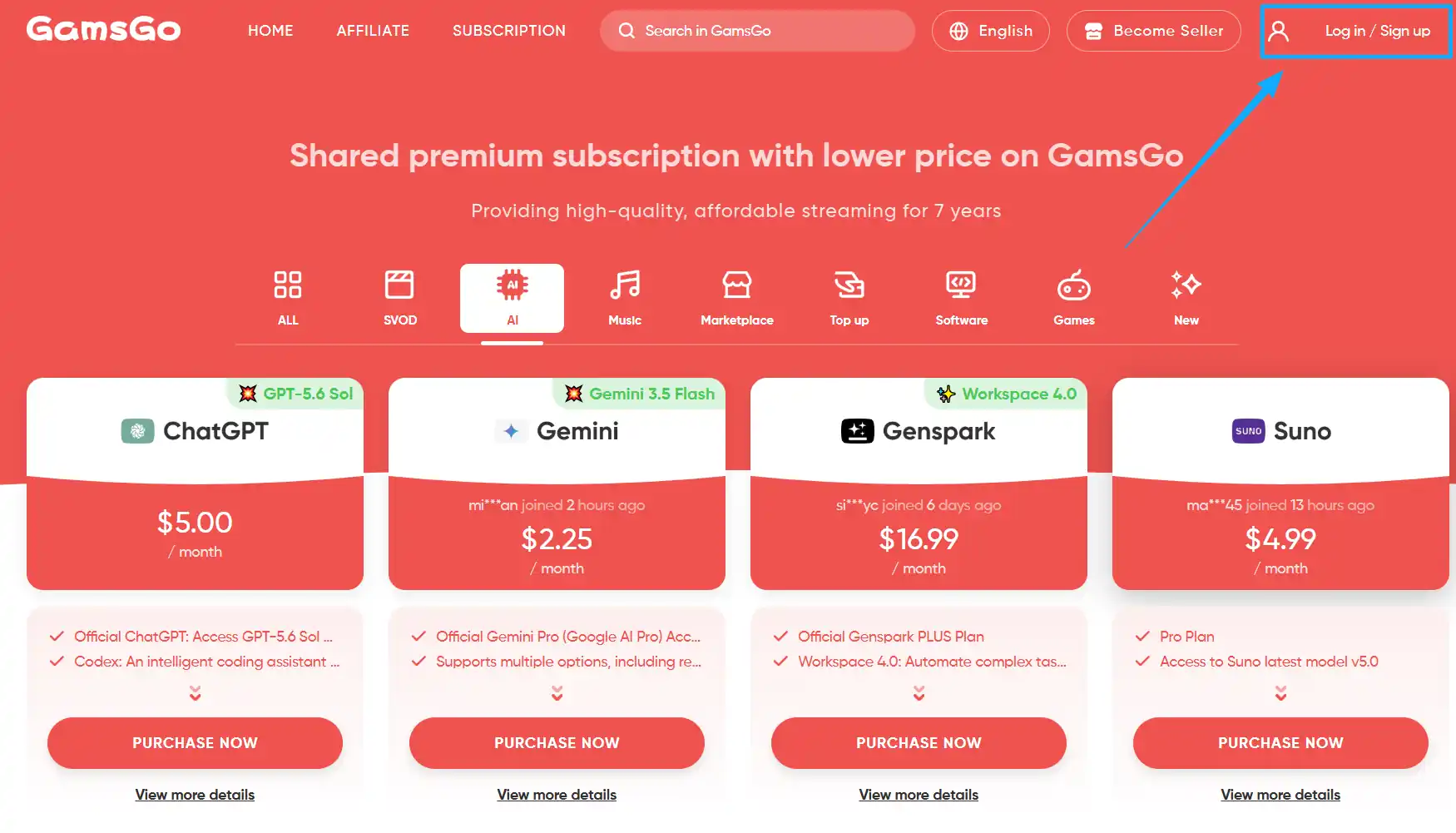
1. Go to the GamsGo website. Sign up or log in to your account.
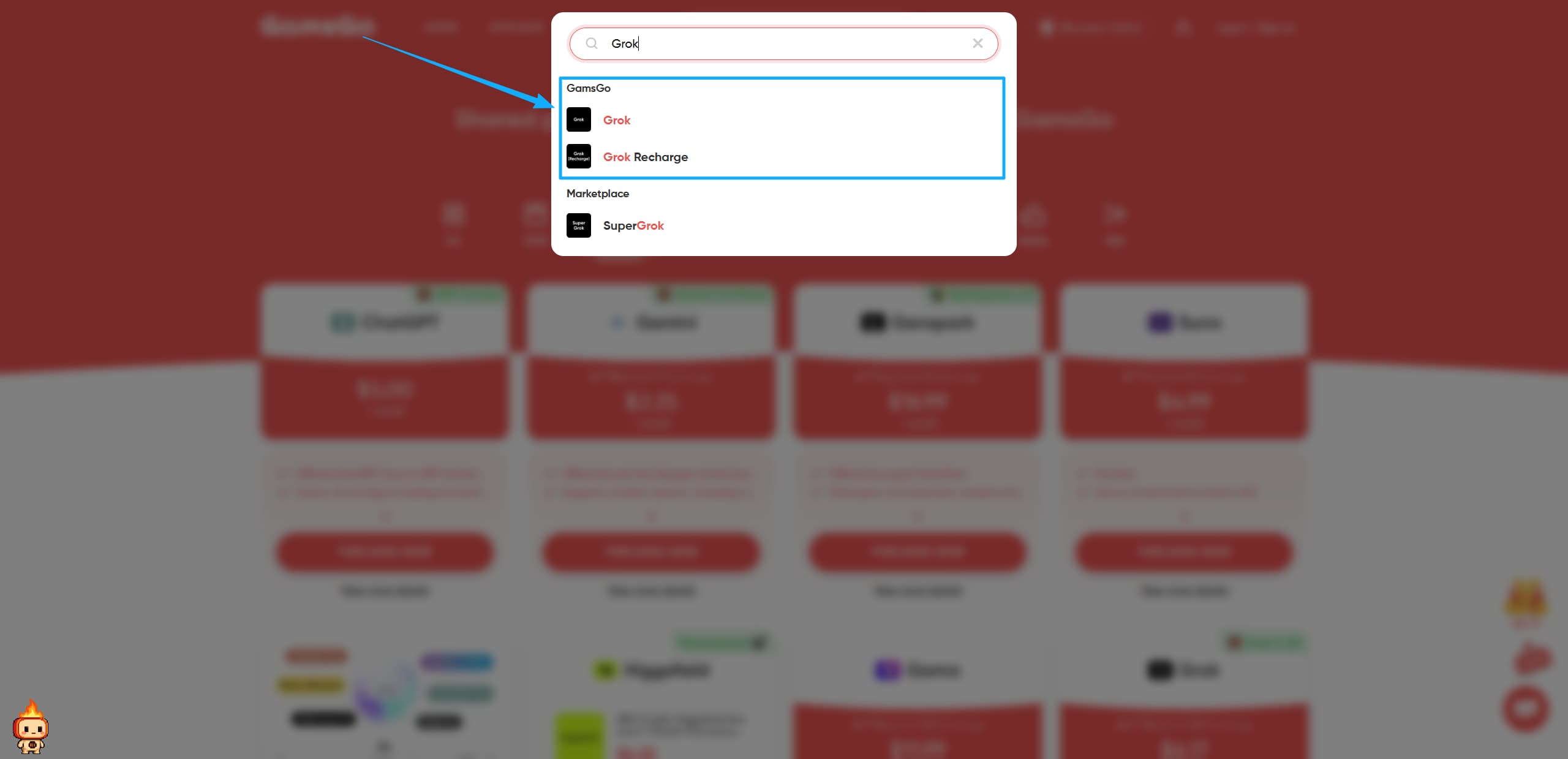
2. Search for "Grok" in the search bar on the homepage to reach the SuperGrok product page, where you can check plan lengths, prices, and account instructions.
3. Pick the subscription plan you want, and enter the blog's exclusive SuperGrok code "SAVE60" on the right side for an extra 3% off.
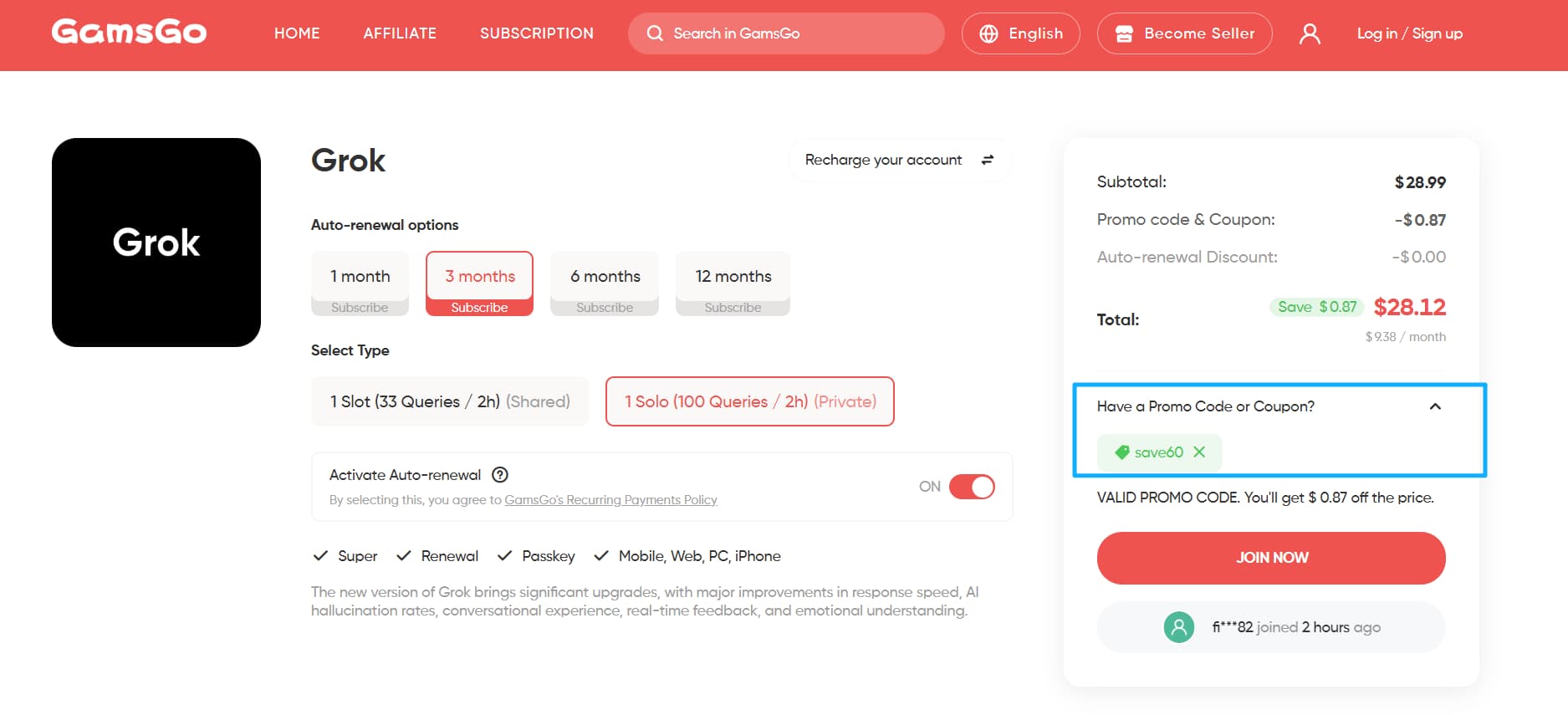
4. Click Join Now, choose a payment method, and complete your payment.
5. After payment, go to My Orders to check your subscription info. Follow the instructions on the order page to log in or activate SuperGrok.
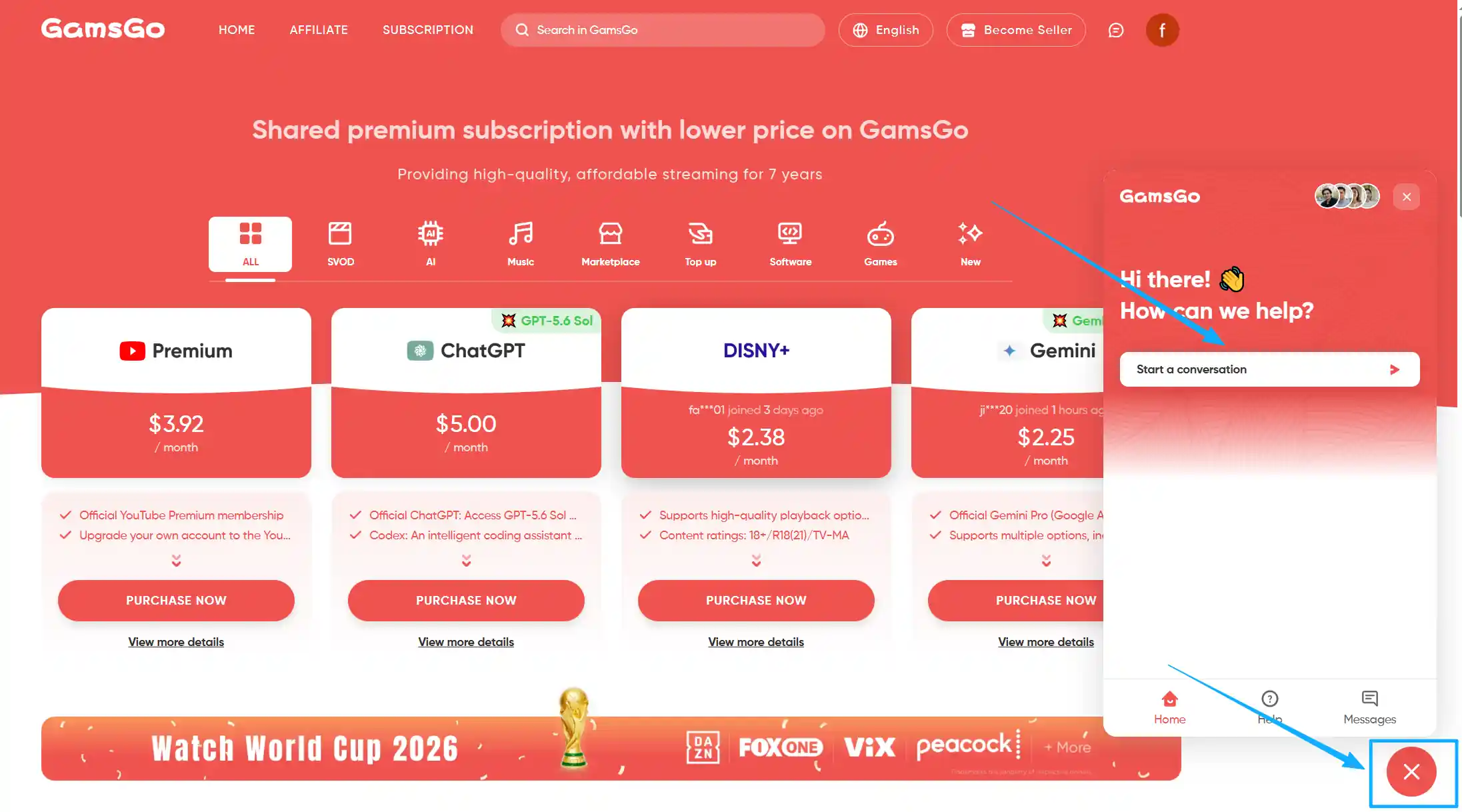
If you can't log in or notice something off with your usage limits, contact GamsGo's 24/7 customer support.
Who Is GamsGo a Good Fit For?
Long-term users
If you use Grok daily for work, research, or content creation, GamsGo can save you a couple of hundred dollars a year.
Students and budget-conscious users
Compared to the official $30 price, GamsGo makes the full SuperGrok feature set affordable for people on a tighter budget.
Freelancers and small teams
GamsGo gives you an independent account and 24/7 customer support, which is great if you need reliability and quick response times.
If you also want to know about official free trials, student discounts, weekend free access, and other ways to save money, check out our earlier guide, "The Complete 2026 Guide to Getting SuperGrok Free or Cheap," which lists 12 verified methods in detail.
Is GamsGo's SuperGrok Any Different From the Official Version?
Honestly, before subscribing, I had the same doubts: with such a big price gap, would features be cut down? Would it even be reliable?
After using it for several months, I can say clearly: there's no difference at all in features or experience. I get full access to the entire Grok model family, DeepSearch, Big Brain, Grok Imagine, voice mode, and multi-agent features — no different from paying xAI directly.
The real differences come down to just a few things:
- Price: GamsGo starts at $10, the official price is $30 — that's the biggest difference.
- Account management: You get a separate SuperGrok account instead of one tied to your own email, but this doesn't affect your privacy — your chat history and data stay completely separate and private.
- Payment methods: You pay through the GamsGo platform, which supports more payment options than the official channel.
For me personally, the math is simple: saving over two hundred dollars a year while getting the exact same service is clearly a good deal. If you also care about getting the best value, GamsGo's Grok accounts are worth trying.
Conclusion: Is SuperGrok Worth Subscribing To?
If you only use AI occasionally for simple questions, the free version of Grok is enough. But if real-time information, deep research, and image/video generation are part of your daily work or creative process, $30 a month for SuperGrok is still a good investment in 2026.
Once you subscribe to SuperGrok, you're not just getting a stronger model — you also get DeepSearch's real-time research, Big Brain's deep reasoning, nearly unlimited Grok Imagine generation, and early access to every new feature as it rolls out.
If the $30 price tag makes you hesitate, GamsGo offers the same features for about a third of the price. If you subscribe through GamsGo, we'll throw in a gift too!
FAQ
Is SuperGrok worth buying?
It depends on how you use it. If you need DeepSearch real-time research, Big Brain deep reasoning, Grok Imagine for images and video, or want fuller access to Grok's models, $30 a month is a reasonable investment. If you only ask occasional questions, the free plan is usually enough.
What are SuperGrok's advantages?
SuperGrok gives you full access to Grok 4/4.1/4.3, DeepSearch real-time research, Big Brain deep reasoning mode, nearly unlimited image and video generation, extended voice mode, a 128K memory context, plus multi-agent teamwork and coding test features.
What are SuperGrok's downsides?
Standard SuperGrok's message limit isn't fully unlimited (around 100 messages every 2 hours), Grok 4.3 is still rolling out in stages, the model can occasionally be inaccurate, and some Grok Imagine generation features are currently under regulatory review in various regions.
What's the difference between SuperGrok and SuperGrok Heavy?
SuperGrok ($30/month) covers most everyday and professional needs. SuperGrok Heavy ($300/month) adds Grok 4 Heavy's multi-agent architecture, confirmed full access to Grok 4.3, and top-priority compute, aimed mainly at cutting-edge research and heavy development work.
Is there a cheaper way to subscribe to SuperGrok?
Yes. Besides the official annual discount (around $25/month), new user trials, and student discounts, shared subscription platforms like GamsGo let you get the full SuperGrok feature set for a fraction of the official price.
If you also use other AI tools like Cursor, Midjourney, or Perplexity, check out more GamsGo guides below. These guides can help you find free trials, pricing breakdowns, and the best discounts before you subscribe.