Whether it's for work or school, most of us need Microsoft Word and Excel on our computers. But the moment you go to buy them, you run into two different names: Microsoft 365 and Office 2024.
The names look alike and so do the apps, yet the way you pay, the devices you can use, and what you'll spend over the years are completely different. No wonder so many people end up searching Microsoft 365 vs Office 2024: what's the actual difference, which one should you buy, and which is the better deal?
⚡ Quick Answer: Office 2024 is a one-time purchase ($179.99) for one PC or Mac, with security updates until 2029 but no cloud storage or AI. Microsoft 365 is a subscription ($99.99/year) for 5 devices, with 1TB of OneDrive, Copilot, and constant updates. One computer? Office 2024. More devices or AI? Microsoft 365.
I've used both myself. My work computer runs Office 2024, while my laptop and phone at home use a shared Microsoft 365 seat I got through GamsGo, which saves me around 70% a year compared with Microsoft's own price. If you just want to buy Microsoft Office cheap, that's the route I'd recommend.
In this guide, I'll compare price, features, devices, Copilot AI, and long-term cost to help you understand the real difference between Microsoft 365 and Office 2024, and decide which one is worth your money.
Let's dive in👇.
📑 What's Covered
- What's the difference between Microsoft Office and Microsoft 365?
- Quick comparison table
- Price comparison and long-term cost
- Features: apps, updates, Copilot AI, and cloud storage
- Devices, offline use, and what happens when you stop paying
- Microsoft 365 vs Office 365: are they the same?
- Which one should you choose?
| NEW USER GIFT Marketplace Subscription Welcome Gift Claim your coupon in your GamsGo account, then apply it under "Have a Promo Code or Coupon?" at checkout to save 15% on Microsoft Office. Limited time only. Claim & Shop Microsoft Office → | 🎁 15% OFF Welcome Gift |
What's the Difference Between Microsoft Office and Microsoft 365?
Here's the one-line answer: Office 2024 is software you buy once, while Microsoft 365 is a whole service you subscribe to.
What Is Microsoft 365 (MS Office 365)?
Microsoft 365 is Microsoft's subscription-based productivity service. On April 21, 2020, Microsoft renamed its Office 365 plans for consumers and small businesses to Microsoft 365.
As a subscriber, you get the full desktop versions of Word, Excel, PowerPoint, Outlook, and OneNote. You can use them on Windows, Mac, iPhone, iPad, Android, and the web, and you're always on the latest version.
On top of that, you get 1TB of OneDrive storage, Microsoft Defender, Clipchamp, Designer, and Copilot AI built into every app. For individuals, there are four main plans: Basic, Personal, Family, and Premium.
What Is Office 2024?
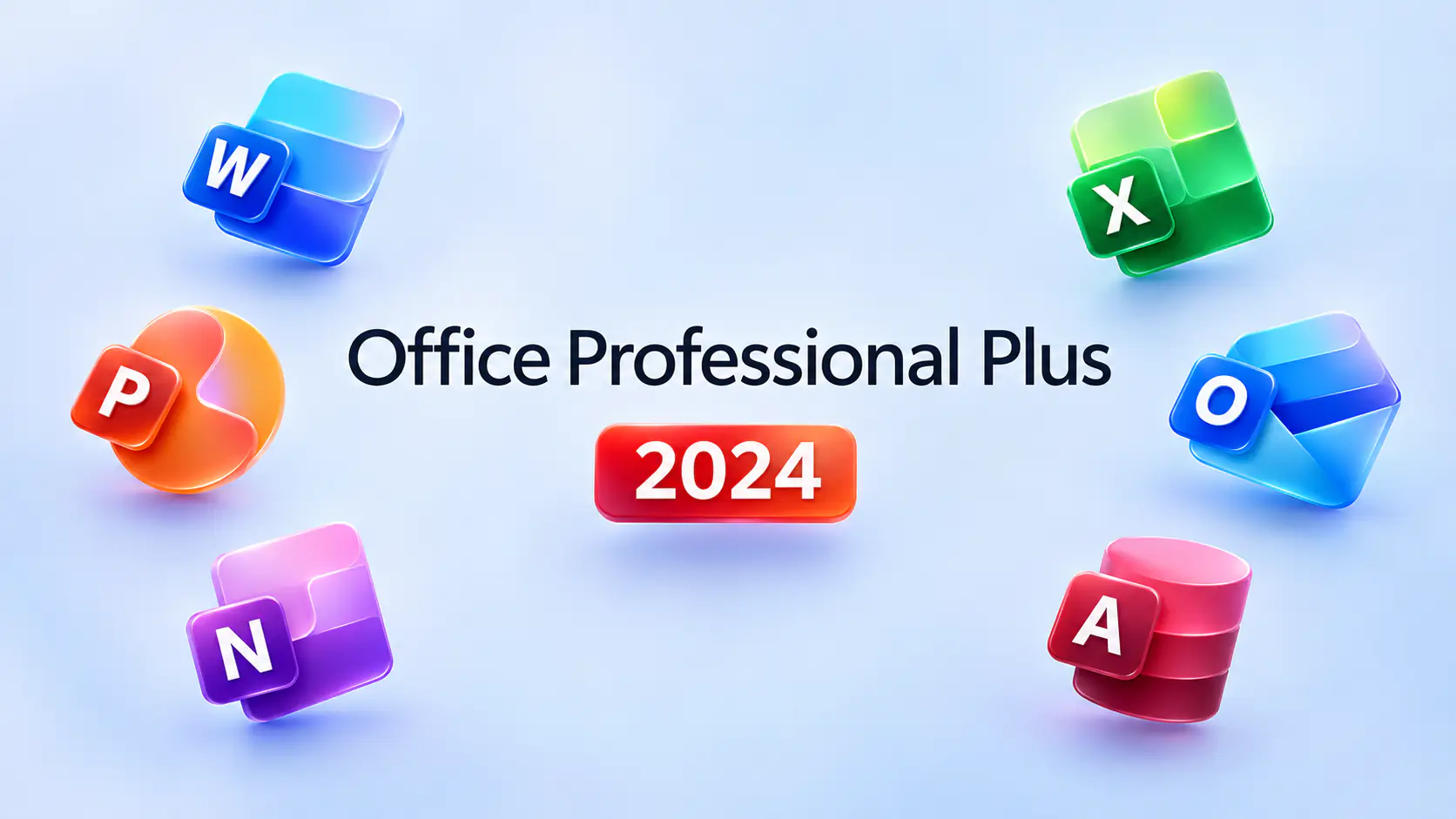
Released on October 1, 2024, Office 2024 is the latest one-time-purchase version of Microsoft Office. Home users can choose between two editions:
- Office Home 2024: Word, Excel, PowerPoint, and OneNote, for non-commercial use only.
- Office Home & Business 2024: everything above plus Outlook, and licensed for commercial use.
Both editions install on a single PC or Mac and come without OneDrive cloud storage or Copilot. Microsoft will provide security updates until October 9, 2029, but no new features. To move to the next major version, you'll have to pay full price again.
Microsoft 365 vs Office 2024: Quick Comparison
To help you see the differences at a glance, I've put the most frequently asked details into the table below.
| Feature | Office Home 2024 | Office Home & Business 2024 | Microsoft 365 Personal | Microsoft 365 Family |
| Payment | One-time | One-time | Monthly / Yearly | Monthly / Yearly |
| Official Price (USD) | $179.99 | $249.99 | $9.99/mo; $99.99/yr | $12.99/mo; $129.99/yr |
| Apps | Word, Excel, PowerPoint, OneNote | Home apps + Outlook | Word, Excel, PowerPoint, Outlook, OneNote & more | Same as Personal |
| Users | 1 | 1 | 1 | Up to 6 |
| Devices | 1 PC or Mac | 1 PC or Mac | 5 at once | 5 at once per person |
| Cloud Storage | ✗ | ✗ | 1TB | 1TB per person (6TB total) |
| Copilot AI | ✗ | ✗ | ✓ | ✓ (owner only) |
| Updates | Security only | Security only | Ongoing features | Ongoing features |
| Support Ends | Oct 9, 2029 | Oct 9, 2029 | While subscribed | While subscribed |
| If You Stop Paying | Keeps working | Keeps working | View & print only | View & print only |
In short: if you only work on one computer and don't need cloud sync, Office 2024 is the simpler choice. As soon as you have a second device, or want to split the cost with family, Microsoft 365 is the better fit.
Office 2024 vs Microsoft 365 Price Comparison
Price is the first thing most people look at. Below, I'll break down each side's plans and then add up what you'd actually pay over three years.
Microsoft 365 Pricing
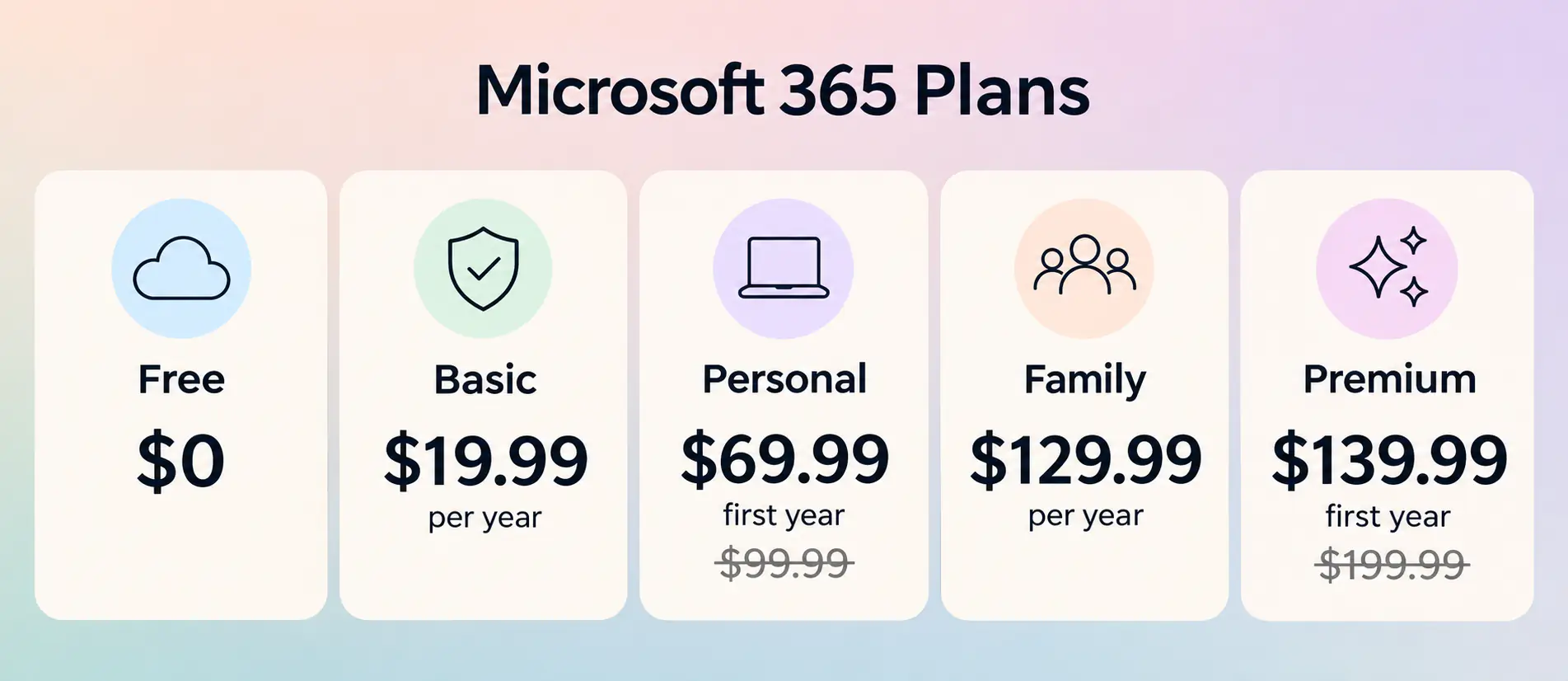
In January 2025, Microsoft added Copilot to its consumer plans and raised prices at the same time: Personal went from $69.99 to $99.99 a year, and Family from $99.99 to $129.99 a year. As of November 2026, the official prices are:
- Microsoft 365 Basic: $1.99/month or $19.99/year. You only get 100GB of OneDrive and ad-free Outlook. No desktop Office apps and no AI.
- Microsoft 365 Personal: $9.99/month or $99.99/year. 1 person, 5 devices, 1TB of cloud storage, and Copilot.
- Microsoft 365 Family: $12.99/month or $129.99/year. Up to 6 people, with 1TB each.
- Microsoft 365 Premium: $19.99/month or $199.99/year. Everything in Family, plus the highest Copilot usage limits.
Paying yearly saves you about 16% compared with paying monthly.
Office 2024 Pricing
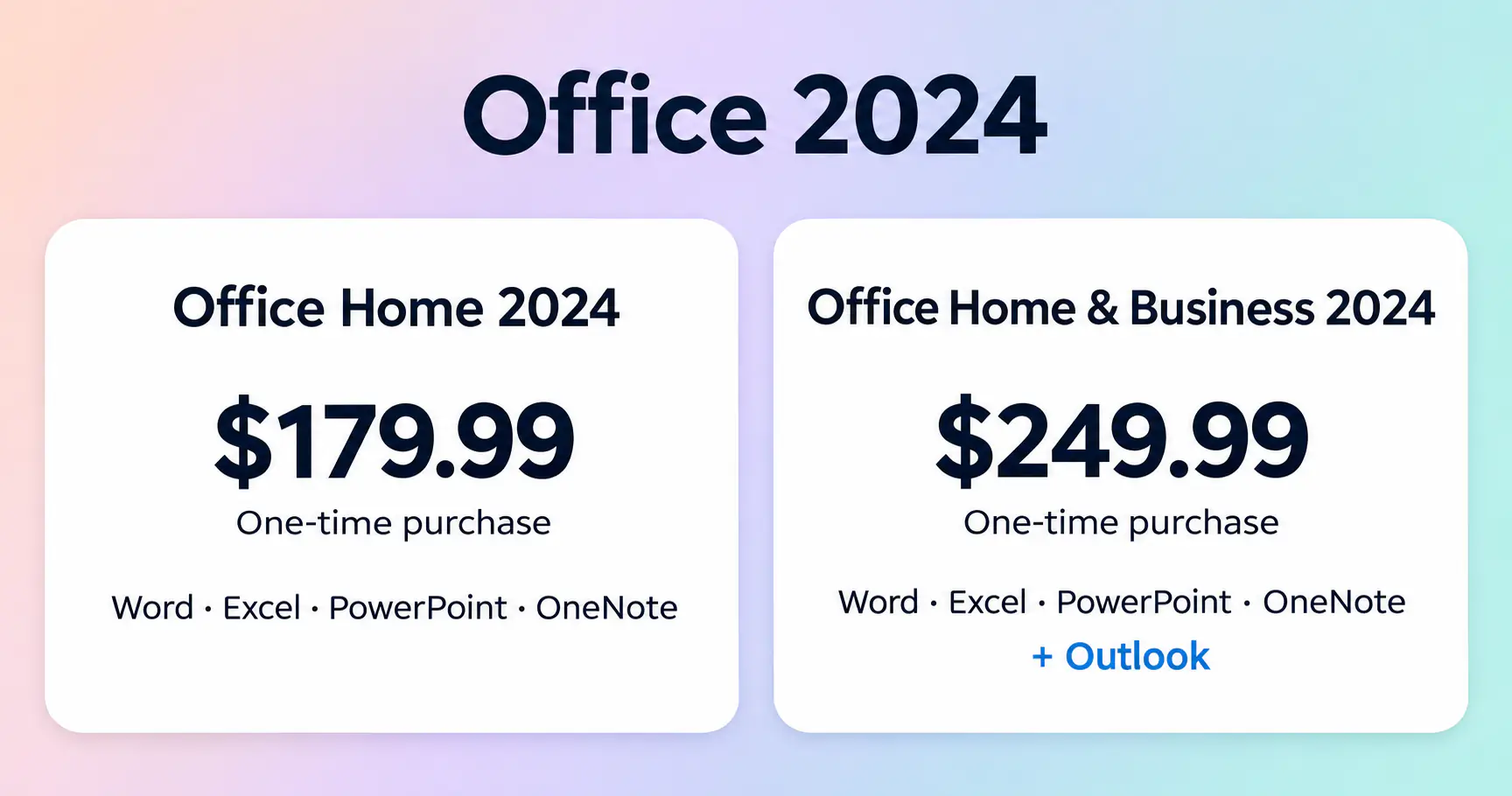
- Office Home 2024: $179.99, one-time. It launched at $149.99, and Microsoft has since raised it to $179.99.
- Office Home & Business 2024: $249.99, one-time.
Keep in mind that this price covers one person on one computer. If your household has two computers, you'll need to buy two copies.
Which Is Cheaper in the Long Run?
Plenty of articles say a one-time purchase "saves money in the long run" without showing any numbers. So I did the math using Microsoft's official yearly prices:
| Total Cost | Year 1 | Year 2 | Year 3 |
| Office Home 2024 (1 computer) | $179.99 | $179.99 | $179.99 |
| Microsoft 365 Personal (1 person) | $99.99 | $199.98 | $299.97 |
| Microsoft 365 Family (per person, split 6 ways) | $21.67 | $43.33 | $65.00 |
The takeaways are clear:
- One person, one computer: Office Home 2024 becomes cheaper than Microsoft 365 Personal after about 1.8 years.
- If you can split the cost: Family works out to under $22 per person per year, or just $65 over three years, far less than the one-time purchase.
- An easy-to-miss detail: Office 2024 only gets security updates until October 2029. If you buy it now, at the end of 2026, you'll get less than three years of updates, which makes the one-time purchase less of a bargain than it looks.
How to Get Microsoft 365 and Office 2024 for Less
Like most people, I just want the full Office experience at the lowest possible price. That's why I recommend GamsGo, a marketplace where verified sellers offer Microsoft 365 accounts and Office keys for a fraction of the official price.
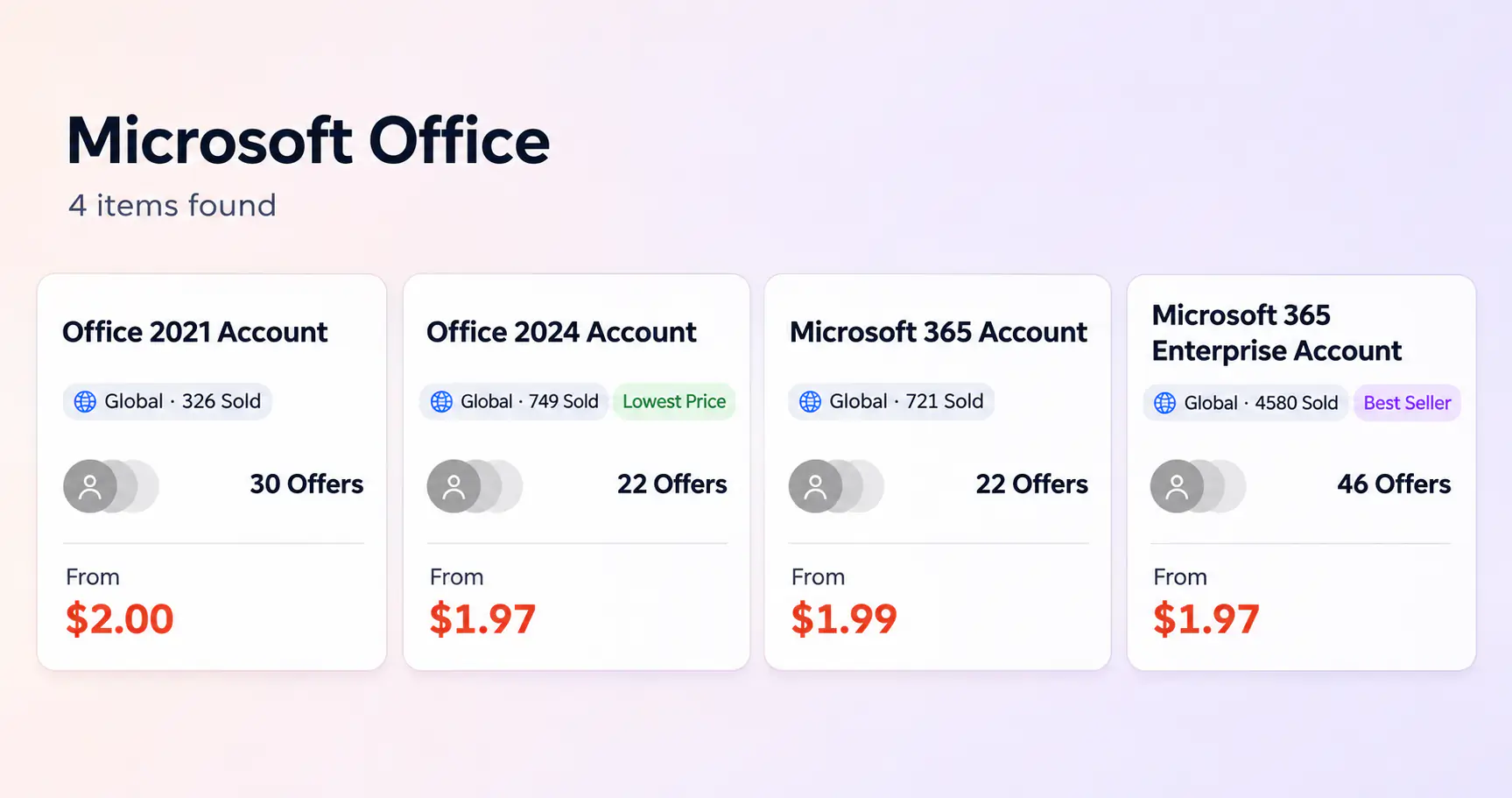
Here's what I found on GamsGo in November 2026:
- Microsoft 365 accounts start at around $2–$3 on Windows, Mac, and iOS, covering 5 devices. Most of these are enterprise-type accounts with 100GB of OneDrive.
- Microsoft 365 activated on your own account (12 months, 1TB of cloud storage, 5 devices) costs $10.00, about 90% less than Personal's $99.99/year.
- Office 2024 keys for Windows start at $2.00, compared with $179.99 from Microsoft.
If you're on a MacBook, you can pick up an MS Office Mac key the same way. Most orders are delivered instantly and come with a 5-day warranty plus GamsGo's DealShield refund guarantee.
If you only edit a document now and then, there are also two free options: sign in to the web version of Office with a Microsoft account, or, if you're a student, check whether your school email gives you access to an education license.
Microsoft Office 2024 vs 365: Features Compared
Beyond price, the real gap comes down to updates, AI, and the cloud. Here are the four areas where Microsoft Office vs 365 feels different in day-to-day use.
Apps Included
Both come with Word, Excel, PowerPoint, and OneNote. Outlook is only included in Office Home & Business 2024, not in Office Home 2024. Microsoft 365 includes Outlook as standard, along with the Clipchamp video editor, the Designer graphics tool, and Microsoft Defender security.
If you mainly write documents, build spreadsheets, and make slide decks, you'll barely notice a difference between the two.
Updates and Support
Office 2024 bundles some of the features Microsoft 365 has gained over the past few years, such as dynamic charts in Excel and support for the OpenDocument 1.4 format. Once you buy it, though, the feature set is fixed. You'll only receive security patches until October 9, 2029. After that date, the software keeps working, but without security updates.
Microsoft 365 gets new features every month. You're always on the latest version, and there's no end-of-support date to worry about.
Copilot AI
This is the biggest difference between the two right now. Microsoft 365 Personal, Family, and Premium all have Copilot built right into Word, Excel, PowerPoint, and Outlook. It can draft text, summarize long documents, analyze spreadsheets, and generate slide decks for you. There are monthly usage limits, with Premium offering the most. On the Family plan, AI features belong to the subscription owner only and can't be shared with other members.
Office 2024 has no Copilot at all. If you're not interested in AI, that's actually one of its selling points.
And if what you really want is a standalone AI assistant rather than AI inside Office, check out our comparisons of ChatGPT Plus vs Pro and Claude Pro vs Max. For AI that builds slides and documents from a single prompt, see whether Genspark AI is free.
Cloud Storage and Collaboration
Microsoft 365 comes with 1TB of OneDrive, so your files save automatically, sync across devices, and can be edited in real time with other people. A report I didn't finish on my computer, I can keep working on from my phone during my commute.
Office 2024 doesn't include any cloud storage. You can still pair it with the free 5GB OneDrive plan, but that won't hold much.
Devices, Offline Use, and What Happens When You Stop Paying
When people weigh Microsoft 365 vs Office, these are usually their biggest worries: How many devices can I install it on? Can I use it without internet? Will I lose my files if I don't renew?
Device Support
- Office 2024: installs on one Windows PC or Mac only. On phones and tablets, you're limited to the free mobile apps, which have fewer features.
- Microsoft 365: installs on all your devices, including Windows, Mac, iPhone, iPad, and Android, with up to 5 signed in at the same time per account.
Offline Use
Both need an internet connection to install and activate. After that, Office 2024 can be used offline for long stretches, though it occasionally needs to reactivate. Microsoft 365's desktop apps also work offline, but they need to connect to the internet at least once a month. Otherwise, they switch to reduced functionality mode.
What Happens When You Stop Paying
If your Microsoft 365 subscription expires, Word, Excel, and PowerPoint enter reduced functionality mode: you can open, view, and print files, but you can't edit them or create new ones. Your files won't be deleted, but anything on OneDrive beyond the free 5GB becomes read-only, so it's a good idea to back up before your plan runs out.
Office 2024 doesn't have this problem. Once you buy it, it's yours to keep using.
Microsoft 365 vs Office 365: Are They the Same?
For individual users, yes, they're the same thing under a new name. On April 21, 2020, Office 365 Personal and Office 365 Home became Microsoft 365 Personal and Microsoft 365 Family. Most small-business plans were renamed at the same time, with no changes to price or features back then.
Microsoft changed the name because the subscription had long since grown beyond the Office apps to include cloud storage and security services, and now AI as well. Today, the "Office 365" name survives only in a handful of enterprise plans (such as Office 365 E3), which regular users are unlikely to come across.
Microsoft Office vs Office 365: Difference Explained
People searching for Microsoft Office vs Office 365 are often mixing up two ideas. The difference between Microsoft Office and Office 365 is actually simple:
- Microsoft Office refers to the one-time-purchase versions, such as Office 2016, 2019, 2021, and 2024.
- Office 365 refers to the subscription version, which is today's Microsoft 365.
A quick heads-up: Office 2016 and 2019 reached end of support on October 14, 2025, and Office 2021 followed on October 13, 2026. If you're still on one of these versions, now is the time to upgrade.
Microsoft Office 2024 vs Office 365: Which Should You Choose?
Now that you've seen the full comparison, just find the scenario that matches yours:
| Your Situation | Best Pick | Why |
| One computer, occasional documents, no subscriptions | Office Home 2024 | Pay once; cheaper than Personal after about 2 years |
| Freelancer who needs Outlook on one computer | Office Home & Business 2024 | Licensed for commercial use, no yearly fee |
| Laptop + phone + tablet | Microsoft 365 Personal | 5 devices at once + 1TB of cloud storage |
| 2+ people at home, or splitting with friends | Microsoft 365 Family | Under $22 per person per year |
| Want AI for writing, spreadsheets, and slides | Microsoft 365 Personal / Premium | Only the subscription includes Copilot |
| Small team that needs business email and Teams | Microsoft 365 Business Standard | $14/user/month (billed yearly), with custom email and meetings |
| Already subscribed to Microsoft 365 | Skip Office 2024 | Microsoft 365 already includes every desktop app |
Conclusion
Honestly, there's no outright winner in the Microsoft 365 vs Office debate. If you use one computer and your needs don't change much, Office 2024 is a one-time buy that will serve you until 2029 and beyond. If you have multiple devices, need cloud sync, or want Copilot, Microsoft 365 is clearly the better value.
If price is what's holding you back, I'd suggest browsing cheap Microsoft Office keys and Microsoft 365 accounts on GamsGo, where options start at just a few dollars, a tiny fraction of what Microsoft charges. Either way, you'll end up with the Word, Excel, and PowerPoint you need for work and school. 😊
Your promo code
SAVE60
Get your cheap Microsoft Office keys with an extra 1% off using SAVE60 →
FAQ
What Is the Difference Between Microsoft Office and Microsoft 365?
Microsoft Office 2024 is a one-time purchase for one PC or Mac. Microsoft 365 is a subscription with benefits that vary by plan. Microsoft 365 Personal includes desktop apps, 1 TB of OneDrive storage, Copilot AI, use across devices, and ongoing feature and security updates.
Is Office 2024 a Lifetime License?
Yes. Office 2024 is sold with a perpetual license, so it has no subscription expiry or renewal fee. It does not include lifetime support or free upgrades to future Office versions. Microsoft lists October 9, 2029, as the end of support and security updates.
Can I Install Office 2024 on Two Computers?
No. A standard Office 2024 license covers one PC or Mac at a time. To use Office 2024 on two computers, you need two licenses. Microsoft 365 Personal offers an alternative: install its apps on multiple devices and stay signed in on up to five simultaneously.
Will Office 2024 Still Work After 2029?
Yes. Office 2024 can continue working after support ends on October 9, 2029, but Microsoft will stop providing security updates and technical support. Continued use increases exposure to security vulnerabilities, and compatibility with future systems is not guaranteed.
Do I Need Office 2024 If I Already Have Microsoft 365?
You do not need Office 2024 if your active Microsoft 365 plan includes desktop apps. These include Word, Excel, and PowerPoint with ongoing updates. Microsoft 365 Basic does not include desktop apps, so check your plan before deciding whether to buy Office 2024.
Are Office 2024 and Microsoft 365 Files Compatible?
Yes. Office 2024 and Microsoft 365 use the same standard Word (.docx), Excel (.xlsx), and PowerPoint (.pptx) file formats. You can open and edit files in either version, but newer Microsoft 365 features may not work fully in Office 2024 or may appear differently.
Related Articles
How to Get Free Diamonds on imo