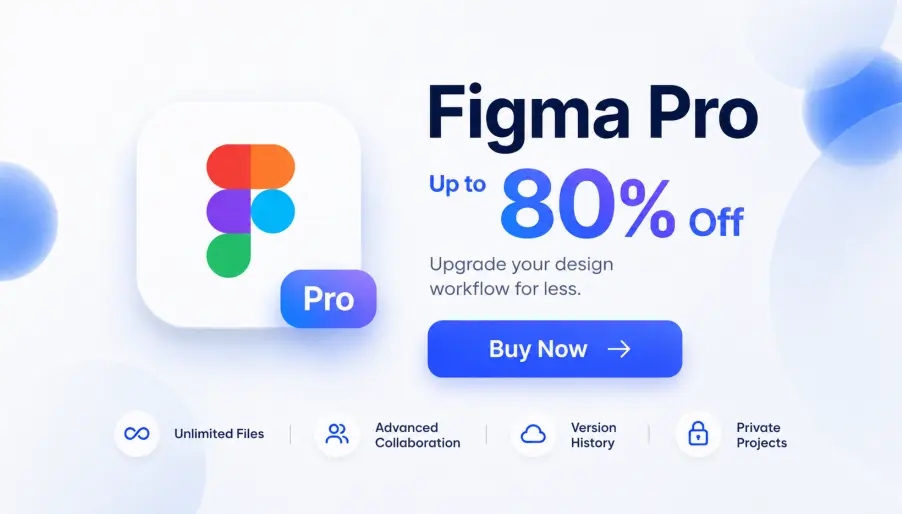
Figma is the go-to design tool for everyone from solo freelancers to teams at IBM, Samsung, and Ford, with over 13 million monthly users. It is where most UI design, prototyping, and developer handoff happens now, and its best features (shared libraries, full Dev Mode, the newer Figma Make and Sites) all sit on paid seats only.
And those seats are not cheap😞. At $16 a month each, the bill climbs fast once a few people need access. So we researched every way to get Figma Pro for free, including the education plan, the GitHub Student Pack, and nonprofit access, plus a roundup of free alternatives if you would rather switch tools😊.
And if you would rather skip the hoops, GamsGo offers low-cost Figma Pro accounts from $3.99 a month. We cover that below, too, along with everything else.
Not sure where to start? Jump straight to your situation👇:
- Student or teacher: see how the free education plan works, it gets you Pro at no cost
- Setting up a team or organization: check the nonprofit and government options
- No student email and just want Pro cheaper: jump to the low-cost Figma Pro account, open to anyone from $3.99 a month
- Open to switching tools: browse the best free Figma alternatives
Figma's own free routes all depend on who you are. The one paid option open to everyone, students included, is the GamsGo discounted subscription, which is why we point most people there.
Figma Free vs Pro: What You Get on Each
Before chasing a free Pro account, it helps to know exactly where the free plan stops and Pro begins, because that line decides which route you even need.
What the Figma Free Starter Plan Gives You
Figma's Starter plan is free for good, no trial clock, and no card needed. You get unlimited personal drafts, real-time collaboration, 30 days of version history, 150 AI credits a day, and basic Dev Mode inspection. The hard limit is 3 design files and 3 FigJam boards per team.
So, who is the free plan actually enough for? If you work solo, are a student building a portfolio, a freelancer taking one project at a time, or anyone still learning the tool, it holds up fine. You hit the wall the moment two or more people need to share a component library, or a project grows past three files. That is the point to start looking at Pro.
What Figma Professional Unlocks
The big draws on Pro are the shared libraries that keep a team's design system in sync, full Dev Mode so developers get clean specs and measurements straight from the file, and Figma Make and Sites, which turn a design into working code or a live site.
One thing to clear up first: Figma does not offer a free trial of the Professional plan. People search for it all the time, but it does not exist. The only no-cost routes to full Pro features are the education and organization programs below.
Is Figma Pro Free in 2026?
Yes, if you fit one of Figma's programs. Verified students and teachers get Professional free; K-12 schools and qualifying organizations have their own plans. One update to flag: Figma changed its education verification in August 2025, so older guides have the steps wrong. What follows is current.
How Can You Get Figma Pro for Free?
Education Plan for Students and Educators
This is the cleanest free route, and it is fully legit. Verified college and university students, teachers, and bootcamp participants get the Professional plan at no cost, AI features included.
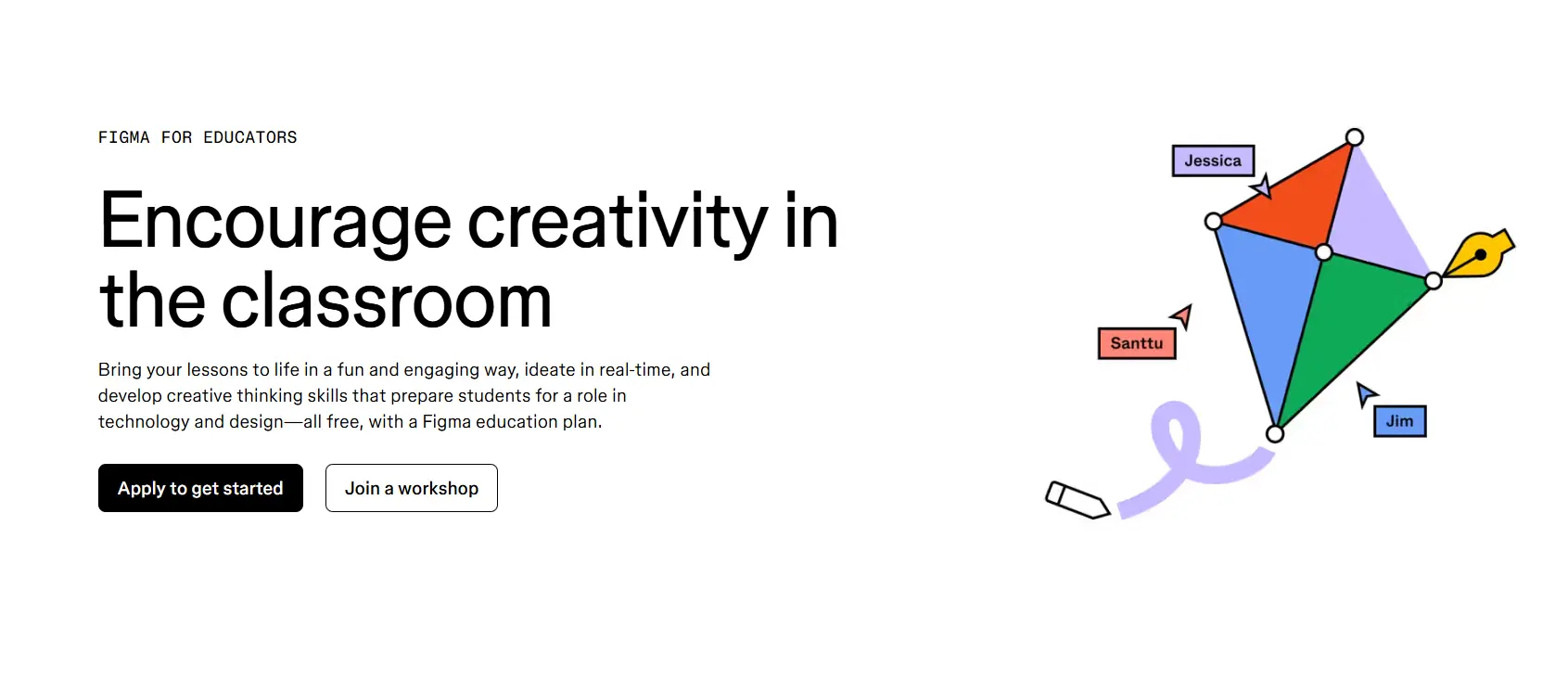
The process is short: log in with the account you want to verify, go to FIGMA FOR EDUCATORS, submit using your school-issued email so Figma can check eligibility through SheerID, and once the confirmation email lands (usually within a few days), create or upgrade a team to unlock Pro.
You need a school-issued email. Personal emails are auto-rejected, and this is where most people get stuck. If your account uses a personal address, switch it in Account Settings before applying. Without a school email, verification is very hard to pass.
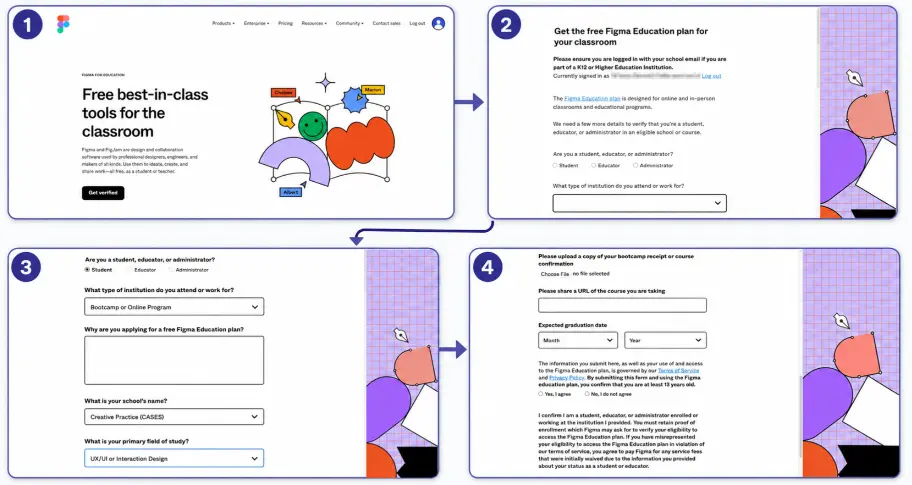
If you get rejected, do not keep resubmitting, since repeated tries trigger a lock. Make sure your name matches your school records exactly, upload proof of current enrollment showing your name, school, and academic year (a student ID or enrollment letter, not a course syllabus), and turn off any VPN.
If it still fails, appeal with SheerID at figmasupport@sheerid.com and attach the documents there.
Two things changed in 2025 that older guides miss. Access now lasts one year rather than two, so you reapply each year to keep it. Bootcamp and online course access runs 6 months, extendable once to 12 months total. If your old education account quietly dropped back to free, this is why.
And either way, you keep all your files: an account that loses verification just moves to the free Starter plan, and nothing you made disappears.
Education Plan for K-12 Schools
High school students and teachers qualify, too, but on a different tier. K-12 users get Enterprise-level features instead of Professional, and the catch is that Figma Make and Figma Sites are not included for this group. Everything else, including the core design and collaboration tools, is there.
You apply through the same Figma K-12 Education apply page, pick the K-12 institution type, and verify with a school email. Students need to be at least 13. For younger classrooms, a teacher sets up the team and invites students into it.
GitHub Student Developer Pack
If you are a student, you may already qualify for Figma through the GitHub Student Developer Pack, which bundles it with a long list of other dev and design tools. It is a convenient single sign-up if you are gathering student perks anyway.
Just know it still routes through Figma's education verification underneath, so it is an extra entry point, not a separate free plan. If you have already verified with Figma directly, the Pack adds nothing on the Figma side.
Nonprofit and Government Teams
Figma runs plans for registered nonprofits and government teams. There is no public discount rate, and nothing is self-serve. You apply through Figma's sales team, and pricing is worked out case by case. This is built for organizations, not individuals, so it only makes sense if you are setting up Figma for a qualifying team.
If that is you, contact Figma sales about eligibility before buying seats. If you are one person after a free account, the education or shared routes fit better.
What If You Don't Qualify?
No student email, and not an organization? This is the practical pick. GamsGo sells genuine Figma Professional memberships at a fraction of the list price, with the full feature set intact: Figma Design, FigJam, Figma Slides, and Dev Mode.
There are two ways to buy. GamsGo direct starts at $2.99 a month, around 80% below Figma's $16, and is the simplest route if you just want in and out.
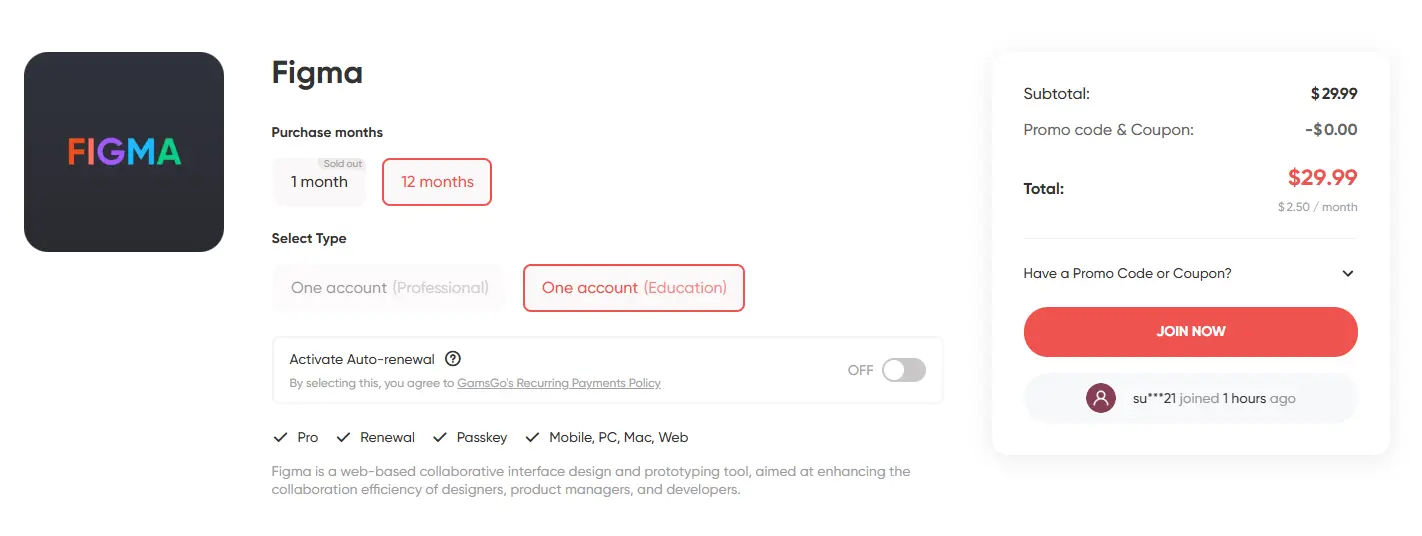
The GamsGo marketplace starts at $3.99 a month and is worth a look if you want choice, since independent sellers there offer a wider range of plan lengths and package options.
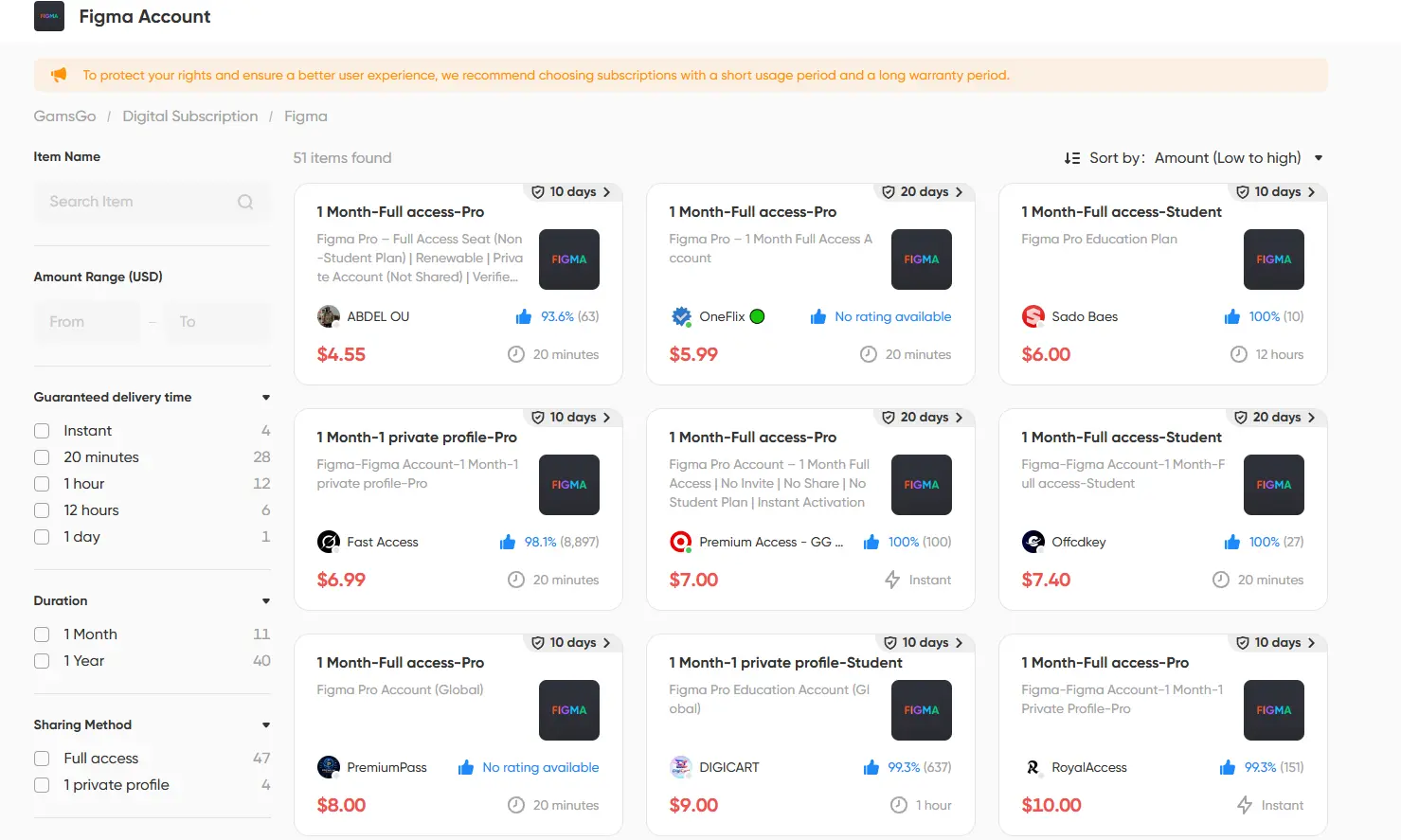
I ran it for a bit to see how it holds up. Setup took a few minutes, and once I was in I had normal access to files, prototyping, and Dev Mode with no quota warnings or random disconnects. Unlike a trial or a one-off promo, there is no countdown, which makes it the steadier option for freelancers and small teams who need Pro features month after month.
Free Figma Alternatives Worth Trying
If you do not need Figma's exact ecosystem, you can drop the cost to zero with a free tool. Quick steer: pick Penpot for team UI design, Lunacy for solo offline work, and Excalidraw if all you want is a whiteboard. Here is what each one trades off.
Penpot (closest to Figma, fully open source)
Penpot is the strongest free alternative for actual UI design. It runs in the browser, supports real-time collaboration, and puts no feature gates on the free plan: unlimited files, projects, and team members.
It is open source, built on plain SVG and CSS, and you can self-host it on your own servers or use the cloud version. It can import .fig files too, so moving a project over does not start from scratch. For a team that just got hit by Figma's per-seat pricing, this is the most serious replacement going.
Lunacy (free desktop app, works offline)
Lunacy, made by Icons8, is a free native app for Windows, Mac, and Linux that works fully offline. It comes with a built-in library of icons, photos, and avatars, plus some AI helpers, which is handy when you do not want to hunt for assets.
It is not open source, and real-time collaboration is weaker than Figma, so it suits solo designers who share finished work rather than teams editing together live.
Excalidraw (free whiteboard, FigJam style)
If the part of Figma you actually use is FigJam, Excalidraw covers it for free. It is an open-source whiteboard for wireframes, diagrams, and quick brainstorming with a loose, hand-drawn look. It does not do component systems or code export, so it is not a full design tool, but for sketching ideas and mapping flows, it is fast and costs nothing.
Comparing Your Options
That is a lot to weigh, so here is the short version, matched to who you are.
If you are a student or teacher, take the education plan; it is the real thing for free. If you do not qualify but want Figma itself, a GamsGo membership gets you every Pro feature without the $16 seat. And if you are open to switching tools, Penpot is the free option that comes closest to replacing Figma outright.
Conclusion
Free Figma Pro is real, mainly through the education plan that gives verified students and teachers the full Professional experience at no cost, with separate programs for K-12 schools and organizations.
If none of those fit, you are not stuck paying list price: a Figma Professional membership through GamsGo starts at $2.99 a month, around 80% off, and a free tool like Penpot can replace Figma entirely if you are willing to switch. I will keep this guide updated as the options change.
We’ve prepared an exclusive promo code for all blog readers:
Enjoy an additional 3% off on your next purchase!
Valid across all categories — streaming accounts, AI tools, game top-ups, software subscriptions, and more.
FAQ
Is Figma Pro Free for Students?
Yes. Verified college, university, and bootcamp students get the Professional plan free through figma.com/education/apply. High school students get Enterprise-level access, though without Figma Make and Sites.
Does Figma Have a Free Trial?
No. Figma does not offer a free trial of the Professional plan. Your no-cost options are the free Starter plan, the education plan if you qualify, or a free alternative like Penpot.
Does the Figma Education Plan Expire?
Yes. Since the 2025 update, access lasts one year, and you reapply to keep it. Bootcamp and online course access run 6 months and can be extended once, up to 12 months total.
Can I Get Figma Pro Without a Student Email?
Not free directly from Figma. But a low-cost membership from a platform like GamsGo starts at $2.99 a month, around 80% below the $16 list price, with the full Pro feature set.
What Is the Best Free Alternative to Figma?
Penpot. It is open source, browser-based, and has no feature limits on its free plan, with unlimited files and team members. Lunacy is a strong free pick for offline desktop work, and Excalidraw covers FigJam-style whiteboarding.
Related Articles