TradingView is one of the world’s leading charting and technical analysis platforms, with more than 50 million monthly active users across over 150 countries. Its charts, indicators, and real-time data help users analyze price movements in stocks, forex, cryptocurrencies, and other markets.
Its paid subscriptions come in several tiers. Following a platform-wide price increase in April 2026, the entry-level annual plan costs about $155, while the highest tier can cost roughly $2,400 per year. For long-term users, maintaining a subscription can be a significant expense.
That makes finding legitimate and effective ways to reduce the subscription cost a practical concern for many users. This guide explains TradingView’s pricing, the available ways to save, and the rules behind its discounts so you can choose the option that suits you best.
Through the GamsGo Marketplace, you can buy TradingView accounts listed by real users and save 40% right away—a more convenient and affordable option!
Are There Any TradingView Discounts Available Right Now?
TradingView currently offers discounts that you can use right away. The most reliable is its year-round annual billing discount: choose annual instead of monthly billing and every paid tier costs less. New users who sign up through an official referral link may also receive a $15 coupon.
Seasonal sales can offer much deeper savings, but they are only available at certain times of the year. During major events such as Black Friday and Cyber Monday, annual plans may be discounted by tens of percent and often include bonus subscription time. However, a sale may not be live when you are ready to buy.
Whether you should buy now depends on how urgently you need the service. If you need it immediately, annual billing and a referral coupon can still reduce the cost. If you can wait, the next major sale will often deliver better value. The sections below explain the available savings and their rules in detail.
TradingView Subscription Plans and Pricing
Before looking at discounts, it helps to understand how TradingView’s subscription plans differ. That makes it easier to choose the tier you actually need and match it with the most suitable way to save.
TradingView uses a freemium model with five tiers: Basic, Essential, Plus, Premium, and Ultimate. All tiers use the same core charting engine and data sources; the main differences are their feature limits.
Here is how the plans compare:
| Feature | Basic | Essential | Plus | Premium | Ultimate |
|---|---|---|---|---|---|
| Monthly Price | Free | $14.95 | $29.95 | $59.95 | $239.95 |
| Charts per Tab | 1 | 2 | 4 | 8 | 16 |
| Indicators per Chart | 2 | 5 | 10 | 25 | 50 |
| Active Alerts | 3 | 20 | 100 | 400 | 1,000 |
| Do Alerts Expire? | Yes | Yes | Yes | No | No |
| Ads | Yes | No | No | No | No |
Starting with Premium, alerts no longer expire—an important benefit for users who rely on long-running market monitoring. Historical data depth and the number of simultaneous connections also increase at higher tiers, making them better suited to multi-screen setups and intensive backtesting workflows.
Basic is free forever and works well for beginners or casual testing. Each paid tier progressively raises the limits shown above.
7 Legit Ways to Get TradingView for Less
Below are seven legitimate, publicly available ways to pay less, including year-round official discounts, seasonal sales, free options, and programs for specific groups. Whatever your budget or usage level, you should be able to find one or more suitable options.
Save Up to 17% With Annual Billing
Annual billing is the simplest discount available at any time. You pay for a full year upfront, and the effective monthly cost is lower than paying month by month. It applies to every paid tier.
| Plan | Monthly Price × 12 | Annual Total | Annual Savings | Savings Rate |
|---|---|---|---|---|
| Essential | $179.40 | $155.40 | $24.00 | About 13% |
| Plus | $359.40 | $299.40 | $60.00 | About 17% |
| Premium | $719.40 | $599.40 | $120.00 | About 17% |
| Ultimate | $2,879.40 | $2,399.40 | $480.00 | About 17% |
Keep in mind that “save up to 17%” does not mean every plan receives the same discount. Plus, Premium, and Ultimate are close to 17%, while Essential saves about 13%. The higher the tier, the greater the annual savings in dollar terms.
For example, annual billing saves about $120 per year on Premium and roughly $480 on Ultimate. If you know you will use TradingView long term, paying annually offers better value. If you are still testing the platform or are unsure, monthly billing gives you more flexibility.
Check for Personal or Partner Promo Codes
TradingView promo codes generally come from two sources: personalized offers sent directly to individual accounts and codes distributed through partners or promotional channels.
Personal promo codes vary by account and may appear as a limited-time checkout discount or a coupon delivered by email. You need to sign in and check the pricing or checkout page to see whether one is available; not every account will receive an offer.
Partner promo codes are distributed by TradingView affiliates or other third-party channels. One of the most consistent offers is the $15 referral coupon, which is explained in the next section.
Be aware that promo codes are usually limited to a specific plan and billing cycle, are often valid for one use only, and generally cannot be stacked with an automatically applied sale price. Use codes only from official or trusted sources, and never share your account or payment details with an unknown third party.
Earn a $15 Coupon Through TradingView’s Referral Program
TradingView has an official referral program that rewards both sides. A new user who joins through someone else’s referral link can receive a $15 coupon, while the referrer receives a $15 reward after the new user becomes a paying subscriber.
There are clear eligibility requirements. The referred person must be a completely new user who has never registered before and must upgrade to a paid plan within three months of signing up. Simply creating an account without subscribing does not qualify.
The reward also has restrictions. The coupon can be used toward paid plans such as Essential, Plus, or Premium, but not toward market data. It is valid for about one year, is not applied automatically at renewal, and cannot be transferred or shared.
For new users, this is one of the easiest year-round ways to save: join through an official referral link, meet the referral requirements, and use the coupon on a qualifying purchase.
Wait for Black Friday or Cyber Monday
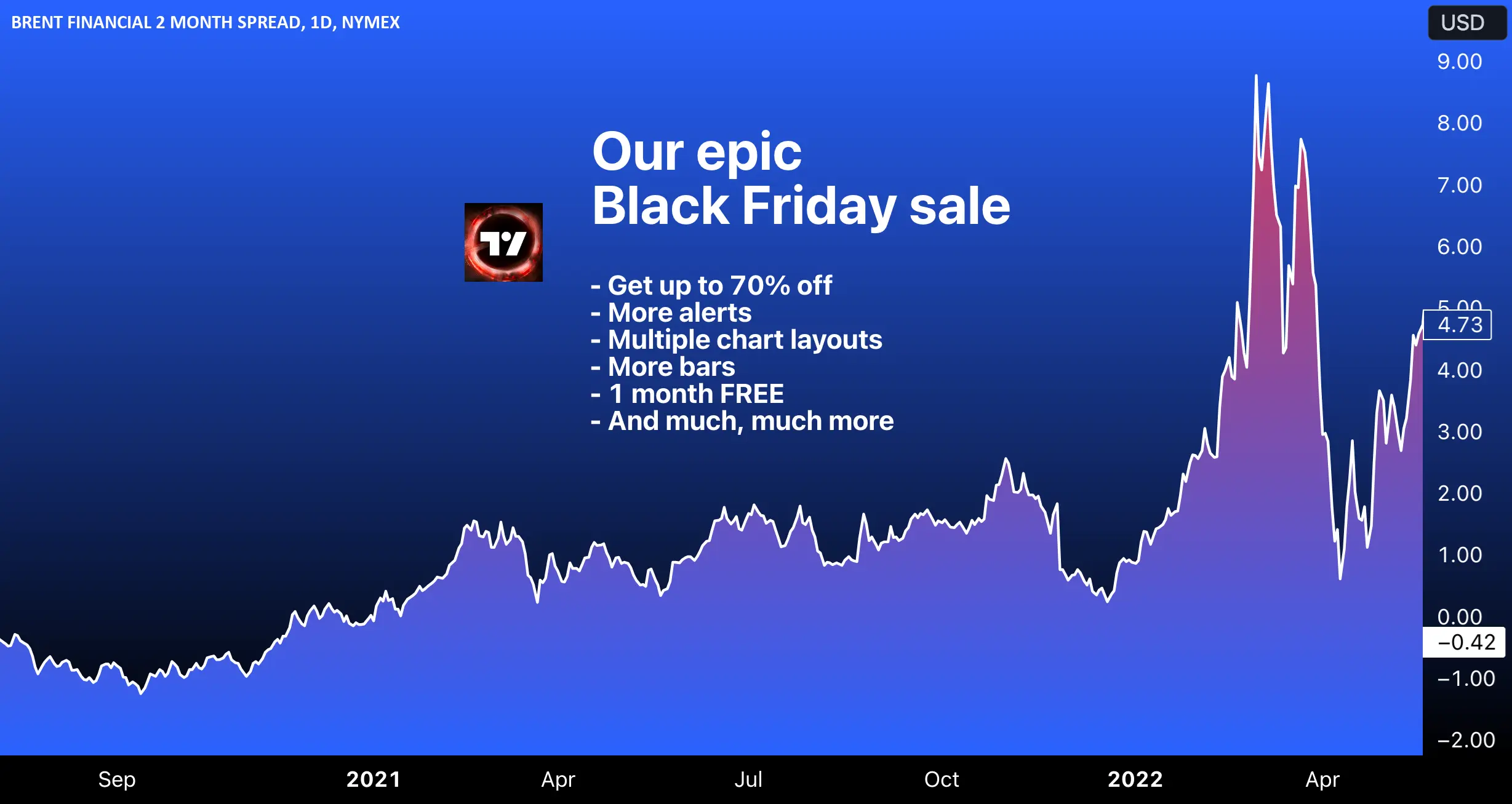
Black Friday and Cyber Monday usually bring TradingView’s deepest discounts of the year. Annual plans may be discounted by up to about 80% and often include an extra month of access, far exceeding the standard annual billing discount.
The sale covers all paid tiers and is generally open to both new and existing users, including those renewing or extending a subscription. However, the discount varies by tier and is usually deepest on higher-level plans, so not every plan receives the maximum percentage.
The event normally takes place in late November, running from Black Friday through Cyber Monday for a little over a week. The discount is usually applied automatically at checkout on the official website, requires no promo code, and applies only to annual subscriptions.
If you are not in a hurry, waiting for this sale will often deliver the best value. You can start with a free trial, learn how the platform works, and then subscribe when the sale goes live to lock in a lower price.
TradingView Discounts for Everyone: GamsGo Marketplace
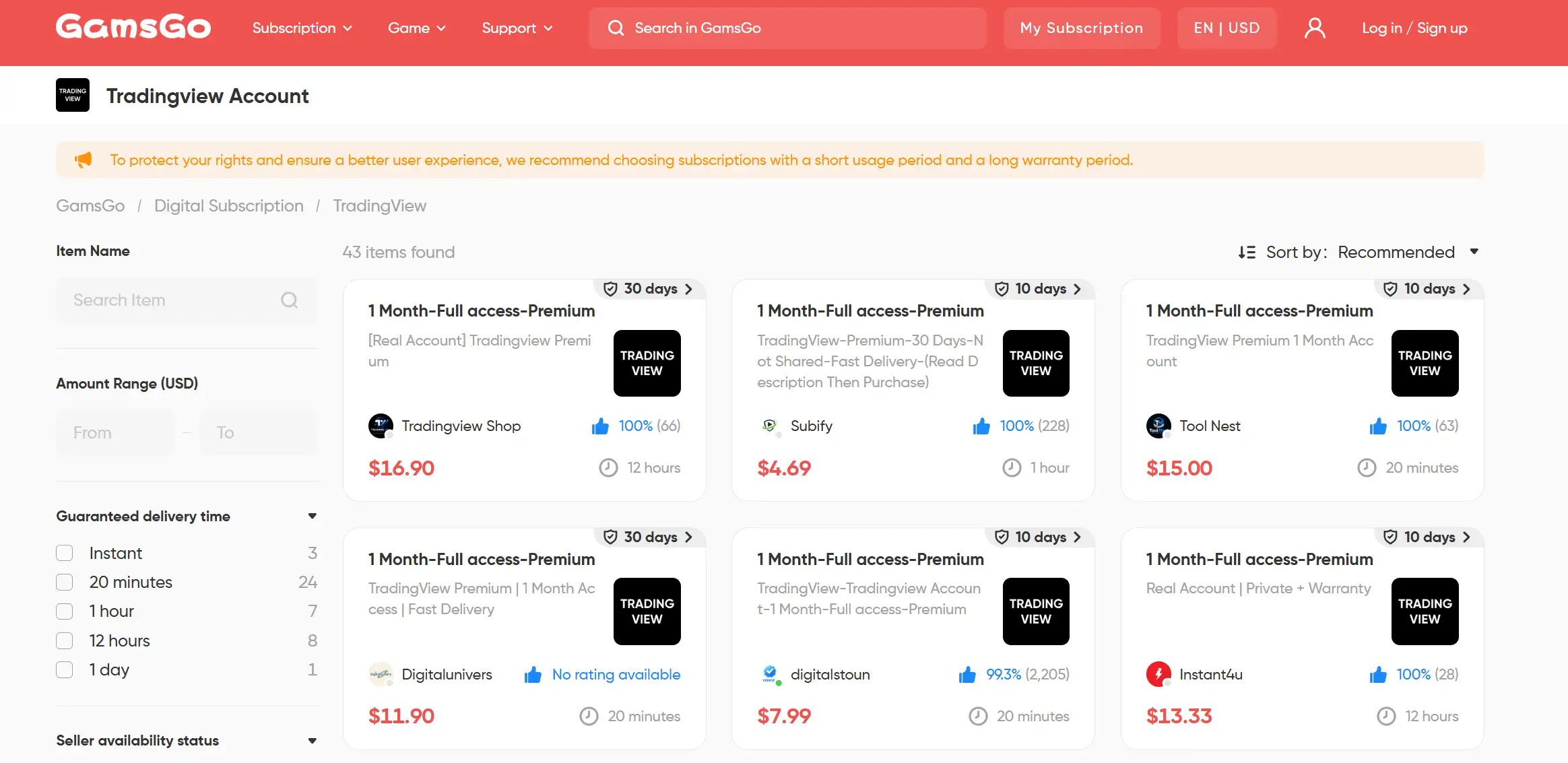
The options above all come with conditions. The $15 referral coupon is limited to new users, annual billing requires a full year of upfront payment, and major sales such as Black Friday are time-sensitive. If these options do not fit your situation, you can consider the third-party GamsGo Marketplace.
Founded in 2020, GamsGo is a digital subscription marketplace that brings together TradingView accounts offered by verified sellers. It is available to both new and existing users, requires no wait for a major sale, and lets you purchase one month of access at prices that are often only 30%–40% of the official rate.
Sellers on the platform undergo identity verification and come with ratings and warranty periods, while transactions use encrypted payments. Most Premium listings cost about $8–$16 per month, well below the official monthly price. Multiple currencies and quick activation are supported, and buyers can request a refund or replacement if an account stops working.
There is one important limitation: most listings provide a separate account supplied by the seller rather than a subscription registered in your own name. Your personal layouts and community data may therefore not remain available after the access period ends.
Use the Free Plan or Start a Free Trial
The most straightforward zero-cost option is the free Basic plan. It is available indefinitely with no time limit and includes basic charts, popular indicators, and cloud saving. It works well for beginners and users who want to evaluate the platform over time, although it includes ads and limits the number of charts, indicators, and alerts.
To test paid features, start a free trial. Essential, Plus, and Premium include a 30-day trial, while Ultimate comes with a 14-day trial. You can use all features included in the selected tier and avoid being charged by canceling before the trial ends.
A payment method is usually required, and the trial automatically converts to a paid subscription when it ends, so keep track of the cancellation deadline. One practical approach is to use the trial to learn the platform, then subscribe during a sale while the trial is still active to combine full access with a lower price.
Get Free Access Through an Educational Institution
TradingView’s Educational Partner Program is designed for institutions rather than individual students. Once an educational institution applies and is approved, its students can use paid-plan charts, indicators, and market data at no cost for study and research.
A number of well-known institutions participate in the program, including Spain’s National University of Distance Education (UNED) and The Hague University of Applied Sciences in the Netherlands. Access is intended for enrolled students, and applications must be submitted by faculty members or administrators rather than by individuals.
This route is therefore available to a relatively narrow group and cannot be claimed directly by the general public. If you are a student or educator whose coursework involves market analysis, ask the relevant department or instructor at your institution to join the program. If approved, you may receive access at no cost.
When Is the Best Time to Buy TradingView?
The value you receive depends heavily on when you buy. The table below summarizes the available savings by purchase timing and shows who each option suits best:
| When to Buy | Potential Savings | Best For |
|---|---|---|
| Any Time | About 13%–17% Off Annually | Users who need it now and plan to stay long term |
| Black Friday | Usually the biggest sale of the year | Users who can wait |
| Account-Specific Offer | Personalized discount; amount varies | Users who receive an official offer email |
| Short-Term Need | Short-term access from a third-party marketplace | Temporary users or those on a limited budget |
Exact discount amounts and event dates vary from year to year, so always check the official sale page for the latest details.
How to Apply a TradingView Promo Code
A TradingView promo code must be entered manually at checkout. Follow these steps:
- Sign in, open the pricing page, and choose your preferred plan and billing cycle (monthly or annual).
- Continue to the checkout or payment page and find the promo code field, usually labeled “Have a promo code?” or something similar.
- Paste the promo code and click Apply.
- Confirm that the price has changed to the discounted amount, review the order, and complete the payment.
Promo codes are usually tied to a specific plan and billing cycle, so they will not work if the selection does not match. Most are valid for one use and are not applied automatically at renewal. The $15 referral coupon is also redeemed here, while an automatically applied sale price generally cannot be combined with another promo code.
TradingView Discount Rules and Hidden Costs
The advertised subscription price is not necessarily the full cost of using TradingView. In addition to the monthly or annual fee, there are several easily overlooked expenses and restrictions. Understanding them will help you estimate the true total cost.
Real-time market data fees are the most commonly overlooked expense. A paid TradingView plan does not automatically include full real-time exchange data, which may need to be purchased separately:
- U.S. stocks use real-time Cboe data by default, which is included free with every plan. Cryptocurrency and forex data are also available in real time across all tiers at no additional cost.
- Full real-time data from exchanges such as NASDAQ, NYSE, and CME generally costs about $2–$10 per exchange per month, while the U.S. stock market bundle costs roughly $9.95 per month.
- Market data costs rise sharply if you are classified as a professional subscriber. For example, CME data can jump from about $7 per month for a non-professional user to roughly $548 per month for a professional. Most individual investors qualify as non-professionals, provided they answer the subscriber-status questions accurately.
Other commonly overlooked rules and costs include:
- Subscriptions renew automatically by default and must be canceled manually before the renewal date.
- Monthly subscription charges and purchased market data are generally non-refundable, and downgrading does not provide a prorated refund.
- Third-party Marketplace indicators are usually sold separately and are not included in a TradingView subscription.
- Promo codes are tied to specific plans and billing cycles, are usually valid for one use, and cannot be stacked with an automatically applied sale discount.
- Annual plans require a full year of upfront payment. The $15 referral coupon cannot be used for market data and will not be applied automatically at renewal.
Which TradingView Discount Is Best for You?
There is no single best discount for everyone. The right option depends on your circumstances. The table below compares the potential savings, eligible plans, and limitations of each method:
| Discount Option | Savings | Eligible Plans | Limitations | Rating |
|---|---|---|---|---|
| Annual Billing | About 13%–17% | All paid plans | Requires a full year of upfront payment | ★★★ |
| Promo Code | Varies | Depends on the code | Availability varies and requires searching for a valid code | ★★★ |
| $15 Referral Coupon | One-time $15 coupon | Essential/Plus/Premium | New users only; cannot be used for market data | ★★★ |
| Black Friday / Cyber Monday | Biggest savings of the year; discount varies by plan | All paid plans (annual billing) | Available only during a limited period | ★★★★ |
| Free Plan / Trial | Free | Basic; trials are available for paid plans | Limited features; trials convert to paid subscriptions | ★★★ |
| Educational Partner Program | Free | Paid-plan features | Your institution must participate in the program | ★★ |
| GamsGo Marketplace | About 30%–40% of the official price | Essential/Plus/Premium | No major drawbacks | ★★★★★★ |
Use the following recommendations as a quick guide:
- Light or first-time users: The free Basic plan is usually enough. Try it first and upgrade only after confirming that you need more features. For short-term needs, you can also consider a monthly option from GamsGo.
- Committed long-term users: Use annual billing as your baseline because the savings are consistent. If you can wait, buying an annual plan during Black Friday or another major sale offers better value. New users may also be able to use the $15 referral coupon.
- Students and educators: First check whether your institution participates in the Educational Partner Program. You can verify access by signing in with your school email. If your institution does not participate, the other methods remain available.
- Budget-conscious users: Compare the free plan, a free trial, and short-term GamsGo options.
Overall, most individual users can cover nearly all of their savings needs by using annual billing as a baseline, purchasing during a major sale, and adding a referral coupon when eligible. The safest approach is to choose a plan based on how you will actually use TradingView, then match it with the most suitable discount.
FAQ
Is a TradingView Membership Worth It?
Yes, especially for active traders who use advanced charts, multiple indicators, alerts, and deeper historical data. Casual users may find the free Basic plan sufficient, so consider starting with a free trial.
Why Is TradingView So Expensive?
The price reflects its advanced charting tools, indicators, alerts, multi-chart layouts, historical data, and higher usage limits. Real-time exchange data may cost extra, further increasing the total cost.
What Is the Best TradingView Subscription?
Essential works well for beginners, while Plus suits most active traders. Premium is better for users who need more charts, indicators, and non-expiring alerts. Ultimate is mainly designed for professional or heavy users.